LobsterAI




English · 中文
All-scenario office assistant Agent.
The first open-source desktop-grade Agent among major Chinese tech companies, built by NetEase Youdao.
Features · Developing · Community
Download LobsterAI
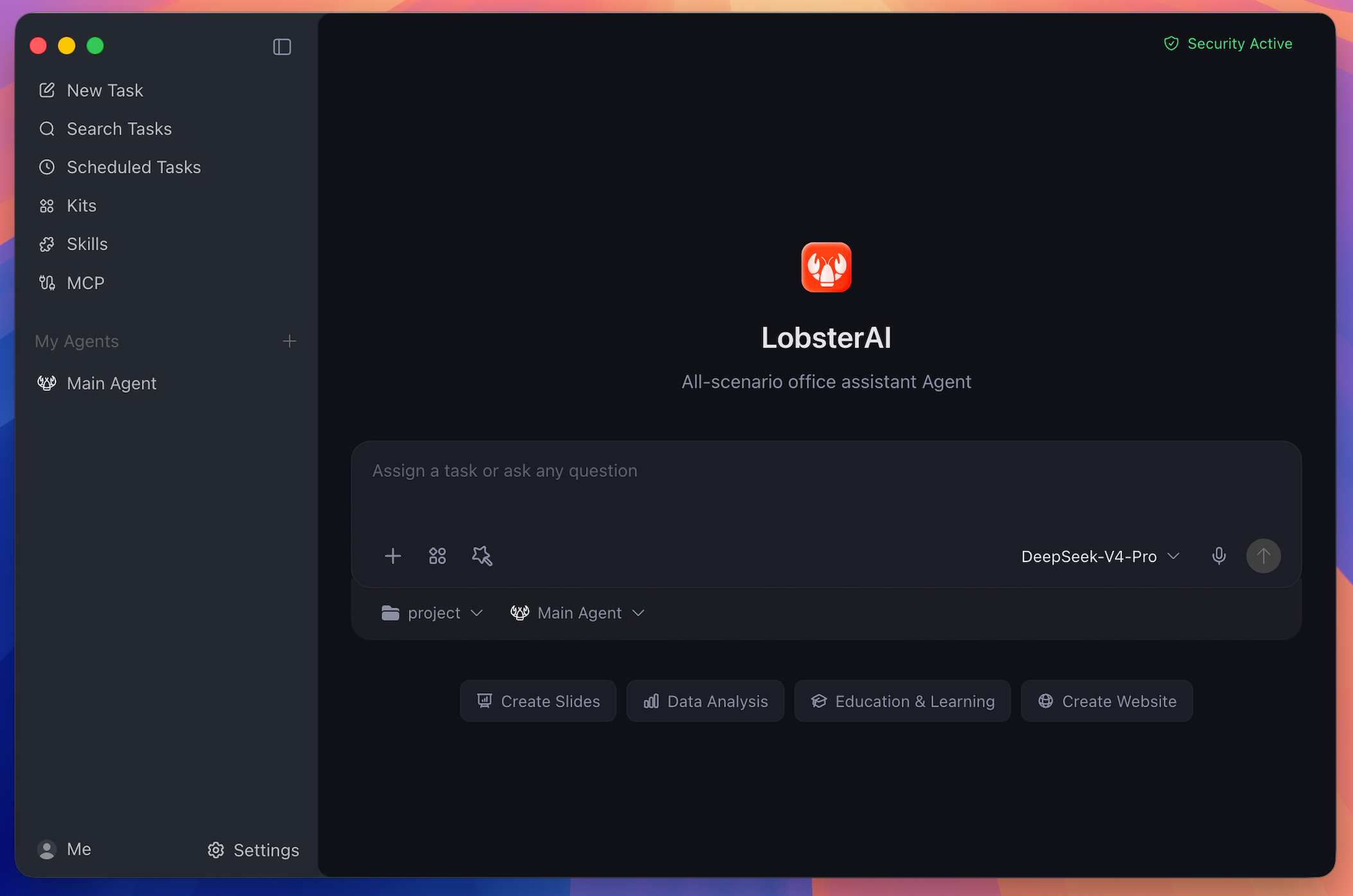
LobsterAI is a desktop Agent that can operate in your real working environment: local files, terminal commands, browser workflows, documents, spreadsheets, slides, IM channels, scheduled jobs, and project workspaces.
Cowork is the LobsterAI product/session layer. OpenClaw is the runtime and gateway underneath it. That split lets LobsterAI keep local persistence, permissions, UI state, artifacts, agents, memory, and IM bindings in the desktop app while using OpenClaw for agent execution.
Features
Desktop Cowork Sessions
Run long-form Agent tasks against local projects and files. LobsterAI streams progress, keeps session history, renders tool output, and asks for approval before sensitive actions such as file operations, terminal commands, or network access.
Multi-Agent Workflows
Create custom Agents with their own identity, model choice, skills, working directory, enabled state, and IM bindings. Keep the Main Agent for general work and use specialized Agents for repeatable roles.
Expert Kits
Install scenario-oriented Expert Kits that package capability selections and references for common workflows. Kits are selected independently from direct skills, so a workflow can combine curated kits with individual tools.
Skills
LobsterAI ships with 28 built-in skills configured in SKILLs/skills.config.json, including web search, Word documents, spreadsheets, PowerPoint, PDF processing, Remotion video generation, browser automation, image/video generation, stock research, content writing, email, weather, and skill creation.
MCP Servers
Connect external tools and data sources through Model Context Protocol servers. LobsterAI stores user-configured servers locally and syncs enabled servers into OpenClaw.
Scheduled Tasks
Create recurring work either by conversation or through the scheduled task UI. Use it for daily news digests, inbox summaries, website monitoring, weekly reports, and other repeatable work.
IM Remote Control
Reach your desktop Agent from WeChat, WeCom, DingTalk, Feishu/Lark, QQ, Telegram, Discord, NetEase IM, NetEase Bee, POPO, and email. Multi-instance platforms can bind different accounts or channels to different Agents.
Rich Artifacts
Preview and manage generated HTML, SVG, images, video, Mermaid diagrams, code, Markdown, text, documents, and local service artifacts inside the desktop app.
Local Memory And Data
Sessions and app data live locally in SQLite. OpenClaw workspace memory uses files such as MEMORY.md, USER.md, SOUL.md, and daily notes, so durable preferences and project context can carry across sessions.
Real-World Prompts
| Scenario | Example prompt |
|---|---|
| Build a local system | "I still track inventory and sales in Excel. Build a local inventory system that records purchases and sales, calculates stock and profit, and opens in my browser." |
| Analyze local data | "Use product-growth.xlsx to build a visual dashboard and summarize the main growth drivers." |
| Generate a deck | "Research the AI Agent market and turn the findings into a presentation." |
| Automate browser checks | "Open the ads dashboard every morning, check spend and conversion anomalies, and summarize likely causes." |
| Screen documents | "Turn the resumes in this folder into a screening sheet and shortlist the strongest candidates against the JD." |
| Run scheduled work | "Every weekday at 9 AM, collect yesterday's AI news and send me a concise digest." |
How It Works
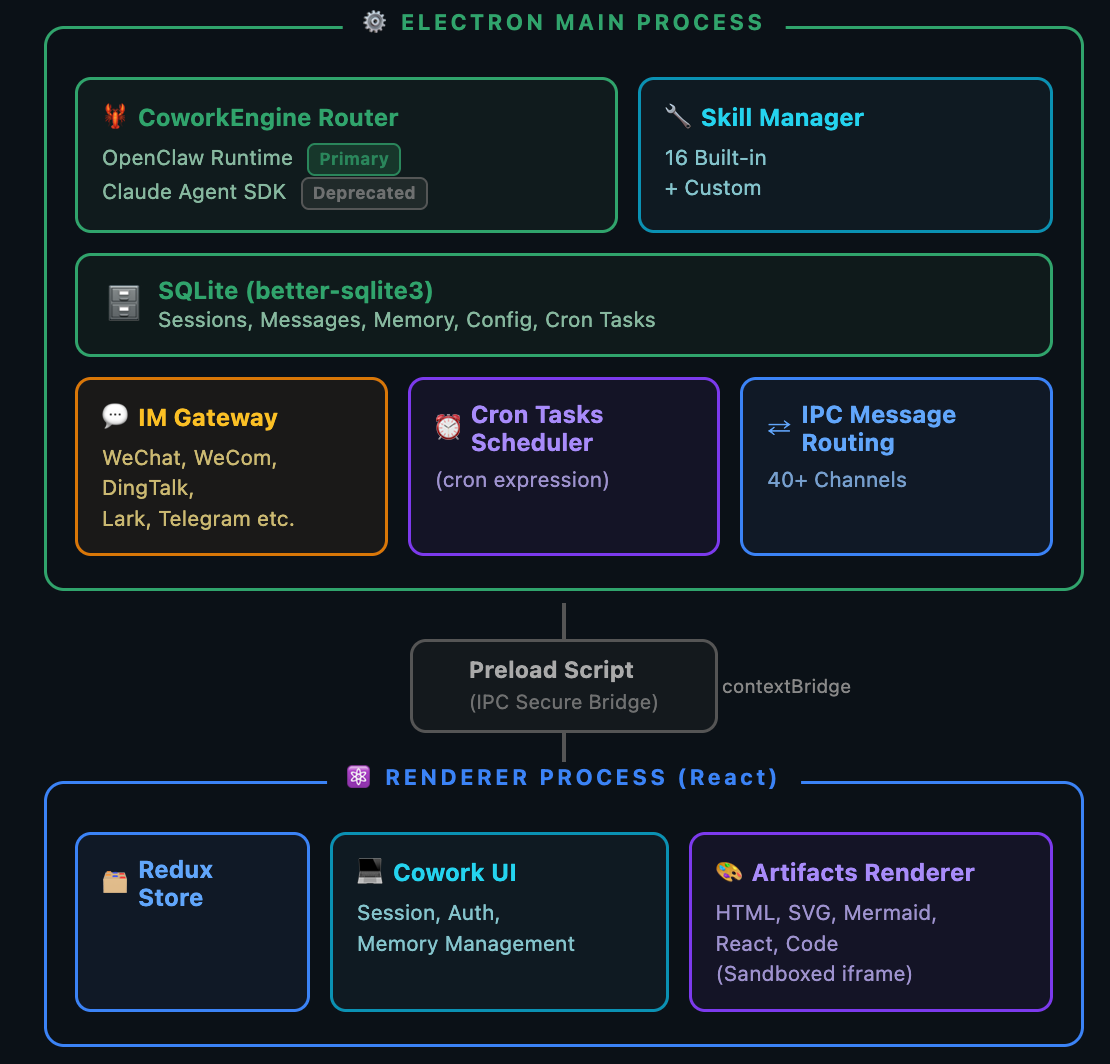
- Renderer: React, Redux Toolkit, Tailwind, artifact renderers, settings, agent/session UI, skills, MCP, scheduled tasks, and IM configuration.
- Main process: Electron lifecycle, IPC, SQLite persistence, auth, logging, OpenClaw startup, runtime repair, skill sync, IM gateways, and artifact services.
- OpenClaw integration:
openclawEngineManager,openclawConfigSync,openclawRuntimeAdapter, andcoworkEngineRoutertranslate LobsterAI state into OpenClaw runtime behavior.
Install
Desktop
Download the latest macOS and Windows installers from Official Website or GitHub Releases.
Run From Source
Requirements:
- Node.js `>=24.15.0 =11.17.0
Publish a runtime archive (per platform)
Each target must be built on a matching machine: native dependencies install for the host, so a cross-architecture build produces an archive that packs cleanly and only fails on users' machines. The build refuses to run on a mismatched host.
| Target | Build on |
|---|---|
mac-arm64 |
Apple Silicon mac |
mac-x64 |
Intel mac |
win-x64 |
Windows 10 1803+ (ships tar.exe) |
Run these on that machine, substituting the target:
# 1. Build (applies the pinned patches, prunes to ~160 MB)
npm run dsh:runtime:mac-arm64

# 2. Pack; prints the sha256 and size
npm run dsh:runtime:pack mac-arm64

# 3. Upload vendor/dsh-dist/dsh-runtime-<version>-mac-arm64.tar.gz to the CDN,
#    then record where it landed. Digest and size come from the local manifest,
#    so they cannot drift from the bytes that were packed.
npm run dsh:runtime:url mac-arm64 "https://cdn.example.com/<uploaded>"

# 4. Confirm the URL serves exactly those bytes
npm run dsh:runtime:verify-urls mac-arm64
Step 3 writes dsh.runtimes[target] into package.json; commit that hunk so every platform's descriptor ships in one build. Each target holds one absolute URL and nothing is appended to it, so a CDN that mints an unrelated URL per file needs no shared directory.