






LLamaSharp is a cross-platform library to run 🦙LLaMA model (and others) on your local device. Based on llama.cpp, inference with LLamaSharp is efficient on both CPU and GPU. With the higher-level APIs and RAG support, it's convenient to deploy LLMs (Large Language Models) in your application with LLamaSharp.
Please star the repo to show your support for this project!🤗
Table of Contents
📖Documentation
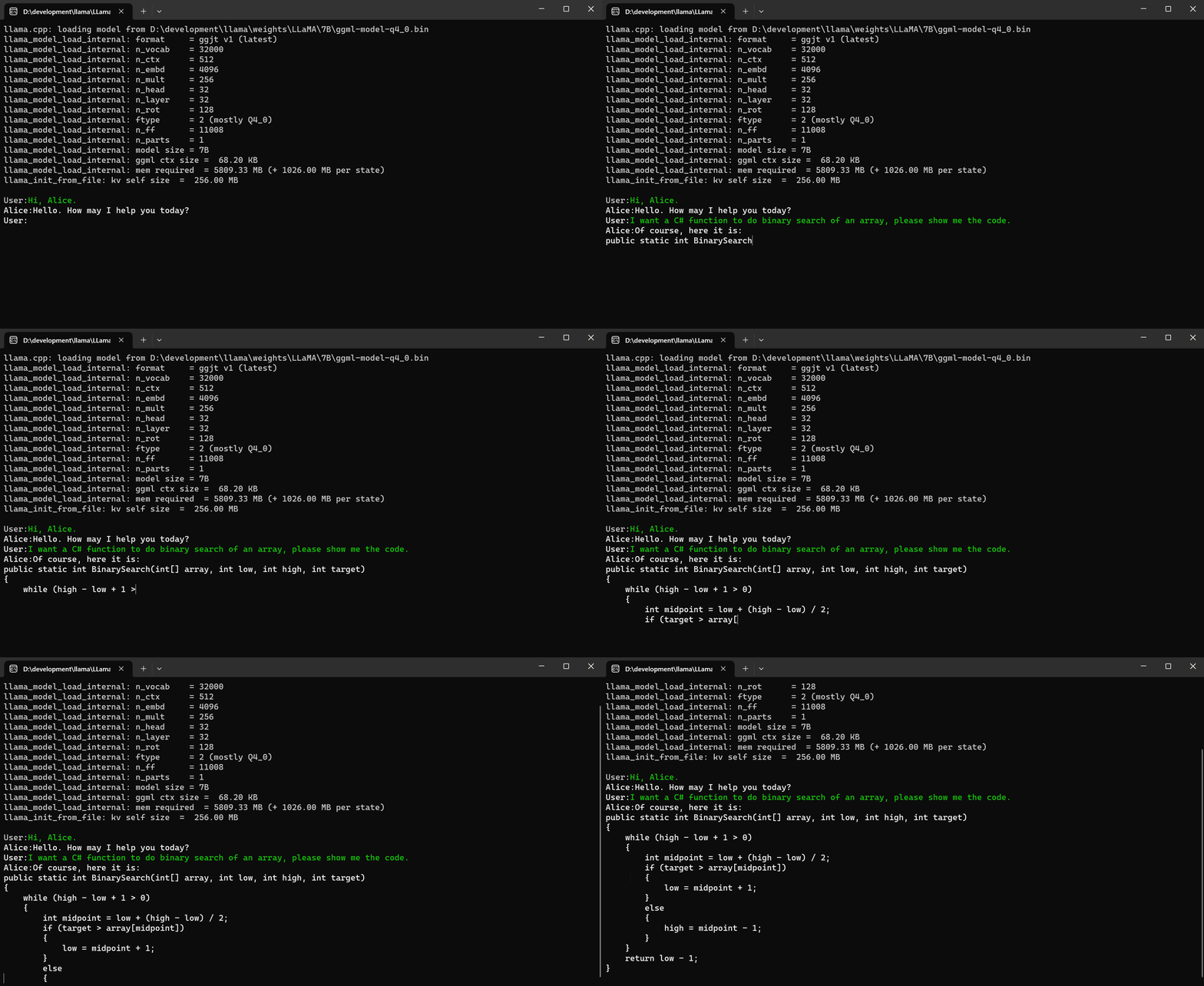
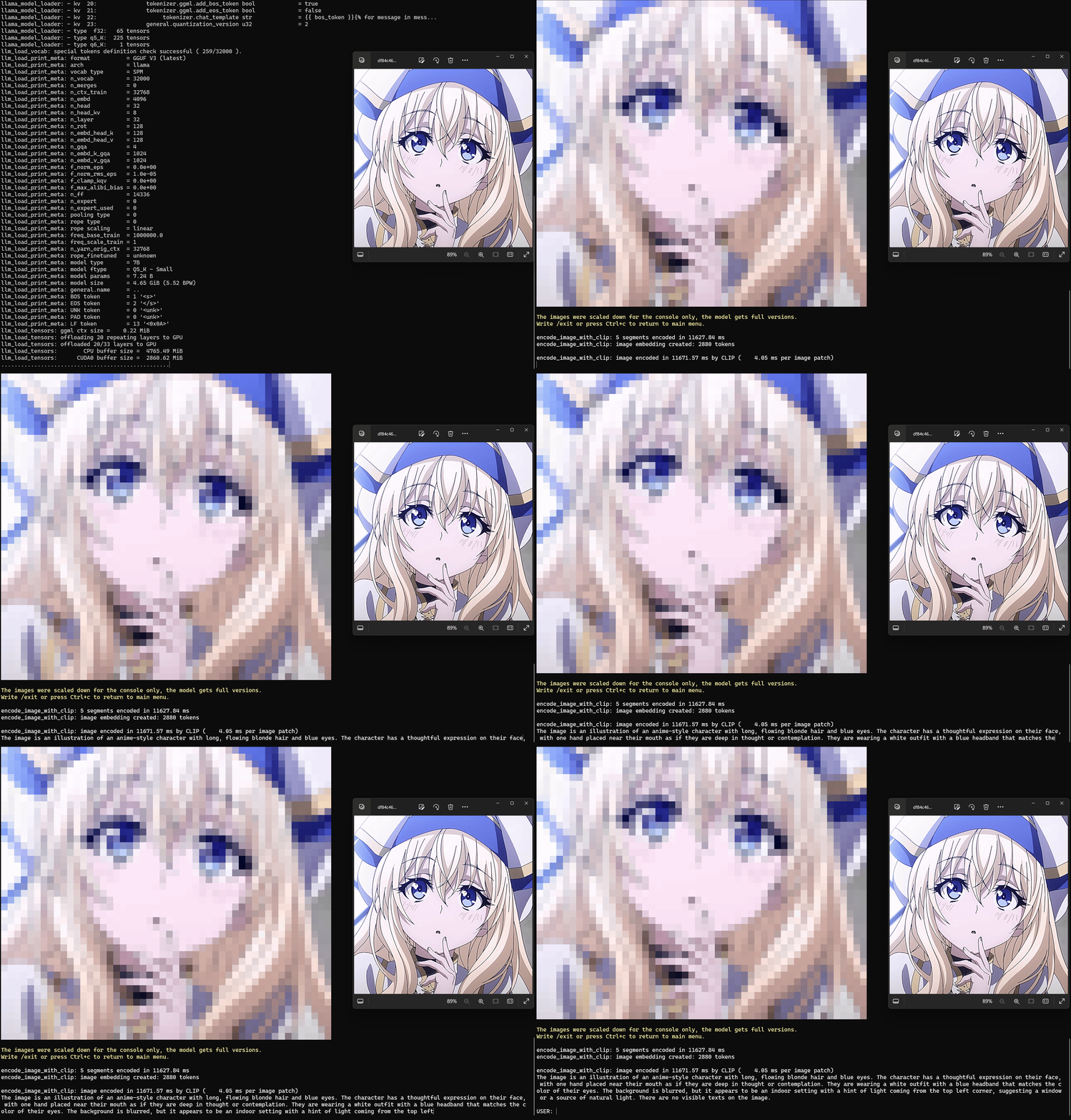
📌Console Demo
| LLaMA | Multimodal |
 |
 |
🔗Integrations & Examples
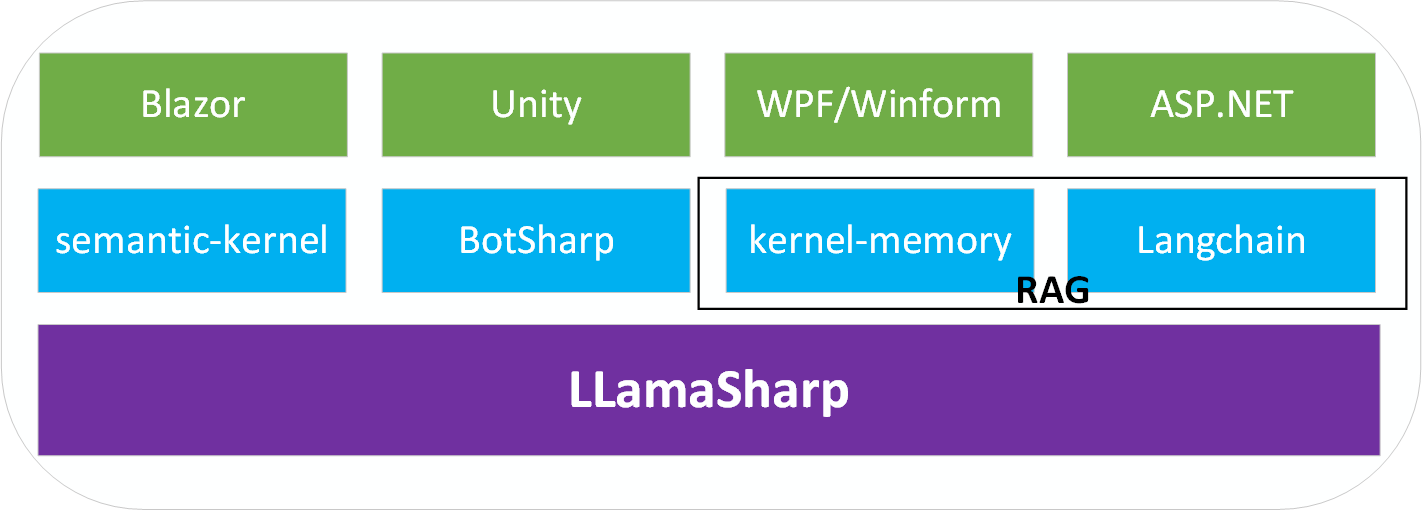
There are integrations for the following libraries, making it easier to develop your APP. These integrations are developed in their own repositories.
- BotSharp: an open source machine learning framework for AI Bot platform builder.
- Langchain: a framework for developing applications powered by language models.
- MaIN.NET: simplistic approach to orchestrating agents/chats from different (llm) providers
The following examples show how to build APPs with LLamaSharp.
- Official Console Examples
- Unity Demo
- LLamaStack (with WPF and Web demo)
- Blazor Demo (with Model Explorer)
- ASP.NET Demo
- LLamaWorker (ASP.NET Web API like OAI and Function Calling Support)
- VirtualPet (Desktop Application)
- KaiROS AI (Local AI Assistant for Windows & Android)
🚀Get started
Installation
To gain high performance, LLamaSharp interacts with native libraries compiled from c++, these are called backends. We provide backend packages for Windows, Linux and Mac with CPU, CUDA, Metal and Vulkan. You don't need to compile any c++, just install the backend packages.
If no published backend matches your device, please open an issue to let us know. If compiling c++ code is not difficult for you, you could also follow this guide to compile a backend and run LLamaSharp with it.
- Install LLamaSharp package on NuGet:
PM> Install-Package LLamaSharp
Install one or more of these backends, or use a self-compiled backend.
LLamaSharp.Backend.Cpu: Pure CPU for Windows, Linux & Mac. Metal (GPU) support for Mac.LLamaSharp.Backend.Cuda11: CUDA 11 for Windows & Linux.LLamaSharp.Backend.Cuda12: CUDA 12 for Windows & Linux.LLamaSharp.Backend.Vulkan: Vulkan for Windows & Linux.
Model preparation
There are two popular formats of model file of LLMs, these are PyTorch format (.pth) and Huggingface format (.bin). LLamaSharp uses a GGUF format file, which can be converted from these two formats. To get a GGUF file, there are two options:
Search model name + 'gguf' in Huggingface, you will find lots of model files that have already been converted to GGUF format. Please take note of the publishing time of them because some old ones may only work with older versions of LLamaSharp.
Convert PyTorch or Huggingface format to GGUF format yourself. Please follow the instructions from this part of llama.cpp readme to convert them with python scripts.
Generally, we recommend downloading models with quantization rather than fp16, because it significantly reduces the required memory size while only slightly impacting the generation quality.
Example of LLaMA chat session
Here is a simple example to chat with a bot based on a LLM in LLamaSharp. Please replace the model path with yours.
using LLama;
using LLama.Common;
using LLama.Sampling;

string modelPath = @"<Your Model Path>"; // change it to your own model path.

var parameters = new ModelParams(modelPath)
{
    ContextSize = 1024, // The longest length of chat as memory.
    GpuLayerCount = 5 // How many layers to offload to GPU. Please adjust it according to your GPU memory.
};
using var model = LLamaWeights.LoadFromFile(parameters);
using var context = model.CreateContext(parameters);
var executor = new InteractiveExecutor(context);

// Add chat histories as prompt to tell AI how to act.
var chatHistory = new ChatHistory();
chatHistory.AddMessage(AuthorRole.System, "Transcript of a dialog, where the User interacts with an Assistant named Bob. Bob is helpful, kind, honest, good at writing, and never fails to answer the User's requests immediately and with precision.");
chatHistory.AddMessage(AuthorRole.User, "Hello, Bob.");
chatHistory.AddMessage(AuthorRole.Assistant, "Hello. How may I help you today?");

ChatSession session = new(executor, chatHistory);

InferenceParams inferenceParams = new InferenceParams()
{
    MaxTokens = 256, // No more than 256 tokens should appear in answer. Remove it if antiprompt is enough for control.
    AntiPrompts = new List<string> { "User:" }, // Stop generation once antiprompts appear.

    SamplingPipeline = new DefaultSamplingPipeline(),
};

Console.ForegroundColor = ConsoleColor.Yellow;
Console.Write("The chat session has started.\nUser: ");
Console.ForegroundColor = ConsoleColor.Green;
string userInput = Console.ReadLine() ?? "";

while (userInput != "exit")
{
    await foreach ( // Generate the response streamingly.
        var text
        in session.ChatAsync(
            new ChatHistory.Message(AuthorRole.User, userInput),
            inferenceParams))
    {
        Console.ForegroundColor = ConsoleColor.White;
        Console.Write(text);
    }
    Console.ForegroundColor = ConsoleColor.Green;
    userInput = Console.ReadLine() ?? "";
}
For more examples, please refer to LLamaSharp.Examples.
💡FAQ
Why is my GPU not used when I have installed CUDA?
- If you are using backend packages, please make sure you have installed the CUDA backend package which matches the CUDA version installed on your system.
- Add the following line to the very beginning of your code. The log will show which native library file is loaded. If the CPU library is loaded, please try to compile the native library yourself and open an issue for that. If the CUDA library is loaded, please check if
GpuLayerCount > 0when loading the model weight.
NativeLibraryConfig.All.WithLogCallback(delegate (LLamaLogLevel level, string message) { Console.Write($"{level}: {message}"); } )
Why is the inference so slow?
Firstly, due to the large size of LLM models, it requires more time to generate output than other models, especially when you are using models larger than 30B parameters.
To see if that's a LLamaSharp performance issue, please follow the two tips below.
- If you are using CUDA, Metal or Vulkan, please set
GpuLayerCountas large as possible. - If it's still slower than you expect it to be, please try to run the same model with same setting in llama.cpp examples. If llama.cpp outperforms LLamaSharp significantly, it's likely a LLamaSharp BUG and please report that to us.
Why does the program crash before any output is generated?
Generally, there are two possible cases for this problem:
- The native library (backend) you are using is not compatible with the LLamaSharp version. If you compiled the native library yourself, please make sure you have checked-out llama.cpp to the corresponding commit of LLamaSharp, which can be found at the bottom of README.
- The model file you are using is not compatible with the backend. If you are using a GGUF file downloaded from huggingface, please check its publishing time.
Why is my model generating output infinitely?
Please set anti-prompt or max-length when executing the inference.
🙌Contributing
All contributions are welcome! There's a TODO list in LLamaSharp Dev Project and you can pick an interesting one to start. Please read the contributing guide for more information.
You can also do one of the following to help us make LLamaSharp better:
- Submit a feature request.
- Star and share LLamaSharp to let others know about it.
- Write a blog or demo about LLamaSharp.
- Help to develop Web API and UI integration.
- Just open an issue about the problem you've found!
Join the community
Join our chat on Discord (please contact Rinne to join the dev channel if you want to be a contributor).
Join QQ group
Star history
Contributor wall of fame
Map of LLamaSharp and llama.cpp versions
If you want to compile llama.cpp yourself you must use the exact commit ID listed for each version.
License
This project is licensed under the terms of the MIT license.