LittleJS - The Tiny Fast JavaScript Game Engine







🚂 All Aboard!
LittleJS is a fast, lightweight, and fully open source HTML5 game engine designed for simplicity and performance. Its small footprint is packed with a comprehensive feature set including 2D and 3D rendering, physics, particles, sound, and input handling. The code is very clean and well documented with many examples to get you started quickly.
🚀 Join the LittleJS Game Jam
The Third Annual LittleJS Game Jam will take place from Oct 2 to Nov 2! Unleash your creativity and develop amazing games using the LittleJS game engine.
Demos | Arcade | Docs | Reference | FAQ | Trailer | Discord | AI
LittleJS Features
✨ Graphics
- Blazing fast WebGL2 + Canvas2D hybrid rendering system
- Apply Shadertoy style shaders for post-processing effects, or on any object or draw
- 2D lights with soft shadows, tinted glass and emissive objects
- Robust particle effect system with a library of ready made effects and an effect design tool
- Parallax background layers that repeat across a level of any size
- Load sprites and animations into texture sheets at runtime, or import TexturePacker and Aseprite atlases
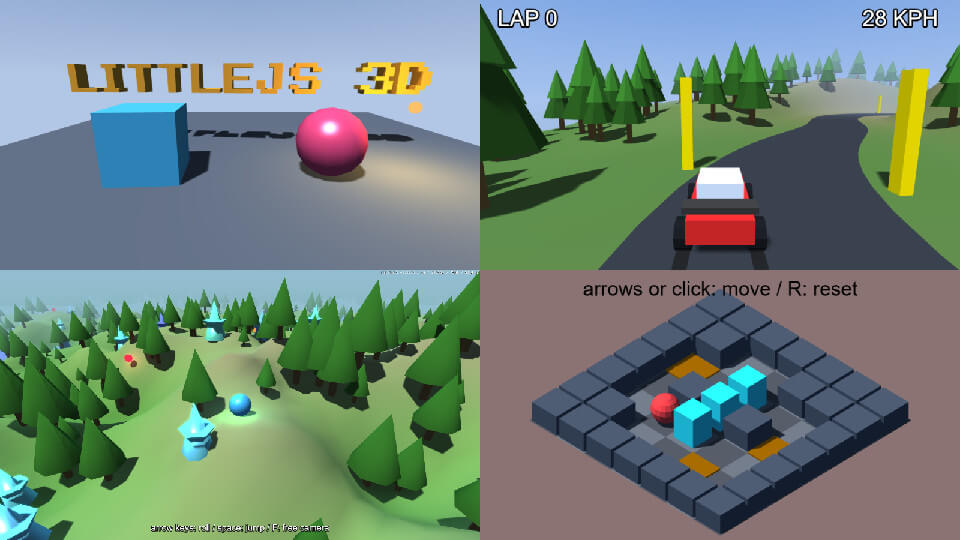
🧊 LittleJS 3D
- Built-in 3D renderer that shares the canvas with your 2D game
- 3D objects with the same physics, children and timers as 2D
- Shape builders, extruded sprites and text, and OBJ and glTF model loading
- Height map terrain and voxel maps with collision and raycasts
- 3D levels and prefabs, built in the 3D level editor and loaded with one call
- Shadow maps, colored lights, spotlights, lens flares, specular, emissive glow and fog
- Reflections of a sky box or the scene itself, from mirror sharp to rough
- Particles, trails, billboards and instanced drawing
- Orbit, chase and first person cameras with mouse picking
- Custom shaders on any object
- Optional Three.js plugin as an alternative renderer
🔊 Audio
- Sound and music with mp3, ogg, or wave files
- Use ZzFX sound generator to play sounds without asset files
- Spatial audio with stereo panning
- Audio effects plugin with filter, reverb, delay, distortion and compressor
🎮 Input
- Comprehensive input handling for mouse, keyboard, gamepad, and touch
- Customizable on screen gamepad designed for mobile devices
- Pinch to zoom on touch screens, read the same way as the mouse wheel
💥 Physics
- Robust arcade physics system with collision handling
- Fast tilemap collision and raycasting
- Object collision that stays fast with thousands of objects
- Full Box2D integration for realistic physics using Box2D v2.3.1 wasm
- Grid-based A* pathfinding plugin with optional path smoothing
🚀 Flexibility
- Compatible with all modern web browsers and mobile devices
- Full TypeScript and Module support with example projects for both
- Vite starter template for instant dev server with hot reload
- Great for size coding competitions like Js13kGames
- Open Source and MIT licensed
🛠️ Developer Tools
- Live example browser with code editor
- Built-in 2D and 3D level editors that edit your game while it runs, with undo, autosave and prefabs
- Make the editors your own with your game's own object types, keys, buttons and tools, see the editor guide
- 2D levels load and save as Tiled JSON, so Tiled can edit them too
- UI system with buttons, sliders, text input and nine-slice skins
- Tween system with easing curves, and a scene system for titles, menus and game states
- Debug overlay and primitive rendering system
- Medal tracking system with Newgrounds support
- Node.js build system
🤖 AI Friendly
- The entire API is small and well documented so LLMs can produce high quality results
- LittleJS AI Tools - Templates, examples, and prompts tuned for AI + LittleJS workflows
- LittleJS GPT - Build LittleJS games right inside ChatGPT
How To Use LittleJS
To get started download the latest release from GitHub, the engine's builds and source as npm has them (the examples are in the repository), or install via npm:
npm install littlejsengine
or use degit for an empty Vite template
npx degit KilledByAPixel/LittleJS/examples/vite-starter my-game
cd my-game
npm install
npm run dev
The examples are only in the repository: clone it, or use Download ZIP on its GitHub page; the npm package and the release zip hold the engine alone. A page that loads images or modules needs a local web server, as browsers block them from a file on disk: serve the repository's root, for example with npx http-server, then open http://localhost:8080/examples/starter/, the place to start. The FAQ has more.
Here is a minimal Hello World example game, with the script path pointing at the engine file from the download or npm package; it loads nothing, so it runs straight from the file.
<!DOCTYPE html>
<script src="node_modules/littlejsengine/dist/littlejs.js"></script>
<script>
function gameInit() {}
function gameUpdate() {}
function gameUpdatePost() {}
function gameRender() {}
function gameRenderPost() { drawTextScreen('Hello World!', mainCanvasSize.scale(.5), 80); }
engineInit(gameInit, gameUpdate, gameUpdatePost, gameRender, gameRenderPost);
</script>
Tutorials
- Making Awesome Games With LittleJS - A short talk about LittleJS with some tips on how to use it
- Tutorial: Breakout - Learn how to make a simple game from scratch
- Tutorial: Make a ski game - A tutorial by eoinmcg that shows how to make a pixel art style game
- LittleJS Quick Reference Sheet - The whole API in one file, made to be read by people and by AI coding tools
- Making Your Own Level Editor - How to turn the built in 2D and 3D level editors into an editor for your own game
- LittleJS FAQ - Answers to common questions about LittleJS
- Changelog - What changed in each release
- JS13k Branch - A special branch for size coding events that builds to a 7KB zip
Examples
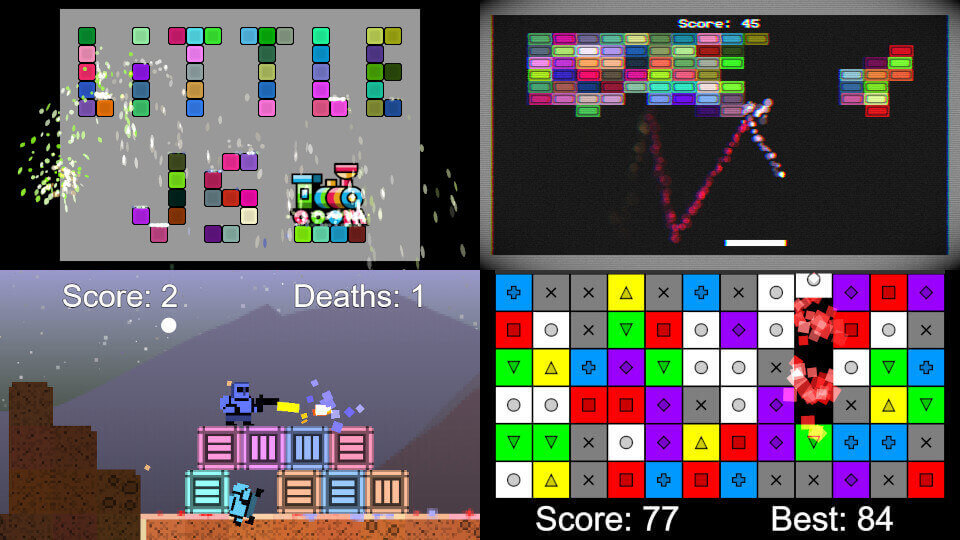
LittleJS comes with several demos both for learning and using as starter projects to create new games.
- Example Browser - Live example browser with all examples and editable source
- LittleJS Arcade - Over 50 example games you can use as starter projects
- Short Examples - 100+ single-file demos showing off individual engine features
- Breakout - Block breaking game with post-processing effects
- Puzzle Game - Match 3 puzzle game with HD rendering and high score tracking
- Platformer - Platformer/shooter demo that loads level data
- Box2D Demo - Box2D plugin demonstration and testbed
- 3D Example - The 3D plugin in one scene: terrain, shadows, lights, sprites, particles and bloom
- 3D Racing Game - Built-in 3D plugin: terrain, shadows and a chase camera in one short file
- Three.js Platformer - 3D platformer with LittleJS gameplay and Three.js rendering
- Particle System Designer - Particle system editor and visualizer
Builds
| File | Mode | Module | Use case |
|---|---|---|---|
| littlejs.js | Debug | No | Debug mode with asserts |
| littlejs.release.js | Release | No | Optimized for release |
| littlejs.min.js | Release | No | Optimized for release and minified |
| littlejs.esm.js | Debug | ESM | Debug mode with asserts |
| littlejs.esm.min.js | Release | ESM | Optimized for release and minified |
Every build includes the plugins. littlejs.min.js is about 135 KB gzipped, and the 3D plugins are a large part of that. A bundler like Vite leaves out the plugins a game does not use, so a small 2D game comes to about 26 KB gzipped, and a lit 3D scene to about 47 KB.
Games Made With LittleJS
Here are a few of the many amazing games created with LittleJS...
- Space Huggers - Roguelike platformer shoot-em-up game with procedural levels. by KilledByAPixel
- Black Cat Squadron - One button shooter based on a WW2 Navy squadron. JS13k 5th place! by repsej
- L1ttl3 Paws - Cat glider with procedural art and levels for JS13K! by KilledByAPixel
- KleptoKitty - Cat themed heist puzzle. JS13K 22nd place. by eoinmcg
- The Way of the Dodo - Single button platformer. JS13k 5th place! by repsej
- Undergrowth - An interactive music videogame for the band Squid. by KilledByAPixel
- 204Snake! - A puzzle game that combines 2048 with snake. LittleJS Jam 1st place! by Sodoj and Shai-P
- GATOR - Retro platformer shooter game where you rescue animals. LittleJS Jam 2nd place! by eoinmcg
- A Hedgehog's Search - Adventure game starring a hedgehog. LittleJS Jam 3rd place! by willsm1111
- Wendol Village - Warcraft inspired RTS game. by sanojian
- Dead Again - Top down survival horror. by sanojian & repsej
- Isletopia - Relaxing strategy game of greenifying barren islands. by Gamex Studio
- Tetrimals - A puzzle game mixing Tetris with animals. by nixn
- Bug&Bee - Low fi shoot em up with co-op gameplay. LittleJS Jam 1st place! by eoinmcg
- Little Platformer - Platformer with many mechanics. LittleJS Jam 2nd place! by PSEMO, Solita666, GabrielRG, Nate
- Alien Escape Pinball - Pinball game with physics and aliens. by Focaccai
- LittleJS Jam 2024 Results - All the games from the first LittleJS Game Jam.
- LittleJS Jam 2025 Results - All the games from the second LittleJS Game Jam.
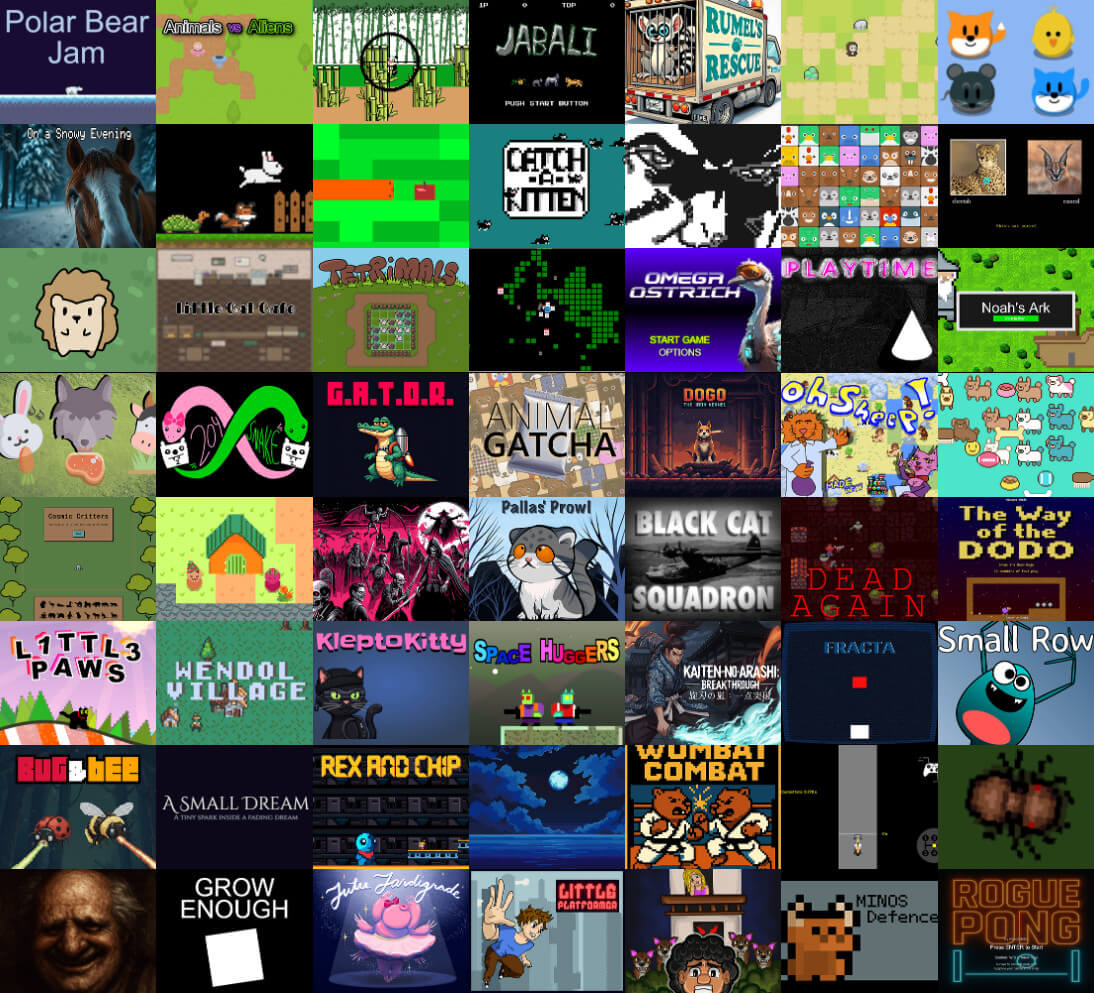
A sample of games built with LittleJS.
