LitMotion
Lightning-fast and Zero Allocation Tween Library for Unity.


Overview
LitMotion is a high-performance tween library for Unity. LitMotion includes a rich set of features for animating components such as Transform, Material, TextMeshPro, and any field/property, making it easy to create animations.
LitMotion is my second tween library I created after Magic Tween. LitMotion was designed based on experience implementing Magic Tween to achieve rich functionality and extremely high performance. In all situations such as creating and updating tweens, it exhibits overwhelming performance that is 2 to 20 times faster than other tween libraries. Of course, there is no allocation at all when creating a tween.
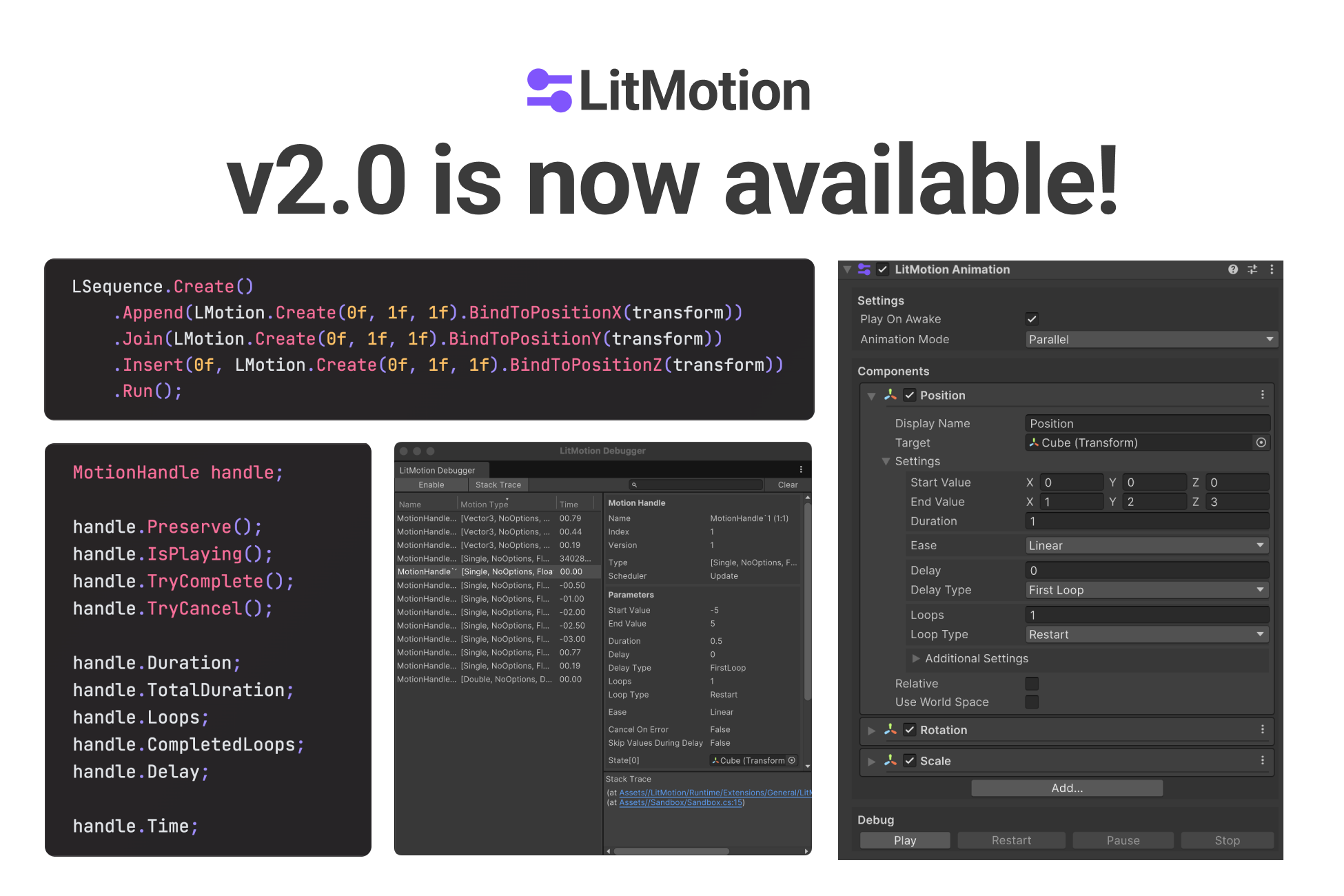
Additionally, v2 introduces Sequence for combining multiple motions and the LitMotion.Animation package, which allows you to create tween animations directly from the Inspector. With these additions, LitMotion is now as powerful, if not more, than DOTween Pro or PrimeTween in terms of features.
Documentation
The full version of documentation can be found here.
Features
- Animate anything in one line of code.
- Achieves zero allocations with the struct-based design
- Extremely high-performance implementation optimized using DOTS (Data-Oriented Technology Stack)
- Works in both runtime and editor
- Supports complex settings like easing and looping
- Waits for completion using callbacks/coroutines
- Zero allocation text animationSupports TextMesh Pro / UI Toolkit
- Special motions like Punch, Shake, etc.
- Conversion to Observable using UniRx / R3
- async/await support using UniTask
- Type extension with
IMotionOptionsandIMotionAdapter - Integration with the Inspector via
SerializableMotionSettings - Debugging API and LitMotion Debugger window
- Combine animations using
LSequence - Create complex animations directly from the Inspector with the LitMotion.Animation package
Setup
Requirements
- Unity 2021.3 or later
- Burst 1.6.0 or later
- Collection 1.5.1 or later
- Mathematics 1.0.0 or later
Installation
- Open Package Manager from Window > Package Manager.
- Click the "+" button > Add package from git URL.
- Enter the following URL:
https://github.com/annulusgames/LitMotion.git?path=src/LitMotion/Assets/LitMotion
Alternatively, open Packages/manifest.json and add the following to the dependencies block:
{
    "dependencies": {
        "com.annulusgames.lit-motion": "https://github.com/annulusgames/LitMotion.git?path=src/LitMotion/Assets/LitMotion"
    }
}
Getting Started
Using LitMotion allows easy animation of values such as Transform and Material. To create motion, use LMotion.Create().
Here's a sample code. Refer to the documentation for more details.
using System;
using System.Threading;
using UnityEngine;
using R3; // R3
using Cysharp.Threading.Tasks; // UniTask
using LitMotion;
using LitMotion.Extensions;

public class Example : MonoBehaviour
{
    [SerializeField] Transform target1;
    [SerializeField] Transform target2;
    [SerializeField] TMP_Text tmpText;

    void Start()
    {
        LMotion.Create(Vector3.zero, Vector3.one, 2f) // Animate values from (0f, 0f, 0f) to (1f, 1f, 1f) over 2 seconds
            .BindToPosition(target1); // Bind to target1.position

        LMotion.Create(0f, 10f, 2f) // Animate from 0f to 10f over 2 seconds
            .WithEase(Ease.OutQuad) // Specify easing function
            .WithLoops(2, LoopType.Yoyo) // Specify loop count and type
            .WithDelay(0.2f) // Set delay
            .BindToUnityLogger(); // Bind to Debug.unityLogger and display values in Console on update

        var value = 0f;
        LMotion.Create(0f, 10f, 2f) // Animate from 0f to 10f over 2 seconds
            .WithScheduler(MotionScheduler.FixedUpdate) // Specify execution timing with Scheduler
            .WithOnComplete(() => Debug.Log("Complete!")) // Set a callback
            .WithCancelOnError() // Cancel motion if an exception occurs within Bind
            .Bind(x => value = x) // Bind to any variable, field, or property
            .AddTo(gameObject); // Cancel motion when the GameObject is destroyed

        LMotion.String.Create128Bytes("", "<color=red>Zero</color> Allocation <i>Text</i> Tween! <b>Foooooo!!</b>", 5f)
            .WithRichText() // Enable RichText tags
            .WithScrambleChars(ScrambleMode.All) // Fill unseen parts with random characters
            .BindToText(tmpText); // Bind to TMP_Text (update text with zero allocation without generating strings)

        LMotion.Punch.Create(0f, 5f, 2f) // Create a Punch motion (regular damping oscillation)
            .WithFrequency(20) // Specify oscillation count
            .WithDampingRatio(0f) // Specify damping ratio
            .BindToPositionX(target2); // Bind to transform.position.x

        // Control created motions via the `MotionHandle` struct
        var handle = LMotion.Create(0f, 1f, 2f).RunWithoutBinding();

        if (handle.IsActive()) // Returns true if the motion is playing
        {
            handle.Cancel(); // Cancel the motion
            handle.Complete(); // Complete the motion
        }
    }

    // Animate TMP_Text characters
    void TMPCharMotionExample()
    {
        // Get the number of characters from TMP_Text.textInfo.characterCount
        for (int i = 0; i < text.textInfo.characterCount; i++)
        {
            LMotion.Create(Color.white, Color.red, 1f)
                .WithDelay(i * 0.1f)
                .WithEase(Ease.OutQuad)
                .BindToTMPCharColor(text, i); // Bind to the i-th character

            LMotion.Punch.Create(Vector3.zero, Vector3.up * 30f, 1f)
                .WithDelay(i * 0.1f)
                .WithEase(Ease.OutQuad)
                .BindToTMPCharPosition(text, i);
        }
    }

    // Coroutine support
    IEnumerator CoroutineExample()
    {
        var handle = LMotion.Create(0f, 1f, 2f).BindToUnityLogger();
        yield return handle.ToYieldInteraction(); // Wait for completion in a coroutine
    }

    // async/await using UniTask
    async UniTask AsyncAwaitExample(CancellationToken cancellationToken)
    {
        var handle = LMotion.Create(0f, 1f, 2f).BindToUnityLogger();
        await handle; // Await MotionHandle directly
        await handle.ToUniTask(cancellationToken); // Await with passing CancellationToken
    }

    // Convert to Observable<T> using R3
    void RxExample()
    {
        LMotion.Create(0f, 1f, 2f)
            .ToObservable() // Create motion as Observable<T>
            .Where(x => x > 0.5f) // Utilize R3 operators
            .Select(x => x.ToString())
            .Subscribe(x =>
            {
                tmpText.text = x;
            })
            .AddTo(this);
    }
}
Sequence
The Sequence feature is provided for combining multiple motions.
LSequence.Create()
    .Append(LMotion.Create(0f, 1f, 1f).BindToPositionX(transform))
    .Join(LMotion.Create(0f, 1f, 1f).BindToPositionY(transform))
    .Insert(0f, LMotion.Create(0f, 1f, 1f).BindToPositionZ(transform))
    .Run();
For more details, refer to the Sequence section in the documentation.
LitMotion.Animation
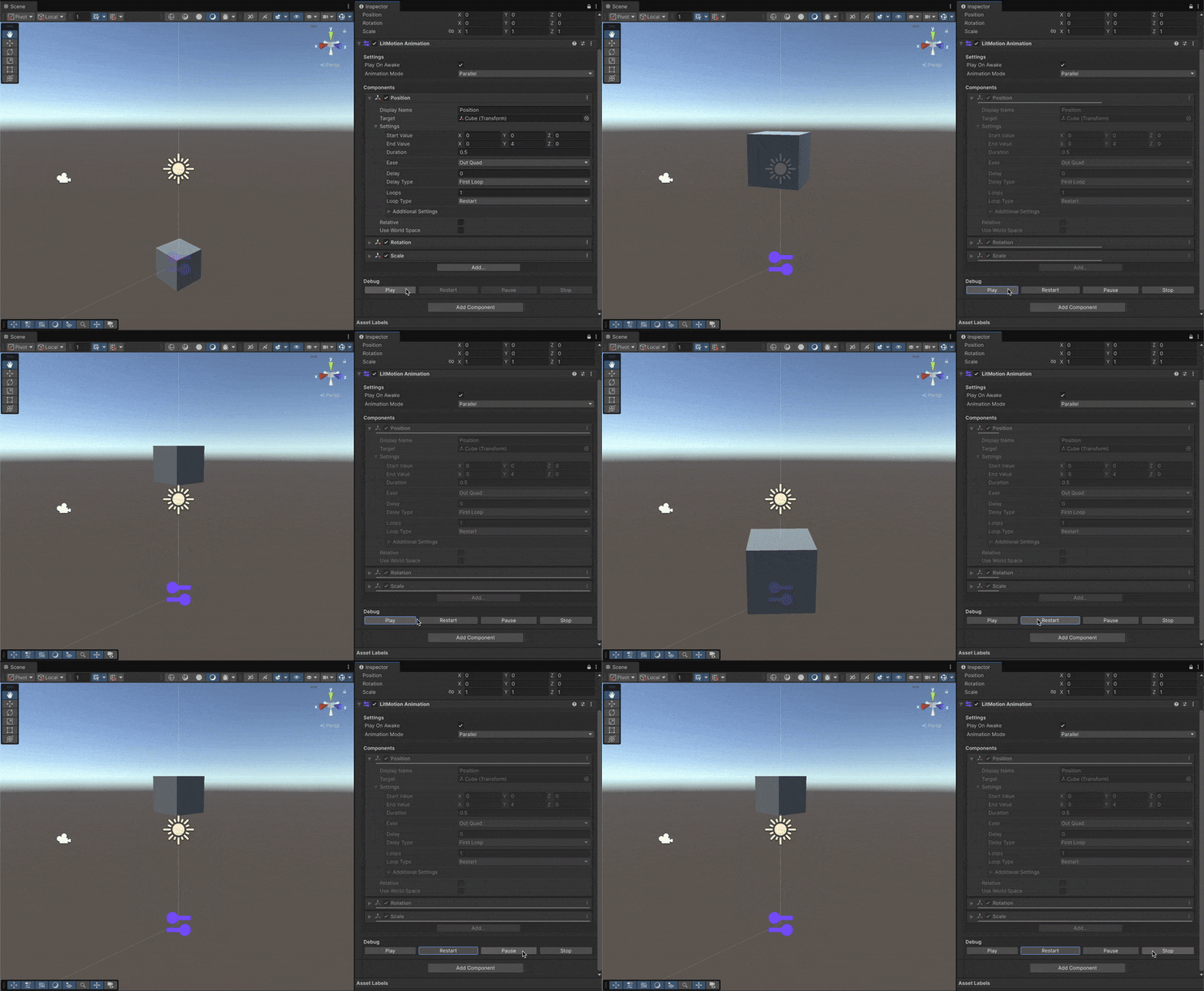
LitMotion.Animation is an additional package that provides animation functionality built with LitMotion.
By introducing this package, you can use the LitMotion Animation component to construct animations in the Inspector.
Requirements
- Unity 2021.3 or later
- LitMotion 2.0.0 or later
Installation
You can install LitMotion using the Package Manager.
- Open Package Manager by navigating to Window > Package Manager.
- Click on the "+" button and select "Add package from git URL."
- Enter the following URL:
https://github.com/annulusgames/LitMotion.git?path=src/LitMotion/Assets/LitMotion.Animation
Alternatively, you can open the Packages/manifest.json file and add the following line within the dependencies block:
{
    "dependencies": {
        "com.annulusgames.lit-motion.animation": "https://github.com/annulusgames/LitMotion.git?path=src/LitMotion/Assets/LitMotion.Animation"
    }
}
How to Use
For how to use LitMotion.Animation, please refer to the documentation on LitMotion.Animation.
Performance
Here are the benchmark results. The benchmark source code can be found in this repository.
Tween 64,000 float properties
Startup

Update

Tween 50,000 transform.position
Startup

Update

GC Allocation (per position tween creation)

Support
Untiy forum: https://forum.unity.com/threads/litmotion-lightning-fast-and-zero-allocation-tween-library.1530427/