Lite XL


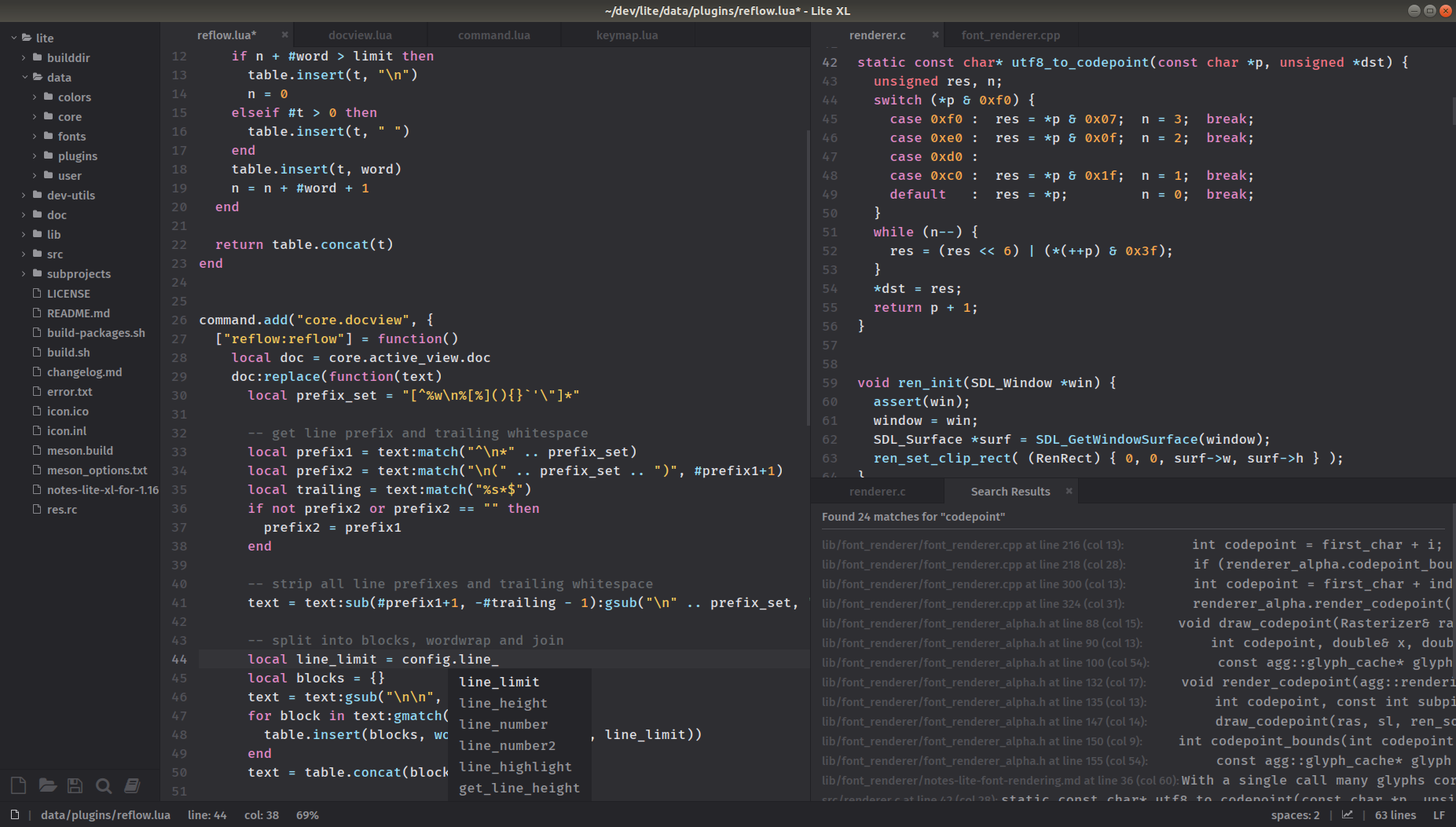
A lightweight text editor written in Lua, adapted from lite.
- Get Lite XL — Download for Windows, Linux and Mac OS.
- Get plugins — Add additional functionality, adapted for Lite XL.
- Get color themes — Add additional colors themes.
Please refer to our website for the user and developer documentation, including build instructions details. A quick build guide is described below.
Lite XL has support for high DPI display on Windows and Linux and, since 1.16.7 release, it supports retina displays on macOS.
Please note that Lite XL is compatible with lite for most plugins and all color themes. We provide a separate lite-xl-plugins repository for Lite XL, because in some cases some adaptations may be needed to make them work better with Lite XL. The repository with modified plugins is https://github.com/lite-xl/lite-xl-plugins.
The changes and differences between Lite XL and rxi/lite are listed in the changelog.
Overview
Lite XL is derived from lite. It is a lightweight text editor written mostly in Lua — it aims to provide something practical, pretty, small and fast easy to modify and extend, or to use without doing either.
The aim of Lite XL compared to lite is to be more user friendly, improve the quality of font rendering, and reduce CPU usage.
Customization
Additional functionality can be added through plugins which are available in the plugins repository or in the Lite XL plugins repository.
Additional color themes can be found in the colors repository. These color themes are bundled with all releases of Lite XL by default.
Quick Build Guide
To compile Lite XL yourself, you must have the following dependencies installed via your desired package manager, or manually.
Prerequisites
- Meson (>=0.63)
- Ninja
- SDL2
- PCRE2
- FreeType2
- Lua 5.4
- A working C compiler (GCC / Clang / MSVC)
SDL2, PCRE2, FreeType2 and Lua will be downloaded by Meson
if --wrap-mode=forcefallback or --wrap-mode=default is specified.
[!NOTE] MSVC is used in the CI, but MSVC-compiled binaries are not distributed officially or tested extensively for bugs.
On Linux, you may install the following dependencies for the SDL2 X11 and/or Wayland backend to work properly:
libX11-devellibXi-devellibXcursor-devellibxkbcommon-devellibXrandr-develwayland-develwayland-protocols-develdbus-develibus-devel
The following command can be used to install the dependencies in Ubuntu:
apt-get install python3.8 python3-pip build-essential git cmake wayland-protocols libsdl2-dev
pip3 install meson ninja
Please refer to lite-xl-build-box for a working Linux build environment used to package official Lite XL releases.
On macOS, you must install bash via Brew, as the default bash version on macOS is antiquated and may not run the build script correctly.
Building
You can use scripts/build.sh to set up Lite XL and build it.
$ bash build.sh --help
# Usage: scripts/build.sh <OPTIONS>
#
# Available options:
#
# -b --builddir DIRNAME         Sets the name of the build directory (not path).
#                               Default: 'build-x86_64-linux'.
#    --debug                    Debug this script.
# -f --forcefallback            Force to build dependencies statically.
# -h --help                     Show this help and exit.
# -d --debug-build              Builds a debug build.
# -p --prefix PREFIX            Install directory prefix. Default: '/'.
# -B --bundle                   Create an App bundle (macOS only)
# -A --addons                   Add in addons
# -P --portable                 Create a portable binary package.
# -r --reconfigure              Tries to reuse the meson build directory, if possible.
#                               Default: Deletes the build directory and recreates it.
# -O --pgo                      Use profile guided optimizations (pgo).
#                               macOS: disabled when used with --bundle,
#                               Windows: Implicit being the only option.
#    --cross-platform PLATFORM  Cross compile for this platform.
#                               The script will find the appropriate
#                               cross file in 'resources/cross'.
#    --cross-arch ARCH          Cross compile for this architecture.
#                               The script will find the appropriate
#                               cross file in 'resources/cross'.
#    --cross-file CROSS_FILE    Cross compile with the given cross file.
Alternatively, you can use the following commands to customize the build:
meson setup --buildtype=release --prefix <prefix> build
meson compile -C build
DESTDIR="$(pwd)/lite-xl" meson install --skip-subprojects -C build
where `` might be one of /, /usr or /opt, the default is /.
To build a bundle application on macOS:
meson setup --buildtype=release --Dbundle=true --prefix / build
meson compile -C build
DESTDIR="$(pwd)/Lite XL.app" meson install --skip-subprojects -C build
Please note that the package is relocatable to any prefix and the option prefix affects only the place where the application is actually installed.
Installing Prebuilt
Head over to releases and download the version for your operating system.
The prebuilt releases supports the following OSes:
- Windows 7 and above
- Ubuntu 18.04 and above (glibc 2.27 and above)
- OS X El Capitan and above (version 10.11 and above)
Some distributions may provide custom binaries for their platforms.
Windows
Lite XL comes with installers on Windows for typical installations. Alternatively, we provide ZIP archives that you can download and extract anywhere and run directly.
To make Lite XL portable (e.g. running Lite XL from a thumb drive),
simply create a user folder where lite-xl.exe is located.
Lite XL will load and store all your configurations and plugins in the folder.
macOS
We provide DMG files for macOS. Simply drag the program into your Applications folder.
Important Newer versions of Lite XL are signed with a self-signed certificate, so you'll have to follow these steps when running Lite XL for the first time.
- Find Lite XL in Finder (do not open it in Launchpad).
- Control-click Lite XL, then choose
Openfrom the shortcut menu.- Click
Openin the popup menu.The correct steps may vary between macOS versions, so you should refer to the macOS User Guide.
On an older version of Lite XL, you will need to run these commands instead:
# clears attributes from the directory
xattr -cr /Applications/Lite\ XL.app
Otherwise, macOS will display a very misleading error saying that the application is damaged.
Linux
Unzip the file and cd into the lite-xl directory:
tar -xzf <file>
cd lite-xl
To run lite-xl without installing:
./lite-xl
To install lite-xl copy files over into appropriate directories:
rm -rf  $HOME/.local/share/lite-xl $HOME/.local/bin/lite-xl
mkdir -p $HOME/.local/bin && cp lite-xl $HOME/.local/bin/
mkdir -p $HOME/.local/share/lite-xl && cp -r data/* $HOME/.local/share/lite-xl/
Add Lite XL to PATH
To run Lite XL from the command line, you must add it to PATH.
If $HOME/.local/bin is not in PATH:
echo -e 'export PATH=$PATH:$HOME/.local/bin' >> $HOME/.bashrc
Alternatively on recent versions of GNOME and KDE Plasma,
you can add $HOME/.local/bin to PATH via ~/.config/environment.d/envvars.conf:
PATH=$HOME/.local/bin:$PATH
Note Some systems might not load
.bashrcwhen logging in. This can cause problems with launching applications from the desktop / menu.
Add Lite XL to application launchers
To get the icon to show up in app launcher, you need to create a desktop
entry and put it into /usr/share/applications or ~/.local/share/applications.
Here is an example for a desktop entry in ~/.local/share/applications/com.lite_xl.LiteXL.desktop,
assuming Lite XL is in PATH:
[Desktop Entry]
Type=Application
Name=Lite XL
Comment=A lightweight text editor written in Lua
Exec=lite-xl %F
Icon=lite-xl
Terminal=false
StartupWMClass=lite-xl
Categories=Development;IDE;
MimeType=text/plain;inode/directory;
To get the icon to show up in app launcher immediately, run:
xdg-desktop-menu forceupdate
Alternatively, you may log out and log in again.
Uninstall
To uninstall Lite XL, run:
rm -f $HOME/.local/bin/lite-xl
rm -rf $HOME/.local/share/icons/hicolor/scalable/apps/lite-xl.svg \
          $HOME/.local/share/applications/com.lite_xl.LiteXL.desktop \
          $HOME/.local/share/metainfo/com.lite_xl.LiteXL.appdata.xml \
          $HOME/.local/share/lite-xl
Contributing
Any additional functionality that can be added through a plugin should be done as a plugin, after which a pull request to the Lite XL plugins repository can be made.
Pull requests to improve or modify the editor itself are welcome. See CONTRIBUTING.md for more details.
Licenses
This project is free software; you can redistribute it and/or modify it under the terms of the MIT license. See LICENSE for details.
See the licenses file for details on licenses used by the required dependencies.