Lime
An agent that can actually finish the work
Open-source full-stack AI agent for Desktop and CLI/TUI
Full-stack AI agent for coding, files, terminals, tools, research, content, multimodal work, and multi-agent workflows worldwide.
简体中文 · English · Feature Map · Docs · Release Notes · Issues




Lime is more than a chat box: it understands context, calls tools, edits files, runs commands, organizes material, creates deliverables, and keeps moving a task forward from one desktop or terminal workspace.
Table of Contents
What is Lime?
Lime is an open-source full-stack AI agent for users and teams worldwide, available as an Electron Desktop app and a CLI/TUI. It brings the Agent loop, filesystem, terminal processes, code changes, tool calls, MCP, Skills, multimodal input and output, model routing, and multi-agent collaboration into one traceable task chain.
It belongs to the same category of hands-on agents as Claude Code, WorkBuddy, and Codex, while emphasizing a desktop GUI, visual workspace, configurable providers, and mixed engineering, research, and content workflows for global users and teams.
Lime works by:
- Understanding the goal, repository, files, history, and constraints before proposing an executable plan.
- Reading and writing files, searching, applying patches, running terminal commands, testing, and calling tools within granted permissions.
- Projecting work as Thread, Turn, Item, and reusable artifacts so tasks can be paused, reviewed, restored, and continued.
- Letting you choose providers and models without losing the surrounding task context.
Use Lime as an engineering partner, research assistant, content collaborator, or automation executor: you provide the goal and boundaries, and it turns them into inspectable actions and results.
What the full-stack agent can do
- Code understanding and changes: inspect repositories, locate bugs, implement cross-file features, refactor, add tests, produce patches, and explain diffs.
- Terminal and process operations: run scripts, builds, tests, dependency commands, long-running processes, and inspect their output within controlled permissions.
- Files and workspaces: read and write text or structured files, organize directories, and create documents, reports, web drafts, and other artifacts.
- Tools, MCP, and Skills: discover capabilities, call external tools or local Skills, and turn repeatable procedures into reusable execution units.
- Multimodal understanding and generation: work with text, code, images, screenshots, audio, video, PDFs, tables, and structured data in one task, then create images, audio, video, documents, charts, and other artifacts.
- Research and content delivery: work with web pages, references, screenshots, images, audio, video, and multi-turn context from analysis through publish-ready output.
- Multi-agent and long-running work: split subtasks, make progress in parallel, preserve state, and resume complex work in the same Thread.
- Provider and model control: choose models per task and manage capability catalogs, credentials, routing, retries, and failure boundaries.
How a task moves forward
1. Fix a real bug
Give Lime a repository and an error. The Agent reads the relevant files and configuration, traces the call path, states its assumptions, changes the implementation, runs focused tests, and shows the diff.
Continue in the same Thread with questions such as "why this change?" or "what are the edge cases?" Every step remains visible and reviewable.
2. Ship a full-stack feature
Lime can split a requirement across the frontend, App Server, Rust runtime, protocol, and tests, then execute in dependency order. Approve risky actions, pause, revise the plan, or inspect uncommitted changes at any point.
3. Turn material into a deliverable
Add web pages, notes, screenshots, meeting records, and prior results. The Agent can structure them, identify gaps, produce a report, script, plan, or launch draft, and keep context for review.
4. Turn a repeated procedure into a Skill
Encode a recurring check, release step, research method, or team rule as a Skill. The Agent can discover and run it through MCP or controlled capabilities instead of repeating every instruction in every prompt.
5. Coordinate multiple agents
Delegate research, implementation, testing, and documentation to different agents. The main Thread keeps shared context, permissions, and review boundaries while it collects the results.
Core capabilities
Start from one goal
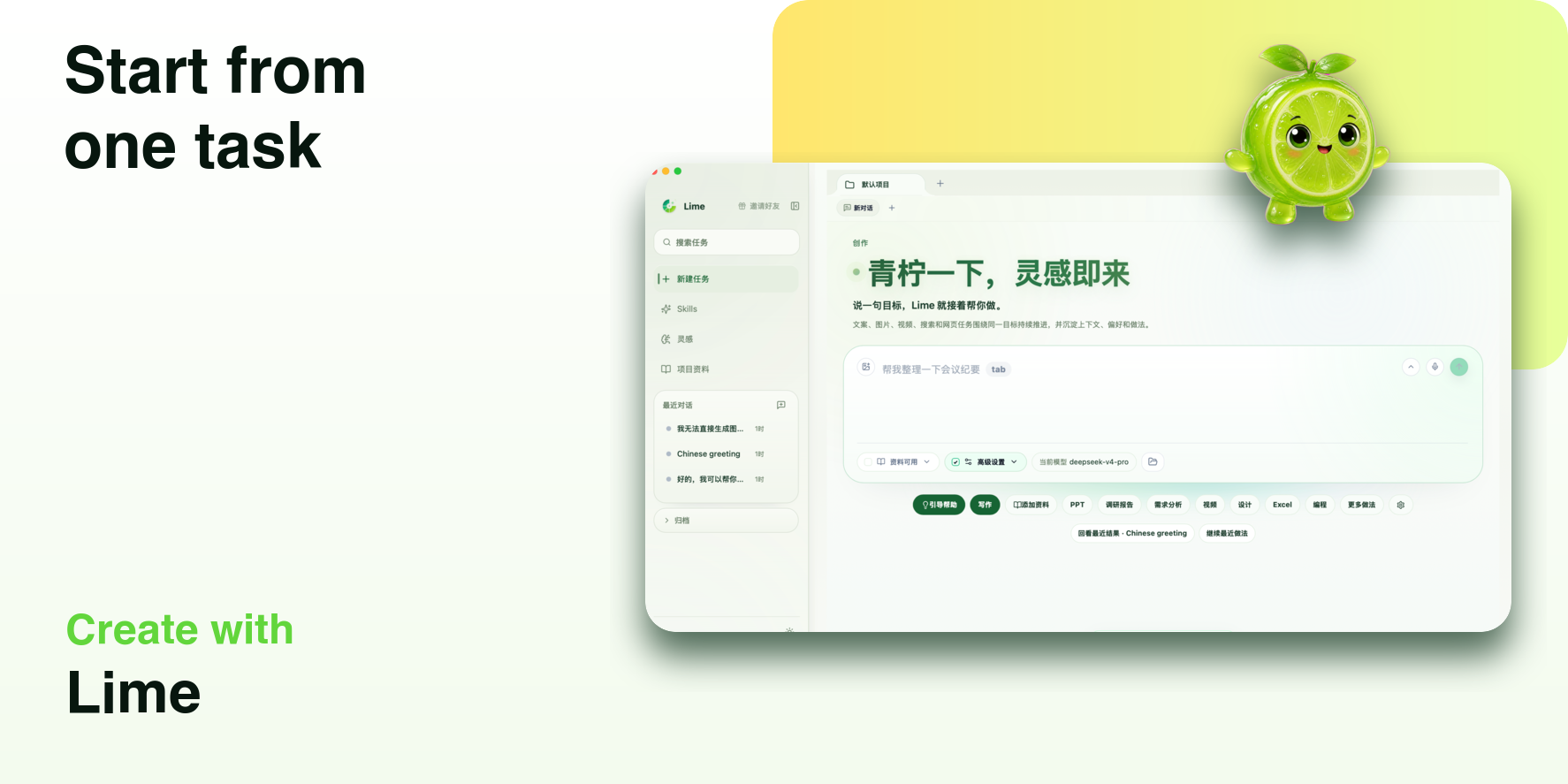
Enter a goal, repository, directory, or set of materials. The Agent establishes context first, then proposes a plan and the boundaries that need your approval.
Execute and review in one workspace
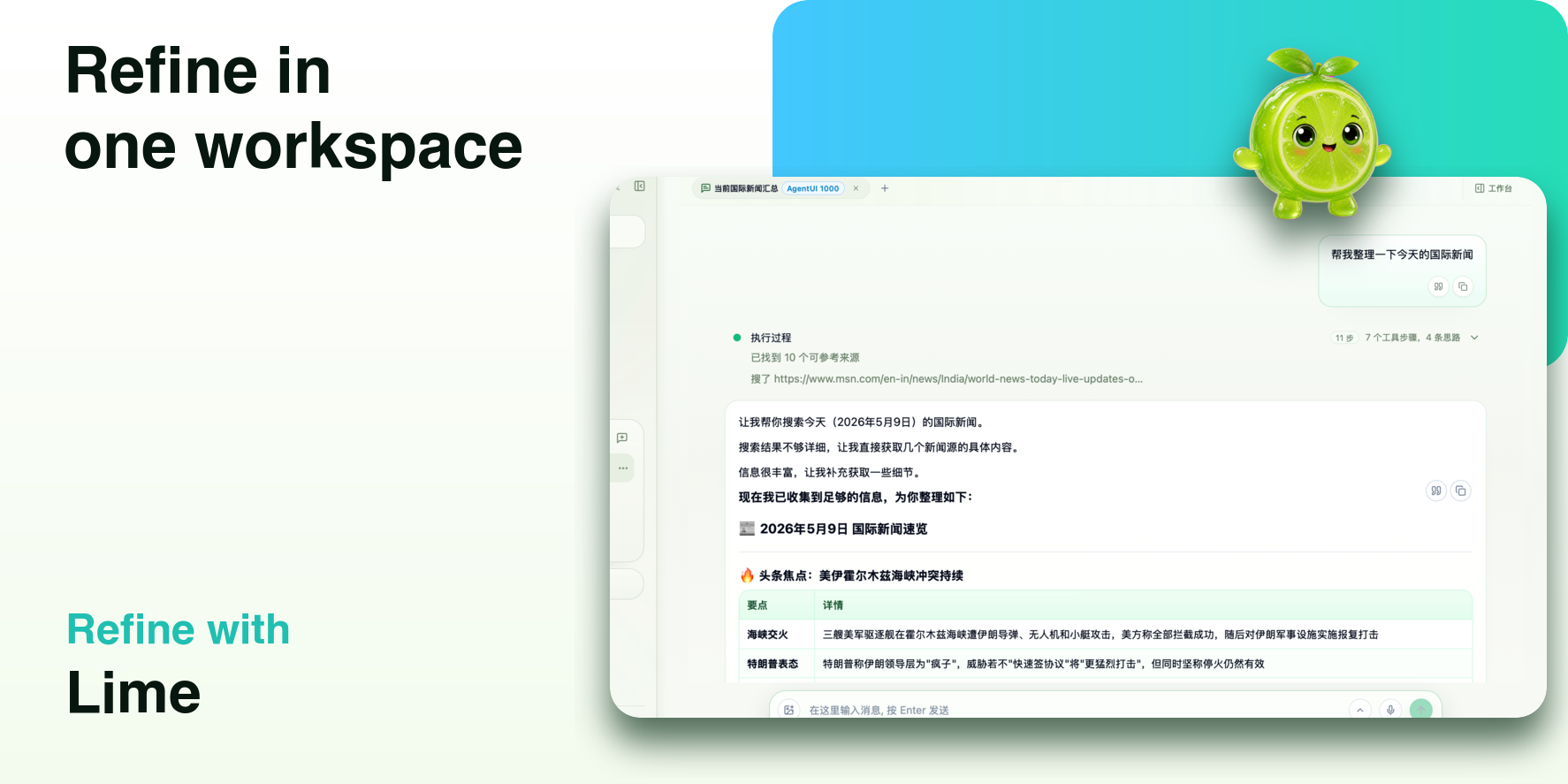
Conversation, plans, file changes, command output, tool results, and artifacts stay around the same Thread. Approve, reject, retry, continue, or restore work step by step.
Connect your models and tools
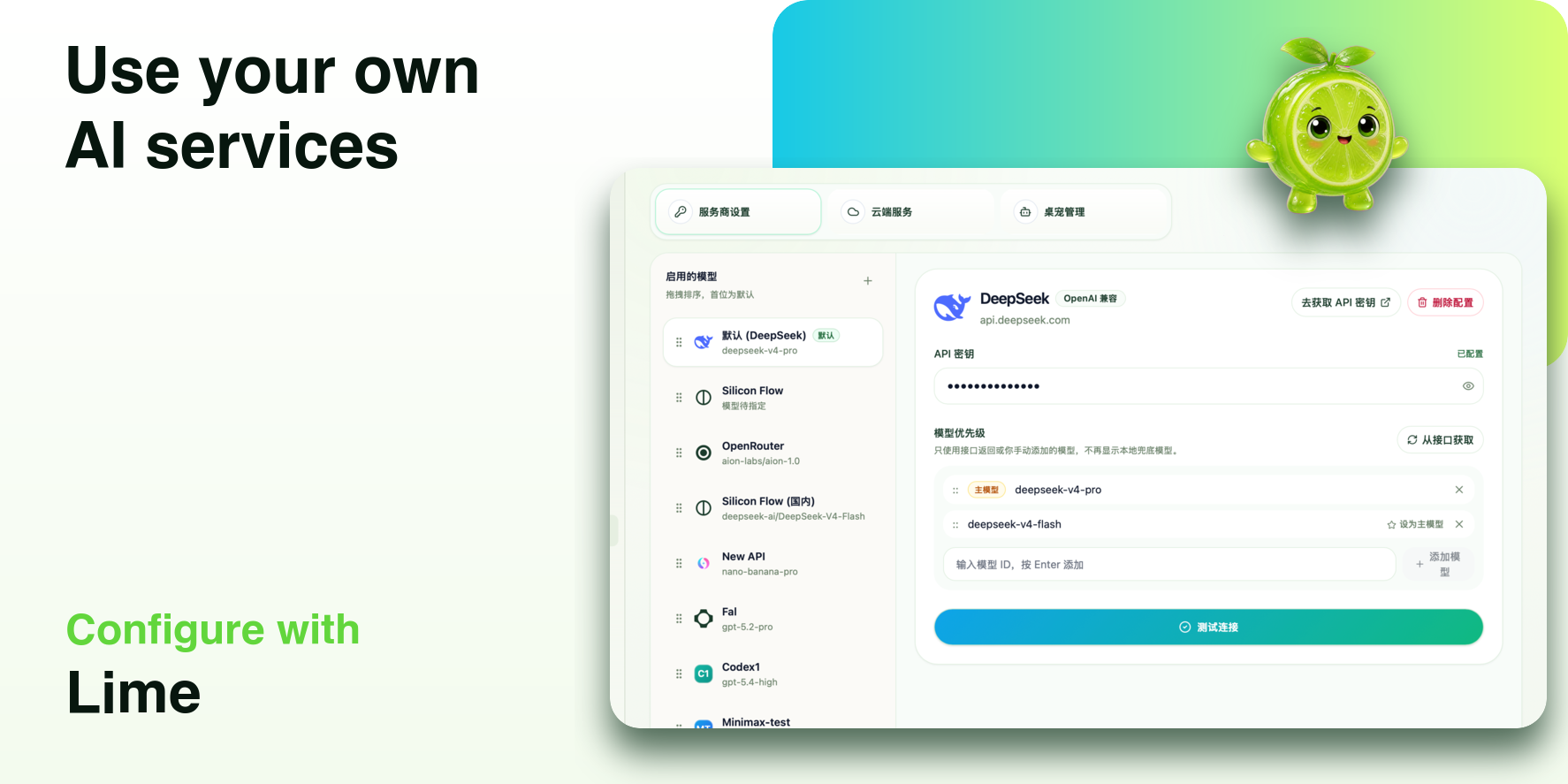
Lime does not lock you to one model service. Configure providers, models, and credentials, then extend the Agent through MCP, Skills, and controlled tools.
Who Lime is for
- Developers who need to read code, change code, run tests, and ship features.
- Full-stack teams handling product, design, data, documentation, and automation together.
- Researchers and creators who need local material, terminal tools, and long-running reasoning.
- Teams that want to encode rules, checks, and tools as reusable Skills.
- Users who want a desktop GUI with the working style of Claude Code, WorkBuddy, or Codex.
Product positioning
Lime belongs to the full-stack AI agent, coding agent, desktop AI agent, and terminal agent category for users and teams worldwide. It handles code tasks as well as research, writing, material organization, automation, and multimodal delivery; the goal is a set of verifiable actions, not just a generated paragraph.
Multimodality is a core Agent workflow, not a separate attachment feature. One Thread can combine a written brief, a codebase, images and screenshots, voice or video material, PDFs, and spreadsheets so the Agent can cross-understand them, call tools, and produce delivery-ready results.
Choose a product surface
Lime is distributed through two product surfaces. Choose the one that matches your workflow; both surfaces use the same App Server JSON-RPC, RuntimeCore, and canonical Thread / Turn / Item data model.
| Surface | Best for | Installation | Includes |
|---|---|---|---|
| Desktop (Electron) | Visual workspaces, file browsing, artifacts, and long-running tasks | Download the macOS or Windows installer from Releases, or use Homebrew on macOS | Electron GUI, workspace and preview surfaces, permissions, updater, and the local App Server sidecar |
| CLI/TUI | SSH sessions, servers, scripts, CI, and keyboard-first work | npm install -g @limecloud/lime (Node.js ≥18) |
lime / lime tui interactive TUI, lime exec non-interactive runs, history and thread commands |
The CLI/TUI package is not a second runtime and does not include the Electron GUI. Its platform package carries the lime, app-server, and code-mode-host binaries needed for the same local product chain, so you do not install a separate App Server.
Quick Start
Desktop (Electron)
Download the installer for your platform from Releases.
- macOS users can download the
.dmgpackage or install with Homebrew. - Windows users can download
Lime_*_x64-setup.exe. - Lime currently publishes macOS and Windows builds only. Linux desktop builds are paused.
- If Windows SmartScreen appears, it usually means the installer is unsigned or has not built enough signing reputation. It does not necessarily mean the installer is broken.
macOS users who use Homebrew can run:
brew tap aiclientproxy/tap
brew install --cask lime
CLI/TUI
Requirements: Node.js 18 or newer. Install the published launcher and its platform payload with npm:
npm install -g @limecloud/lime
lime --version
Start the interactive terminal UI or run a single non-interactive task:
lime                         # same as `lime tui`
lime exec "review this diff"
lime exec --json "review this diff"
The launcher selects the payload for macOS arm64/x64, Windows x64, or Linux x64 GNU. Local commands start the sibling app-server automatically. To use another local binary, set LIME_APP_SERVER_BIN or pass --app-server ; to connect to a remote App Server, use a secure WebSocket and read the token from an environment variable:
lime exec \
  --remote wss://cloud.example/rpc \
  --remote-auth-token-env LIME_REMOTE_TOKEN \
  "review this diff"
First run (Desktop or CLI/TUI)
- Open the Desktop app, or run
limefor CLI/TUI; configure a Provider and test a model connection. - Choose a workspace or project directory and confirm file and terminal permissions.
- Create an Agent Thread with a goal, constraints, and acceptance criteria.
- Ask for a plan first, then approve file changes, commands, or external tool calls as needed.
- Inspect the diff, test results, and artifacts; continue the task or close it.
Tech Stack and Platforms
- Desktop framework: Electron, Rust App Server, App Server JSON-RPC.
- Agent runtime: Thread / Turn / Item projection, tool lifecycle, Skills, MCP, multi-agent work, and history restoration.
- Frontend: React, TypeScript, Vite.
- Local capabilities: filesystem, processes, workspaces, artifacts, and persisted state.
- Desktop platforms: macOS and Windows (Linux Desktop builds are paused).
- CLI/TUI platforms: macOS arm64/x64, Windows x64, and Linux x64 GNU.
- CLI runtime requirement: Node.js 18 or newer.
- License: GPLv3.
FAQ
Does Lime provide AI models?
No. Lime is an Agent host and workspace, not a model vendor. Configure an available Provider, model, and credential.
Can the Agent edit code and run commands?
Yes. Within the permissions you grant, the Agent can read and edit files, run terminal commands, run tests, and call tools. Review or approve high-risk actions.
Will all my materials be uploaded?
Project materials, conversation history, and configuration are kept locally by default. Inputs needed for model or external-tool calls are sent to the Provider or target service you configured; follow the relevant service policy for sensitive material.
How is Lime different from a normal chat tool?
Normal chat mainly returns text. Lime understands workspace context, operates files, processes, and tools, retains execution state and results, and lets you keep moving in the same task.
Do I need advanced prompt-writing skills?
No. Describe the goal, constraints, context, and acceptance criteria. Reusable procedures can become Skills, and complex tasks can start with an Agent-generated plan.
Build from source and contribute: CONTRIBUTING.md. Report vulnerabilities: SECURITY.md.
License
GPL-3.0-only. Component licenses and distribution scope: LICENSES.md.
Disclaimer
Lime is provided as is, without warranty, under its applicable licenses. Users are responsible for their configuration and use.
Lime does not directly provide AI model services. Model capabilities are provided by third-party AI service providers configured by the user.