Lektor is a static website generator written in Python that builds an entire project from static files into many individual HTML pages and ships with a built-in admin UI and a minimal desktop app, intended for people who want content management without running a database-backed CMS.
What it is
Lektor is a static file content management system and static site generator, licensed under BSD-3-Clause and written in Python. It builds out an entire project from static files into many individual HTML pages, and it includes a built-in admin UI and a minimal desktop app. The project lives in the Python ecosystem, and the source repository contains a top-level example/ folder that showcases a wide variety of Lektor's features. A more complete example is available in the lektor/lektor-website repository, which holds the source code for the official Lektor website.
The concrete problem Lektor solves is producing a full set of individual HTML pages from a project of static files while still offering an authoring interface, so content editors work through the built-in admin UI or the minimal desktop app rather than assembling every page by hand. It replaces the manual assembly of static HTML pages and the need for a separate authoring layer, keeping the output static while giving editors a structured way to manage content. The project is developed with Python 3.10 or newer and uses npm and uv for its development setup.
Key capabilities
- Generates an entire static website from a project of static files, producing many individual HTML pages.
- Includes a built-in admin UI for content editing.
- Ships a minimal desktop app alongside the admin UI.
- Provides a top-level
example/ folder that showcases a wide variety of Lektor's features.
- Offers a complete example site in the
lektor/lektor-website repository.
- Stores admin front-end resources such as
.js and .css files in lektor/admin/static, which are built as part of the Python distribution build process.
- Runs the Lektor server for development with
lektor --project example-project server after copying example to example-project and setting LEKTOR_DEV=1.
Who uses it and how
- Bloggers and owners of personal sites, matching the registry category Content & Publishing / Blogging & Personal Sites.
- Content teams that need an admin UI for editing without a database-backed CMS.
- Developers who copy the
example/ folder into example-project and run the local Lektor server.
- Python developers working with Python 3.10 or newer, npm, uv,
tox, and pytest for the full development and test workflow.
- Teams that set
HATCH_BUILD_NO_HOOKS during a build when npm is not available in their environment.
Getting started
Installation instructions are in the official documentation at https://www.getlektor.com/docs/installation/, with a quickstart at https://www.getlektor.com/docs/quickstart/. For development from source, the README describes cloning the repository, creating a virtual environment, installing with pip install --group dev --editable ., copying example to example-project, and running lektor --project example-project server.
How it compares
No competing products are named in the provided facts, so a direct comparison cannot be drawn. Lektor stands alone in this registry entry among the tools described here, with no other similar static site generators or content management systems listed alongside it for contrast.
When to use it — and when not to
A self-hoster must manage a Python environment of version 3.10 or newer and, for a full build of the admin front-end, have npm available, since the .js and .css resources in lektor/admin/static are built during the Python distribution build unless HATCH_BUILD_NO_HOOKS is set. It is not for someone who wants a database-backed CMS or a hosted service, because no such option appears in the provided facts. The README itself offers no end-user installation commands and directs readers to external documentation instead, and with 251 open issues the project carries a nontrivial maintenance backlog.
project readme (upstream, from github) — read inline
Lektor





Lektor is a static website generator. It builds out an entire project
from static files into many individual HTML pages and has a built-in
admin UI and minimal desktop app.
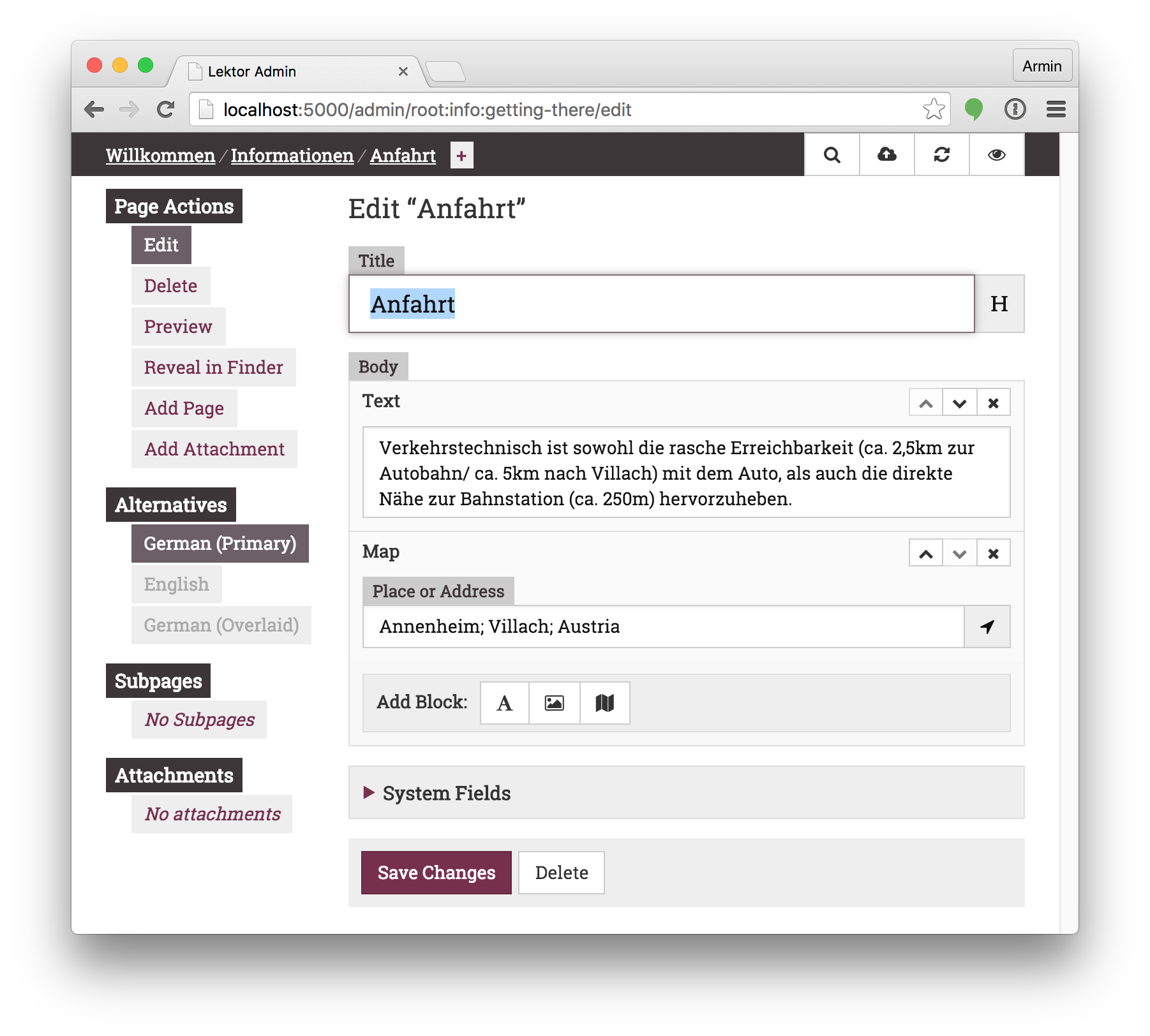
To see how it works look at the top-level example/ folder, which contains
a showcase of the wide variety of Lektor's features.
For a more complete example look at the lektor/lektor-website
repository, which contains the source code for the official Lektor website.
How do I use this?
For installation instructions head to the official documentation:
Want to develop on Lektor?
This gets you started (assuming you have Python >= 3.10, npm, and
uv installed):
$ git clone https://github.com/lektor/lektor
$ cd lektor
$ python -m venv _venv
$ . _venv/bin/activate

# pip>=25.1 is required for PEP 735 support
$ pip install -U "pip>=25.1"

# NB: this step requires that npm is installed (see below)
$ pip install --group dev --editable .

# If you plan on committing:
$ uv run prek install

# Run the Lektor server
$ export LEKTOR_DEV=1
$ cp -r example example-project
$ lektor --project example-project server
If you want to run the whole test suite, under various versions of
python, etc. (you'll need tox installed):
$ tox
Or run the tests directly in your dev environment
$ pytest [...]
[!NOTE]
The admin front-end resources (e.g. .js and .css files) in lektor/admin/static
get built as part of the python distribution build process.
This happens, e.g., when running pip install -e .
That magic may be disabled (you might want to do this if, e.g., npm is not
available in your dev environment) by setting the HATCH_BUILD_NO_HOOKS
environment variable during the build. E.g.
HATCH_BUILD_NO_HOOKS=true pip install --group dev --editable .