
A self-hosted, open-source inventory of everything you own and where it is.







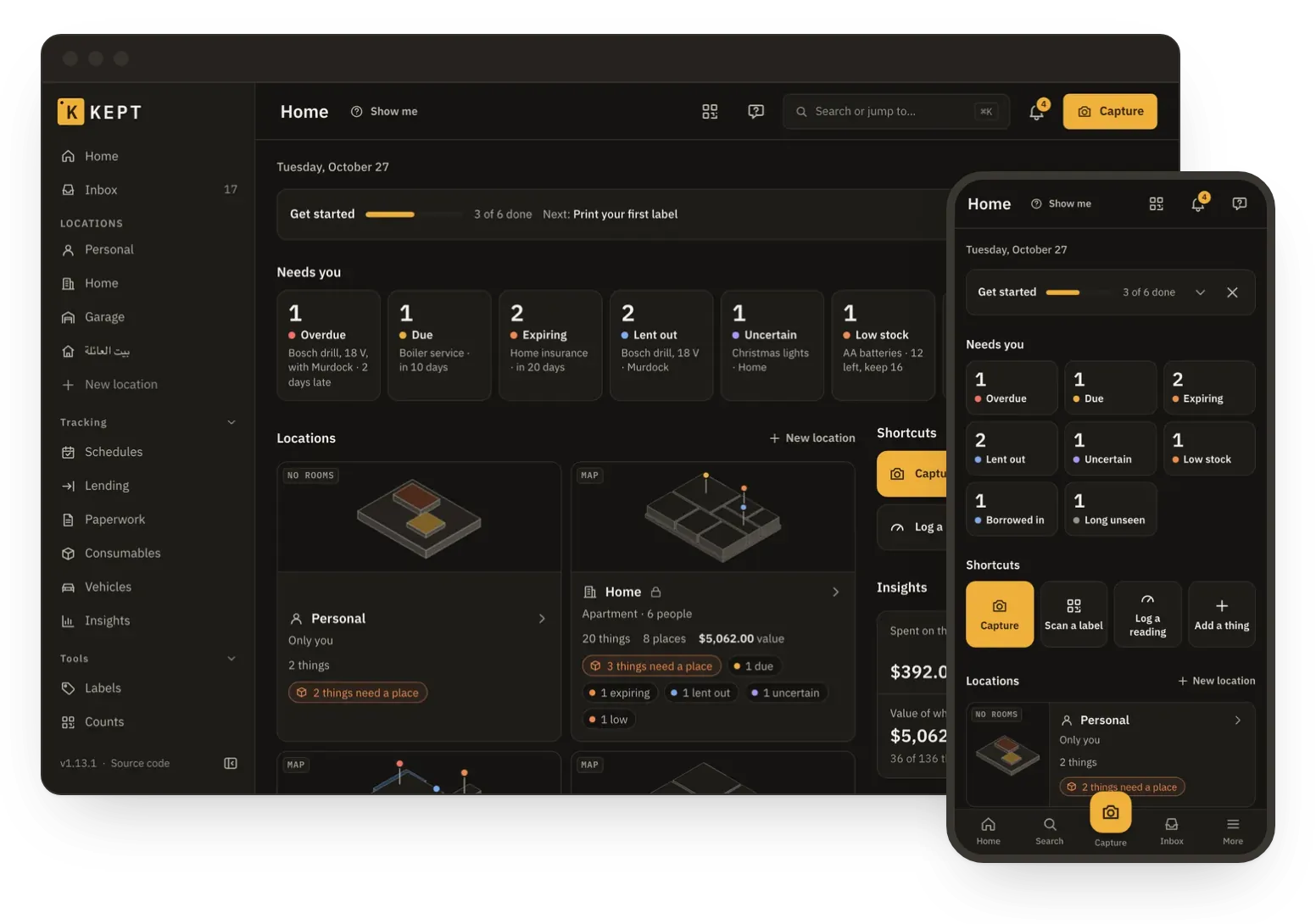
Homes, garages and storage units; the rooms, shelves and boxes inside them; the things inside those, with receipts, manuals, warranties and history. Self-hosted, on your own server or homelab. Nothing leaves it unless you turn it on: no telemetry, the update check off by default, the AI provider yours to choose.
Try it
Nothing to install, nothing saved.
- Try Kept: the whole app, with a sample household.
- Try the map: the 3D map, with a sample home.
- Host it: Docker Compose or Kubernetes.
A look around
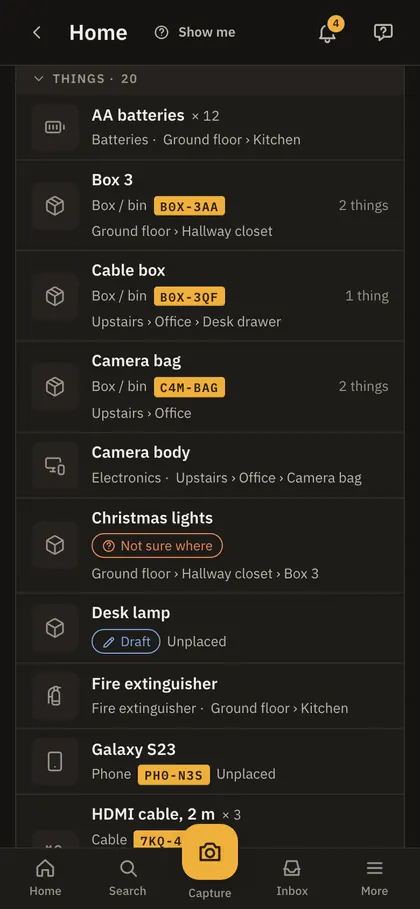
- List: names first, each with its type; a box says how much is inside; the amber tape only on things with a printed label.
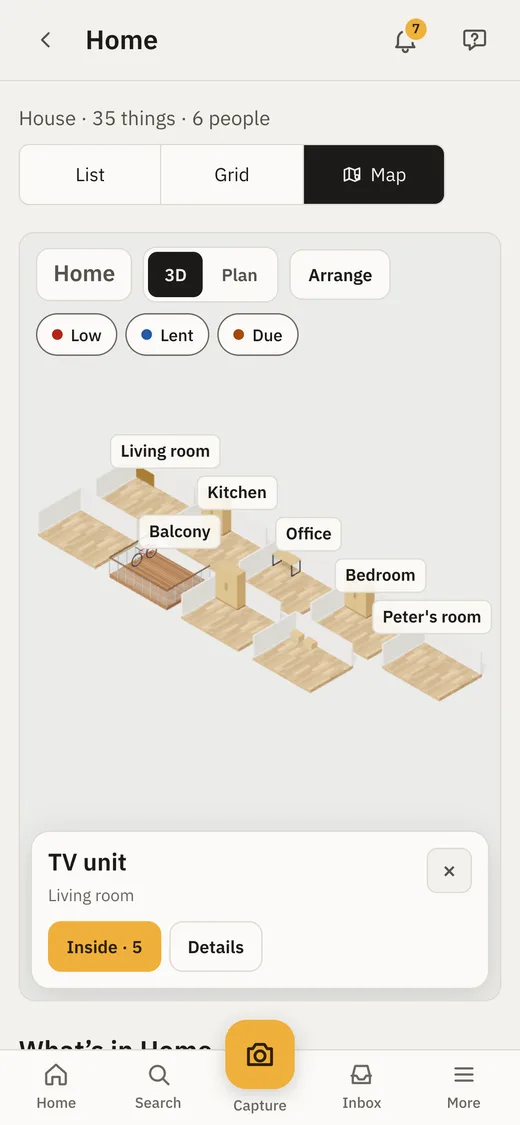
- Map: each location in 3D: floors, rooms, shelves and boxes, what's inside one tap away. Arranged by you, or laid out by Kept. Plan view, balconies and terraces (the map).
- Graph: a location's places, boxes and things, in 2D or 3D.
On a phone
Installs as an app. Capture, scan and search, offline too.
Labels
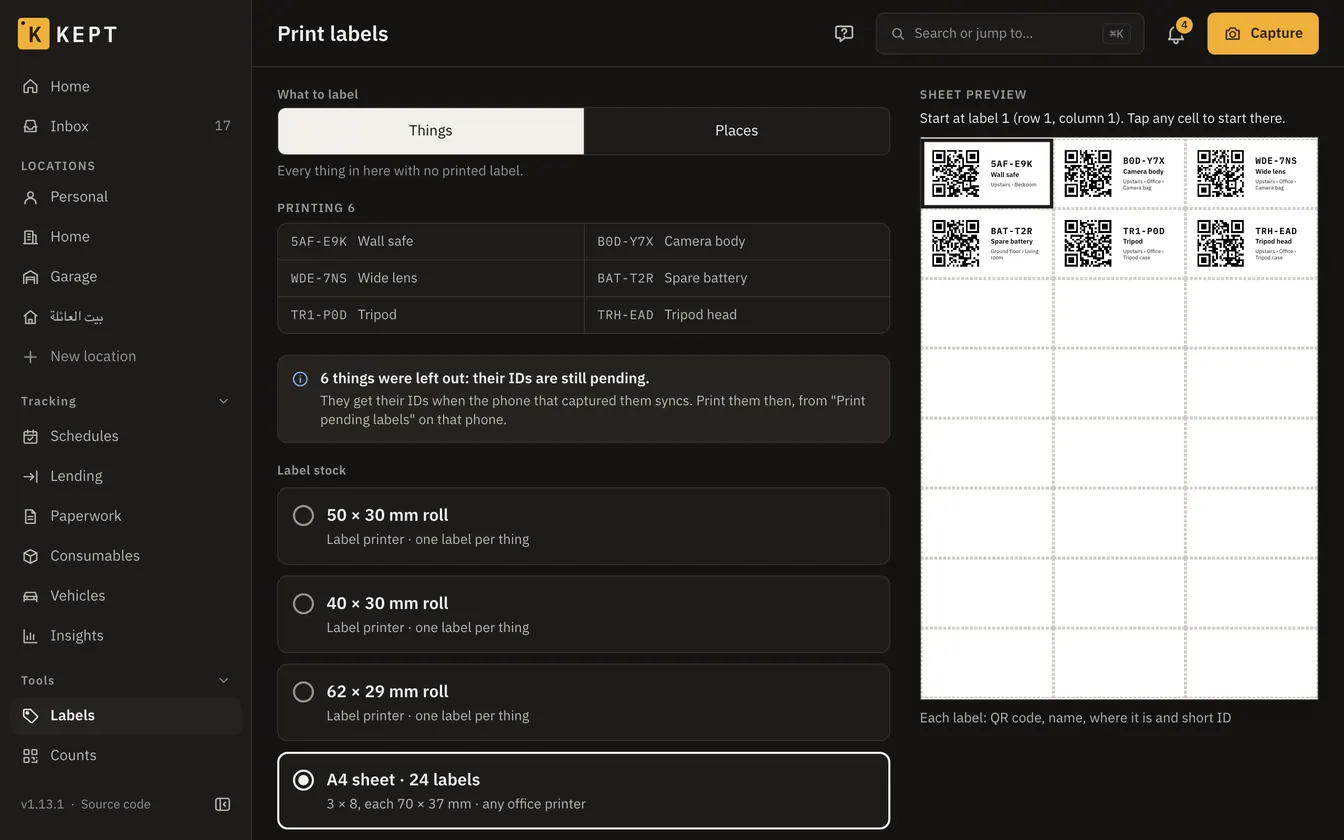
A short ID and a QR code for every box. Label-printer rolls or office-printer sheets; scan one to open the box.
What it does
Every feature, with its page: all features.
- Inventory. Locations, places, boxes and things, with photos, documents, purchases, tags, custom fields, quantities, saved views, search, an archive for what you no longer use and a trash you can restore from. Furniture with compartments you can turn, merge and split. A place tree you can widen or collapse. Hide your Personal location if you don't use it.
- 3D map and graph. Each location in 3D, rooms at their real size, started from a floor plan if you have one; its places and things as a graph (the map).
- Labels and scanning. Print label sheets with a short ID and a QR code; scan one to open the box it is on. Scan sessions count a shelf, pack a box or move a pile in one go.
- Lending and borrowing. Who has what and when it's due back; borrowers need no account. Reminders before and after the due date, and one list of everything out (lending).
- Kits and hand-overs. Lend a box with everything in it; each thing comes back on its own record (kits).
- Moving house. Numbered boxes, a label and a contents sheet for each, tracked in the van, unpacked by scanning (moving).
- Reminders. Warranties, services, documents, loans and low stock: in the app, by mail, push, ntfy, Telegram and a calendar feed.
- Vehicles and machines. Readings, services, fuel and running costs.
- The household. Shared locations with roles and end dates, share links, stocktakes, condition reports, an insurance report and insights.
- Capture. Photograph a thing, a receipt, a label or a whole room, online or offline; your AI provider (OpenAI, Anthropic, Google, OpenRouter, Groq, or an OpenAI-compatible server such as Ollama) suggests the details and you confirm them. Without one, you type them.
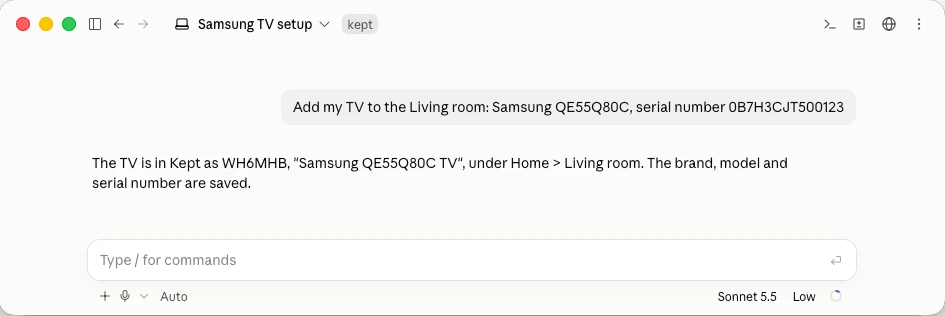
- AI assistant and MCP server. Ask in plain words; changes wait for your OK. Claude and other
AI agents connect at
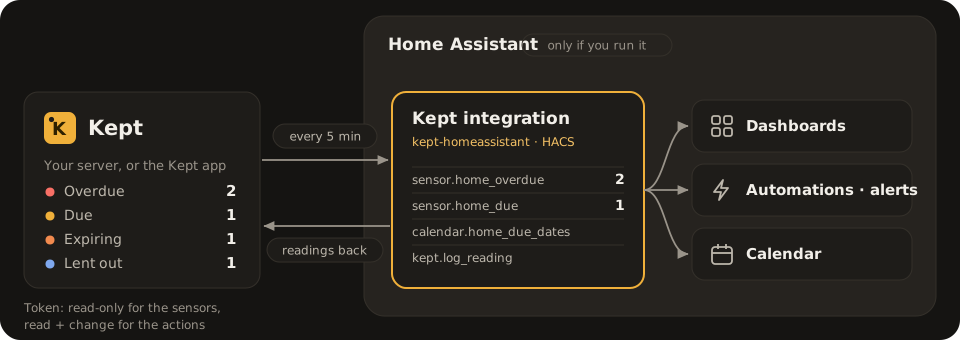
/mcpand stay connected (how). - Home Assistant. Install Kept as a Home Assistant app; an integration brings what's due into dashboards and automations (Home Assistant).
- Paperless-ngx. Link documents instead of copying them; the start of a word finds one, and a Homebox import takes its links' titles from Paperless (Paperless).
- Backups you can read. Nightly restic backups to a directory, S3 or SFTP, each with a copy that opens in a browser without Kept; imports from Homebox (a past import can be repaired) and CSV, full exports.
- Your own network or HTTPS. Works over plain http at home, with sign-ins as long as you set and more than one address; an export with secret values needs HTTPS.
- Languages: English, Arabic (right to left), French, German, Italian, Vietnamese and Ukrainian; type to find yours.
Quick start: host it
Docker with Compose v2. Tested on 1 GB of RAM and one CPU core, a backup during photo uploads included; Kept and its database use about 200–400 MB (what was tested).
mkdir kept && cd kept
curl -fsSLO https://raw.githubusercontent.com/keptinventory/kept/v1.14.5/compose.yaml
docker compose run --rm init
docker compose up -d
compose.yaml: Kept and its database in one file; no clone, no passwords to make.init: asks the address you'll open Kept at (a name such ashttp://kept.home.arpa:8080beats an IP address: printed labels carry it), writes.envand shows the setup code.- Start: the database, a one-shot bootstrap that makes the database logins and their
passwords, the one-shot
migrate, then Kept on port 8080 (KEPT_HTTP_PORTchanges it). - First run: open the address, enter the setup code, create the first account. It becomes
the instance admin. Then keep the keys off this server:
docker compose exec kept kept admin recovery-kitprints them.
The camera, installing the app, push and location need HTTPS. Caddy, with a certificate for
KEPT_DOMAIN, and Ollama for local AI come with compose.full.yaml: the same file plus those
(Caddy and Ollama,
HTTPS). Every step in full:
the install guide.
- Home Assistant: on Home Assistant OS, Kept installs as an app with its own database, backed up with Home Assistant's backups (install as a Home Assistant app):

Sensors and the calendar come from the separate integration (Works with).
- Kubernetes: the Helm chart,
oci://ghcr.io/keptinventory/charts/kept, signed and published with each release (install on Kubernetes). - Verify the image:
cosign verify --key cosign.pub :, withcosign.pubfrom this repository (verifying a release). - Backups: nightly, encrypted, to a directory, S3 or SFTP (backups).
Works with
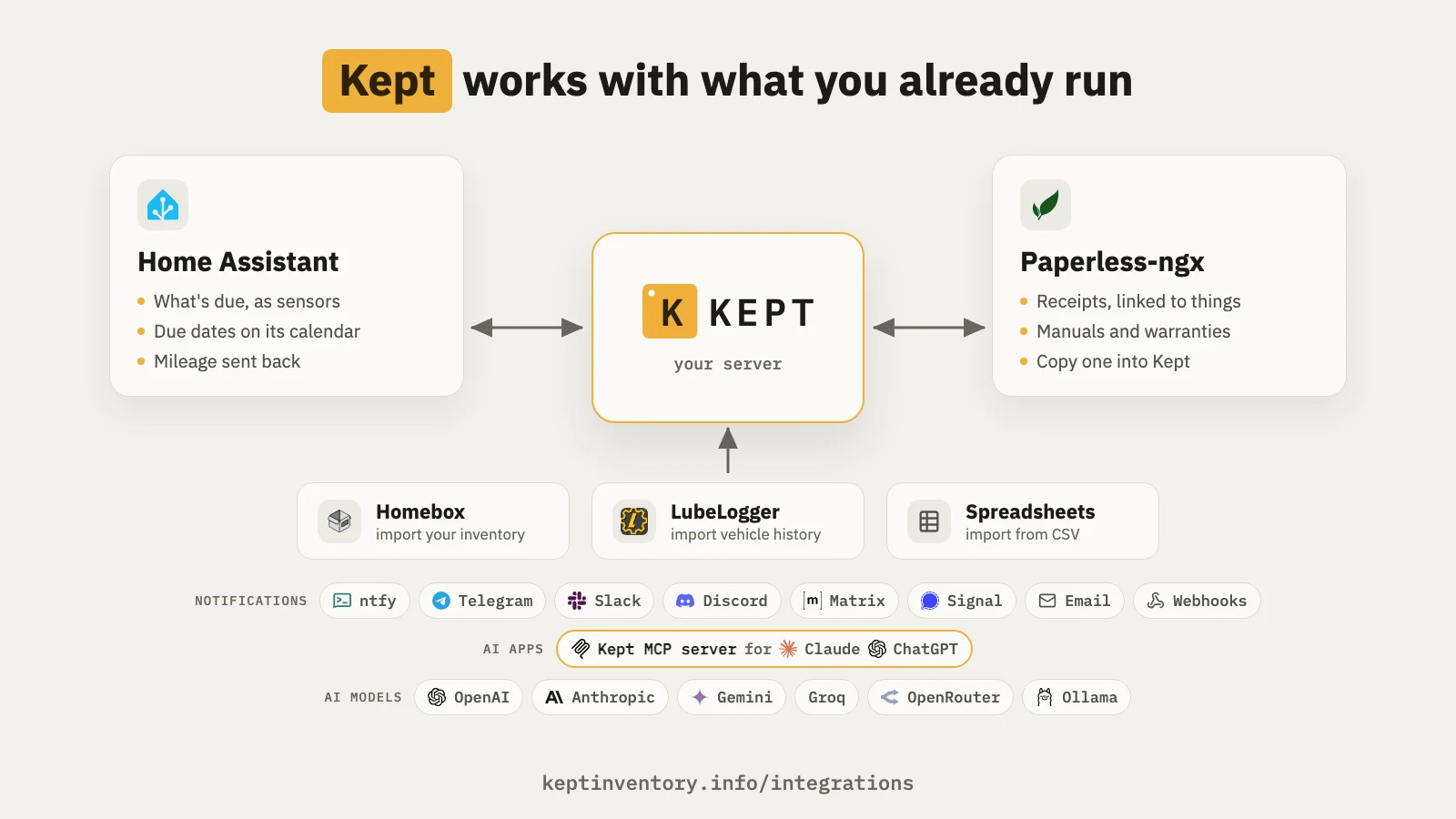
- Home Assistant: the kept-homeassistant integration, a HACS custom repository (setup). The app runs Kept; the integration brings it into Home Assistant. App users turn on the app's https on Kept's port option first (the app and the integration).
- Paperless-ngx: receipts, manuals and warranty cards linked to things (setup).
- The rest: integrations.
What's next
- Next: compartments on the 3D map
- Later: mobile and desktop apps · scan a room into the 3D map · storage furniture templates
Full roadmap → · 👍 the themes you want most.
Links
| Documentation | keptinventory.info |
| Install | Docker Compose, HTTPS, Kubernetes (Helm chart in charts/kept), configuration |
| API | HTTP API reference, generated from the OpenAPI document |
| MCP | Connect an AI client |
| Roadmap | Now, next and later |
| Questions and ideas | Discussions |
| Chat | Discord |
| Contributing | CONTRIBUTING.md: a discussion or an issue first for anything larger than a fix; sign the CLA once |
| Security | SECURITY.md: report privately, never in a public issue |
| Changelog | CHANGELOG.md |
Licence
Kept is free software under the GNU Affero General Public License, version 3
(LICENSE), and every feature ships in it: nothing is held back. If you run a modified
Kept for other people, you must offer them its source. The image carries the third-party notices
of everything inside it, served at /notices.txt.
Star history
Created by Ibrahim Roshdy · AGPL-3.0