Kala




Kala is a simplistic, modern, and performant job scheduler written in Go. Features:
- Single binary
- No dependencies
- JSON over HTTP API
- Job Stats
- Configurable Retries
- Scheduling with ISO 8601 Date and Interval notation
- Dependent Jobs
- Persistent with several database drivers
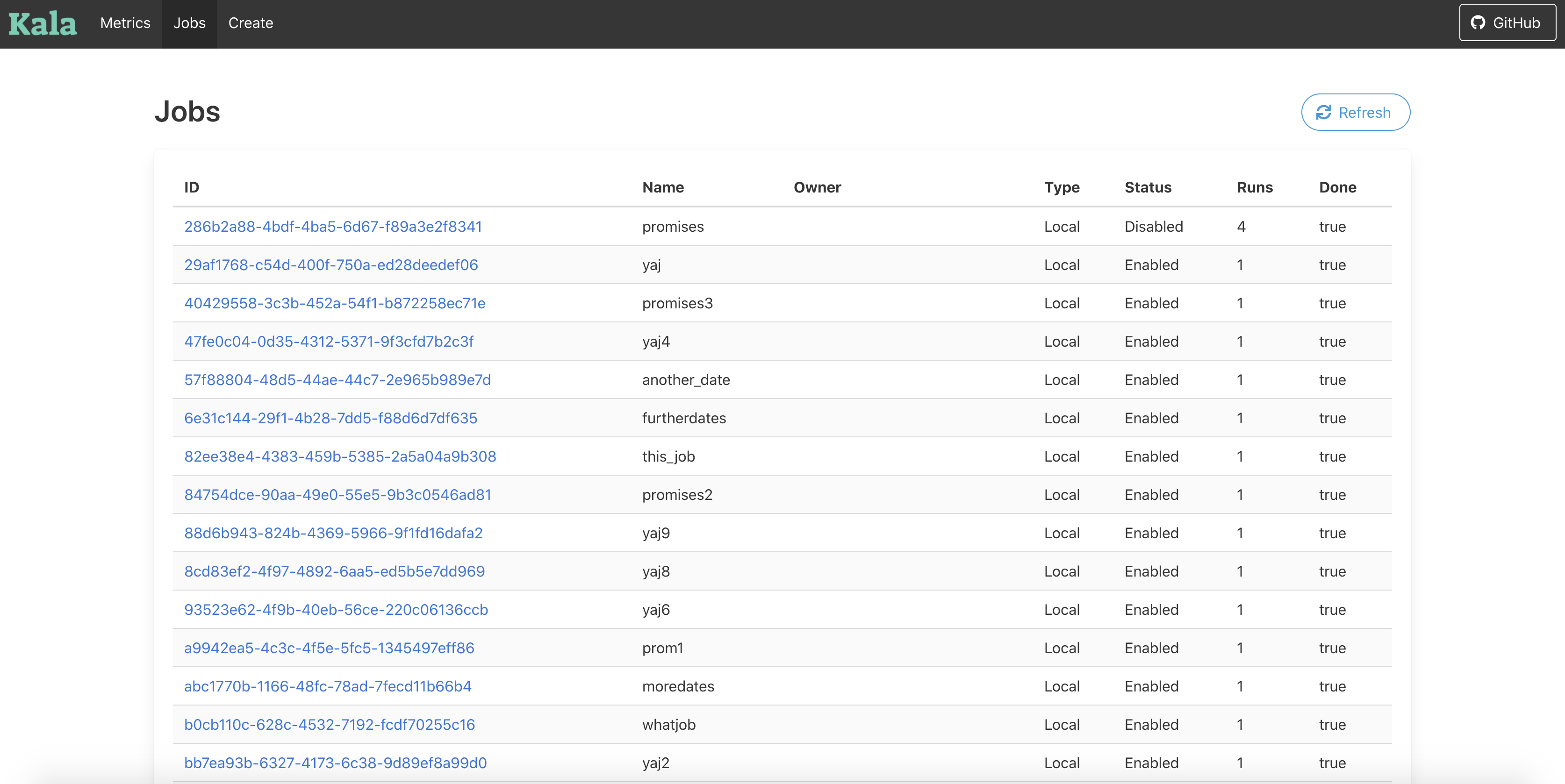
- Web UI
Note that it is not battle-tested. Use at your own risk.
Kala was inspired by the desire for a simpler Chronos (developed by Airbnb). Kala is Chronos for the rest of us.
If you need fault tolerance, distributed features, massive scale, then I recommend checking out Chronos. This is designed to be the Chronos for start-ups.
Installing Kala
Kala uses Go Modules
Get Kala
go get github.com/ajvb/kalaRun Kala
kala serve
Getting Started
Once you have installed Kala onto the machine you would like to use, you can follow the below steps to start using it.
To run Kala as a server:
$ kala serve
INFO[0000] Preparing cache
INFO[0000] Starting server on port :8000

$ kala serve -p 2222
INFO[0000] Preparing cache
INFO[0000] Starting server on port :2222
Kala uses BoltDB by default for the job database by using jobdb and boltpath params:
kala serve --jobdb=boltdb --boltpath=/path/to/dir
use Redis by using the jobdb, jobdb-address and jobdb-password params:
kala serve --jobdb=redis --jobdb-address=127.0.0.1:6379 --jobdb-password=password
use Consul by using the jobdb and jobdb-address params:
kala serve --jobdb=consul --jobdb-address=127.0.0.1:8500
use Mongo by using the jobdb, jobdb-address, jobdb-username, and jobdb-password params:
kala serve --jobdb=mongo --jobdb-address=server1.example.com,server2.example.com --jobdb-username=admin --jobdb-password=password
use Postgres by using the jobdb, jobdb-address params:
kala serve --jobdb=postgres --jobdb-address=server1.example.com/kala --jobdb-username=admin --jobdb-password=password
use MariaDB, MySQL by using the jobdb, jobdb-address, jobdb-tls-capath, jobdb-tls-certpath, jobdb-tls-keypath, jobdb-tls-servername params:
kala serve --jobdb=mariadb --jobdb-address=(server1.example.com)/kala --jobdb-username=admin --jobdb-password=password

kala serve --jobdb=mysql --jobdb-address="tcp(server1.example.com:3306)/kala?tls=custom" --jobdb-username=admin --jobdb-password=password --jobdb-tls-capath=/path/to/server-ca.pem --jobdb-tls-certpath=/path/to/client-cert.pem --jobdb-tls-keypath=/path/to/client-key.pem --jobdb-tls-servername=server1.example.com
Kala runs on 127.0.0.1:8000 by default. You can easily test it out by curling the metrics path.
$ curl http://127.0.0.1:8000/api/v1/stats/
{"Stats":{"ActiveJobs":2,"DisabledJobs":0,"Jobs":2,"ErrorCount":0,"SuccessCount":0,"NextRunAt":"2015-06-04T19:25:16.82873873-07:00","LastAttemptedRun":"0001-01-01T00:00:00Z","CreatedAt":"2015-06-03T19:58:21.433668791-07:00"}}
Once it's up in running, you can utilize curl or the official go client to interact with Kala. Also check out the examples directory.
Examples of Usage
There are more examples in the examples directory within this repo. Currently its pretty messy. Feel free to submit a new example if you have one.
Deployment
Supervisord
After installing supervisord, open its config file (/etc/supervisor/supervisord.conf is the default usually) and add something like:
[program:kala]
command=kala serve
autorestart=true
stdout_logfile=/var/log/kala.stdout.log
stderr_logfile=/var/log/kala.stderr.log
Docker
If you have docker installed, you can build the dockerfile in this directory with
docker build -t kala .
and run it as a daemon with:
docker run -it -d -p 8000:8000 kala
API v1 Docs
All routes have a prefix of /api/v1
Client Libraries
Official:
- Go - Docs: http://godoc.org/github.com/ajvb/kala/client
go get github.com/ajvb/kala/client
Contrib:
Job Data Struct
Things to Note
- If schedule is omitted, the job will run immediately.
Job JSON Example
{
        "name":"test_job",
        "id":"93b65499-b211-49ce-57e0-19e735cc5abd",
        "command":"bash /home/ajvb/gocode/src/github.com/ajvb/kala/examples/example-kala-commands/example-command.sh",
        "owner":"",
        "disabled":false,
        "dependent_jobs":null,
        "parent_jobs":null,
        "schedule":"R2/2015-06-04T19:25:16.828696-07:00/PT10S",
        "retries":0,
        "epsilon":"PT5S",
        "success_count":0,
        "last_success":"0001-01-01T00:00:00Z",
        "error_count":0,
        "last_error":"0001-01-01T00:00:00Z",
        "last_attempted_run":"0001-01-01T00:00:00Z",
        "next_run_at":"2015-06-04T19:25:16.828794572-07:00"
}
Breakdown of schedule string. (ISO 8601 Notation)
Example schedule string:
R2/2017-06-04T19:25:16.828696-07:00/PT10S
This string can be split into three parts:
Number of times to repeat/Start Datetime/Interval Between Runs
Number of times to repeat
This is designated with a number, prefixed with an R. Leave out the number if it should repeat forever.
Examples:
R- Will repeat foreverR1- Will repeat onceR231- Will repeat 231 times.
Start Datetime
This is the datetime for the first time the job should run.
Kala will return an error if the start datetime has already passed.
Examples:
2017-06-04T19:25:162017-06-04T19:25:16.8286962017-06-04T19:25:16.828696-07:002017-06-04T19:25:16-07:00
To Note: It is recommended to include a timezone within your schedule parameter.
Interval Between Runs
This is defined by the ISO8601 Interval Notation.
It starts with a P, then you can specify years, months, or days, then a T, preceded by hours, minutes, and seconds.
Lets break down a long interval: P1Y2M10DT2H30M15S
P- Starts the notation1Y- One year2M- Two months10D- Ten daysT- Starts the time second2H- Two hours30M- Thirty minutes15S- Fifteen seconds
Now, there is one alternative. You can optionally use just weeks. When you use the week operator, you only get that. An example of using the week operator for an interval of every two weeks is P2W.
Examples:
P1DT1M- Interval of one day and one minuteP1W- Interval of one weekPT1H- Interval of one hour.
More Information on ISO8601
Overview of routes
| Task | Method | Route |
|---|---|---|
| Creating a Job | POST | /api/v1/job/ |
| Getting a list of all Jobs | GET | /api/v1/job/ |
| Getting a Job | GET | /api/v1/job/{id}/ |
| Deleting a Job | DELETE | /api/v1/job/{id}/ |
| Deleting all Jobs | DELETE | /api/v1/job/all/ |
| Getting metrics about a certain Job | GET | /api/v1/job/stats/{id}/ |
| Starting a Job manually | POST | /api/v1/job/start/{id}/ |
| Disabling a Job | POST | /api/v1/job/disable/{id}/ |
| Enabling a Job | POST | /api/v1/job/enable/{id}/ |
| Getting app-level metrics | GET | /api/v1/stats/ |
/job
This route accepts both a GET and a POST. Performing a GET request will return a list of all currently running jobs. Performing a POST (with the correct JSON) will create a new Job.
Note: When creating a Job, the only fields that are required are the Name and the Command field. But, if you omit the Schedule field, the job will be ran immediately.
Example:
$ curl http://127.0.0.1:8000/api/v1/job/
{"jobs":{}}
$ curl http://127.0.0.1:8000/api/v1/job/ -d '{"epsilon": "PT5S", "command": "bash /home/ajvb/gocode/src/github.com/ajvb/kala/examples/example-kala-commands/example-command.sh", "name": "test_job", "schedule": "R2/2017-06-04T19:25:16.828696-07:00/PT10S"}'
{"id":"93b65499-b211-49ce-57e0-19e735cc5abd"}
$ curl http://127.0.0.1:8000/api/v1/job/
{
    "jobs":{
        "93b65499-b211-49ce-57e0-19e735cc5abd":{
            "name":"test_job",
            "id":"93b65499-b211-49ce-57e0-19e735cc5abd",
            "command":"bash /home/ajvb/gocode/src/github.com/ajvb/kala/examples/example-kala-commands/example-command.sh",
            "owner":"",
            "disabled":false,
            "dependent_jobs":null,
            "parent_jobs":null,
            "schedule":"R2/2017-06-04T19:25:16.828696-07:00/PT10S",
            "retries":0,
            "epsilon":"PT5S",
            "success_count":0,
            "last_success":"0001-01-01T00:00:00Z",
            "error_count":0,
            "last_error":"0001-01-01T00:00:00Z",
            "last_attempted_run":"0001-01-01T00:00:00Z",
            "next_run_at":"2017-06-04T19:25:16.828794572-07:00"
        }
    }
}
/job/{id}
This route accepts both a GET and a DELETE, and is based off of the id of the Job. Performing a GET request will return a full JSON object describing the Job. Performing a DELETE will delete the Job.
Example:
$ curl http://127.0.0.1:8000/api/v1/job/93b65499-b211-49ce-57e0-19e735cc5abd/
{"job":{"name":"test_job","id":"93b65499-b211-49ce-57e0-19e735cc5abd","command":"bash /home/ajvb/gocode/src/github.com/ajvb/kala/examples/example-kala-commands/example-command.sh","owner":"","disabled":false,"dependent_jobs":null,"parent_jobs":null,"schedule":"R2/2017-06-04T19:25:16.828696-07:00/PT10S","retries":0,"epsilon":"PT5S","success_count":0,"last_success":"0001-01-01T00:00:00Z","error_count":0,"last_error":"0001-01-01T00:00:00Z","last_attempted_run":"0001-01-01T00:00:00Z","next_run_at":"2017-06-04T19:25:16.828737931-07:00"}}
$ curl http://127.0.0.1:8000/api/v1/job/93b65499-b211-49ce-57e0-19e735cc5abd/ -X DELETE
$ curl http://127.0.0.1:8000/api/v1/job/93b65499-b211-49ce-57e0-19e735cc5abd/
/job/stats/{id}
Example:
$ curl http://127.0.0.1:8000/api/v1/job/stats/5d5be920-c716-4c99-60e1-055cad95b40f/
{"job_stats":[{"JobId":"5d5be920-c716-4c99-60e1-055cad95b40f","RanAt":"2017-06-03T20:01:53.232919459-07:00","NumberOfRetries":0,"Success":true,"ExecutionDuration":4529133}]}
/job/start/{id}
Example:
$ curl http://127.0.0.1:8000/api/v1/job/start/5d5be920-c716-4c99-60e1-055cad95b40f/ -X POST
/job/disable/{id}
Example:
$ curl http://127.0.0.1:8000/api/v1/job/disable/5d5be920-c716-4c99-60e1-055cad95b40f/ -X POST
/job/enable/{id}
Example:
$ curl http://127.0.0.1:8000/api/v1/job/enable/5d5be920-c716-4c99-60e1-055cad95b40f/ -X POST
/stats
Example:
$ curl http://127.0.0.1:8000/api/v1/stats/
{"Stats":{"ActiveJobs":2,"DisabledJobs":0,"Jobs":2,"ErrorCount":0,"SuccessCount":0,"NextRunAt":"2017-06-04T19:25:16.82873873-07:00","LastAttemptedRun":"0001-01-01T00:00:00Z","CreatedAt":"2017-06-03T19:58:21.433668791-07:00"}}
Debugging Jobs
There is a command within Kala called run which will immediately run a command as Kala would run it live, and then gives you a response on whether it was successful or not. Allows for easier and quicker debugging of commands.
$ kala run "ruby /home/user/ruby/my_ruby_script.rb"
Command Succeeded!
$ kala run "ruby /home/user/other_dir/broken_script.rb"
FATA[0000] Command Failed with err: exit status 1
Dependent Jobs
How to add a dependent job
Check out this example for how to add dependent jobs within a python script.
Notes on Dependent Jobs
- Dependent jobs follow a rule of First In First Out
- A child will always have to wait until a parent job finishes before it runs
- A child will not run if its parent job does not.
- If a child job is disabled, it's parent job will still run, but it will not.
- If a child job is deleted, it's parent job will continue to stay around.
- If a parent job is deleted, unless its child jobs have another parent, they will be deleted as well.
Original Contributors and Contact
Original Author and Core Maintainer:
- AJ Bahnken / @ajvbahnken / aj@ajvb.me
Original Reviewers:
- Sam Dolan / @samdolan
- Steve Phillips / @elimisteve
Donate
