

An open-source PAM platform (Bastion Host)
![][license-shield]


English · 中文(简体) · 中文(繁體) · 日本語 · Português (Brasil) · Español · Русский · 한국어
What is JumpServer?
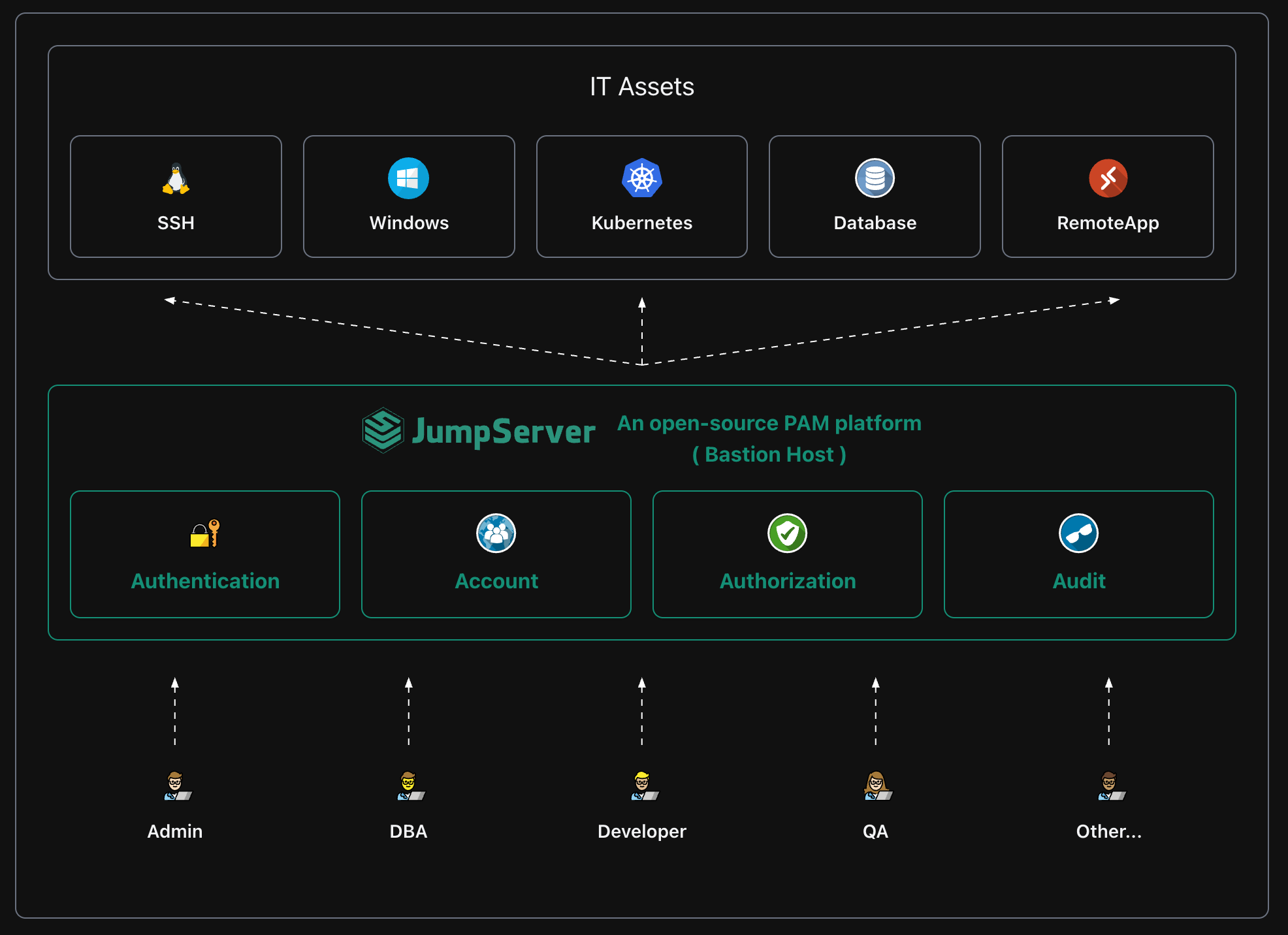
JumpServer is an open-source Privileged Access Management (PAM) platform that provides DevOps and IT teams with on-demand and secure access to SSH, RDP, Kubernetes, Database and RemoteApp endpoints through a web browser.
Quickstart
Prepare a clean Linux Server ( 64 bit, >= 4c8g )
curl -sSL https://github.com/jumpserver/jumpserver/releases/latest/download/quick_start.sh | bash
Access JumpServer in your browser at http://your-jumpserver-ip/
- Username:
admin - Password:
ChangeMe
Screenshots
Components
JumpServer consists of multiple key components, which collectively form the functional framework of JumpServer, providing users with comprehensive capabilities for operations management and security control.
| Project | Status | Description |
|---|---|---|
| Lina |  |
JumpServer Web UI |
| Luna |  |
JumpServer Web Terminal |
| KoKo |  |
JumpServer Character Protocol Connector |
| Lion |  |
JumpServer Graphical Protocol Connector |
| Chen |  |
JumpServer Web DB |
| Client |  |
JumpServer Client |
| Tinker |  |
JumpServer Remote Application Connector (Windows) |
| Panda | |
JumpServer EE Remote Application Connector (Linux) |
| Razor | |
JumpServer EE RDP Proxy Connector |
| Magnus | |
JumpServer EE Database Proxy Connector |
| Nec | |
JumpServer EE VNC Proxy Connector |
| Facelive | |
JumpServer EE Facial Recognition |
Third-party projects
- jumpserver-grafana-dashboard JumpServer with grafana dashboard
Contributing
Welcome to submit PR to contribute. Please refer to CONTRIBUTING.md for guidelines.
License
Copyright (c) 2014-2026 FIT2CLOUD, All rights reserved.
Licensed under The GNU General Public License version 3 (GPLv3) (the "License"); you may not use this file except in compliance with the License. You may obtain a copy of the License at
https://www.gnu.org/licenses/gpl-3.0.html
Unless required by applicable law or agreed to in writing, software distributed under the License is distributed on an " AS IS" BASIS, WITHOUT WARRANTIES OR CONDITIONS OF ANY KIND, either express or implied. See the License for the specific language governing permissions and limitations under the License.
[github-stars-shield]: https://img.shields.io/github/stars/jumpserver/jumpserver?color=%231890FF&style=flat-square [docker-shield]: https://img.shields.io/docker/pulls/jumpserver/jms_all.svg [license-shield]: https://img.shields.io/github/license/jumpserver/jumpserver [deepwiki-shield]: https://img.shields.io/badge/deepwiki-devin?color=blue [discord-shield]: https://img.shields.io/discord/1194233267294052363?style=flat&logo=discord&logoColor=%23f5f5f5&labelColor=%235462eb&color=%235462eb
