

jsonhero-web is a free, open source frameworks & platforms project written in TypeScript and released under Apache-2.0. It has 10,866 GitHub stars, 663 forks and 69 open issues, and was last pushed 10 months ago. On this registry it ranks #21 of 44 tracked projects in Frameworks & Platforms, with 5 head-to-head comparisons available.

What is jsonhero-web?

JSON Hero is an open-source, browser-based JSON explorer written in TypeScript and licensed under Apache-2.0, built for developers who need to read, search and navigate JSON documents quickly.

What it is

JSON Hero is a web application for exploring JSON documents, created and maintained by the team behind Trigger.dev. It renders the same document through several interchangeable views β€” Column View, which is inspired by macOS Finder, plus Tree View and Editor View β€” and layers inferred previews, related-value scanning and fast search on top of them. The project lives on GitHub as jsonhero-web, is written in TypeScript, is licensed under Apache-2.0, and has a hosted instance at jsonhero.io. Its repository topics place it squarely in developer tooling: developer-tools, devtools, json, json-viewer, react, typescript, viewer.

The concrete problem it solves is that raw JSON is hard to read. In a plain text editor or a generic JSON viewer, deeply nested keys are difficult to follow, string values are opaque, and comparing the same field across an array means scrolling and squinting. JSON Hero replaces that plain-text reading experience with an explorer: it automatically infers the contents of strings and provides useful previews, creates an inferred JSON Schema that could be used to validate the document, and lets the reader quickly scan related values to check for edge cases. Search runs across key names, key paths, values, and even pretty formatted values, so searching for "Dec" finds datetime strings in the month of December.

Key capabilities

  • Four viewing modes: Column View, Tree View, Editor View, and further views, with keyboard navigation, a path bar, and history in Column View.
  • "Traverse with Context": hold Option (Alt on Windows) to keep a descendant selected while moving up the hierarchy, then compare its values across siblings.
  • Automatic inference of string contents, with useful previews rendered in place of raw values.
  • Generation of an inferred JSON Schema that could be used to validate the JSON.
  • Related-value scanning for spotting edge cases across a document.
  • Search over key names, key paths, values, and pretty formatted values.
  • Flexible ingestion: drag and drop, paste, or a JSON URL; base64 payloads via jsonhero.io/new?j=; remote URLs via jsonhero.io/new?url=; a VS Code extension; a Raycast extension; and a POST to jsonhero.io/api/create.json accepting title, content, readOnly and ttl, which returns an id, title and location.

Who uses it and how

  • Individual developers open jsonhero.io, drag a JSON file in or paste a payload, and start browsing without installing anything.
  • Tooling and pipelines can POST to jsonhero.io/api/create.json, setting ttl to expire a document after a chosen number of seconds and readOnly to prevent its title being edited or the document being deleted.
  • VS Code users install the JSONHero.jsonhero-vscode extension and open JSON directly from the editor.
  • Raycast users open JSON through the community extension listed for the app.
  • Teams share findings by link, since URLs are easily sharable and carry path support.

Getting started

The facts provided give no install, self-hosting or deployment method, so the documented route is the hosted service: go to jsonhero.io and drag and drop a JSON file, or paste JSON or a JSON URL into the provided form.

How it compares

The facts name no competing JSON explorers and no list of paid products this project replaces, so it stands alone in this registry. The only adjacent reference point given is macOS Finder, cited as the inspiration for Column View rather than as a rival tool.

When to use it β€” and when not to

Pick JSON Hero when reading and comparing JSON by hand is the bottleneck and a hosted, zero-install explorer fits the workflow. Be aware that the documented programmatic entry point is described as an unofficial API, so it carries no stated guarantees, and the provided facts describe no self-hosting, database, storage or email requirements β€” a team that must keep documents entirely on its own infrastructure has nothing here to work from. Anyone needing a contractual service level, or a viewer maintained outside the Trigger.dev project, should look elsewhere.

project readme (upstream, from github) β€” read inline
Trigger.dev logo

Open Bounties Rewarded Bounties

Brought to you by Trigger.dev

JSON Hero was created and is maintained by the team behind Trigger.dev. With Trigger.dev you can trigger workflows from APIs, on a schedule, or on demand. We make API calls easy with authentication handled for you, and you can add durable delays that survive server restarts.

JSON Hero

JSON Hero makes reading and understand JSON files easy by giving you a clean and beautiful UI packed with extra features.

  • View JSON any way you'd like: Column View, Tree View, Editor View, and more.
  • Automatically infers the contents of strings and provides useful previews
  • Creates an inferred JSON Schema that could be used to validate your JSON
  • Quickly scan related values to check for edge cases
  • Search your JSON files (both keys and values)
  • Keyboard accessible
  • Easily sharable URLs with path support

JSON Hero Screenshot

Features

Send to JSON Hero

Send your JSON to JSON Hero in a variety of ways

  • Head to jsonhero.io and Drag and Drop a JSON file, or paste JSON or a JSON url in the provided form

  • Include a Base64 encoded string of a JSON payload: jsonhero.io/new?j=eyAiZm9vIjogImJhciIgfQ==

  • Include a JSON URL to the new endpoint: jsonhero.io/new?url=https://jsonplaceholder.typicode.com/todos/1

  • Install the VS Code extension and open JSON from VS Code

  • Raycast user? Check out our extension here

  • Use the unofficial API:

    • Make a POST request to jsonhero.io/api/create.json with the following JSON body:
    {
      "title": "test 123",
      "content": { "foo": "bar" },
      "readOnly": false, // this is optional, will make it so the document title cannot be edited or document cannot be deleted
      "ttl": 3600 // this will expire the document after 3600 seconds, also optional
    }
    

    The JSON response will be the following:

    {
      "id": "YKKduNySH7Ub",
      "title": "test 123",
      "location": "https://jsonhero.io/j/YKKduNySH7Ub"
    }
    

Column view

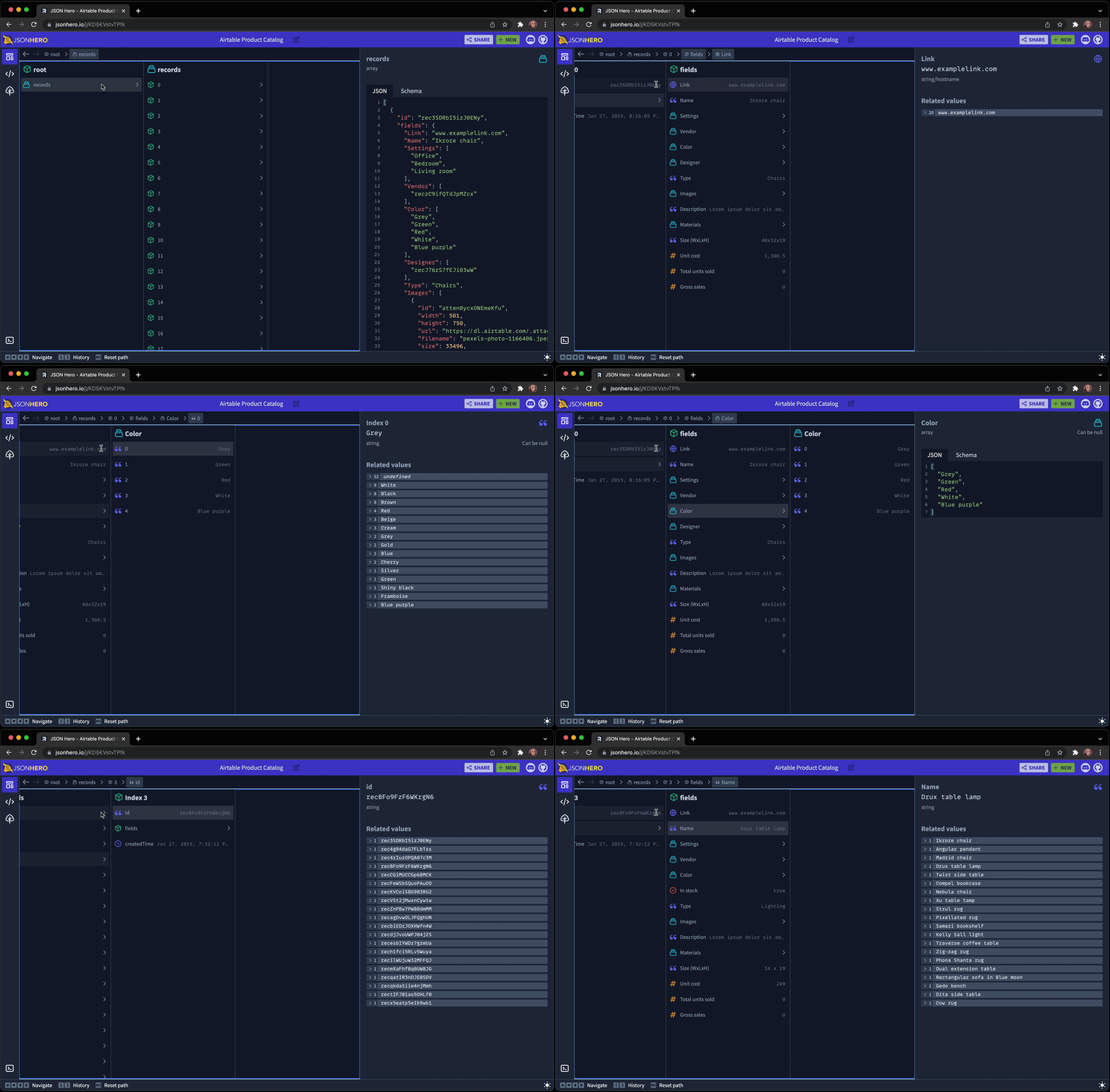
Inspired by macOS Finder, Column View is a new way to browse a JSON document.
JSON Hero Column View

It has all the features you'd expect: Keyboard navigation, Path bar, history.

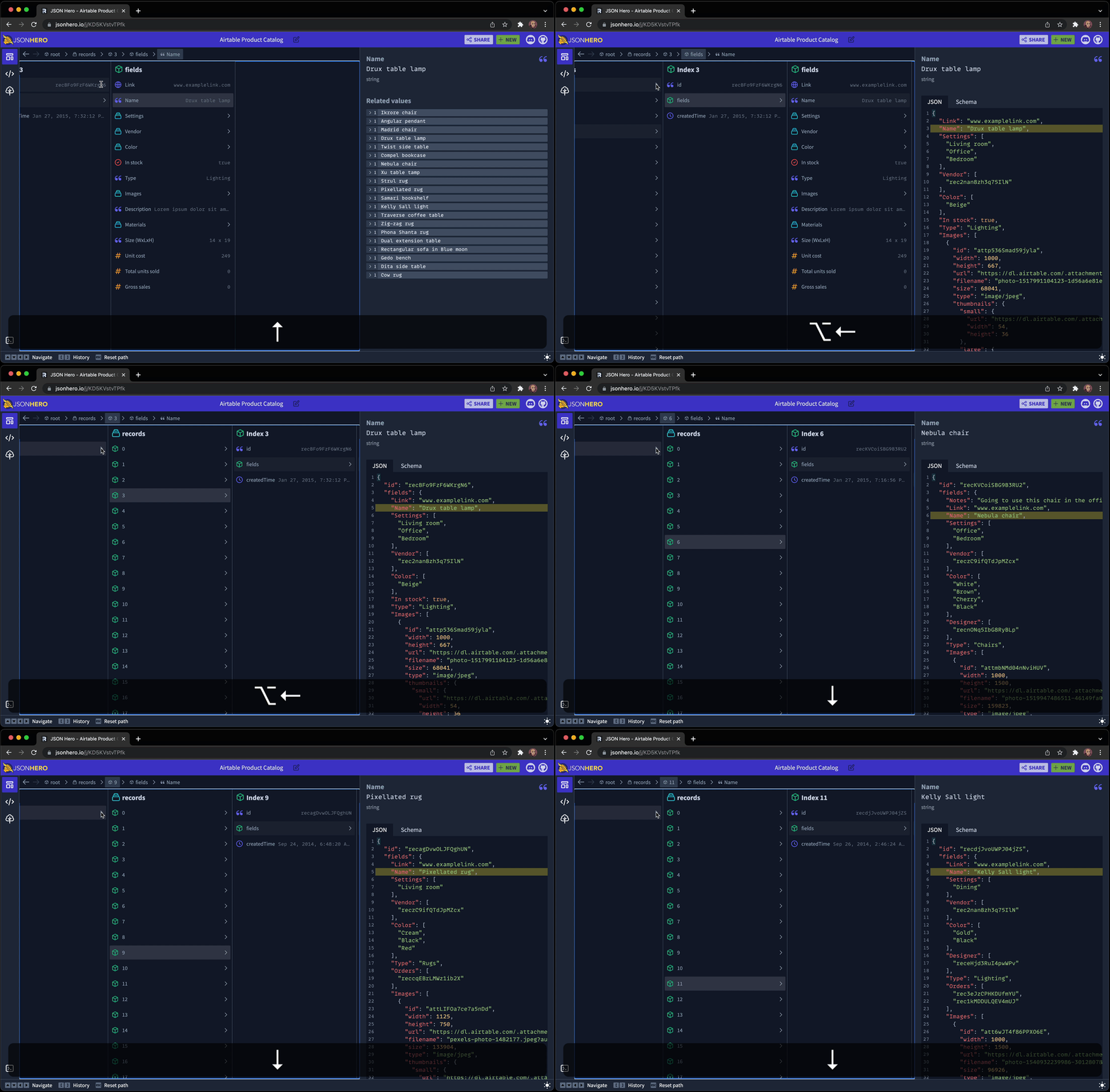
It also has a nifty feature that allows you to "hold" a descendent selected and travel up through the hierarchy, and then move between siblings and view the different values found at that path. It's hard to describe, but here is an animation to help demonstrate:
Column View - Traverse with Context

As you can see, holding the Option (or Alt key on Windows) while moving to a parent keeps the part of the document selected and shows it in context of it's surrounding JSON. Then you can traverse between items in an array and compare the values of the selection across deep hierarchy cahnges.

Editor view

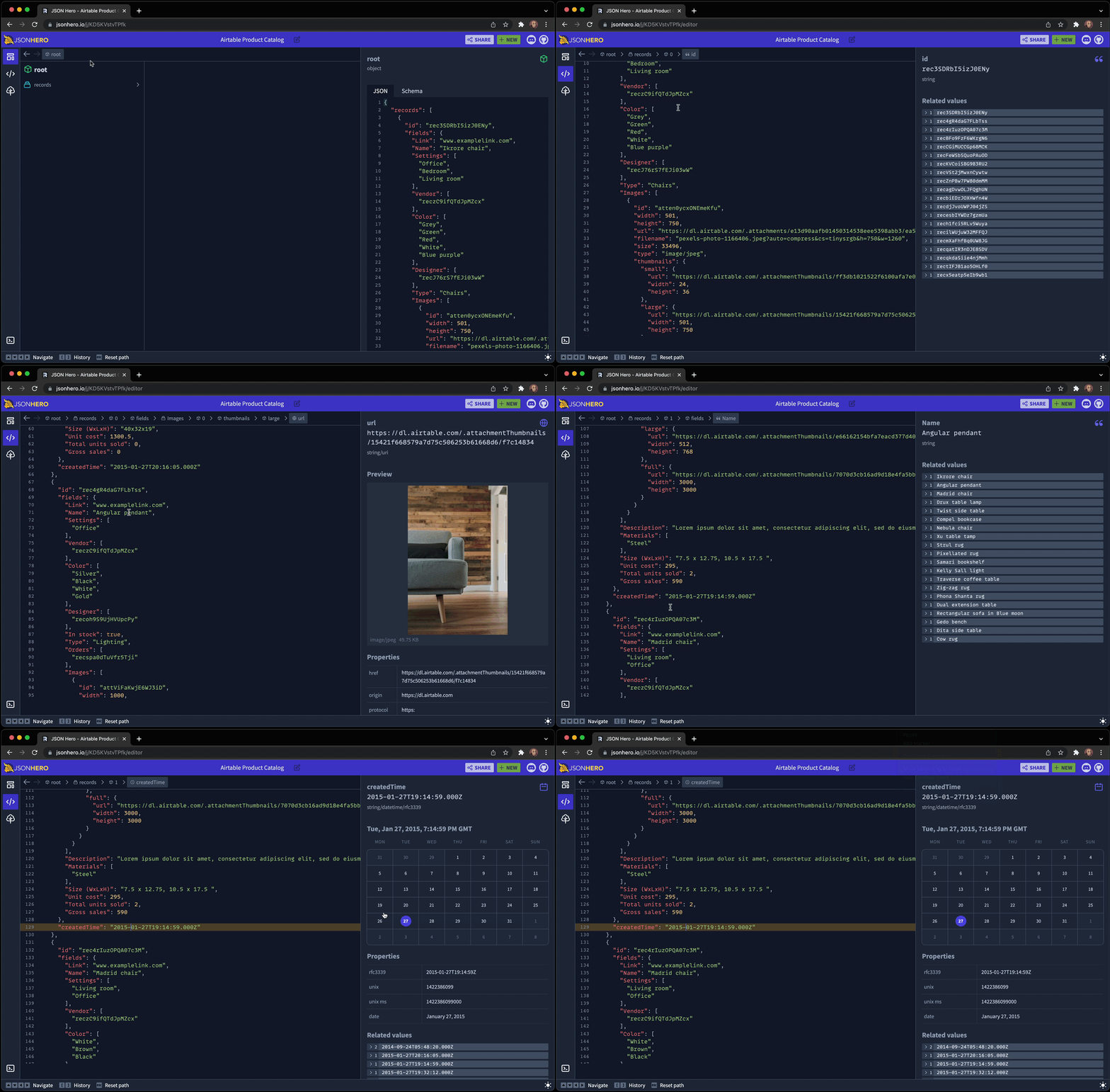
View your entire JSON document in an editor, but keep the nice previews and related values you get from the sidebar as you move around the document:
Editor view

Tree view

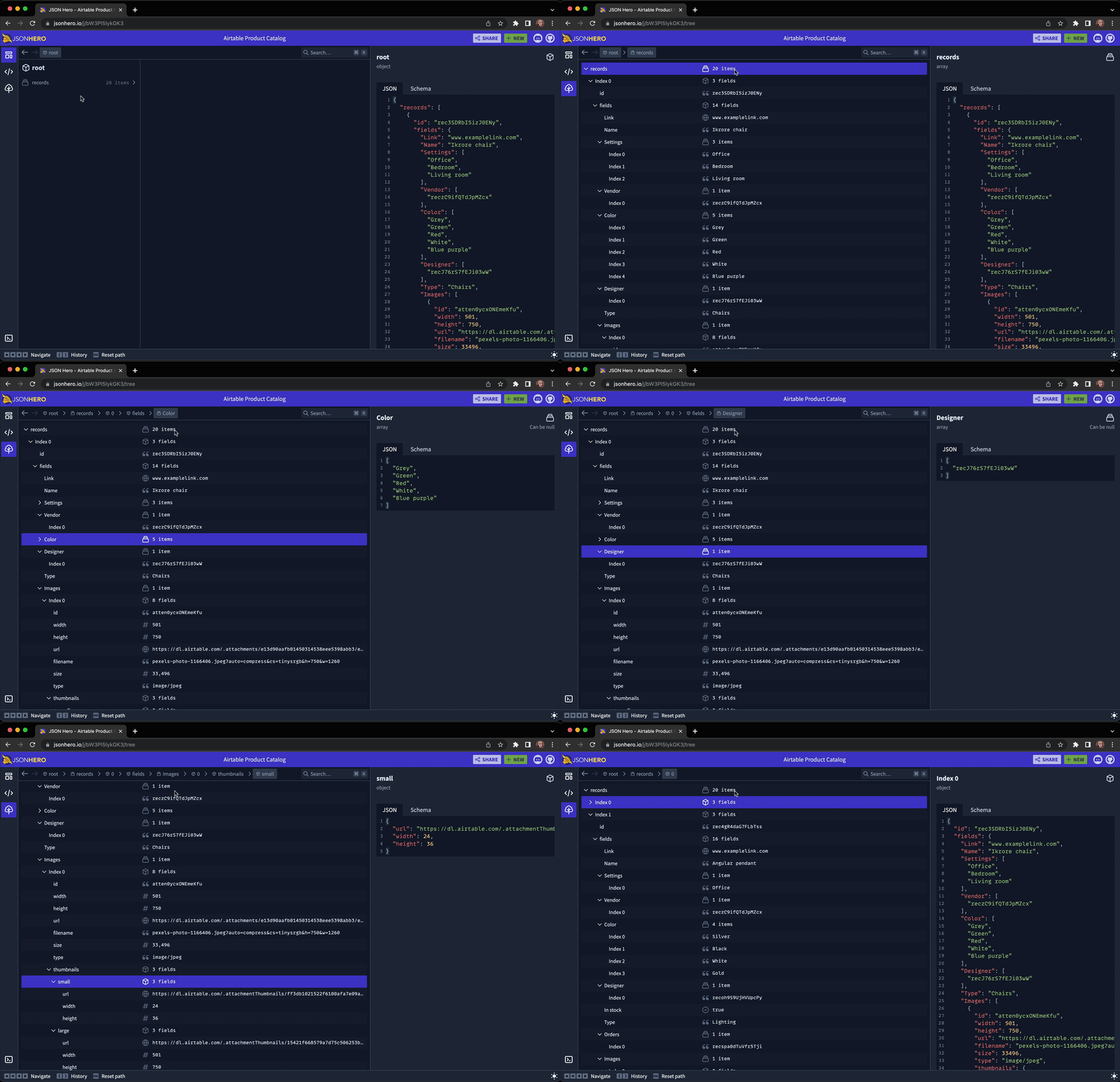
Use a traditional tree view to traverse your JSON document, with collapsible sections and keyboard shortcuts. All while keeping the nice previews:
Tree view

Search

Quickly open a search panel and fuzzy search your entire JSON file in milliseconds. Searches through key names, key paths, values, and even pretty formatted values (e.g. Searching for "Dec" will find datetime strings in the month of December.)
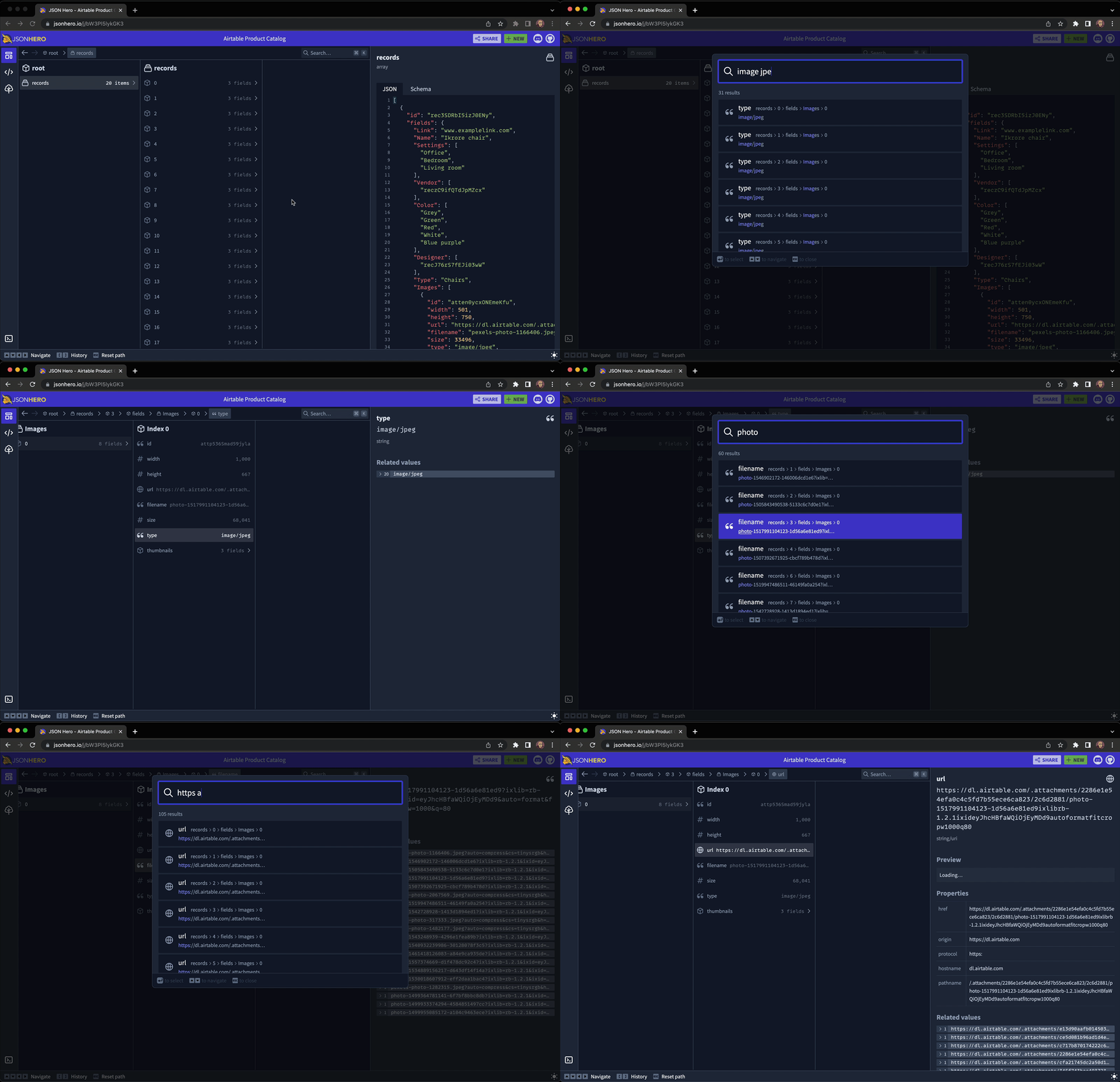
Search

Content Previews

JSON Hero automatically infers the content of strings and provides useful previews and properties of the value you've selected. It's "Show Don't Tell" for JSON:

Dates and Times

Preview colors

Image URLs

Preview colors

Website URLs

Preview websites

Tweet URLS

Preview tweets

JSON URLs

Preview JSON

Colors

Preview colors

Related Values

Easily see all the related values across your entire JSON document for a specific field, including any undefined or null values.
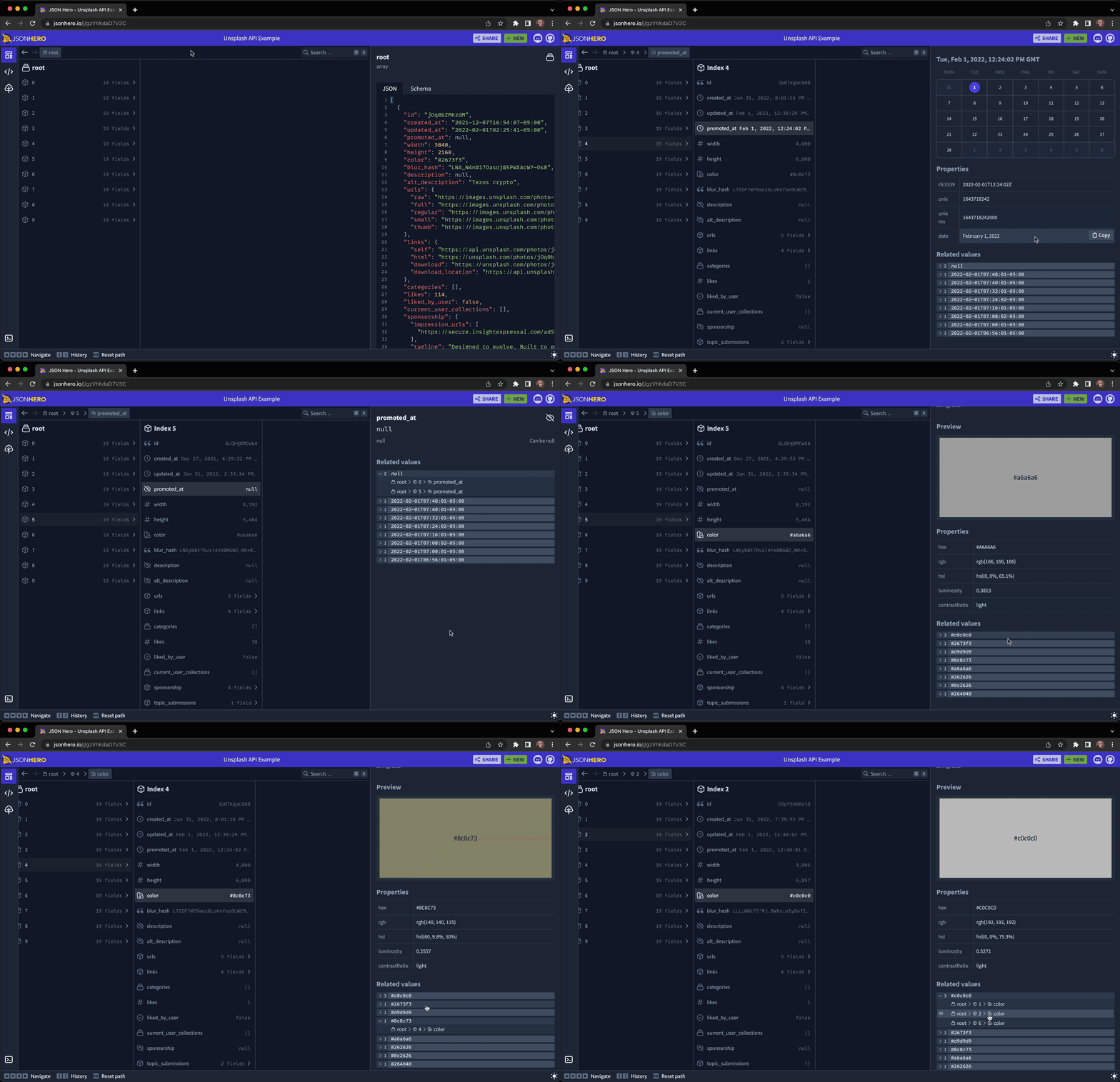
Editor view

Bugs and Feature Requests

Have a bug or a feature request? Feel free to open a new issue.

You can also join our Discord channel to hang out and discuss anything you'd like.

Developing

To run locally, first clone the repo and install the dependencies:

git clone https://github.com/triggerdotdev/jsonhero-web.git
cd jsonhero-web
npm install

Then, create a file at the root of the repo called .env and set the SESSION_SECRET value:

SESSION_SECRET=abc123

Then, run npm run build or npm run dev to build.

Now, run npm start and open your browser to http://localhost:8787

Frequently asked questions

Is jsonhero-web free to use?

jsonhero-web is open source under the Apache-2.0 licence. There is no licence fee and no seat count β€” you can self-host it or, where the project offers one, pay a vendor for a managed version instead.

What does jsonhero-web do?

JSON Hero is an open-source, beautiful JSON explorer for the web that lets you browse, search and navigate your JSON files at speed. πŸš€. Built with πŸ’œ by the Tr

What is jsonhero-web written in?

jsonhero-web is primarily written in TypeScript. Its source is publicly available at https://github.com/triggerdotdev/jsonhero-web, and it has 10,866 GitHub stars.