JMComic-Crawler-Python is a free, open source data extraction & web scraping project written in Python and released under MIT. It has 7,270 GitHub stars, 11,905 forks and 4 open issues, and was last pushed 4 days ago. On this registry it ranks #24 of 45 tracked projects in Data Extraction & Web Scraping, with 5 head-to-head comparisons available. It gained 9 stars over the last 3 tracked days.

What is JMComic-Crawler-Python?

JMComic-Crawler-Python is an MIT-licensed Python package that turns the JMComic (禁漫天堂) web and mobile endpoints into a single importable API, so Python developers, script authors and GitHub Actions users can download albums, chapters and favourites locally without writing their own scraper.

What it is

The project is a Python library and command-line tool, published on PyPI as jmcomic, that wraps the JMComic site into a consistent interface covering both the web front end and the mobile app. Its core function is downloading albums and chapters, and around that core the author designed a configurable framework meant to be easy to adopt and easy to extend for special download needs. Beyond downloading, it implements a set of other JM interfaces as needed: login, search across all search fields, comments including replies and spoiler flags, category and ranking listings, album and chapter detail, image download and decoding, personal favourites, and encryption/decryption for the app API.

The concrete problem it solves is the hand-rolled scraper. Anyone who wanted a JM album locally previously had to reverse-engineer request signing, pagination, image packaging and decoding, then maintain that code as the site changed. This package replaces that ad-hoc scraping layer with a maintained API and a declarative configuration file. The README states the core functionality is stable and the project is in a maintenance phase, with documentation hosted on Read the Docs.

Key capabilities

  • Download an entire album with one call: jmcomic.download_album('123'), or run it asynchronously with jmcomic.download_album_async('123').
  • Configure behaviour through an option.yml file built with jmcomic.create_option_by_file(), controlling the JM domain, network proxy, image format conversion such as a .png suffix, and plugins.
  • Drive downloads from the shell with the jmcomic command, for example jmcomic 123 for an album or jmcomic 123 p456 for a specific chapter, passing --option="D:/a.yml" or setting the JM_OPTION_PATH environment variable.
  • Inspect metadata without downloading using the jmv command, which accepts a raw album number or extracts the first numeric ID from arbitrary pasted text.
  • Export downloaded material to PDF, ZIP or long images, and export a personal favourites collection.
  • Run the whole download in GitHub Actions, with a dedicated tutorial in the repository for that workflow.
  • Show a download progress bar in the terminal after installing the optional rich dependency.

Who uses it and how

  • GitHub Actions users who want scheduled or on-demand downloads without keeping a machine running, following the repository's Actions tutorial.
  • Python developers embedding the library into their own scripts, using either the synchronous download_album call or the asyncio-based entry point for concurrent work.
  • Windows desktop users who keep an option file path in JM_OPTION_PATH and launch jmcomic or jmv directly from the Run dialog.
  • Users managing a collection, who export their JM favourites, then convert the results to PDF, ZIP or long images for offline reading.
  • Terminal users who only need to identify an album from a number seen elsewhere, using jmv rather than a full download.

Getting started

Install from PyPI with pip install jmcomic -U, or from source with pip install git+https://github.com/hect0x7/JMComic-Crawler-Python; the README recommends Python 3.14.

How it compares

No comparable or paid alternatives are named in the facts supplied for this page, so the project stands alone in this registry. Its distinguishing properties are its MIT licence, its availability as a PyPI package rather than a hosted service, and the fact that everything runs on infrastructure the user controls.

When to use it — and when not to

A self-hoster operates nothing beyond a Python environment, but must supply their own option.yml, choose a working JM domain, and configure a proxy if their network needs one; no database or mail service is involved. Anyone who wants a hosted service, a graphical application or vendor support with a service-level agreement should not choose this, and non-Python stacks get less value from a library whose primary interface is a Python API and a pip install. The honest limitations are that the documentation and README are written mainly in Chinese, the project describes itself as being in a maintenance phase rather than active feature development, and the README explicitly asks users not to crawl too many albums at once in order to reduce load on JM's servers.

project readme (upstream, from github) — read inline

Python API for JMComic

简体中文English日本語한국어

提供 Python API 访问禁漫天堂(网页端 & 移动端),集成 GitHub Actions 下载器🚀

GitHub Stars Forks GitHub latest releases PyPI - Downloads Licence Used by

本项目封装了一套可用于爬取JM的Python API.

你可以通过简单的几行Python代码,实现下载JM上的本子到本地,并且是处理好的图片。

🧭 快速指路

友情提示:珍爱JM,为了减轻JM的服务器压力,请不要一次性爬取太多本子,西门🙏🙏🙏.

introduction.jpg

项目介绍

本项目的核心功能是下载本子。

基于此,设计了一套方便使用、便于扩展,能满足一些特殊下载需求的框架。

目前核心功能实现较为稳定,项目也处于维护阶段。

除了下载功能以外,也实现了其他的一些禁漫接口,按需实现。目前已有功能:

  • 登录
  • 搜索本子(支持所有搜索项)
  • 获取本子评论(包括回评、剧透标识)
  • 分类/排行榜
  • 获取本子/章节详情
  • 图片下载解码
  • 个人收藏夹
  • 接口加解密(APP的接口)

安装教程

⚠如果你没有安装过 Python,需要先前往 Python 官网下载 再执行以下步骤。 推荐使用 Python 3.14

  • 通过pip官方源安装(推荐,并且更新也是这个命令)

    pip install jmcomic -U
    
  • 通过源代码安装

    pip install git+https://github.com/hect0x7/JMComic-Crawler-Python
    

快速上手

1. 下载本子方法

只需要使用如下代码,就可以下载本子JM123的所有章节的图片:

import jmcomic  # 导入此模块,需要先安装.
jmcomic.download_album('123')  # 传入要下载的album的id,即可下载整个album到本地.

# 也可以使用 Async API (详见教程: https://jmcomic.readthedocs.io/zh-cn/latest/tutorial/14_async_usage/)
import asyncio
asyncio.run(jmcomic.download_album_async('123'))

上面的 download_album方法还有一个参数option,可用于控制下载配置,配置包括禁漫域名、网络代理、图片格式转换、插件等等。

你可能需要这些配置项。推荐使用配置文件创建option,用option下载本子,见下章:

2. 使用option配置来下载本子

  1. 首先,创建一个配置文件,假设文件名为 option.yml

    该文件有特定的写法,你需要参考这个文档 → 配置文件指南

    下面做一个演示,假设你需要把下载的图片转为png格式,你应该把以下内容写进option.yml

download:
  image:
    suffix: .png # 该配置用于把下载的图片转为png格式
  1. 第二步,运行下面的python代码
import jmcomic

# 创建配置对象
option = jmcomic.create_option_by_file('你的配置文件路径,例如 D:/option.yml')
# 使用option对象来下载本子
jmcomic.download_album(123, option)
# 等价写法: option.download_album(123)

3. 使用命令行

[!TIP] 如果只想下载本子,使用命令行会比上述方式更加简单直接

例如,在windows上,直接按下 win+R 键,输入jmcomic xxx就可以下载本子。

示例:下载本子123的命令

jmcomic 123

同时下载本子123, 章节456的命令

jmcomic 123 p456

命令行模式也支持自定义option,你可以使用环境变量或者命令行参数:

a. 通过命令行 --option 参数指定option文件路径

jmcomic 123 --option="D:/a.yml"

b. 命令行不改,而是配置环境变量 JM_OPTION_PATH 为option文件路径(推荐)

[!TIP] 请自行google配置环境变量的方式,或使用powershell命令: setx JM_OPTION_PATH "D:/a.yml" 重启后生效

另外,jmcomic 还提供了一个美观的进度条能力,默认是开启的,但是需要你手动安装一个额外依赖 pip install rich。效果如下:
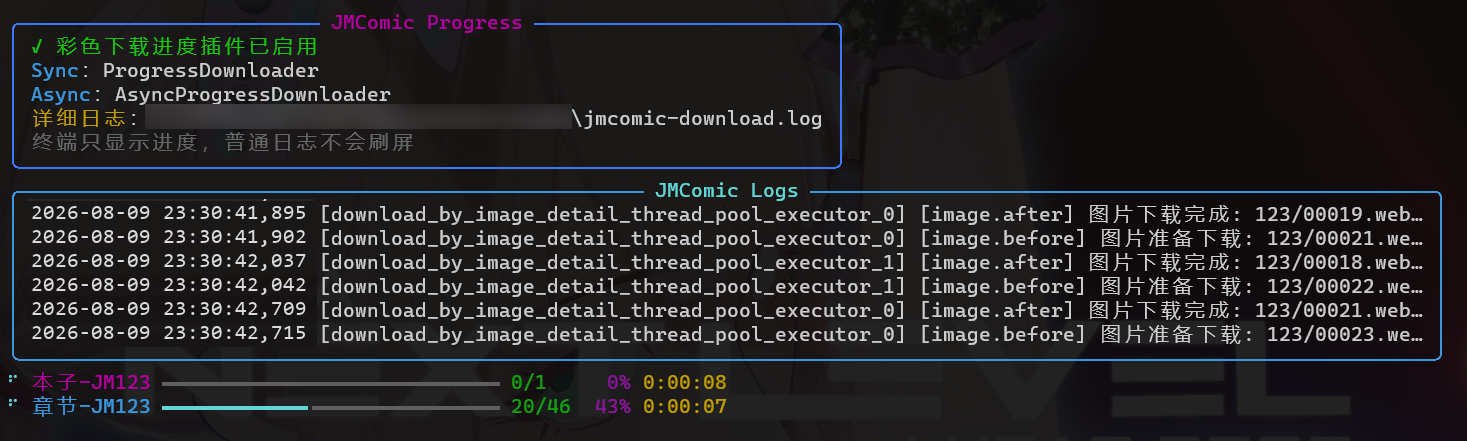
jmcomic 命令行下载进度

详细开启方法参考文档:启用美观的下载进度条

4. 查看本子详情(jmv 命令)

[!NOTE] jmv 命令用于快速查看本子详情,不做下载。

适用场景:在某些网站上看到一串神秘车号,想快速看看具体是啥本子。此时只需copy原文本,按下 win+R,输入jmv [粘贴内容]即可

支持从任意文本中提取数字作为车号,方便直接粘贴各种格式的车号。

示例:

# 直接输入车号
jmv 350234

# 从混合文本中提取数字(提取出 350234)
jmv 350谁还没看过234

# 指定option文件(也支持环境变量,用法同上)
jmv 350234 --option="D:/a.yml"

# -y 参数:执行完毕后直接退出,无需按回车确认
jmv 350234 -y

输出效果:

🔍 正在查询 禁漫车号 - [350234] 的详情...

──────────────────────────────────────────────────
  📖 标题:  xxx
  🆔 ID:    JM350234
  🔗 链接:  https://18comic.vip/album/350234/
  ✍️ 作者:  Author1, Author2
──────────────────────────────────────────────────
  📅 发布日期:  2022-06-15
  📅 更新日期:  2023-01-01
  📄 总页数:    50
  👀 观看:      2M
  ❤️ 点赞:     77K
  💬 评论:      9801
──────────────────────────────────────────────────
  🏷️ 标签:  标签1, 标签2, ...
  🎭 人物:  角色A, 角色B, ...
  📚 作品:  作品1, 作品2, ...
──────────────────────────────────────────────────
  📑 章节 (2):
     第1話  上  (id: 350234)
     第2話  下  (id: 350235)
──────────────────────────────────────────────────

[运行结束] 请按回车键关闭窗口... (下次运行可附加 -y 参数跳过确认)

进阶使用

请查阅文档首页 → jmcomic.readthedocs.io

或者查看github仓库的文档 → github-repo-docs

(提示:jmcomic提供了很多下载配置项,大部分的下载需求你都可以尝试寻找相关配置项或插件来实现。)

项目特点

  • 绕过Cloudflare的反爬虫

  • 实现禁漫APP接口最新的加解密算法 (1.6.3)

  • 支持AsyncSync两套 API

  • 用法多样:

  • 支持网页端移动端两种客户端实现,可通过配置切换(移动端不限ip兼容性好,网页端限制ip地区但效率高

  • 支持自动重试和域名切换机制

  • 支持按下载任务维度结构化收集日志

  • 可配置性强

    • 不配置也能使用,十分方便
    • 配置可以从配置文件生成,支持多种文件格式
    • 配置点有:请求域名 客户端实现 是否使用磁盘缓存 同时下载的章节/图片数量 图片格式转换 下载路径规则 请求元信息(headers,cookies,proxies) 中文繁/简转换
  • 可扩展性强

    • 支持自定义本子/章节/图片下载前后事件的回调函数
    • 支持自定义类:Downloader(负责调度) Option(负责配置) Client(负责请求) 实体类
    • 支持自定义日志、异常监听器
    • 支持 Plugin 扩展,目前内置 21 个实用插件,包括美观下载进度条图片合并 PDF一图流长图拼接生成zip/7z压缩包浏览器 Cookie 获取订阅更新收藏夹导出封面下载等。

使用小说明

  • 推荐使用 Python 3.14,目前 CI 只覆盖 Python 3.10 及以上版本。

    [!NOTE] Python 3.9 及更早版本均已结束官方支持 (EOL),使用3.9及以下随时有可能遇到第三方库不兼容的问题。Python 3.9 仍保留安装兼容,但不再纳入 CI。

  • 个人项目,文档和示例会有不及时之处,可以Issue提问。

项目文件夹介绍

  • .github:GitHub Actions配置文件

  • assets:存放一些非代码的资源文件

    • docs:项目文档
    • option:存放配置文件
  • src:存放源代码

    • jmcomic:jmcomic模块
  • tests:测试目录,存放测试代码,使用unittest

  • usage:用法目录,存放示例/使用代码

感谢以下项目

图片分割算法代码+禁漫移动端API

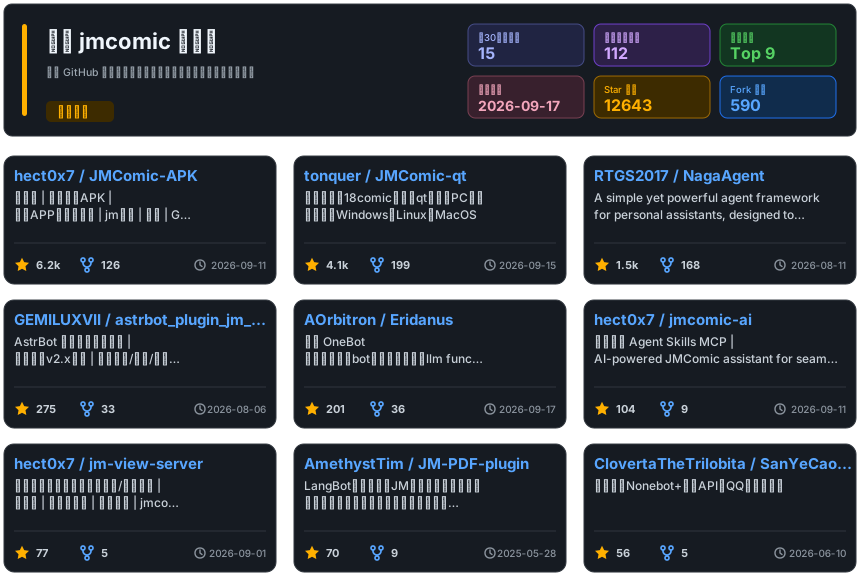
Repo Card

used by 项目

使用 jmcomic 的项目

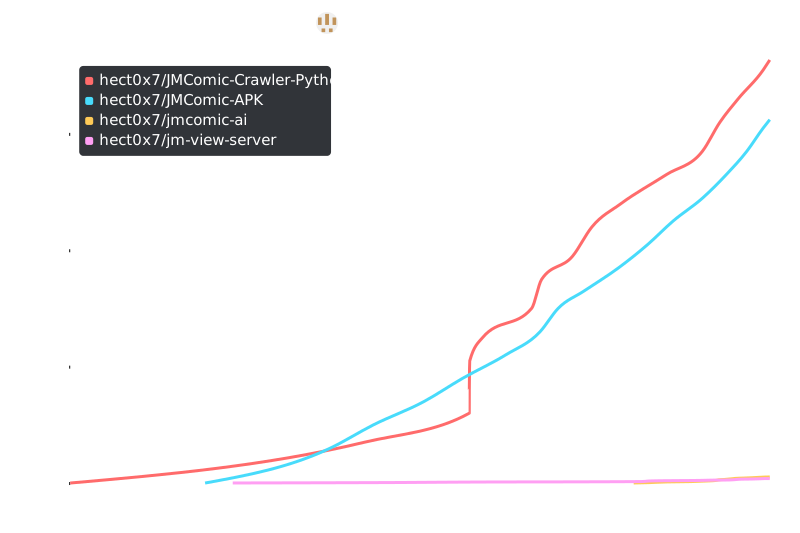
Star History

jmcomic 生态 Star History

Frequently asked questions

Is JMComic-Crawler-Python free to use?

JMComic-Crawler-Python is open source under the MIT licence. There is no licence fee and no seat count — you can self-host it or, where the project offers one, pay a vendor for a managed version instead.

What does JMComic-Crawler-Python do?

Python API for JMComic | 提供Python API访问禁漫天堂,同时支持网页端和移动端 | 禁漫天堂GitHub Actions下载器🚀

What is JMComic-Crawler-Python written in?

JMComic-Crawler-Python is primarily written in Python. Its source is publicly available at https://github.com/hect0x7/JMComic-Crawler-Python, and it has 7,270 GitHub stars.