
What is Huginn?
Huginn is a system for building agents that perform automated tasks for you online. They can read the web, watch for events, and take actions on your behalf. Huginn's Agents create and consume events, propagating them along a directed graph. Think of it as a hackable version of IFTTT or Zapier on your own server. You always know who has your data. You do.

Here are some of the things that you can do with Huginn:
- Track the weather and get an email when it's going to rain (or snow) tomorrow ("Don't forget your umbrella!")
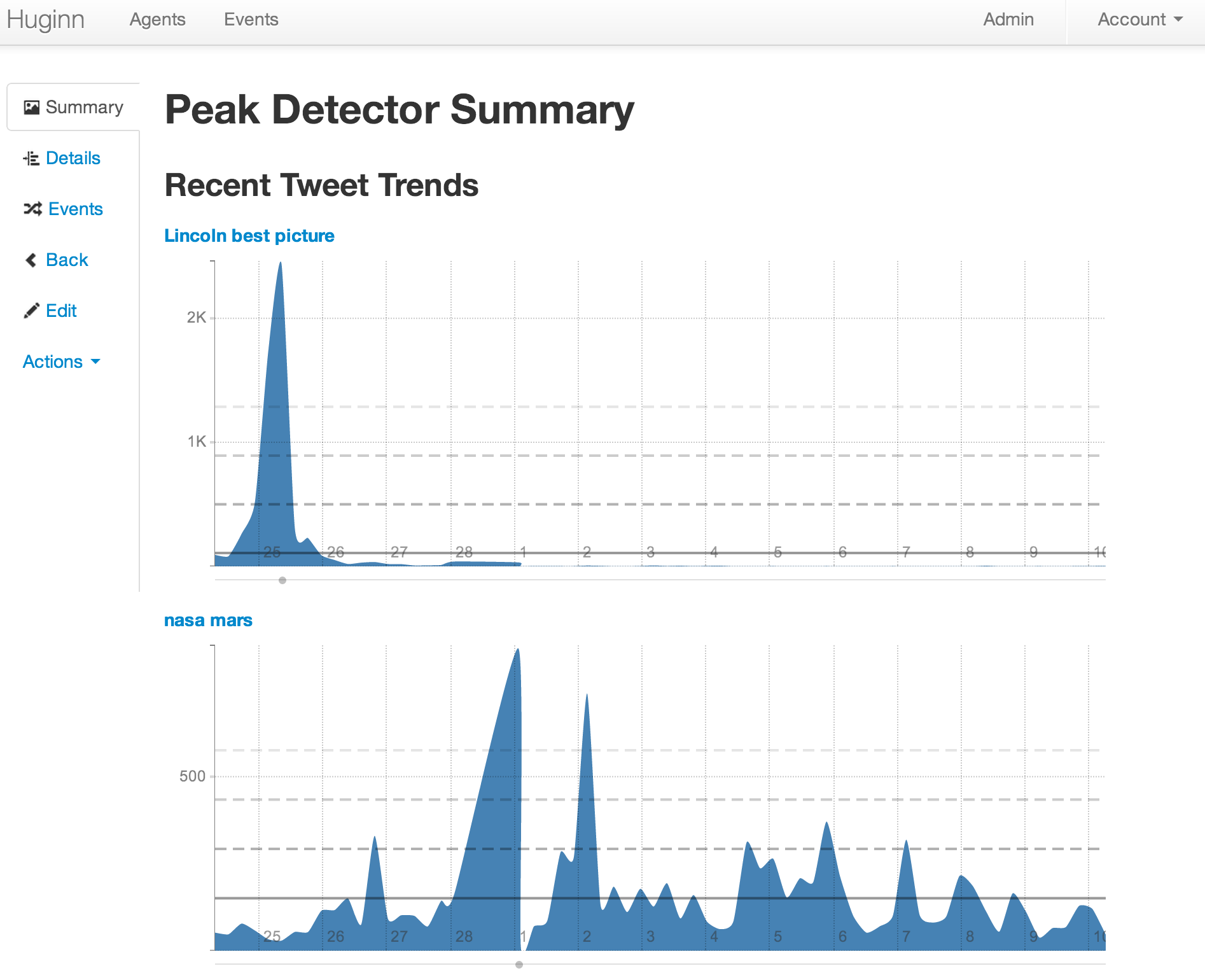
- List terms that you care about and receive email when their occurrence on Twitter changes. (For example, want to know when something interesting has happened in the world of Machine Learning? Huginn will watch the term "machine learning" on Twitter and tell you when there is a spike in discussion.)
- Watch for air travel or shopping deals
- Follow your project names on Twitter and get updates when people mention them
- Scrape websites and receive email when they change
- Connect to HipChat, FTP, IMAP, Jabber, JIRA, MQTT, nextbus, Pushbullet, Pushover, RSS, Bash, Slack, StubHub, translation APIs, Twilio, Twitter, and Weibo, to name a few.
- Send digest email with things that you care about at specific times during the day
- Track counts of high frequency events and send an SMS within moments when they spike, such as the term "san francisco emergency"
- Send and receive WebHooks
- Run custom JavaScript functions
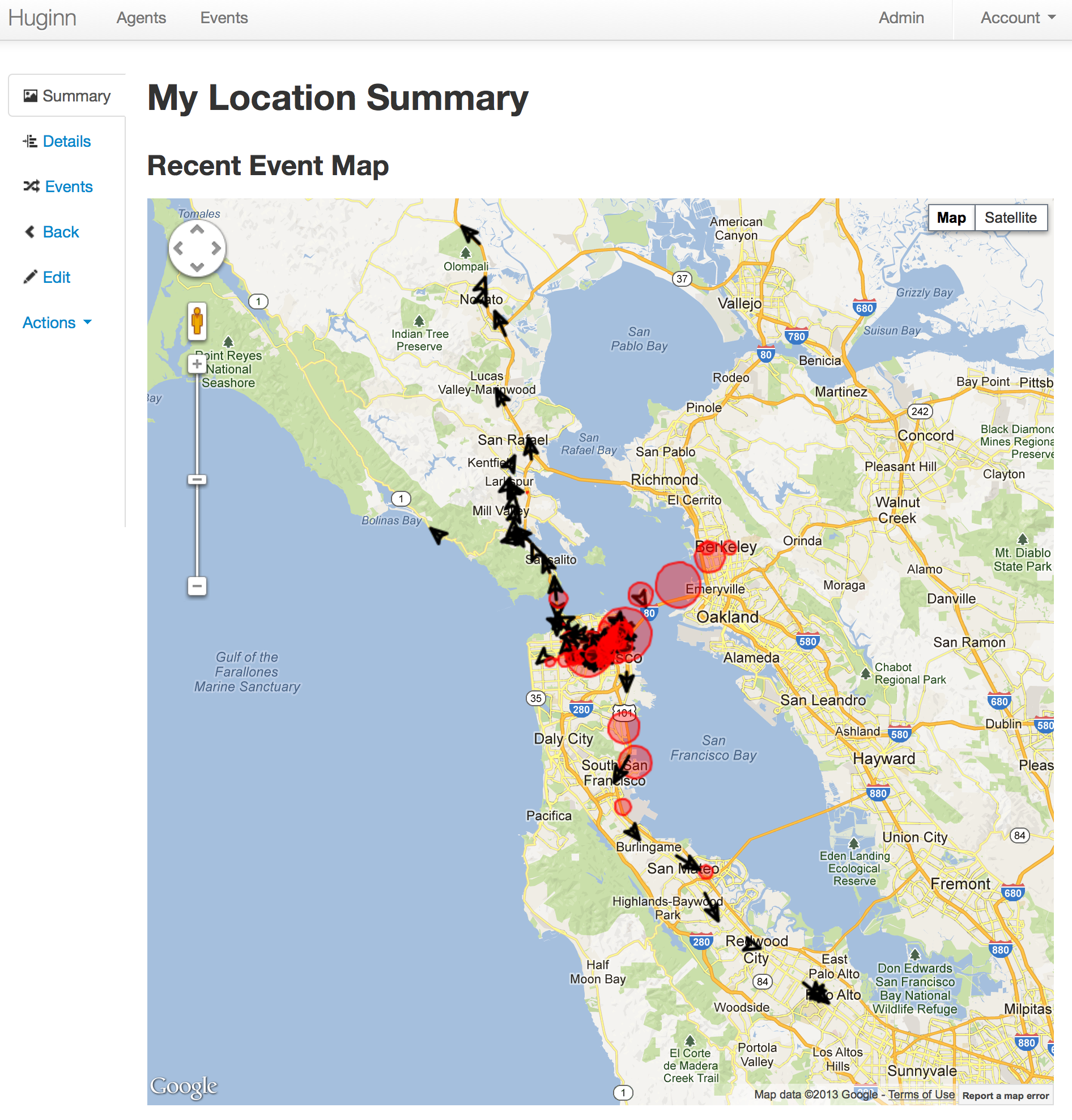
- Track your location over time
- Create Amazon Mechanical Turk workflows with the external HumanTaskAgent. For example: "Once a day, ask 5 people for a funny cat photo; send the results to 5 more people to be rated; send the top-rated photo to 5 people for a funny caption; send to 5 final people to rate for funniest caption; finally, post the best captioned photo on my blog."


Join us in our Gitter room to discuss the project.
Join us!
Want to help with Huginn? All contributions are encouraged! You could make UI improvements, add new Agents, write documentation and tutorials, or try tackling issues tagged with #"help wanted". Please fork, add specs, and send pull requests!
Have an awesome idea but not feeling quite up to contributing yet? Head over to our Official 'suggest an agent' thread and tell us!
Examples
Please checkout the Huginn Introductory Screencast!
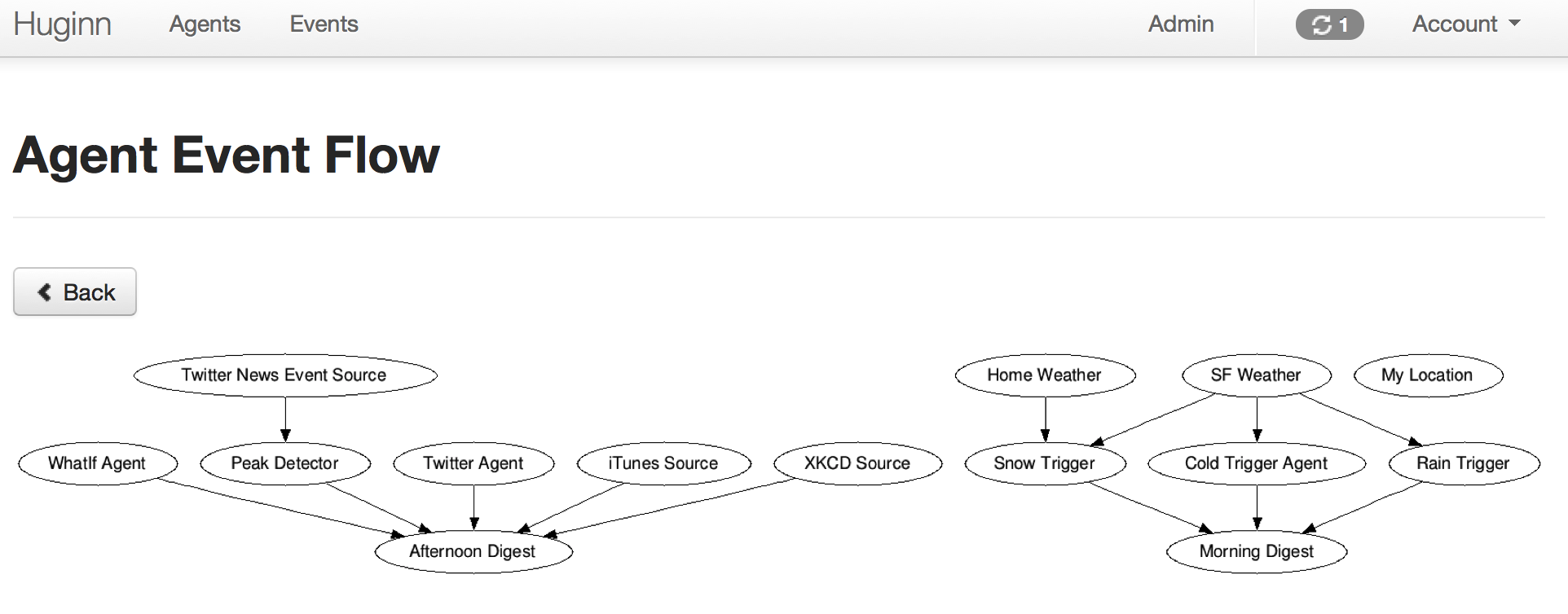
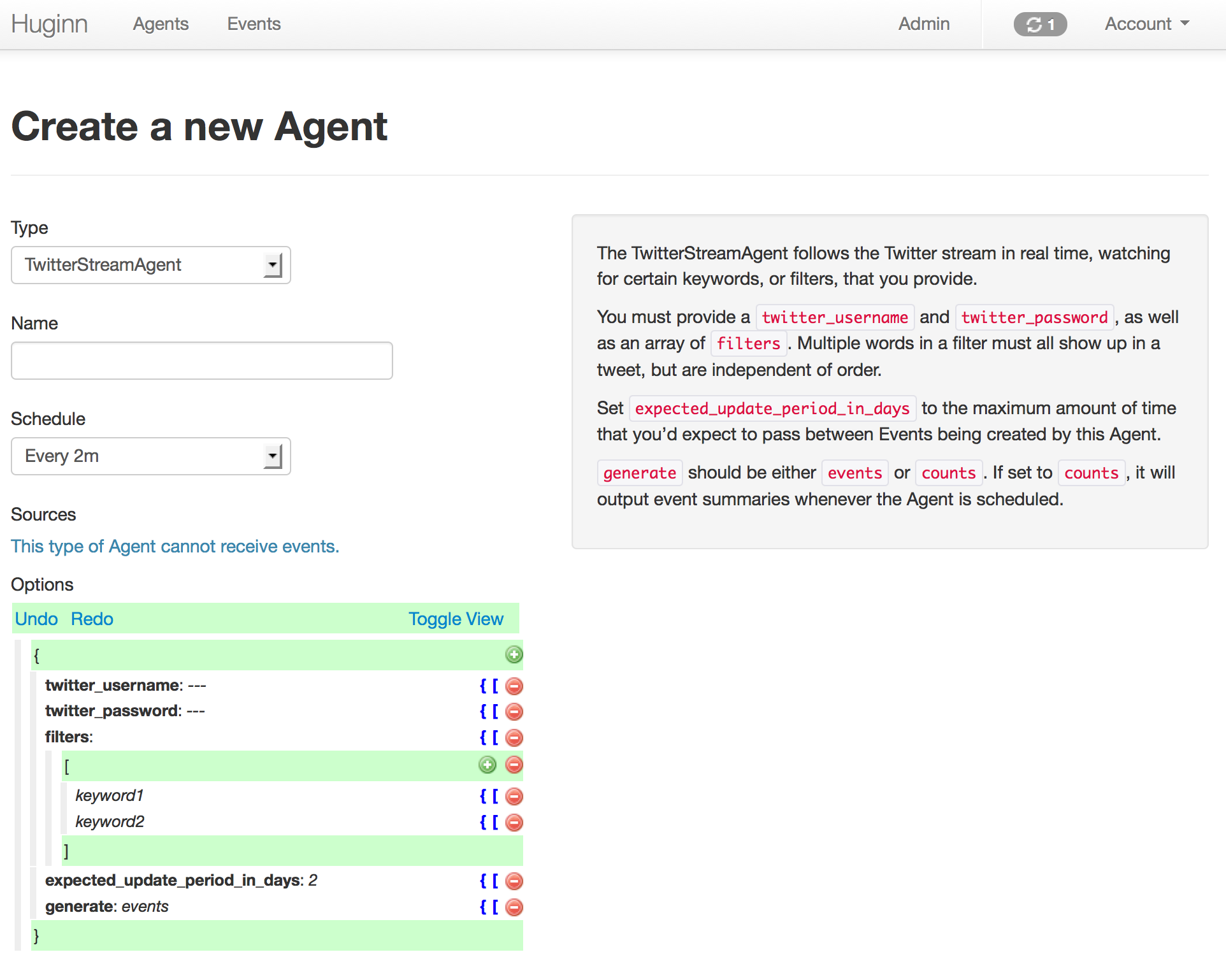
And now, some example screenshots. Below them are instructions to get you started.

Getting Started
Docker
The quickest and easiest way to check out Huginn is to use the official Docker image. Have a look at the documentation.
Local Installation
If you just want to play around, you can simply fork this repository, then perform the following steps:
- Run
git remote add upstream https://github.com/huginn/huginn.gitto add the main repository as a remote for your fork. - Copy
.env.exampleto.env(cp .env.example .env) and edit.env, at least updating theAPP_SECRET_TOKENvariable. - Make sure that you have MySQL or PostgreSQL installed. (On a Mac, the easiest way is with Homebrew. If you're going to use PostgreSQL, you'll need to prepend all commands below with
DATABASE_ADAPTER=postgresql.) - Run
bundleto install dependencies - Run
bundle exec rake db:create,bundle exec rake db:migrate, and thenbundle exec rake db:seedto create a development database with some example Agents. - Run
bundle exec foreman start, visit http://localhost:3000/, and login with the username ofadminand the password printed byrake db:seed(or setSEED_PASSWORDto choose one). - Setup some Agents!
- Read the wiki for usage examples and to get started making new Agents.
- Periodically run
git fetch upstreamand thengit checkout master && git merge upstream/masterto merge in the newest version of Huginn.
Note: By default, email messages are intercepted in the development Rails environment, which is what you just setup. You can view
them at http://localhost:3000/letter_opener. If you'd like to send real email via SMTP when playing
with Huginn locally, set SEND_EMAIL_IN_DEVELOPMENT to true in your .env file.
If you need more detailed instructions, see the Novice setup guide.
Develop
All agents have specs! And there's also acceptance tests that simulate running Huginn in a headless browser.
- Install Google Chrome and ChromeDriver for local feature specs
- Or use the Docker-based test environment in
docker/test/README.md - Run all specs with
bundle exec rspec - Run a specific spec with
bundle exec rspec path/to/specific/test_spec.rb. - Read more about rspec for rails here.
Using Huginn Agent gems
Huginn Agents can now be written as external gems and be added to your Huginn installation with the ADDITIONAL_GEMS environment variable. See the Additional Agent gems section of .env.example for more information.
If you'd like to write your own Huginn Agent Gem, please see huginn_agent.
Our general intention is to encourage complex and specific Agents to be written as Gems, while continuing to add new general-purpose Agents to the core Huginn repository.
Deployment
Please see the Huginn Wiki for detailed deployment strategies for different providers.
Heroku
Try Huginn on Heroku:  (Takes a few minutes to setup. Read the documentation while you are waiting and be sure to click 'View it' after launch!) Huginn launches only on a paid subscription plan for Heroku. For non-experimental use, we strongly recommend Heroku's 1GB paid plan or our Docker container.
OpenShift
OpenShift Online
Try Huginn on OpenShift Online
Create a new app with either mysql or postgres:
oc new-app -f https://raw.githubusercontent.com/huginn/huginn/master/openshift/templates/huginn-mysql.json
or
oc new-app -f https://raw.githubusercontent.com/huginn/huginn/master/openshift/templates/huginn-postgresql.json
Note: You can also use the web console to import either json file by going to "Add to Project" -> "Import YAML/JSON".
If you are on the Starter plan, make sure to follow the guide to remove any existing application.
The templates should work on a v3 installation or the current v4 online.
Manual installation on any server
Have a look at the installation guide.
Optional Setup
Setup for private development
See private development instructions on the wiki.
Enable the WeatherAgent
In order to use the WeatherAgent you need an Weather Data API key from Pirate Weather. Sign up for one and then change the value of api_key: your-key in your seeded WeatherAgent.
Restrict outbound requests on shared instances
If people you do not fully trust can create Agents on your instance, route outbound requests through an egress proxy so that Agents cannot reach internal services. See doc/manual/outbound-requests.md.
Disable SSL
We assume your deployment will run over SSL. This is a very good idea! However, if you wish to turn this off, you'll probably need to edit config/initializers/devise.rb and modify the line containing config.rememberable_options = { :secure => true }. You will also need to edit config/environments/production.rb and modify the value of config.force_ssl.
License
Huginn is provided under the MIT License.
Huginn was originally created by @cantino in 2013. Since then, many people's dedicated contributions have made it what it is today.

