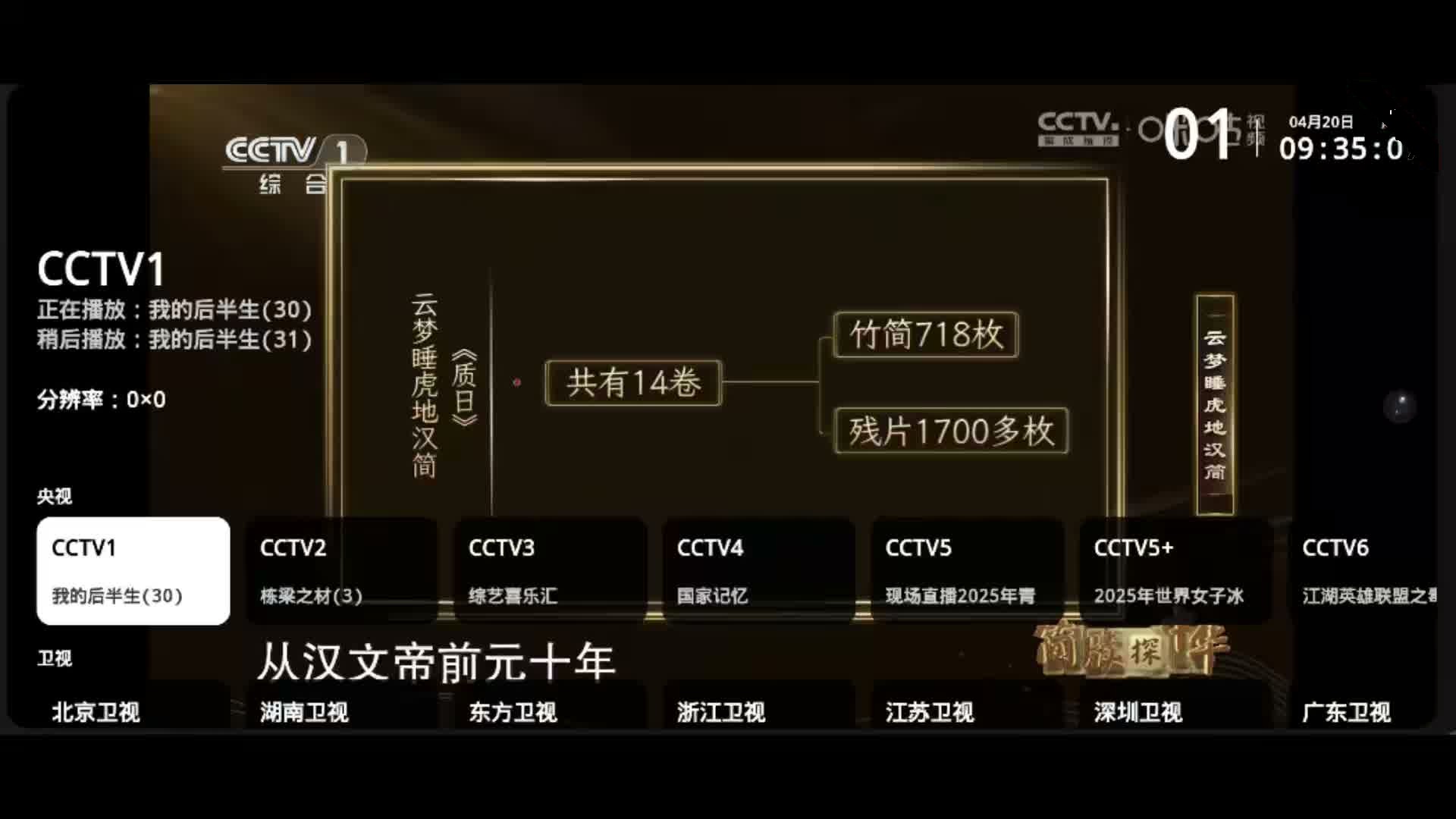
HTV is a free, ad-free live television player for Android phones, Android TV devices, and TV boxes that plays a maintained channel lineup without an account or any configuration.
What it is
HTV is a Flutter and Dart application distributed as an Android APK under the Apache-2.0 licence. It targets Android 4.4 and above and ships a single install package that adapts its interface to both touchscreens and remote controls. The project's topic list places it squarely in the IPTV and live-streaming space: android, android-tv, epg, flutter, iptv, iptv-player, live-streaming, live-tv, m3u, and video-player. Around 759 users have starred the repository and 53 have forked it, with eight open issues at the time of writing.
The concrete problem it solves is the upkeep of IPTV playlists. Anyone who has assembled an M3U list by hand knows the routine: a stream stops working, the channel goes dark, and the viewer has to hunt for a replacement source and edit the list. HTV bundles a channel set covering CCTV, satellite channels, local stations, and Phoenix TV, refreshes that source list daily, and automatically falls back to the next available source when playback stalls or fails to start. It also loads EPG data automatically and offers catch-up playback, so the viewer does not need to maintain a playlist, a source repository, or a separate programme-guide setup.
Key capabilities
- Built-in channel lineup spanning CCTV, satellite, local, and Phoenix TV stations, with live sources refreshed every day.
- Automatic source switching: when a stream times out or fails to produce a picture, the app tries the next available source rather than waiting for the viewer to intervene.
- Channel favourites, set by long-pressing the OK key in the channel list, which collect into a dedicated favourites row pinned at the top.
- Live catch-up playback of recently aired programmes, available where the underlying source supports it, with a diagnostic view under Settings then 回看诊断.
- Automatic EPG loading, showing what is currently airing and what comes next.
- Layout switching between horizontal grouping and a vertical list from the bottom of the panel, plus manual source selection for multi-source channels in the information panel.
- Full remote-control operation through arrow keys, number keys, OK, and the menu key, alongside touch gestures on phones, with IPv4 and IPv6 network support on Android 4.4 and above.
Who uses it and how
- Android TV and TV-box owners who navigate entirely by remote: arrow keys or number keys change the channel, OK selects, and the menu key opens settings.
- Phone viewers who swipe up and down to change channels, tap to select, and long-press the screen to reach settings.
- Households that want linear television without creating an account or paying for a subscription, since the app requires no login and adds no advertising.
- Users on IPv6-only or mixed network environments, which the app explicitly supports.
- Deployment on televisions and boxes by copying the APK to a USB drive, opening it from a file manager, or installing over ADB, with a boot-autostart or home-screen shortcut recommended.
Getting started
Download the latest APK from the project's GitHub Releases page or from the official homepage at htwmedia.dpdns.org/Home/Download, install it directly on a phone or sideload it onto a television or box, and grant the unknown-sources permission once if prompted. No further configuration is required.
How it compares
The facts do not list any commercial products this project replaces, so no licence-and-cost comparison can honestly be drawn. The README credits my_tv (yaoxieyoulei/my_tv) in its acknowledgements, placing HTV among related open-source IPTV players rather than as an isolated entry in this registry.
When to use it — and when not to
HTV is an APK that runs on the device, so there is no server, database, or mail relay for a self-hoster to operate; the trade-off is that the channel sources and the daily refresh are maintained by the author, and adding a custom source requires contacting the author rather than editing a configuration file. Catch-up playback depends entirely on whether the selected source offers it, so that feature will be absent for some channels. The documentation is written in Chinese and the project is Android-only, which makes it a poor fit for iOS, desktop, or non-Chinese-reading users, and anyone who needs self-managed source lists should look elsewhere.