HTTP-Shortcuts is a free, open source internet of things (iot) project written in Kotlin and released under MIT. It has 1,858 GitHub stars, 158 forks and 16 open issues, and was last pushed 30 hours ago. On this registry it ranks #49 of 99 tracked projects in Internet of Things (IoT), with 5 head-to-head comparisons available. It gained 31 stars over the last 30 tracked days.

What is HTTP-Shortcuts?

HTTP-Shortcuts is a free and open-source Android app that turns home screen shortcuts, widgets, and quick settings tiles into triggers for arbitrary HTTP requests and other network actions, aimed at Android users who want to control devices and services without building a dedicated app. It lives in the Android ecosystem and is written in Kotlin under the MIT licence.

What it is

HTTP-Shortcuts is a Kotlin-based Android application that lets a user define a shortcut, place it on the home screen, and have a tap fire an HTTP request. The README describes it as an app that triggers an HTTP request when a shortcut is clicked, with the possibility to process and display the response in various ways, plus a range of non-HTTP behaviour. It supports HTTP and HTTPS across the methods GET, POST, PUT, DELETE, PATCH, HEAD, OPTIONS and TRACE, and it is distributed through F-Droid, Google Play, and direct APK downloads from GitHub releases.

The concrete problem it solves is the gap between a device or service that exposes an HTTP endpoint and a phone that has no convenient way to call it. Rather than writing a bespoke app or reaching for a general automation tool for every single call, the user defines the request once and gets a tappable shortcut. The same app covers adjacent cases through dedicated shortcut types, so a URL opener, an MQTT publisher, a Wake-on-LAN sender, and a JavaScript script all sit in the same launcher.

Key capabilities

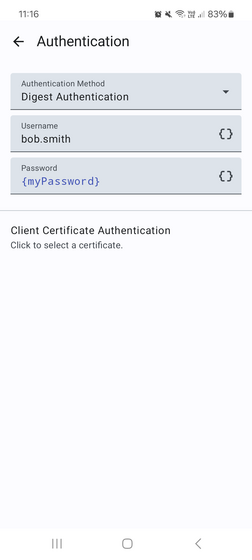
  • Requests can carry Basic Authentication, Digest Authentication, or Bearer Authentication, with custom request headers and a custom request body supplied as text, a static file, a file picker, or a camera capture.
  • Transport options include Client Certificate Authentication, TLSv1.3, HTTP and SOCKS proxy support, and acceptance of self-signed certificates alongside certificate pinning.
  • Responses can be shown as a toast, a window, or a dialog, rendered as HTML-formatted text, as an image, or as a web page, or the request can run silently.
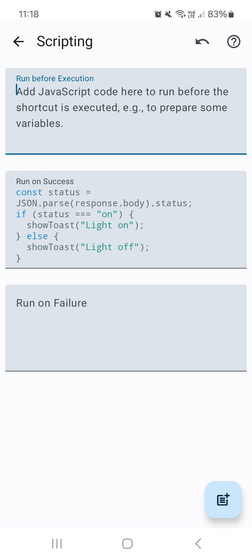
  • JavaScript can run before and after execution, which covers computing timestamps, random numbers, UUIDs, hashes, HMACs and base64 values, parsing JSON, HTML or XML, chaining other shortcuts, and sending TCP or UDP packets, MQTT messages, or Wake-on-LAN requests.
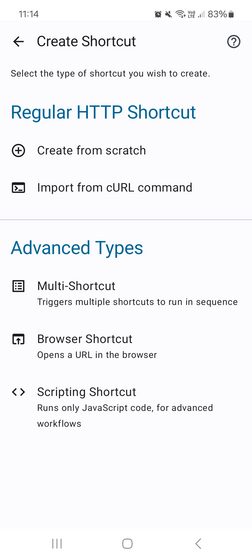
  • Dedicated shortcut types exist for non-HTTP work: Browser Shortcuts, MQTT Shortcuts, Wake-on-LAN Shortcuts, and Scripting Shortcuts.
  • Data can be imported and exported in JSON or cURL format, including automatic periodic importing or exporting, and shortcuts are grouped into tabs and sections.
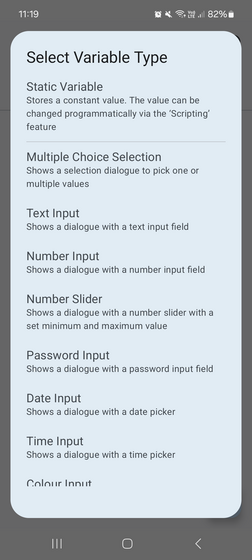
  • Variables allow value injection for text, numbers, passwords, selections, colors and dates, and shortcuts can be invoked from home screen widgets, quick settings tiles, or quick access device controls.

Who uses it and how

  • Home automation and IoT users who need to poke an endpoint on a local device and want that action one tap away on the home screen.
  • People who integrate it with third-party apps such as Tasker, MacroDroid, Termux, Wireguard, or BinaryEye, so a shortcut becomes one step inside a larger automation flow.
  • Users who run requests silently in the background, for example to toggle a state on a remote service without any visible response.
  • Anyone who prefers editing a large set of shortcuts on a computer, using the web editor for remote editing, and reviewing the event history to inspect recently executed requests and responses.
  • Users who need logic beyond a plain request and reach for the JavaScript pre- and post-execution hooks to chain calls or talk to devices over MQTT, UDP, TCP, or Wake-on-LAN.

Getting started

Install from F-Droid as ch.rmy.android.http_shortcuts, from Google Play, or by downloading the latest APK directly from the GitHub releases page. Documentation and additional information are on the official website at http-shortcuts.rmy.ch.

How it compares

The facts for this entry name no directly comparable products to contrast against on licence, self-hosting, data ownership, or cost model, and the tools cited in the README, such as Tasker, MacroDroid, Termux, Wireguard, and BinaryEye, are integrations rather than alternatives. On the evidence available it stands alone in this registry.

When to use it — and when not to

This is a client-side Android app, so there is no database, object storage, or mail server to operate, and the MIT licence is unambiguous. It is a poor fit for anyone outside the Android ecosystem, since the app targets Android only, and users who need only simple scheduled or server-driven automation will find the scripting layer heavier than the task requires. The project's own community presence is thin, with the official subreddit described in the README as still very new and sparsely populated, so expect the website and the GitHub issue tracker to be the practical sources of support rather than a large user forum.

project readme (upstream, from github) — read inline

HTTP Shortcuts for Android


GitHub release (latest SemVer) F-Droid Downloads Ratings Crowdin

An Android app that lets you to create shortcuts that can be placed on your home screen. Each shortcut, when clicked, triggers an HTTP request, with the possibility to process and display the response in various ways. Plus a whole lot of other (non-HTTP) stuff.


or download the latest APK directly.

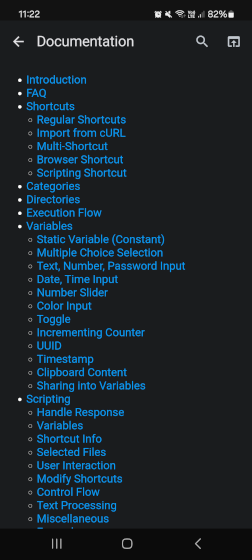
Find more information and documentation on the official website, or check out the (still very new and sparsely populated) official subreddit.

Support this app by helping me translate it or by becoming a Beta Tester!

Features

  • No ads, no enshitification (I try) and completely free and open-source
  • Supports HTTP and HTTPS, and methods GET, POST, PUT, DELETE, PATCH, HEAD, OPTIONS and TRACE
  • Basic Authentication, Digest Authentication & Bearer Authentication
  • Custom request headers
  • Custom request body (text based, from static file, file picker, or camera)
  • Upload files as form-data parameters
  • Client Certificate Authentication
  • Support for TLSv1.3
  • Support for HTTP & SOCKS proxies
  • Support for Self-Signed Certificates & Certificate Pinning
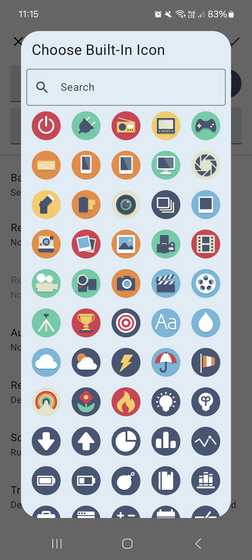
  • Use a built-in icon or a custom image
  • Display response as a toast, window or dialog, or run silently
  • Display response as HTML-formatted text, as image or as web page
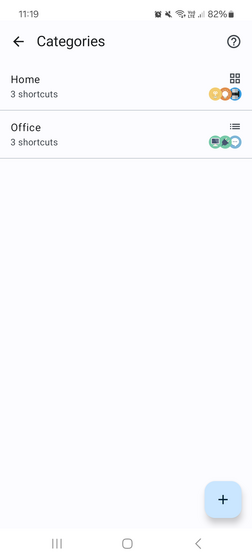
  • Grouping into tabs and section
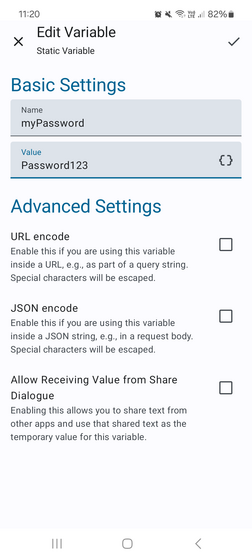
  • Value injection through variables (e.g., text, numbers, passwords, selections, colors, dates, …)
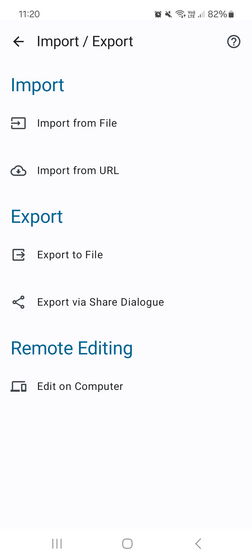
  • Import & Export of data in JSON or cURL format, including automatic periodic importing or exporting
  • Integration with 3rd party apps (e.g. Tasker, MacroDroid, Termux, Wireguard, or BinaryEye)
  • Invoke from home screen widgets, quick settings tiles, or quick access device controls
  • Dark Mode support
  • Easy remote editing on a computer via the web editor
  • Event history to see details about recently executed HTTP requests & responses
  • Run arbitrary JavaScript before & after execution, which allows for lots of customization with features such as:
    • compute values such as timestamps, random numbers, UUIDs, hashes, HMACs, base64, etc.
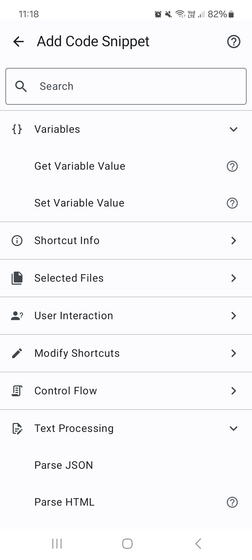
    • parse JSON, HTML or XML and extract data from it
    • show toast message or message dialogs
    • vibrate or play notification sounds
    • trigger other shortcuts to chain multiple HTTP requests
    • interact with other devices and services by sending TCP or UDP packets, MQTT messages or using Wake-on-LAN
  • Support for non-HTTP use-cases:

See also the Changelog for the latest additions and updates.

Screenshots
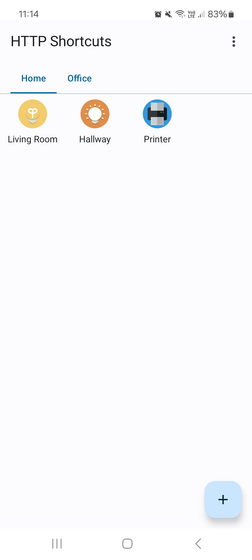
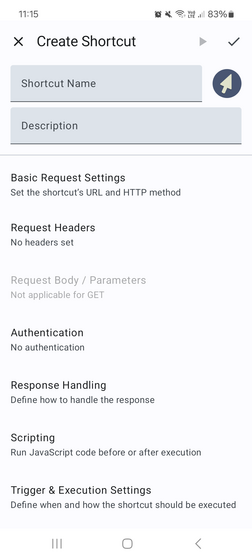
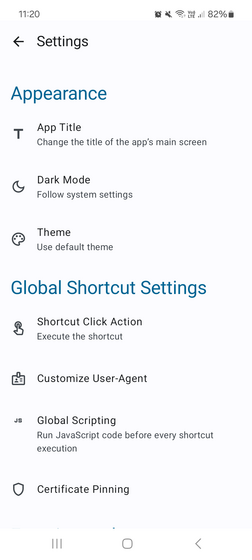
Main Screen Creation Menu Shortcut Editor Built-In Icons Authentication Settings Scripting Code Snippet Picker Categories Variables Variable Editor Settings Import / Export Display Response with Meta Data

Frequently asked questions

Is HTTP-Shortcuts free to use?

HTTP-Shortcuts is open source under the MIT licence. There is no licence fee and no seat count — you can self-host it or, where the project offers one, pay a vendor for a managed version instead.

What does HTTP-Shortcuts do?

Android app to create home screen shortcuts that trigger arbitrary HTTP requests and more

What is HTTP-Shortcuts written in?

HTTP-Shortcuts is primarily written in Kotlin. Its source is publicly available at https://github.com/Waboodoo/HTTP-Shortcuts, and it has 1,858 GitHub stars.