HomeGallery

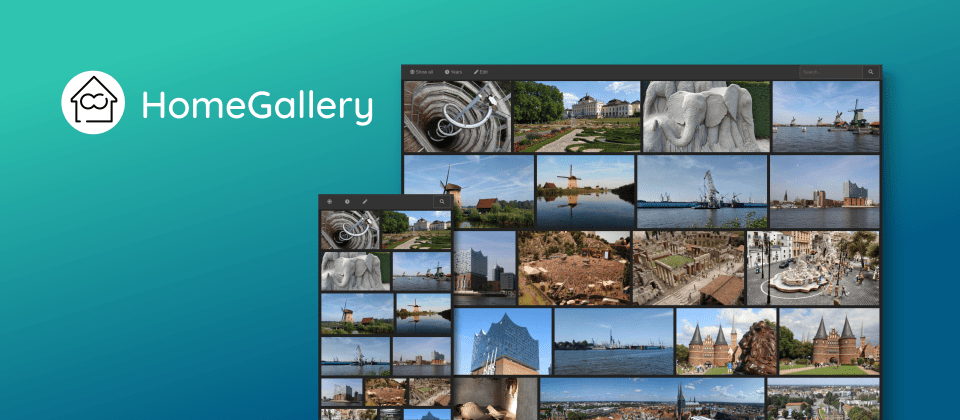
Home-Gallery.org is a self-hosted open-source web gallery to browse personal photos and videos featuring tagging, mobile-friendly, and AI powered image and face discovery. Try the demo gallery or enjoy the food images!
Note: This software is a private pet/spare time project without any warranty. Ask questions on gitter.im or Discord.
Do you like HomeGallery? Does it solve your media problem? Would you like to help? Please read the CONTRIBUTING guidelines and support this project through any recurring financial support to my patreon.com/xemle or one time support to my paypal.me/xemle account. Thank you in advance.
Links
- Homepage
- Demo gallery
- Latest binaries for Linux, Mac, Windows Docker image
- Documentation
- Changelog
Motivation
- The source of all my private images and videos are stored local on my NAS at home. The gallery should be on top/close of the source.
- Cloud service do not cover my privacy concerns
- All gallery software are lacking to have a fast user experience on mobile phones
- The gallery software should help to browse and discover forgotten memories from the complete media archive
Target Users
- Computer affine users who solve their own problems and go the extra mile
- Serve your local data without usage of cloud services
- One user only - all files are served
- View your own photos and videos from mobile phones
- Serve all your images from multiple media source directories (hard drive, camera files, mobile phone files, etc)
Quickstart
Following steps need to be performed to use HomeGallery
- Download the gallery software as prebuilt binary or docker image
- Init the configuration with media sources like
~/Pictures - Start the server on localhost:3000
curl -sL https://dl.home-gallery.org/dist/latest/home-gallery-latest-linux-x64 -o gallery
chmod 755 gallery
./gallery init --source ~/Pictures
./gallery run server
and open localhost:3000 in your browser. Run ./gallery -h for
further help of the CLI.
See dl.home-gallery.org/dist for further binaries. Eg. latest binaries for Linux, Mac or Windows.
The configuration gallery.config.yml can be found in the current directory for
fine tuning.
See install section in the documentation
for further information.
Quickstart using Docker
mkdir -p data
alias gallery="docker run -ti --rm \
  -v $(pwd)/data:/data \
  -v $HOME/Pictures:/data/Pictures \
  -u $(id -u):$(id -g) \
  -p 3000:3000 xemle/home-gallery"
gallery init --source /data/Pictures
gallery run server
and open localhost:3000 in your browser. Run gallery -h for
further help of the CLI.
The gallery configuration can be found in ./data/config/gallery.config.yml for fine tuning.
Want to use docker compose? See install section in the documentation for further information.
Documentation
See home-gallery.org/docs for general documentation.
Features
- Endless photo stream via virtual scrolling
- Video transcoding
- Reverse image lookup (similar image search). If you have one sunset image, you can easily find other sunset photos in your archive without manual tagging
- Face detection and search by similar faces
- Expressive query language with and, or, not operands
- GEO location reverse lookups
- Simple mobile app through PWA support
- Tagging, single and multi selection
- Support of read only and offline media sources. Once the preview files are generated and their meta data are extracted, the original sources are not touched and required any more. So media from offline disk need to be extracted only once and the disk can stay offline on next runs
- Media are identified by their content. Duplicated media (identical files byte-by-byte) are only processed once. Renaming is supported without recalculating previews etc.
- Fast file changes detection such as add, removes, renames or moves
- Static web gallery site export such as the demo gallery
- Meta data export to XMP sidecar files
- Stream photos and videos to Chromcast enabled TV devices
- Runs on SoC such Raspberry PI
Limits
The complete "database" is loaded into the browser. My 100.000 media are about 100 MB plain JSON and 12 MB compressed JSON. The performance is quite good on current mobile device. A user reported a successful setup with over 400.000 media files. Further feedback is welcome.
Binary Downloads
HomeGallery has prebuilt binaries for Linux, MacOS and Windows. Further download options can be found here.
See installation section for usage.
External Services and Privacy
The goal of HomeGallery is to use as less public services as possible due sensitive private image data. It tries to use service which can be deployed local. However the setup requires technical knowledge and technical maintenance. Following services are called:
For geo reverse lookups (geo coordinates to address), HomeGallery queries the Nominatim Service from OpenStreetMap. Only geo coordinates are transmitted.
For reverse image lookups (similar image search), object detection and face
recognition, HomeGallery uses the
its own public API at api.home-gallery.org. This public API supports
low powered devices such as the SoC Raspberry PI and all preview images are
send to this public API by default. No images or privacy data are kept.
The API can be configured and ran also locally or as Docker container. See installation section for usage.
Customized Environments
HomeGallery runs on the JavaScript runtime NodeJS which is supported by various platforms such as Linux (also Raspberry PIs), Mac and Windows.
For most cases a customized environment should be sufficient with
- node version 20 LTS (or 18 old LTS)
- perl (Linux)
Setup
# Clone or download the repo from GitHub
git clone https://github.com/xemle/home-gallery.git
cd home-gallery
# Install required packages
npm install
# Build required modules
npm run build
In some corner cases you might also need essential build tools to compile library bindings.
- make
- g++
- python
Development recipes
Build
HomeGallery uses npm workspaces with multi
packages. Common npm scripts are clean, build, test.
To run only a subset of packages you can use pnpm's
filter feature, e.g build only module export-static and database:
npx pnpm -r --filter './*/{export-static,database}' build
Unit Test
Run unit tests from specific packages (via pnpm)
npx pnpm -r --filter './*/{query,events}' test
End-To-End Test
Run specific e2e tests (via Gauge)
git clone https://github.com/xemle/home-gallery-e2e-data.git data
npm run test:e2e -- --tags dev
home-gallery-e2e-data contains test files using Git LFS.
The e2e test output data are stored in /tmp/gallery-e2e directory. The latest test run is symlinked into the directory latest-e2e-test within the HomeGallery working directory. Check the cli.log and e2e.log (ndjson format) in each test directory.
Bundle
Create local binary bundle from a feature branch
node scripts/bundle.js --version=1.3 --snapshot=-feature-test --filter=linux-x64 --no-before --no-run
Create local native bundle which excludes binaries via npm like sharp, ffmpeg and ffprobe. It should contain only js code which should run everywhere. It requires external binaries vipsthumbnail, ffmpeg and ffprobe in the PATH environment to work properly.
node scripts/bundle.js --version=1.3 --snapshot=-feature-test --filter=linux-native --no-before --no-run
Development Reset
To reset the current development state and start fresh on any very strange error behavior, you might run:
rm -rf package-lock.json node_modules e2e/node_modules packages/*/node_modules
npm install && npm run clean && npm run build