


The Red-Teaming Browser for AI Agents
h5i (pronounced high-five) is a lightweight browser built for AI agents to test web applications. It combines page automation with direct control over HTTP traffic, letting agents capture, inspect, modify, replay, and compare requests through one interface. Sandboxing, network policies, credential isolation, and auditable sessions keep autonomous testing contained and within scope.
|
Agent-native red teaming Browser + direct HTTP control |
Attack replay in CI Replay attack flows in CI |
Sandboxed & auditable Isolated execution with logs |
Fast & lightweight ~3× faster, ~86% less memory |
Let agents test like professional hackers. Keep every action contained and auditable.
# Browse, scrape, and automate.
h5i browser open https://example.com
h5i browser snapshot                                      # the page as a model should read it
h5i browser click @e3
h5i browser requests                                      # what it asked for, and what was refused
h5i browser audit                                         # the whole session: verbs, fetches, handovers, ending
h5i browser close

# Inspect and test the traffic generated by the browser.
h5i websec requests                                       # captured HTTP messages
h5i websec show req_42 --raw                              # inspect one request
h5i websec replay req_42 --set query.id=456               # edit and resend it
h5i websec diff res_42 res_43                             # compare the responses
h5i websec match res_43 --status 200 --contains "ok"      # assert a condition

# Find out what is there before testing it.
h5i recon extract                                         # endpoints the pages and bundles disclosed
h5i recon known                                           # robots.txt, sitemap.xml, security.txt
h5i recon crawl --max-requests 200                        # walk it, logged in, bounded
h5i recon triage --calibrate                              # fold the noise, confirm what is real
h5i recon endpoints --state confirmed                     # the inventory, with the message id for each
1. Install
curl -fsSL https://h5i.dev/install.sh | sh
# curl -fsSL https://raw.githubusercontent.com/h5i-dev/h5i/main/install.sh | sh  # if you would rather not add a domain to the chain:
# cargo install --path .                                                         # build from source
The agent-facing interface is a skill, and the binary carries it:
npx skills add h5i-dev/h5i         # if you do not have the binary yet
# h5i skill install                # writes it where your runtime looks
# h5i skill show policy            # or just read a page
The optional websec, recon and test plugins ship as their own archives. The
installer can fetch and register them in the same pass:
curl -fsSL https://h5i.dev/install.sh | sh -s -- --websec --recon --test
# h5i plugin list                  # says what is installed
2. Use it
2.1. Browse, scrape, and automate
A session combines one page state, cookie jar, network policy, and request record. Agents can read pages, interact with elements, and extract structured data through one CLI:
h5i browser open https://docs.rs/ --allow docs.rs
h5i browser snapshot                        # page outline with @ref handles
h5i browser snapshot --delta                # only what changed
h5i browser click @e3
h5i browser type @e5 "serde"
h5i browser extract '{"titles": ["h2"]}'    # structured extraction
h5i browser markdown                        # readable page content
h5i browser close

h5i browser read https://docs.rs/           # for a single page without a persistent session
2.2. Test web applications
Because h5i owns the browser’s network layer, agents can capture, inspect, edit, replay, and compare HTTP traffic without a MITM proxy, CA certificate, or separate repeater.
Use these capabilities only on systems you own or are authorized to test:
h5i browser open https://target.example --capture --allow target.example

h5i websec requests                                  # list messages and IDs
h5i websec show req_42 --raw                         # inspect a request
h5i websec replay req_42 --set query.id=456          # edit and resend it
h5i websec diff res_42 res_43                        # compare responses
h5i websec match res_43 --status 200 --contains "ok" # assert a condition
h5i websec sequence flow.json                        # run a multi-step test

# Discovery, kept apart from testing: recon says what exists and how it knows.
h5i recon extract                                    # read what the session already fetched
h5i recon crawl --max-requests 200 --rate 4          # walk it under this session's login
h5i recon triage --calibrate                         # soft 404s folded, the rest confirmed
h5i recon endpoints --state confirmed --json         # each row names the message that proves it
2.3. CI/CD integration
Confirmed attack flows can be kept in a repository and replayed in CI. Templates and examples
of GitHub Actions are available at examples/security-regression-ci.
- uses: h5i-dev/h5i@v1
  with:
    target: http://localhost:3000
    tests: .h5i-tests/tests
    openapi: openapi.yaml
    # min-coverage is optional; omitting it keeps coverage informational.
2.4. Control and audit agent access
Web content is untrusted input to an AI agent. h5i reduces the risks of giving agents web access by applying a network policy and recording both allowed and denied requests:
h5i browser requests    # allowed and denied network requests
h5i browser audit       # actions, fetches, handovers, and session ending
h5i browser status      # isolation, policy digest, and network placement
For sensitive interactions, a human can take control without returning credentials to the agent:
h5i browser login
For stronger isolation, define network and filesystem limits in
.h5i/env.toml:
[profile.reading]
isolation = "supervised"          # workspace | process | supervised | container | microvm

[profile.reading.net]
mode = "host"
egress = ["docs.rs", "static.crates.io"]

[profile.reading.fs]
read = ["/usr", "/etc"]
write = []
Then place the browser inside that environment:
h5i box --profile reading --name docs
h5i browser open https://docs.rs/ --in docs
2.5. Contain the entire agent workflow
A sandbox can contain more than the browser. It can also hold the workspace, toolchain, development server, and agent itself. This is useful when an agent is building and testing an application in the same environment.
h5i box create alpha --profile agent-claude   # sandboxed git worktree
h5i box shell alpha                           # interactive confined session
h5i box run alpha -- cargo test               # run a command inside it
h5i box propose alpha                         # create a reviewable snapshot
h5i box apply alpha                           # merge approved changes
h5i box export alpha                          # export the patch and receipts
h5i box rm alpha                              # discard the environment
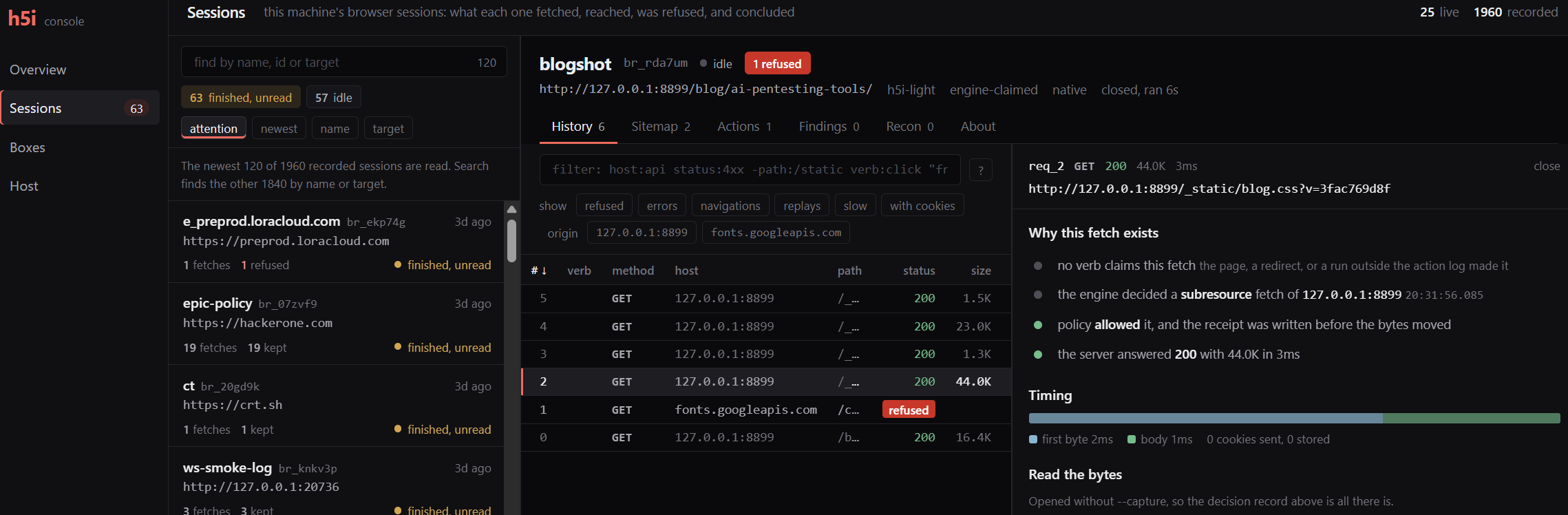
Share a running service or watch the workflow from the host:
h5i box share alpha --port 3000
h5i box share alpha --port 3000 --tunnel
h5i join <ticket>

h5i ui
2.6. More browser capabilities
Name sessions to run several browsers independently:
h5i browser open https://example.com/login --session auth --new
h5i browser open https://example.com/ --session public --new
h5i browser snapshot --session auth
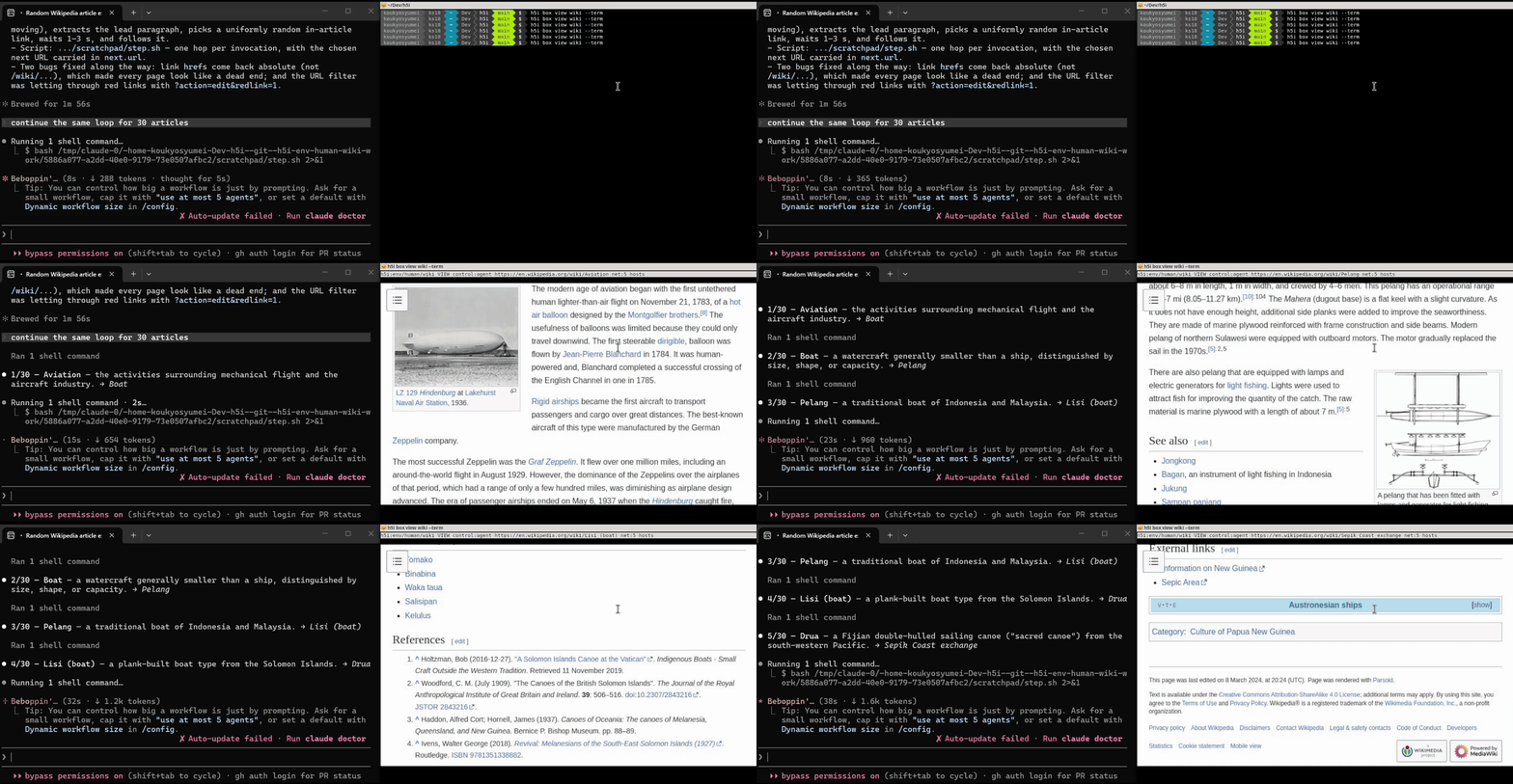
Read media transcripts, choose a coherent browser identity, or watch a running browser:
h5i browser transcript --url https://example.com/talk --lang en
h5i browser transcript --via yt-dlp --url https://www.youtube.com/watch?v=VIDEO_ID

h5i browser open https://example.com --identity privacy
h5i browser open https://example.com --script --identity firefox-143-linux

h5i box view <name>
h5i box view <name> --term
3. Sandbox and isolation levels
h5i provides four sandbox levels, plus an unconstrained workspace mode.
Run h5i box probe to see which levels your host supports. h5i never silently downgrades: an unsatisfiable request fails closed.
| Tier | What enforces it |
|---|---|
workspace |
a separate git worktree, no confinement |
process |
Landlock filesystem allowlist, seccomp deny-list, namespaces, rlimits |
supervised |
all of the above, plus a private network namespace with an nftables egress allowlist pinned to resolved IPs, DNS pinned by hosts file, and a seccomp-notify socket gate |
container |
rootless Podman, dropped capabilities, a portable image, and an HTTP/HTTPS proxy allowlist |
microvm |
a hardware-isolated guest with its own kernel, booted by microsandbox (msb) from the same OCI images, with the egress allowlist evaluated by the VM's network stack |
Host credentials do not enter a box. A runtime-scoped proxy authenticates model API requests outside the boundary, preventing cross-runtime access. Each box receives a private, one-time copy of approved HOME state.
4. Tutorial
5. Documentation
- Official Website: project overview, Slides
- MANUAL.md /
man h5i: full command reference - CONTRIBUTING.md: we welcome contributions of any kind
curl -fsSL https://h5i.dev/man/man1/h5i.1 -o ~/.local/share/man/man1/h5i.1: install the man page
6. FAQ
What is h5i?
h5i is a lightweight, open-source browser built for AI agents to browse, scrape, and automate the web. It combines policy-controlled, auditable sessions and configurable sandboxing with optional tools for inspecting and testing HTTP traffic. It runs locally and is written in Rust without Chromium or V8.
Why use h5i instead of Playwright or Puppeteer?
Use Playwright or Puppeteer when maximum compatibility with complex websites is the priority. Use h5i when you want lower resource use, direct network controls, a complete session record, built-in HTTP testing tools, or a sandbox for the browser and agent.
Is h5i a replacement for Burp Suite?
Not for every use case. h5i is useful when an AI agent needs to browse an application and capture, edit, replay, and compare its HTTP traffic through one interface, without a separate proxy or CA setup. Burp Suite remains better suited to mature manual workflows, automated scanning, extensions, and low-level protocol testing.
Does h5i work on every website?
No. h5i works best for content-heavy websites and common browser interactions, but some browser APIs are not yet supported. For incompatible websites, you can run Chromium inside an h5i sandbox.
Is h5i sandboxed by default?
The browser uses lightweight process isolation when available. For stronger isolation, place the browser or the agent's entire workflow inside a supervised network sandbox, container, or microVM.
Can h5i prevent prompt injection?
No browser can reliably detect or prevent every prompt injection. h5i reduces the potential impact by treating page content as untrusted, restricting network and filesystem access, isolating credentials, and recording the resulting actions for review.
Can the agent see my passwords or cookies?
The agent can reference a named credential without reading its value, or a human can take control to log in. The authenticated session continues without returning the password or cookie to the model.
Does h5i keep my data local?
h5i has no hosted service and stores its sessions locally. Browser traffic still goes to websites you allow, and model traffic goes to your configured model provider.
7. License
Apache-2.0. See LICENSE.