
Grok Build (grok)
Grok Build is SpaceXAI's terminal-based AI coding agent. It runs as a full-screen TUI that understands your codebase, edits files, executes shell commands, searches the web, and manages long-running tasks — interactively, headlessly for scripting/CI, or embedded in editors via the Agent Client Protocol (ACP).
Installing the released binary · Building from source · Documentation · Repository layout · Development · Contributing · License
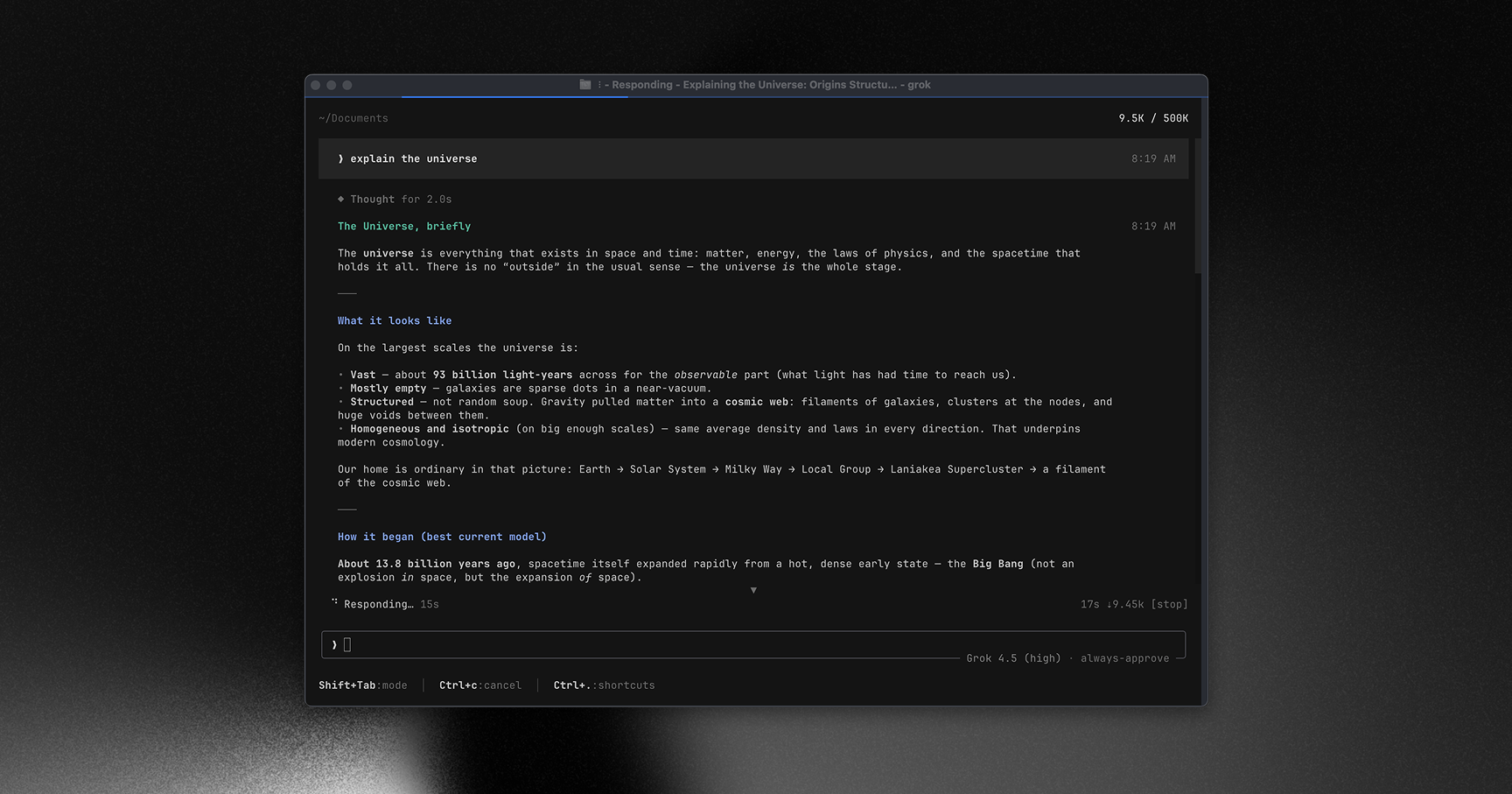
Learn more about Grok Build at x.ai/cli
This repository contains the Rust source for the grok CLI/TUI and its agent
runtime. It is synced periodically from the SpaceXAI monorepo.
A small SOURCE_REV file at the root records the full monorepo commit SHA
for the version of the code present in this tree.
Installing the released binary
Prebuilt binaries are published for macOS, Linux, and Windows:
curl -fsSL https://x.ai/cli/install.sh | bash   # macOS / Linux / Git Bash
irm https://x.ai/cli/install.ps1 | iex          # Windows PowerShell
grok --version
See the changelog for the latest fixes, features, and improvements in each release.
Building from source
Requirements:
Rust — the toolchain is pinned by
rust-toolchain.toml;rustupinstalls it automatically on first build.DotSlash — required so hermetic tools under
bin/(notablybin/protoc) can download and run. Install it and ensuredotslashis on yourPATHbefore building:cargo install dotslash # or: prebuilt packages — https://dotslash-cli.com/docs/installation/ /usr/bin/env dotslash --help # sanity checkprotoc — proto codegen resolves
bin/protocvia DotSlash, or falls back to aprotoconPATH/$PROTOC.macOS and Linux are supported build hosts; Windows builds are best-effort and not currently tested from this tree.
cargo run -p xai-grok-pager-bin              # build + launch the TUI
cargo build -p xai-grok-pager-bin --release  # release binary: target/release/xai-grok-pager
cargo check -p xai-grok-pager-bin            # fast validation
The binary artifact is named xai-grok-pager; official installs ship it as
grok. On first launch it opens your browser to authenticate — see the
authentication guide.
Documentation
Full online documentation is available at docs.x.ai/build/overview.
The user guide ships with the pager crate:
crates/codegen/xai-grok-pager/docs/user-guide/
— getting started, keyboard shortcuts, slash commands, configuration, theming,
MCP servers, skills, plugins, hooks, headless mode, sandboxing, and more.
Repository layout
| Path | Contents |
|---|---|
crates/codegen/xai-grok-pager-bin |
Composition-root package; builds the xai-grok-pager binary |
crates/codegen/xai-grok-pager |
The TUI: scrollback, prompt, modals, rendering |
crates/codegen/xai-grok-shell |
Agent runtime + leader/stdio/headless entry points |
crates/codegen/xai-grok-tools |
Tool implementations (terminal, file edit, search, ...) |
crates/codegen/xai-grok-workspace |
Host filesystem, VCS, execution, checkpoints |
crates/codegen/... |
The rest of the CLI crate closure (config, MCP, markdown, sandbox, ...) |
crates/common/, crates/build/, prod/mc/ |
Small shared leaf crates pulled in by the closure |
third_party/ |
Vendored upstream source (Mermaid diagram stack) — see below |
[!IMPORTANT] The root
Cargo.toml(workspace members, dependency versions, lints, profiles) is generated — treat it as read-only. Prefer editing per-crateCargo.tomlfiles.
Development
cargo check -p <crate>        # always target specific crates; full-workspace builds are slow
cargo test -p xai-grok-config # per-crate tests
cargo clippy -p <crate>       # lint config: clippy.toml at the repo root
cargo fmt --all               # rustfmt.toml at the repo root
Contributing
[!NOTE] External contributions are not accepted. See
CONTRIBUTING.md.
License
First-party code in this repository is licensed under the Apache License,
Version 2.0 — see LICENSE.
Third-party and vendored code remains under its original licenses. See:
THIRD-PARTY-NOTICES— crates.io / git dependencies, bundled UI themes, and in-tree source ports (including openai/codex and sst/opencode tool implementations)crates/codegen/xai-grok-tools/THIRD_PARTY_NOTICES.md— crate-local notice for the codex and opencode ports (license texts + Apache §4(b) change notice)third_party/NOTICE— vendored Mermaid-stack index