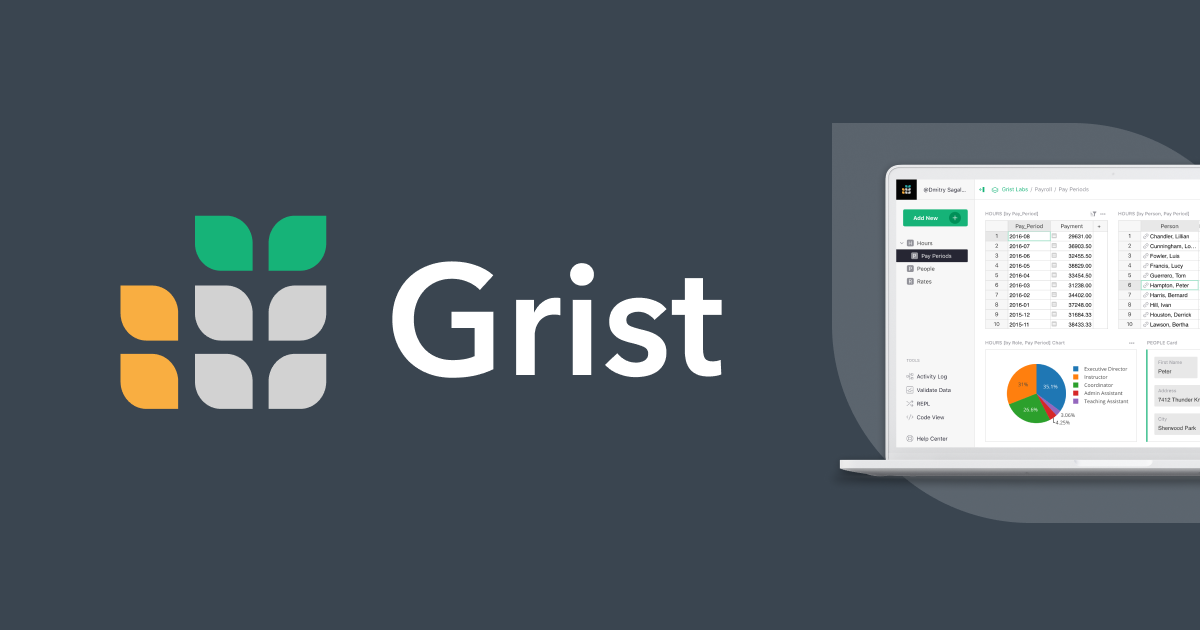
Grist
Grist is a modern relational spreadsheet. It combines the flexibility of a spreadsheet with the robustness of a database.
grist-core(this repo – also known as Grist Community edition) has what you need to run a powerful server for hosting spreadsheets.grist-desktopis a Linux/macOS/Windows desktop app for viewing and editing spreadsheets stored locally.grist-staticis a fully in-browser build of Grist for displaying spreadsheets on a website without back-end support.
Grist is developed by Grist Labs, an NYC-based company 🇺🇸🗽. The French government 🇫🇷 organizations ANCT Données et Territoires and DINUM (Direction Interministérielle du Numérique) have also made significant contributions to the codebase.
The grist-core, grist-desktop, and grist-static repositories are all open-source (Apache License, Version 2.0). Grist Labs sells an edition of Grist with additional features. Grist Labs also offers free and paid hosted services at getgrist.com,
as well as cloud packaging.
Questions? Feedback? Want to share what you're building with Grist? Join our official Discord server or visit our Community forum.
To keep up-to-date with everything that's going on, you can sign up for Grist's monthly newsletter.
https://github.com/user-attachments/assets/fe152f60-3d15-4b11-8cb2-05731a90d273
Features in grist-core
To see exactly what is present in grist-core, you can run the desktop app, or use docker. The absolute fastest way to try Grist out is to visit docs.getgrist.com and play with a spreadsheet there immediately – though if you do, please read the list of additional features that are not in grist-core.
However you try it, you'll quickly see that Grist is a hybrid database/spreadsheet, meaning that:
- Columns work like they do in databases: they are named, and they hold one kind of data.
- Columns can be filled by formula, spreadsheet-style, with automatic updates when referenced cells change.
This difference can confuse people coming directly from Excel or Google Sheets. Give it a chance! There's also a Grist for Spreadsheet Users article to help get you oriented. If you're coming from Airtable, you'll find the model familiar (and there's also our Grist vs Airtable article for a direct comparison).
Here are some specific feature highlights of Grist (🇫🇷 marks heavy French govt. contributions):
- Python formulas.
- Full Python syntax is supported, including the standard library.
- Many Excel functions also available.
- An AI Formula Assistant specifically tuned for formula generation (works with OpenAI, Llama, and many other models via OpenRouter or any OpenAI-compatible endpoint).
- A formula timer for diagnosing slow formulas.
- A portable, self-contained format.
- Based on SQLite, the most widely deployed database engine.
- Any tool that can read SQLite can read numeric and text data from a Grist file.
- Enables backups that you can confidently restore in full.
- Great for moving between different hosts.
- Can be displayed on a static website with
grist-static– no special server needed. - A self-contained desktop app for viewing and editing locally:
grist-desktop. - Convenient editing and formatting features.
- Choices and choice lists, for adding colorful tags to records.
- References and reference lists, for cross-referencing records in other tables.
- Two-way references that automatically synchronize between tables.
- Attachments, to include media or document files in records.
- Dates and times, toggles, and special numerics such as currency all have specialized editors and formatting options.
- Conditional Formatting, letting you control the style of cells with formulas to draw attention to important information.
- Markdown formatting in text cells.
- Drag-and-drop dashboards.
- Charts, card views and a calendar widget for visualization.
- Summary tables for summing and counting across groups.
- Widget linking streamlines filtering and editing data. Grist has a unique approach to visualization, where you can lay out and link distinct widgets to show together, without cramming mixed material into a table.
- Filter bar for quick slicing and dicing.
- Duplicate widgets to quickly build variations of a view.
- Compare documents to see what changed.
- Incremental imports.
- Import a CSV of the last three months activity from your bank...
- ...and import new activity a month later without fuss or duplication.
- Native forms. Create forms that feed directly into your spreadsheet without fuss.
- Supports file attachments, hidden fields, and pre-population via URL parameters.
- Integrations.
- A REST API with an interactive API console, Zapier actions/triggers, and support from similar integrators.
- Import/export to Google Drive, Excel format, CSV. Import directly from Airtable.
- Link data with custom widgets, hosted externally.
- Configurable outgoing webhooks, with support for authorization headers, column-specific triggers, and formula conditions.
- Service accounts for fine-tuned API access (🇫🇷).
- SCIM for standard user and group provisioning (🇫🇷).
- Many templates to get you started, from investment research to organizing treasure hunts.
- Access control options.
- (You'll need logins set up to make use of these options — see Logins)
- Share individual documents, workspaces, or team sites.
- Control access to individual rows, columns, and tables.
- Control access based on cell values and user attributes.
- Collaboration.
- Comments on cells, with threaded replies and @-mentions.
- See who else is viewing a document in real time.
- Suggest changes for others to review and approve, inspired by source control workflows.
- Self-maintainable.
- Useful for intranet operation and specific compliance requirements.
- Sign in with getgrist.com for easy authentication without running your own auth server.
- Store attachments externally in S3-compatible storage to keep
.gristfiles small (🇫🇷). - HTTP long polling as an alternative to WebSockets for restrictive network environments (🇫🇷).
- Sandboxing options for untrusted documents.
- Translated to many languages (🇫🇷).
- A high-contrast theme meeting WCAG level AA requirements (🇫🇷).
- Accessibility support, including screen readers and keyboard navigation across grid views, menus, and the page widget picker (🇫🇷).
F1key brings up some quick help. This used to go without saying, but in general Grist has good keyboard support (🇫🇷).- We post progress on 𝕏 or Twitter or whatever and publish monthly newsletters.
If you are curious about where Grist is heading, see our roadmap, drop a question in our forum, or browse our extensive documentation.
Features not in grist-core
If you evaluate Grist by using the hosted version at getgrist.com, be aware that it includes some features that aren't present in grist-core. To be sure you're seeing exactly what is present in grist-core, you can run the desktop app, or use docker.
Here is a list of features available in the full edition of Grist that are not in grist-core, in chronological order of creation. If self-hosting, you can get access to a free trial of all of them by selecting the full edition of Grist on the Admin Panel. The full edition of Grist is free for individuals and small orgs with less than US $1 million in total annual funding. Learn more about that here.
- GristConnect (2022)
- Any site that has plugins for letting Discourse use its logins (such as WordPress) can also let Grist use its logins.
- GristConnect is a niche feature built for a specific client which you probably don't care about.
- Azure back-end for document storage (2022)
- With
grist-coreyou can store document versions in anything S3-compatible, which covers a lot of services, but not Azure specifically. The Azure back-end fills that gap. - Unless you are a Microsoft shop you probably don't care about this.
- With
- Audit log streaming (2024)
- With
grist-corea lot of useful information is logged, but not organized specifically with auditing in mind. Audit log streaming supplies that organization, and a UI for setting things up. - Enterprises may care about this.
- With
- Advanced Admin Controls (2025)
- This is a special page for a Grist installation administrator to monitor and edit user access to resources.
- It uses a special set of administrative endpoints not present on
grist-core. - If you're going to be running a large Grist installation, with employees coming and going, you may care about this.
- Grist Assistant (2025)
- An AI Formula Assistant - limited to working with formulas - is present in
grist-core, but the newer Assistant can help with a wider range of tasks like building tables and dashboards, styling and formatting, explaining access rules, and modifying data. - If you have many users who need help building documents or working with data, you may care about this one.
- An AI Formula Assistant - limited to working with formulas - is present in
- Invite Notifications (2025)
- When a user is added to a document, or a workspace, or a site, with email notifications they will get emailed a link to access the resource.
- This link isn't special, with
grist-coreyou can just send a link yourself or a colleague. - For a big Grist installation with users who aren't in close communication, emails might be nice? Hard to guess if you'll care about this one.
- Document Change and Comment Notifications (2025)
- You can achieve change notifications in
grist-coreusing webhooks, but it is less convenient. - People have been asking for this one for years. If you need an excuse to get your boss to pay for Grist, this might finally be the one that works?
- You can achieve change notifications in
- Automations (2026)
- A tool for document owners to build trigger-driven workflows: set conditions on any table, then send emails (with dynamic recipients and Markdown) or fire webhooks when rows match, and watch the results in a delivery log.
- You can build similar flows in
grist-corewith webhooks, but you'd be wiring up the email side and the monitoring yourself.
- OAuth apps (2026)
- Register and authorize OAuth applications, scope them to specific orgs, workspaces, or documents, and review or revoke that access later.
- A way to give external tools connection to Grist with scoped, revocable access instead of handing over a full API key. If you're connecting Grist to other software, you may care about this, as an alternative to API keys.
- MCP server (2026)
- A built-in Model Context Protocol endpoint that lets AI clients such as Claude or ChatGPT read and edit Grist documents over JSON-RPC. Enabled with
GRIST_MCP_ENABLED(see environment variables). - With
grist-coreyou can still use one of the many community MCP servers that talks to Grist through its REST API. The built-in server saves you that work.
- A built-in Model Context Protocol endpoint that lets AI clients such as Claude or ChatGPT read and edit Grist documents over JSON-RPC. Enabled with
- Single sign-on (SSO) via OIDC or SAML (2026)
Using Grist
To get the default version of grist-core running on your computer
with Docker, do:
docker pull gristlabs/grist
docker run -p 8484:8484 -it gristlabs/grist
Then visit http://localhost:8484 in your browser.
On a brand new install you'll land on a Quick setup page that walks you through choosing an admin email, picking how people sign in, and setting who can use the site. To get past the first screen, look in the container's startup log for a line containing a generated boot key, and paste it in when prompted. Once you click Apply and go live! at the end of Quick setup, the site is open for business and you'll be able to create, edit, import, and export documents. There's a step-by-step walkthrough at First-run setup.
If you'd rather skip Quick setup entirely and start with an open,
single-user setup, set GRIST_IN_SERVICE=true. You can come back to
the same settings later from the Admin Panel.
To preserve your work across docker runs, share a directory as /persist:
docker run -p 8484:8484 -v $PWD/persist:/persist -it gristlabs/grist
Get templates at templates.getgrist.com for payroll, inventory management, invoicing, D&D encounter tracking, and a lot more, or use any document you've created on docs.getgrist.com.
If you need to change the port Grist runs on, set a PORT variable, don't just change the
port mapping:
docker run --env PORT=9999 -p 9999:9999 -v $PWD/persist:/persist -it gristlabs/grist
To enable gVisor sandboxing, set --env GRIST_SANDBOX_FLAVOR=gvisor.
This should work with default docker settings, but may not work in all
environments.
You can find a lot more about configuring Grist, setting up authentication, and running it on a public server in our Self-Managed Grist documentation.
Using Grist with OpenRouter for Model Agnostic and Claude Support
(Instructions contributed by @lshalon)
Grist's AI Formula Assistant can be configured to use OpenRouter instead of connecting directly to OpenAI, allowing you to access a wide range of AI models including Anthropic's Claude models. This isn't the only way to use Claude models, but it's a good option if you want to use Claude models with Grist or intend to use other cheaper, faster, or potentially newer models. That's because this configuration gives you more flexibility in choosing the AI model that works best for your formula generation needs. To set up OpenRouter integration, configure the following environment variables:
Required: Set the endpoint to OpenRouter's API
ASSISTANT_CHAT_COMPLETION_ENDPOINT=https://openrouter.ai/api/v1/chat/completions
Required: Your OpenRouter API key
ASSISTANT_API_KEY=your_openrouter_api_key_here
Sign up for an OpenRouter API key at
Optional: Specify which model to use (examples below)
ASSISTANT_MODEL=anthropic/claude-3.7-sonnet
or other options like
ASSISTANT_MODEL=deepseek/deepseek-r1-zero:free
ASSISTANT_MODEL=qwen/qwq-32b:free
ASSISTANT_MODEL=mistralai/mistral-saba
Optional: Set a larger context model for fallback
ASSISTANT_LONGER_CONTEXT_MODEL=anthropic/claude-3-opus-20240229
With this configuration, Grist's AI Formula Assistant will route requests through OpenRouter to your specified model. This allows you to:
Access Anthropic's Claude models which excel at understanding context and generating accurate formulas Switch between different AI models without changing your Grist configuration Take advantage of OpenRouter's routing capabilities to optimize for cost, speed, or quality
You can find the available models and their identifiers on the OpenRouter website. Note: Make sure not to set the OPENAI_API_KEY variable when using OpenRouter, as this would override the OpenRouter configuration.
Available Docker images
The default Docker image is gristlabs/grist. This contains all of
the Grist Community edition features, as well as extra source-available
code for the full edition of Grist. This
extra code is not under a free or open-source license, though by default is completely inert
and inactive. This code becomes active only when enabled from the
Admin Panel.
If you would rather use an image that contains exclusively free and
open-source code, the gristlabs/grist-oss Docker image is available
for this purpose. It is by default functionally equivalent to the
gristlabs/grist image.
The Admin Panel
The Admin Panel is where you inspect and tweak your installation:
check health probes, change a few settings, toggle features. Visit
/admin on your Grist server to find it. If you're not yet signed in
as the installation admin, the panel will prompt you to do a boot key
login, and from there you can paste in the key.
New installs generate a boot key automatically and print it to the container log on startup. Watch for a line like:
BOOT KEY: <random-string>
If you'd rather pick your own boot key, set GRIST_BOOT_KEY:
docker run -p 8484:8484 -e GRIST_BOOT_KEY=secret -it gristlabs/grist
The panel collects probes for common problems. If you hit one that isn't covered, please add a probe in BootProbes, or file an issue so someone else can.
Building from source
To build Grist from source, follow these steps:
yarn install
yarn install:python
yarn build
yarn start
# Grist will be available at http://localhost:8484/
By default, the build is the full edition: yarn install downloads optional
extensions (into an ext directory) that are only enabled when switching to the full
edition of Grist from the Admin Panel.
Note that this will add non-OSS code to your build.
If you wish to skip including extensions in your build, the steps are as follows:
yarn run set-community-edition
yarn install:python
yarn build
yarn start
# Grist will be available at http://localhost:8484/
You may toggle between the full Grist and Community editions in the Admin Panel.
The first time you start Grist it'll show the Quick setup page, just
like a fresh Docker install. Look at the terminal where you ran
yarn start for the boot key. If you'd rather skip Quick setup while
hacking, run with GRIST_IN_SERVICE=true.
Grist formulas in documents will be run using Python executed directly on your
machine. You can configure sandboxing using a GRIST_SANDBOX_FLAVOR
environment variable.
- On macOS,
export GRIST_SANDBOX_FLAVOR=macSandboxExecuses the nativesandbox-execcommand for sandboxing. - On Linux with gVisor's runsc
installed,
export GRIST_SANDBOX_FLAVOR=gvisoris an option. - On any OS including Windows,
export GRIST_SANDBOX_FLAVOR=pyodideis available.
These sandboxing methods have been written for our own use at Grist Labs and may need tweaking to work in your own environment - pull requests very welcome here!
Logins
Like git, Grist has features to track document revision history. So for full operation, Grist expects to know who the user modifying a document is. Until it does, it operates in a limited anonymous mode.
The friendliest way to get sign-in set up is the Quick setup page that appears on a fresh install. It lets you pick an admin email and an authentication method from a short menu. See First-run setup for the full walkthrough. You can revisit those same settings later from the Admin Panel.
If you'd rather not configure sign-in at all, you can run with a single
default identity. Set GRIST_DEFAULT_EMAIL and the "sign in" button
will attribute your work to that address:
docker run --env GRIST_DEFAULT_EMAIL=my@email -p 8484:8484 -v $PWD/persist:/persist -it gristlabs/grist
You can change your name in Profile Settings in
the User Menu.
For multi-user operation, or if you wish to access Grist across the public internet, you'll want to connect it to a Single Sign-On service. Sign in with getgrist.com and forward authentication are available in all editions; connecting directly to your own identity provider via OIDC or SAML is fully supported with an activation key. Grist has been tested with Authentik, Auth0, and Google/Microsoft sign-ins via Dex.
Translations
We use Weblate to manage translations. Thanks to everyone who is pitching in. Thanks especially to the ANCT developers who did the hard work of making a good chunk of the application localizable. Merci beaucoup !

Why free and open-source software?
This repository, grist-core, is maintained by Grist Labs. Our flagship product available at getgrist.com is built from the code you see here, combined with business-specific software designed to scale to many users, handle billing, etc.
Grist Labs is an open-core company. We offer Grist hosting as a service, with free and paid plans. We also develop and sell features related to Grist using a proprietary license, targeted at the needs of enterprises with large self-managed installations.
We see data portability and autonomy as a key value, and grist-core is an essential part of that. We are committed to maintaining and improving the grist-core codebase, and to be thoughtful about how proprietary offerings impact data portability and autonomy.
By opening its source code and offering an OSI-approved free license, Grist benefits its users:
- Developer community. The freedom to examine source code, make bug fixes, and develop new features is a big deal for a general-purpose spreadsheet-like product, where there is a very long tail of features vital to someone somewhere.
- Increased trust. Because anyone can examine the source code, “security by obscurity” is not an option. Vulnerabilities in the code can be found by others and reported before they cause damage.
- Independence. Grist is available to you regardless of the fortunes of the Grist Labs business, since it is open-source and can be self-hosted. Using our hosted solution is convenient, but you are not locked in.
- Price flexibility. If you are low on funds but have time to invest, self-hosting is a great option to have. And DIY users may have the technical savvy and motivation to delve in and make improvements, which can benefit all users of Grist.
- Extensibility. For developers, having the source open makes it easier to build extensions (such as Custom Widgets). You can more easily include Grist in your pipeline. And if a feature is missing, you can just take the source code and build on top of it.
For more on Grist Labs' history and principles, see our About Us page.
Sponsors

Reviews
- Grist on ProductHunt
- Grist on AppSumo (life-time deal is sold out)
- Capterra, G2, TrustRadius
Environment variables
Grist can be configured in many ways. Here are the main environment variables it is sensitive to:
| Variable | Purpose |
|---|---|
| ALLOWED_WEBHOOK_DOMAINS | comma-separated list of permitted domains to use in webhooks (e.g. webhook.site,zapier.com). You can set this to * to allow all domains, but if doing so, we recommend using a carefully locked-down proxy (see GRIST_PROXY_FOR_UNTRUSTED_URLS) if you do not entirely trust users. Otherwise services on your internal network may become vulnerable to manipulation. |
| APP_DOC_URL | the url a browser should use to reach this doc worker. In a multi-server setup, if not using GRIST_FLEET, every doc worker must be reachable by the browser at a public url of its own. If not using GRIST_ROUTER_URL to assign those automatically, APP_DOC_URL needs setting in practice. Wherever it is set it must be distinct for each worker, since it is how a client reaches the worker holding a document, and, where APP_DOC_INTERNAL_URL is unset, how other servers reach it too. Behind a single front end that means a path per worker, such as https://grist.example.com/dw/worker-1. Setting it alongside GRIST_FLEET is refused at startup, since a fleet routes clients through whichever server they reach and never uses it. |
| APP_DOC_INTERNAL_URL | like APP_DOC_URL but used by other servers to reach this one using an internal domain name resolution (like in a docker environment). It only makes sense to define this value in the doc worker. Defaults to APP_DOC_URL. If both are unset, an address is derived from GRIST_HOST, or from the interface this server reaches Redis on. Workers that share a host can be told apart by path, and the id derived from this url includes it. |
| APP_HOME_URL | url prefix for home api (home and doc servers need this) |
| APP_HOME_INTERNAL_URL | like APP_HOME_URL but used by the home and the doc servers to reach any home workers using an internal domain name resolution (like in a docker environment). Defaults to APP_HOME_URL |
| APP_STATIC_URL | url prefix for static resources |
| APP_STATIC_INCLUDE_CUSTOM_CSS | set to "true" to include custom.css (from APP_STATIC_URL) in static pages |
| APP_UNTRUSTED_URL | URL at which to serve/expect plugin content. |
| GRIST_ACTION_HISTORY_MAX_ROWS | Maximum number of rows allowed in ActionHistory before pruning (up to a 1.25 grace factor). Defaults to 1000. ⚠️ A too low value may make the "Work on a copy" feature malfunction |
| GRIST_ACTION_HISTORY_MAX_BYTES | Maximum number of rows allowed in ActionHistory before pruning (up to a 1.25 grace factor). Defaults to 1Gb. ⚠️ A too low value may make the "Work on a copy" feature malfunction |
| GRIST_ADAPT_DOMAIN | set to "true" to support multiple base domains (careful, host header should be trustworthy) |
| GRIST_ALLOW_AUTOMATIC_VERSION_CHECKING | Whether Grist is allowed to automatically check if a newer Grist version is available. Defaults to "true" on the default grist and grist-ee Docker images. Defaults false in grist-oss and everywhere else. |
| GRIST_ALLOW_DEPRECATED_BARE_ORG_DELETE | If set, the deprecated DELETE /api/orgs/:orgId endpoint is available. |
| GRIST_APP_ROOT | directory containing Grist sandbox and assets (specifically the sandbox and static subdirectories). |
| GRIST_ATTACHMENT_THRESHOLD_MB | attachment storage limit per document beyond which Grist will recommend external storage (if available). Defaults to 50MB. |
| GRIST_BACKUP_DELAY_SECS | wait this long after a doc change before making a backup |
| GRIST_BOOT_KEY | if set, use this key to sign in as the installation admin at /boot. New installs auto-generate one and print it on startup; set this only if you want a key of your own choosing. |
| GRIST_BROADCAST_TIMEOUT_MS | Set the maximum time a web client has to accept a broadcast message about a document before being disconnected (default: 1 minute). |
| GRIST_DATA_DIR | Directory in which to store documents. Defaults to docs/ relative to the Grist application directory. In Grist's default Docker image, its default value is /persist/docs so that it will be used as a mounted volume. |
| GRIST_DEFAULT_EMAIL | if set, login as this user if no other credentials presented |
| GRIST_DEFAULT_PRODUCT | if set, this controls enabled features and limits of new sites. See names of PRODUCTS in Product.ts. |
| GRIST_DEFAULT_LOCALE | Locale to use as fallback when Grist cannot honour the browser locale. Defaults to en-US. Should match a locale code found in app/common/LocaleCodes.ts. |
| GRIST_DOC_WORKER_ID | identity of a doc worker, which must be distinct for every server sharing a Redis. Leave it unset to have one derived. Two servers sharing a value can open the same document at once. |
| GRIST_DOMAIN | in hosted Grist, Grist is served from subdomains of this domain. Defaults to "getgrist.com". |
| GRIST_EDITION | selects which edition the yarn install hook sets up, full or community. Takes precedence over the grist-edition file written by yarn run set-full-edition / yarn run set-community-edition. Defaults to full. See Building from source. |
| GRIST_SKIP_EXT_AUTOSETUP | set to 1 to skip the yarn install hook that downloads the full-edition ext material. Useful where extensions are installed by other means (Docker builds, grist-desktop, grist-static). See Building from source. |
| GRIST_EXPERIMENTAL_PLUGINS | enables experimental plugins |
| GRIST_EXTERNAL_ATTACHMENTS_MODE | required to enable external storage for attachments. Set to "snapshots" to enable external storage. Default value is "none". Note that when enabled, a snapshot storage has to be configured as well. |
| GRIST_ENABLE_SERVICE_ACCOUNTS | enables the service accounts feature. This feature allows users to create special service accounts that they can manage and to whom they can grant restricted access to chosen resources. Useful as a way to get fine-grained api keys for use with third party automations. Unset by default |
| GRIST_ENABLE_REQUEST_FUNCTION | enables the REQUEST function. This function performs HTTP requests in a similar way to requests.request. This function presents a significant security risk, since it can let users call internal endpoints when Grist is available publicly. This function can also cause performance issues. Unset by default. |
| GRIST_HEADERS_TIMEOUT_MS | if set, override nodes's server.headersTimeout flag. |
| GRIST_HIDE_UI_ELEMENTS | comma-separated list of UI features to disable. Allowed names of parts: helpCenter, billing, templates, createSite, multiSite, multiAccounts, importFromAirtable, sendToDrive, tutorials, supportGrist, themes, automations. If a part also exists in GRIST_UI_FEATURES, it will still be disabled. |
| GRIST_HOST | hostname to use when listening on a port. Also decides the address a doc worker publishes for its peers, and the identity derived from it: set it to 0.0.0.0 to listen on every interface, and leave it unset to listen only on localhost. |
| GRIST_PROXY_FOR_UNTRUSTED_URLS | Full URL of proxy for delivering webhook payloads. Default value is direct for delivering payloads without proxying. |
| HTTPS_PROXY or https_proxy | Full URL of reverse web proxy (corporate proxy) for fetching the custom widgets repository or the OIDC config from the issuer. |
| GRIST_ID_PREFIX | for subdomains of form o-, expect or produce o-${GRIST_ID_PREFIX}. |
| GRIST_IGNORE_SESSION | if set, Grist will not use a session for authentication. |
| GRIST_INCLUDE_CUSTOM_SCRIPT_URL | if set, will load the referenced URL in a `` tag on all app pages. |
| GRIST_IN_SERVICE | if "true", skip the first-run Quick setup gate and put the server straight into service. New installs default to "false" so the operator can finish Quick setup; existing installs default to "true". |
| GRIST_INST_DIR | path to Grist instance configuration files, for Grist server. |
| GRIST_KEEP_ALIVE_TIMEOUT_MS | if set, override nodes's server.keepAliveTimeout flag. |
| GRIST_LIST_PUBLIC_SITES | if set to true, sites shared with the public will be listed for anonymous users. Defaults to false. |
| GRIST_MANAGED_WORKERS | if set, Grist can assume that if a url targeted at a doc worker returns a 404, that worker is gone |
| GRIST_MAX_NEW_USER_INVITES_PER_ORG | if set, limits the number of invites to new users per org. Once exceeded, additional invites are blocked until invited users log in for the first time or are uninvited |
| GRIST_MAX_BILLING_MANAGERS_PER_ORG | if set, limits the number of billing managers per org |
| GRIST_MAX_PARALLEL_REQUESTS_PER_DOC | max number of concurrent API requests allowed per document (default is 10, set to 0 for unlimited) |
| GRIST_MAX_UPLOAD_ATTACHMENT_MB | max allowed size for attachments (0 or empty for unlimited). |
| GRIST_MAX_UPLOAD_IMPORT_MB | max allowed size for imports (except .grist files) (0 or empty for unlimited). |
| GRIST_ACTIVEDOC_TIMEOUT_SECONDS | Number of seconds a document is kept open without any clients before it is closed. Defaults to 30s when NODE_ENV=production is set, otherwise to 5s. |
| GRIST_OFFER_ALL_LANGUAGES | if set, all translated langauages are offered to the user (by default, only languages with a special 'good enough' key set are offered to user). |
| GRIST_ORG_IN_PATH | if true, encode org in path rather than domain |
| GRIST_PAGE_TITLE_SUFFIX | a string to append to the end of the `` in HTML documents. Defaults to " - Grist". Set to _blank for no suffix at all. |
| Deprecated, and interpreted as a synonym for GRIST_FORWARD_AUTH_HEADER. | |
| GRIST_REQUEST_TIMEOUT_MS | if set, override nodes's server.requestTimeout flag. |
| GRIST_RESTART_SHELL | set to "true"/"false" to enable/disable restarting in place to apply config changes without dropping the listening socket. On by default for Linux under Node, off for Windows and Electron. |
| GRIST_ROUTER_URL | optional url for an api that allows servers to be (un)registered with a load balancer |
| GRIST_SERVE_SAME_ORIGIN | set to "true" to access home server and doc workers on the same protocol-host-port as the top-level page, same as for custom domains (careful, host header should be trustworthy) |
| GRIST_SERVERS | the types of server to setup. Comma separated values which may contain "home", "docs", static" and/or "app". Defaults to "home,docs,static". |
| GRIST_SESSION_COOKIE | if set, overrides the name of Grist's cookie |
| GRIST_SESSION_DOMAIN | if set, associates the cookie with the given domain - otherwise defaults to GRIST_DOMAIN |
| GRIST_SESSION_SECRET | a key used to encode sessions |
| GRIST_SQLITE_MODE | if set to wal, use SQLite in WAL mode, if set to sync, use SQLite with SYNCHRONOUS=full |
| GRIST_ANON_PLAYGROUND | When set to false deny anonymous users access to the home page (but documents can still be shared to anonymous users). Defaults to true, unless GRIST_ORG_CREATION_ANYONE is false. |
| GRIST_FORCE_LOGIN | Setting it to true is similar to setting GRIST_ANON_PLAYGROUND: false but it blocks any anonymous access (thus any document shared publicly actually requires the users to be authenticated before consulting them) |
| GRIST_PERSONAL_ORGS | When set to false prevent new personal orgs from being created when a user signs up. Defaults to true, unless GRIST_ORG_CREATION_ANYONE is false. |
| GRIST_ORG_CREATION_ANYONE | When set to false, prevent new team orgs from being created by non-admin users. Sets default values of GRIST_ANON_PLAYGROUND and GRIST_PERSONAL_ORGS to false. Defaults to true. |
| GRIST_SINGLE_ORG | set to an org "domain" to pin client to that org |
| GRIST_TEMPLATE_ORG | set to an org "domain" to show public docs from that org |
| GRIST_HELP_CENTER | set the help center link ref |
| GRIST_TERMS_OF_SERVICE_URL | if set, adds terms of service link |
| GRIST_CONTACT_SUPPORT_URL | set the link to contact support on error pages (example: email address or online form) |
| GRIST_ONBOARDING_VIDEO_ID | set the ID of the YouTube video shown on the homepage and during onboarding |
| GRIST_CUSTOM_COMMON_URLS | overwrite the default commons URLs. Its value is expected to be a JSON object and a subset of the ICommonUrls interface. |
| GRIST_SUPPORT_ANON | if set to 'true', show UI for anonymous access (not shown by default) |
| GRIST_SUPPORT_EMAIL | if set, give a user with the specified email support powers. The main extra power is the ability to share sites, workspaces, and docs with all users in a listed way. |
| GRIST_OPEN_GRAPH_PREVIEW_IMAGE | the URL of the preview image when sharing the link on websites like social medias or chat applications. |
| GRIST_TELEMETRY_LEVEL | the telemetry level. Can be set to: off (default), limited, or full. |
| GRIST_THROTTLE_CPU | if set, CPU throttling is enabled |
| GRIST_TRUST_PLUGINS | if set, plugins are expect to be served from the same host as the rest of the Grist app, rather than from a distinct host. Ordinarily, plugins are served from a distinct host so that the cookies used by the Grist app are not automatically available to them. Enable this only if you understand the security implications. |
| GRIST_USER_ROOT | an extra path to look for plugins in - Grist will scan for plugins in $GRIST_USER_ROOT/plugins. |
| GRIST_UI_FEATURES | comma-separated list of UI features to enable. Allowed names of parts: helpCenter, billing, templates, createSite, multiSite, multiAccounts, importFromAirtable, sendToDrive, tutorials, supportGrist, themes, automations. If a part also exists in GRIST_HIDE_UI_ELEMENTS, it won't be enabled. Note: importFromAirtable and automations are enabled by default even without being listed here; use GRIST_HIDE_UI_ELEMENTS to disable them. |
| GRIST_UNTRUSTED_PORT | if set, plugins will be served from the given port. This is an alternative to setting APP_UNTRUSTED_URL. |
| GRIST_WIDGET_LIST_URL | a url pointing to a widget manifest, by default https://github.com/gristlabs/grist-widget/releases/download/latest/manifest.json is used |
| GRIST_LOG_HTTP | When set to true, log HTTP requests and responses information. Defaults to false. |
| GRIST_LOG_HTTP_BODY | When this variable and GRIST_LOG_HTTP are set to true , log the body along with the HTTP requests. :warning: Be aware it may leak confidential information in the logs.:warning: Defaults to false. |
| GRIST_LOG_AS_JSON | When this variable is set to true or a truthy value, output log lines in JSON as opposed to a plain text format. |
| GRIST_LOG_API_DETAILS | When this variable is set to true or a truthy value, log the API calls details. |
| COOKIE_MAX_AGE | session cookie max age, defaults to 90 days; can be set to "none" to make it a session cookie |
| HOME_PORT | port number to listen on for REST API server; if set to "share", add API endpoints to regular grist port. |
| PORT | port number to listen on for Grist server |
| REDIS_URL | optional redis server for browser sessions and db query caching |
| GRIST_SNAPSHOT_TIME_CAP | optional. Define the caps for tracking buckets. Usage: {"hour": 25, "day": 32, "isoWeek": 12, "month": 96, "year": 1000} |
| GRIST_SNAPSHOT_KEEP | optional. Number of recent snapshots to retain unconditionally for a document, regardless of when they were made |
| GRIST_PROMCLIENT_PORT | optional. If set, serve the Prometheus metrics on the specified port number. ⚠️ Be sure to use a port which is not publicly exposed ⚠️. |
| GRIST_ENABLE_SCIM | optional. If set, enable the SCIM API Endpoint (experimental) |
| GRIST_OIDC_... | optional. Environment variables used to configure OpenID authentification. See OpenID Connect documentation for full related list of environment variables. See also Logins. |
| GRIST_SAML_... | optional. Environment variables used to configure SAML authentification. See SAML documentation for full related list of environment variables. See also Logins. |
| GRIST_IDP_EXTRA_PROPS | optional. If set, defines which extra fields returned by your identity provider will be stored in the users table of the home database (in the options.ssoExtraInfo object). Usage: 'onekey,anotherkey'. |
| GRIST_FEATURE_FORM_FRAMING | optional. Configures a border around a rendered form that is added for security reasons; Can be set to: border or minimal. Defaults to border. |
| GRIST_TRUTHY_VALUES | optional. Comma-separated list of extra words that should be considered as truthy by the data engine beyond english defaults. Ex: "oui,ja,si" |
| GRIST_FALSY_VALUES | optional. Comma-separated list of extra words that should be considered as falsy by the data engine beyond english defaults. Ex: "non,nein,no" |
| GRIST_ENABLE_USER_PRESENCE | optional, enabled by default. If set to 'false', disables all user presence features. |
Full edition feature flags:
Some features live in the full edition of Grist
rather than grist-core. Their feature toggles are listed here for reference;
they have an effect only when the full edition is built and enabled (see
Building from source).
| Variable | Purpose |
|---|---|
| GRIST_ACTIVATION | an activation key for the full edition, supplied directly instead of through the Admin Panel. Useful for scripted or headless deploys. Takes precedence over GRIST_ACTIVATION_FILE. |
| GRIST_ACTIVATION_FILE | path to a file containing the activation key, read when GRIST_ACTIVATION is not set. |
| GRIST_MCP_ENABLED | if set to "true", enable the MCP server, so external clients such as Claude can talk to Grist over JSON-RPC. Defaults to "false". |
| GRIST_ENABLE_OIDC_SERVER | if set to "true", enable Grist's OAuth / OIDC server, which issues the tokens that OAuth apps and MCP clients authenticate with. Defaults to "false". |
| GRIST_ENABLE_OIDC_DCR | if set to "true", enable OAuth Dynamic Client Registration (RFC 7591): serve POST /oidc/reg and advertise it in the discovery document, so OAuth and MCP clients can register without being pre-provisioned. Defaults to "false". |
| GRIST_OIDC_DCR_RATE_LIMIT | requests per minute allowed on the unauthenticated POST /oidc/reg endpoint. Defaults to 60. |
| GRIST_OIDC_CIMD_ALLOWED_HOSTS | comma-separated allowlist of hosts whose Client ID Metadata Document (CIMD) may be fetched, letting a client identify itself by an HTTPS metadata URL instead of pre-registering. Empty (the default) disables CIMD. * allows any host and should only be used together with GRIST_PROXY_FOR_UNTRUSTED_URLS. |
AI Formula Assistant related variables (all optional):
| Variable | Purpose |
|---|---|
| ASSISTANT_API_KEY | optional. An API key to pass when making requests to an external AI conversational endpoint. |
| ASSISTANT_CHAT_COMPLETION_ENDPOINT | optional. A chat-completion style endpoint to call. Not needed if OpenAI is being used. |
| ASSISTANT_MODEL | optional. If set, this string is passed along in calls to the AI conversational endpoint. |
| ASSISTANT_LONGER_CONTEXT_MODEL | optional. If set, requests that fail because of a context length limitation will be retried with this model set. |
| OPENAI_API_KEY | optional. Synonym for ASSISTANT_API_KEY that assumes an OpenAI endpoint is being used. Sign up for an account on OpenAI and then generate a secret key here. |
At the time of writing, the AI Assistant is known to function against OpenAI chat completion endpoints (those ending in /v1/chat/completions).
It is also known to function against the chat completion endpoint provided by llama-cpp-python and by LM Studio. For useful results, the LLM should be on par with GPT 3.5 or above.
Sandbox related variables:
| Variable | Purpose | Sandbox |
|---|---|---|
| GRIST_SANDBOX_FLAVOR | can be gvisor, pynbox, unsandboxed, docker, or macSandboxExec. If set, forces Grist to use the specified kind of sandbox. | N/A |
| GRIST_SANDBOX | a program or image name to run as the sandbox. See NSandbox.ts for nerdy details. | N/A |
| GVISOR_LIMIT_NPROC | the number of extant processes the sandbox is allowed to spawn when running on Linux. Defaults to 8. | GVisor |
| GVISOR_LIMIT_MEMORY | the maximum size of the sandboxed process's virtual memory (in bytes). No limit by default. | GVisor |
Forward authentication variables:
| Variable | Purpose |
|---|---|
| GRIST_FORWARD_AUTH_HEADER | if set, trust the specified header (e.g. "x-forwarded-user") to contain authorized user emails, and enable "forward auth" logins. |
| GRIST_FORWARD_AUTH_LOGIN_PATH | if GRIST_FORWARD_AUTH_HEADER is set, Grist will listen at this path for logins. Defaults to /auth/login. |
| GRIST_FORWARD_AUTH_LOGOUT_PATH | if GRIST_FORWARD_AUTH_HEADER is set, Grist will forward to this path when user logs out. |
Forward authentication supports two modes, distinguished by GRIST_IGNORE_SESSION:
With sessions, and forward-auth on login endpoints.
For example, using traefik reverse proxy with traefik-forward-auth middleware:
GRIST_IGNORE_SESSION: do NOT set, or set to a falsy value.- Make sure your reverse proxy applies the forward auth middleware to
GRIST_FORWARD_AUTH_LOGIN_PATHandGRIST_FORWARD_AUTH_LOGOUT_PATH. - If you want to allow anonymous access in some cases, make sure all other paths are free of
the forward auth middleware. Grist will trigger it as needed by redirecting to
GRIST_FORWARD_AUTH_LOGIN_PATH. Once the user is logged in, Grist will use sessions to identify the user until logout.
With no sessions, and forward-auth on all endpoints.
For example, using HTTP Basic Auth and server configuration that sets the header (specified in
GRIST_FORWARD_AUTH_HEADER) to the logged-in user.
GRIST_IGNORE_SESSION: set totrue. Grist sessions will not be used.- Make sure your reverse proxy sets the header you specified for all requests that may need login information. It is imperative that this header cannot be spoofed by the user, since Grist will trust whatever is in it.
When using forward authentication, you may wish to also set the following variables:
GRIST_FORCE_LOGIN=trueto disable anonymous access.
Plugins:
Grist has a plugin system, used internally. One useful thing you can
do with it is include custom widgets in a build of Grist. Custom widgets
are usually made available just by setting GRIST_WIDGET_LIST_URL,
but that has the downside of being an external dependency, which can
be awkward for offline use or for archiving. Plugins offer an alternative.
To "bundle" custom widgets as a plugin:
- Add a subdirectory of
plugins, e.g.plugins/my-widgets. Alternatively, you can set theGRIST_USER_ROOTenvironment variable to any path you want, and then createplugins/my-widgetswithin that. - Add a
manifest.ymlfile in that subdirectory that looks like this:
name: My Widgets
components:
  widgets: widgets.json
- The
widgets.jsonfile should be in the format produced by the grist-widget repository, and should be placed in the same directory asmanifest.yml. Any material inplugins/my-widgetswill be served by Grist, and relative URLs can be used inwidgets.json. - Once all files are in place, restart Grist. Your widgets should
now be available in the custom widgets dropdown, along with
any others from
GRIST_WIDGET_LIST_URL. - If you like, you can add multiple plugin subdirectories, with multiple sets of widgets, and they'll all be made available.
Google Drive integrations:
| Variable | Purpose |
|---|---|
| GOOGLE_CLIENT_ID | set to the Google Client Id to be used with Google API client |
| GOOGLE_CLIENT_SECRET | set to the Google Client Secret to be used with Google API client |
| GOOGLE_API_KEY | set to the Google API Key to be used with Google API client (accessing public files) |
| GOOGLE_DRIVE_SCOPE | set to the scope requested for Google Drive integration (defaults to drive.file) |
Database variables:
| Variable | Purpose |
|---|---|
| TYPEORM_DATABASE | database filename for sqlite or database name for other db types |
| TYPEORM_HOST | host for db |
| TYPEORM_LOGGING | set to 'true' to see all sql queries |
| TYPEORM_PASSWORD | password to use |
| TYPEORM_PORT | port number for db if not the default for that db type |
| TYPEORM_TYPE | set to 'sqlite' or 'postgres' |
| TYPEORM_USERNAME | username to connect as |
| TYPEORM_EXTRA | any other properties to pass to TypeORM in JSON format |
Docker-only variables:
| Variable | Purpose |
|---|---|
| GRIST_DOCKER_USER | optional. When the container runs as the root user, this is the user the Grist services run as. Overrides the default. |
| GRIST_DOCKER_GROUP | optional. When the container runs as the root user, this is the group the Grist services run as. Overrides the default. |
Testing:
| Variable | Purpose |
|---|---|
| GRIST_TESTING_SOCKET | a socket used for out-of-channel communication during tests only. |
| GRIST_TEST_FORCE_LIGHT_MODE | if set, Grist will use light mode even if system preference is dark. Some tests just assume light mode. |
| GRIST_TEST_HTTPS_OFFSET | if set, adds https ports at the specified offset. This is useful in testing. |
| GRIST_TEST_SSL_CERT | if set, contains filename of SSL certificate. |
| GRIST_TEST_SSL_KEY | if set, contains filename of SSL private key. |
| GRIST_TEST_LOGIN | allow fake unauthenticated test logins (suitable for dev environment only). |
| GRIST_TEST_ROUTER | if set, then the home server will serve a mock version of router api at /test/router |
| GREP_TESTS | pattern for selecting specific tests to run (e.g. env GREP_TESTS=ActionLog yarn test). |
Tests
Tests are run automatically as part of CI when a PR is opened. However, it can be helpful to run tests locally before pushing your changes to GitHub. First, you'll want to make sure you've installed all dependencies:
yarn install
yarn install:python
Then, you can run the main test suite like so:
yarn test
Python tests may also be run locally. (Note: currently requires Python 3.10 - 3.11.)
yarn test:python
For running specific tests, you can specify a pattern with the GREP_TESTS variable:
env GREP_TESTS=ChoiceList yarn test
env GREP_TESTS=summary yarn test:python
License
This repository, grist-core, is released under the Apache License, Version 2.0, which is an OSI-approved free software license. See LICENSE.txt and NOTICE.txt for more information.