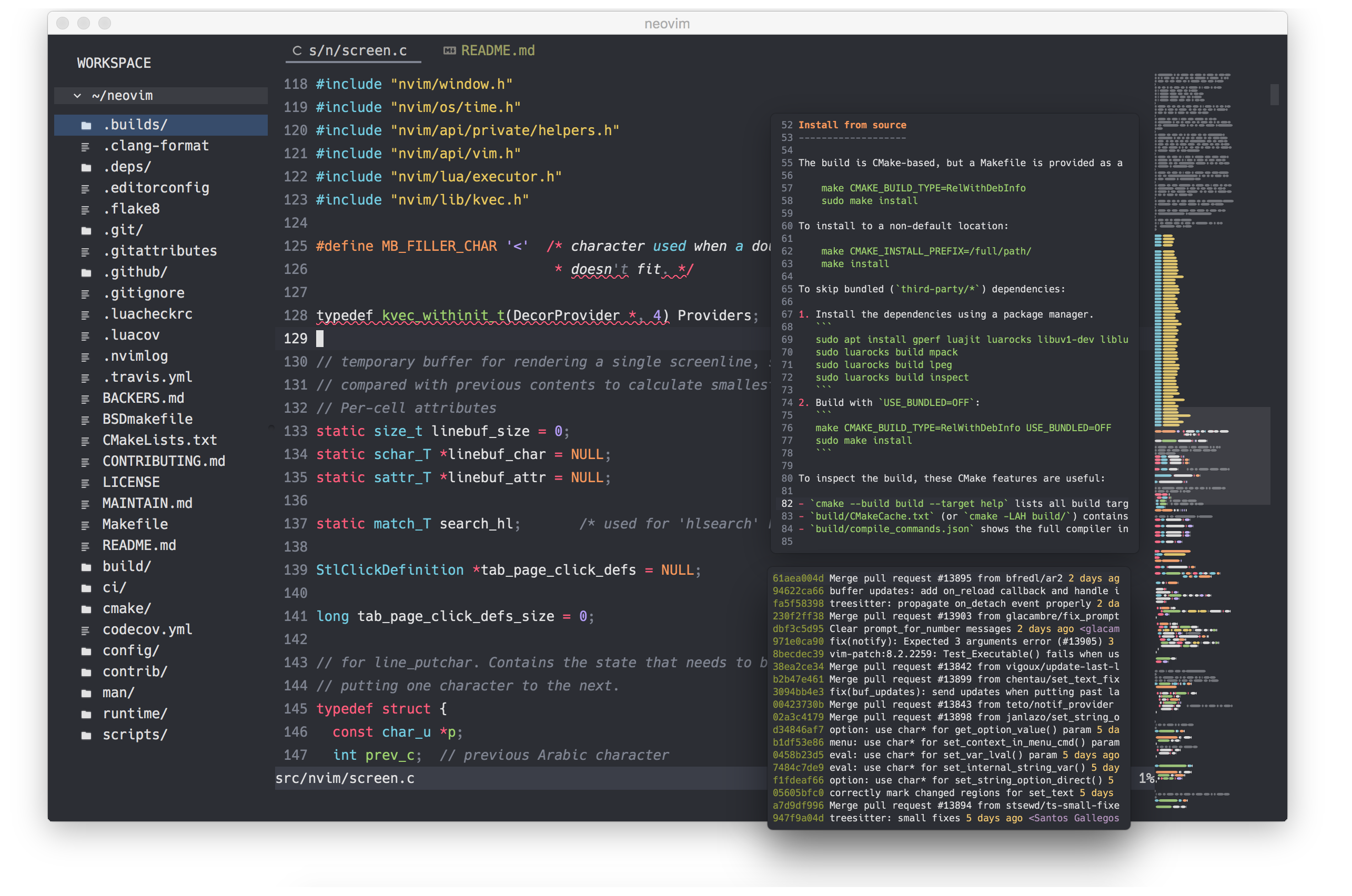
goneovim is a cross-platform graphical frontend for Neovim, written in Go with a Qt binding, for people who want the editing power of nvim with mouse support, custom fonts, and a richer drawing surface than a terminal provides.
What it is
goneovim (pronounced like "go-neovim") is a Neovim GUI written in Go, built on a Qt binding for Go, and maintained as a fork of the original Gonvim project taken over for maintenance and enhancement. It targets the Neovim ecosystem and requires Neovim v0.11 or Nightly to be installed alongside it. Rather than replacing Neovim, it sits in front of it: all editing still happens in nvim, while the application supplies the window, the rendering, and desktop integration.
The concrete problem it addresses is that Neovim — like Vim before it — was optimised for the terminal, so some workflows simply cannot be reached from a shell. A GUI makes additional meta keys available, allows pixel-based scrolling that responds correctly to both touchpad gestures and Vim scroll commands, permits different font families and point sizes per window, and exposes drawing expressions such as ligatures, an animated cursor, and built-in indent guides. It also removes a common piece of friction: support for the guifont, guifontwide, guifont=*, linespace, and guicursor options means users do not need neovim-gui-shim.
Key capabilities
- Externalises the tabline, popupmenu, wildmenu, cmdline, and messages so they render as GUI components rather than terminal cells.
- Provides smooth pixel scrolling, an animated cursor, ligatures, a scrollbar, and a built-in indent guide, all optional so the editor can still be used like plain nvim.
- Offers a workspace feature that manages multiple nvim instances, plus an attach/connect feature for reaching a remote nvim.
- Runs the embedded terminal through
:terminal with bash or zsh, and supports remote control tools such as nvr to avoid running nvim inside nvim.
- Includes per-character font fallback, independent font settings per window (experimental), mouse support, and drag-and-drop of files.
- Ships an own clipboard provider, multi-byte character handling, and an InputMethod Editor aimed at East Asian users.
- Integrates with WSL on Windows, supports application window transparency, and raises desktop notifications for messages emitted by nvim.
Who uses it and how
- Windows users who want Neovim alongside WSL integration, installing through
scoop bucket add extras and scoop install goneovim, or scoop install goneovim-nightly for the CI build.
- macOS users who install with
brew install --cask goneovim and then handle the unsigned-application step the README requires before first launch.
- Linux, macOS, and Windows users who download pre-built packages from the Releases page or take the latest binary from the GitHub Actions CI.
- People who keep terminal workflows intact inside the GUI by running
:terminal with bash or zsh, and use nvr for remote control of the embedded instance.
- Users who connect the frontend to an already-running remote nvim through the attach/connect feature, or who run several nvim sessions side by side with the workspace feature.
Getting started
Pre-built packages for Windows, macOS, and Linux are on the GitHub Releases page, with scoop bucket add extras + scoop install goneovim on Windows and brew install --cask goneovim on macOS; Neovim v0.11 or Nightly must be installed separately.
How it compares
goneovim is a maintained fork of Gonvim, created specifically so the original could be maintained and enhanced rather than replaced by a new project. Its author has since started Zonvie, a Neovim GUI written in Zig with native frontends, which is where future effort is being directed.
When to use it — and when not to
Because Qt 5.15 has reached end-of-life, active development of goneovim has been discontinued and only critical bug fixes and security updates will be applied, so a self-hoster is choosing a project in maintenance mode with 103 open issues. It suits users on Windows, macOS, or Linux who need the specific GUI features listed above and accept the unsigned-application and package-manager steps, while anyone wanting ongoing feature work should look at Zonvie instead. The GUI is explicitly optional — if a terminal Neovim workflow is enough, the extra application buys little.
project readme (upstream, from github) — read inline
goneovim




goneovim (pronounced like "go-neovim") is a Neovim GUI written in Go, using a Qt binding for Go.
This repository forked from the original Gonvim for the purpose of maintenance and enhancement.
⚠️ IMPORTANT
Project Status Update
- Due to Qt 5.15 reaching end-of-life, active development of goneovim has been discontinued. Only critical bug fixes and security updates will be addressed going forward.
- The author has started developing Zonvie, a new Neovim GUI built with Zig and native frontends, empowered by generative AI. Future efforts will be focused there. If you're interested, please give it a try!
Why Neovim GUI
Traditionally, Neovim (and even Vim) has been optimized for working with Terminal, and some Terminal-based workflows cannot be achieved with a GUI.
Therefore, for some people, a GUI would be an unnecessary additional stuff.
On the other hand, in my opinion, there are some attractive features of GUI as follows.
- More meta keys can be used
- Since Neovim performs all of its operations with the keyboard, having more meta keys available is a simple advantage.
- Terminal is also available in Neovim GUI
- Neovim has an embedded terminal emulator that can be run in
:terminal, so you can run basic terminal workflows using :terminal with bash or zsh in Neovim GUI. It is also possible to use remote control tools such as nvr to avoid nvim in nvim in Neovim GUI.
- Experience the rich drawing expressions of GUI
- For example, it is possible to scroll based on pixels, to set different font families and point sizes for each window.
If you are interested in these GUI attractions, try goneovim.
Features
All of the features are optional. You can use it like a plain nvim or as a nvim with a rich UI.
- Cross-platform
- Modern Text Editor Features
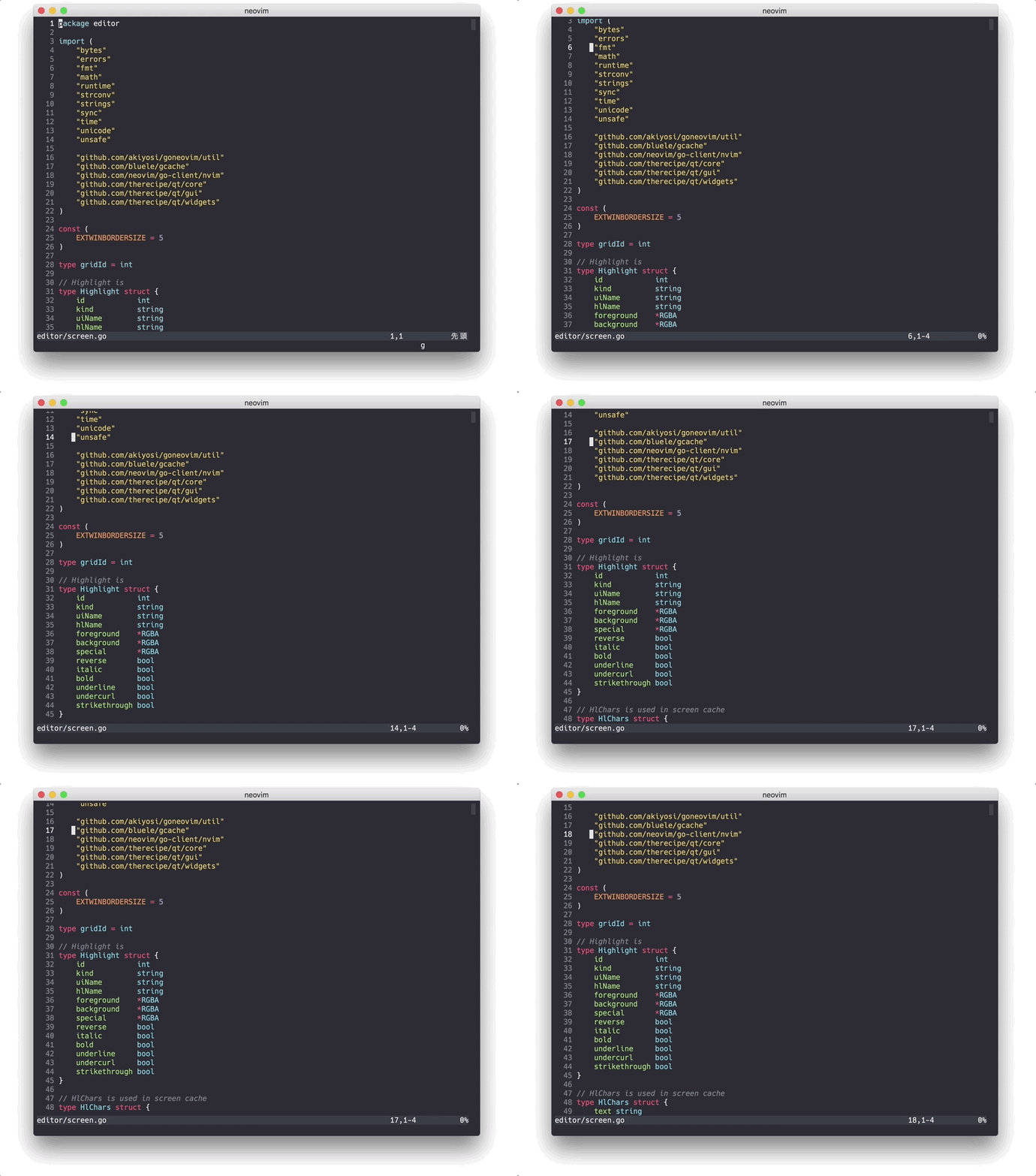
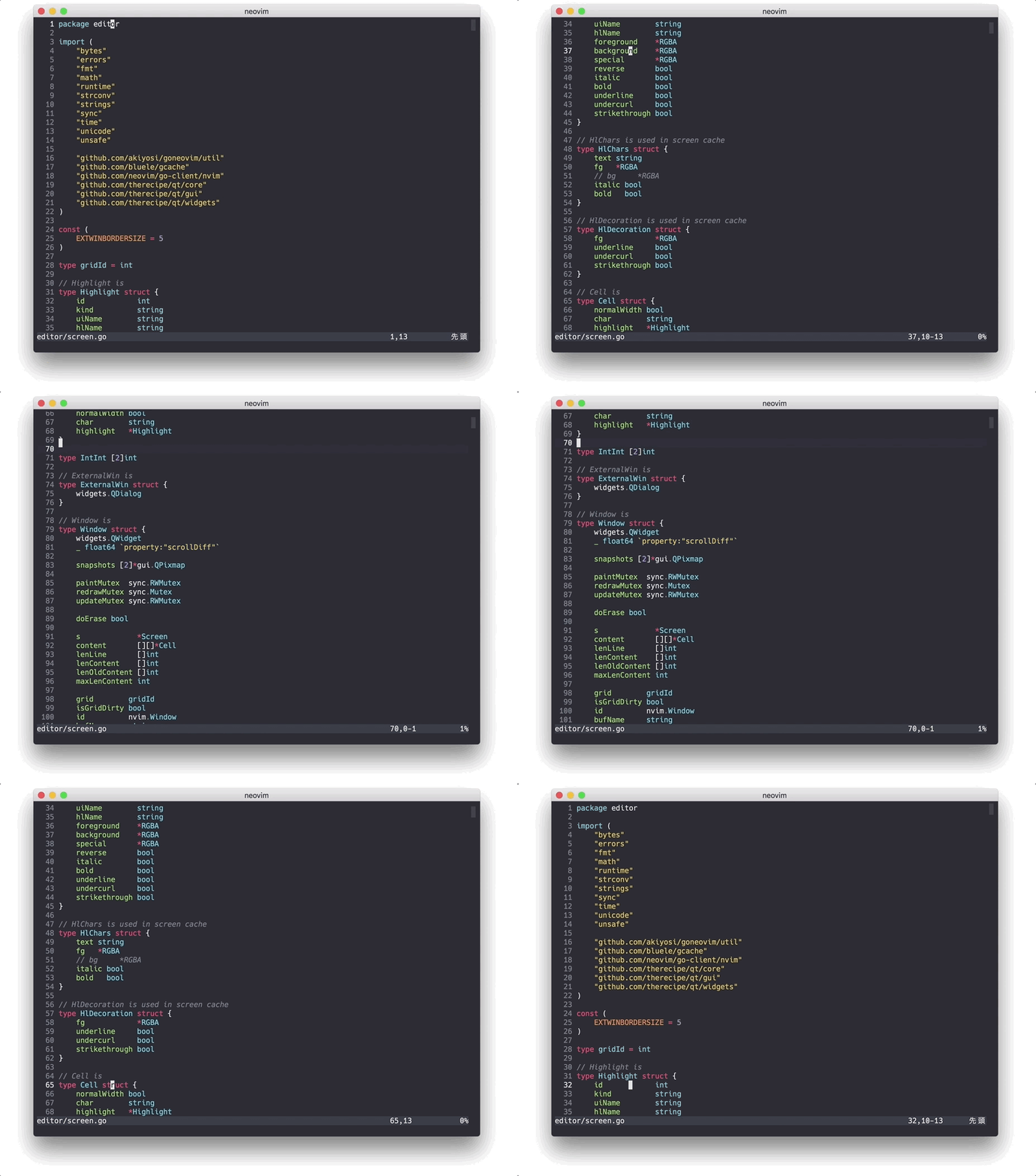
- Smooth pixel scroll (Support for both touchpad and Vim scroll command reactions.)
- Animated Cursor
- Ligatures
- Built-in Indent guide
- Scrollbar
- Workspace feature which manages multiple nvim
- Features as neovim GUI
- Externalizable tabline, popupmenu, wildmenu, cmdline, messages
- Support gui option:
guifont, guifontwide, guifont=*, linespace, guicursor. You don't need neovim-gui-shim
- Supports per character font fallback feature
- Support mouse
- Independent font settings per window (experimental)
- Attach/Connect feature to a remote nvim
- WSL integration (for Windows)
- Own clipboard provider
- Basic feature as a Text Editor
- Multi byte character
- Drag and Drop files
- InputMethod Editor (for east asian users)
- Miscellaneous
- Supports application window transparency
- Desktop Notification of the messages emitted nvim
Requirements
See Installing Neovim
Getting Started
Download from Github
Pre-built packages for Windows, MacOS, Linux are found at the Releases page.
Or you can get the latest binary from Github Actions CI. See Actions page.
Install via Package Manager
Windows users can install using scoop:
scoop bucket add extras
scoop install goneovim
or
scoop bucket add versions
scoop install goneovim-nightly
MacOS users can install using homebrew:
brew install --cask goneovim
[!NOTE]
If you are a macOS user, since this is an unsigned application, you need to execute the following command after obtaining goneovim.app:
xattr -c /path/to/goneovim.app
This will help you avoid the "unknown developer" warning or the "Goneovim is damaged and can't be opened" error.
Usage
See :h goneovim or wiki
Development
- Clone this repo and cd into the repo
make depsmake qt_bindingsmake testmake app
For more information, see Development
Similar projects
Credits
Screenshots
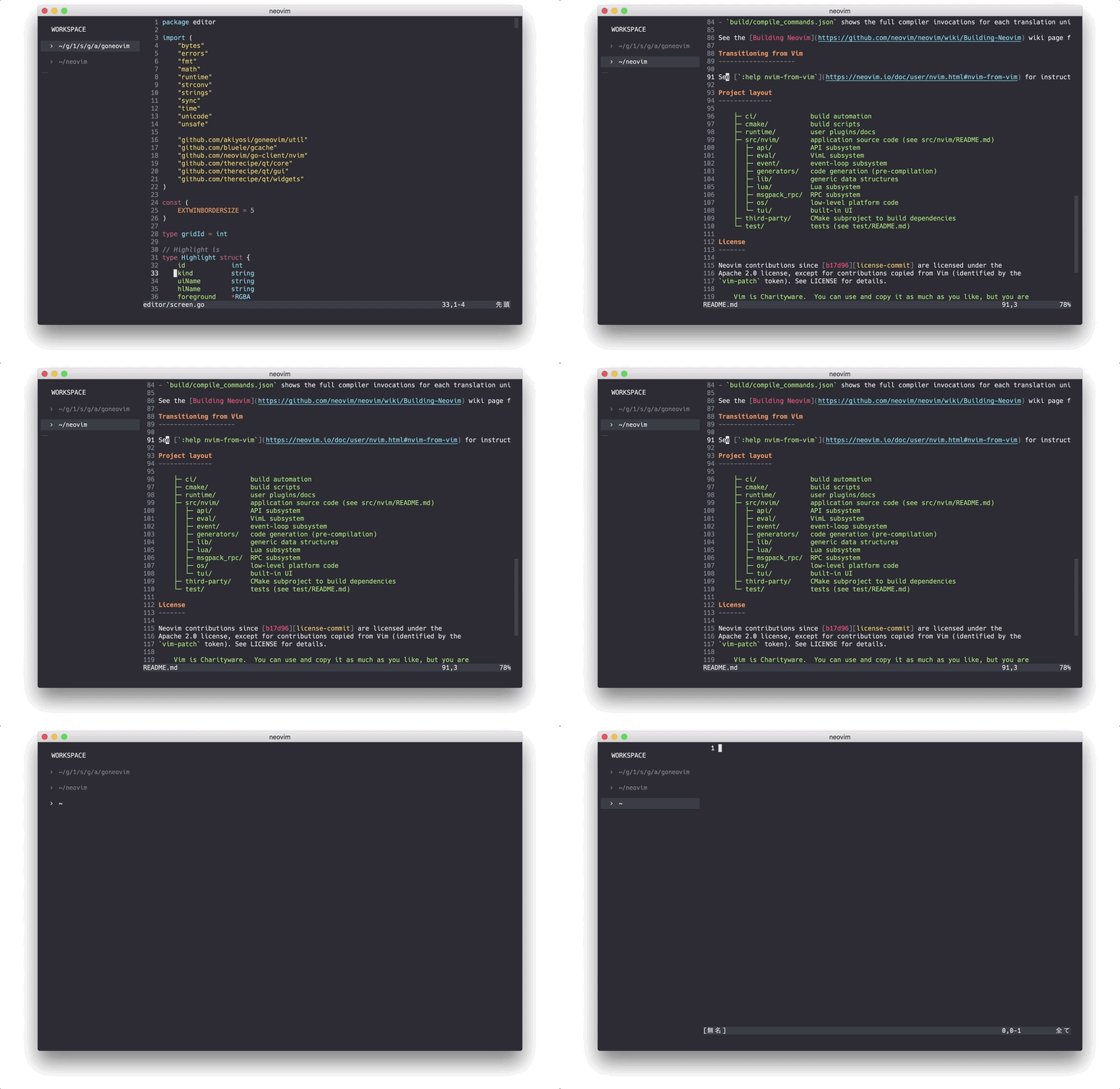
Workspaces
Smooth Scroll with touchpad
Smooth Scroll for neovim scroll commands
External Float Window, Minimap(experimental)