github-profile-views-counter is a free, open source marketing & customer engagement project written in PHP and released under MIT. It has 5,024 GitHub stars, 429 forks and 11 open issues, and was last pushed 8 months ago. On this registry it ranks #23 of 70 tracked projects in Marketing & Customer Engagement, with 5 head-to-head comparisons available.

What is github-profile-views-counter?

GitHub Profile Views Counter is a free, MIT-licensed PHP micro-service that counts how many times a GitHub profile has been viewed and renders that number as a badge inside the profile's own README.

What it is

GitHub Profile Views Counter (abbreviated GHPVC in its own documentation) is a small, open-source service in the GitHub profile-README ecosystem. It accepts HTTP requests generated by a Markdown image tag, increments a counter for the requested username, and returns a Shields-style SVG badge showing the accumulated total. The project lives in the space occupied by profile badges and README widgets: the repository has drawn 5,024 stars and 429 forks, is written in PHP, and is published under the MIT licence.

The concrete problem it solves is that a GitHub profile page offers no built-in view metric. A profile owner can see followers, stars and contributions, but not how often the page itself was opened. GHPPVC fills that gap by turning a single Markdown line into a persistent, self-hosted-analytics-style readout. The README frames the counter as an analytical instrument for the profile owner rather than a display for visitors, and suggests it can be used to observe view dynamics resulting from development activity, blogging, or taking part in a conference. The project also positions itself as displaceable: the owner can deploy a standalone instance to register any view count desired without sending traffic to the upstream server.

Key capabilities

  • Counts profile views per username and serves the total as an SVG badge through the https://komarev.com/ghpvc/?username=your-github-username endpoint.
  • Accepts any valid HEX colour for the badge, or one of the predefined named colours brightgreen, green, yellow, yellowgreen, orange, red, blue, grey, lightgrey and blueviolet; blue is the default.
  • Documents that HEX colours must be passed without the # prefix, as in color=dc143c.
  • Renders the badge in five styles — flat (default), flat-square, plastic, for-the-badge, and pixel, the last described as an "invisible" mode for use when the counter should not be displayed.
  • Runs as a 100% free cloud solution, with a standalone deployment option for self-hosters who want their own instance and their own numbers.
  • Is distributed as PHP source under the MIT licence, with an active issue tracker carrying 11 open issues at the time of the last push on 26 January 2026.
  • Is indexed under analytics-oriented topics including analytics, github-analytics, view-counter, visitor-counter and profile-readme.

Who uses it and how

  • Individual developers who maintain a GitHub profile repository named identically to their username, which is the mechanism the README describes for enabling the profile README in the first place.
  • Writers, conference speakers and maintainers who want to correlate spikes in profile traffic with a release, a post or a talk, using the counter as a longitudinal instrument rather than a vanity badge.
  • Self-hosters who want an arbitrary or inflated count and are told to deploy a standalone instance rather than spam the shared server.
  • Cost-sensitive users who want the metric without paying for a hosted analytics product, since the cloud offering is free and the README asks only for voluntary help with server costs.

Getting started

The documented path is the hosted service: create a repository named after your username, then add an image line such as ![](https://komarev.com/ghpvc/?username=your-github-username) to README.md. A standalone deployment is also offered for users who want their own instance.

How it compares

The README names one comparable service, Ÿ HŸPE, and recommends it as the more robust and feature-rich solution, describing GHPPVC itself as a proof of concept. That framing is the project's own honest positioning: it is the simpler, free, MIT-licensed option in a category where a more capable alternative exists, and it explicitly makes room for that alternative.

When to use it — and when not to

A self-hoster takes on operating a PHP web service and whatever backing store it uses, and the README excerpt provided here does not document database, storage, SMTP or deployment requirements, so the operational surface must be worked out from the source. Anyone who needs a trustworthy, unfakeable metric should look elsewhere: the README states plainly that any counter can be faked, and that a billion fake profile views makes a person with a billion in the counter rather than a popular one. Given the project describes itself as a proof of concept and points readers toward Ÿ HŸPE for robustness and features, teams wanting a maintained, feature-rich counter should not start here.

project readme (upstream, from github) — read inline

GitHub Profile Views Counter

GitHub Profile Views Counter

Discord License

Introduction

Try Ÿ HŸPE service as the more robust and feature rich solution.

GHPVС project is proof of concept. This counter designed to be an analytical instrument for you, but not for people who are visiting your profile. It could be used to see profile views dynamics as result of development activity, blogging or taking part in a conference.

It counts how many times your GitHub profile has been viewed and displays them in your profile, for free.
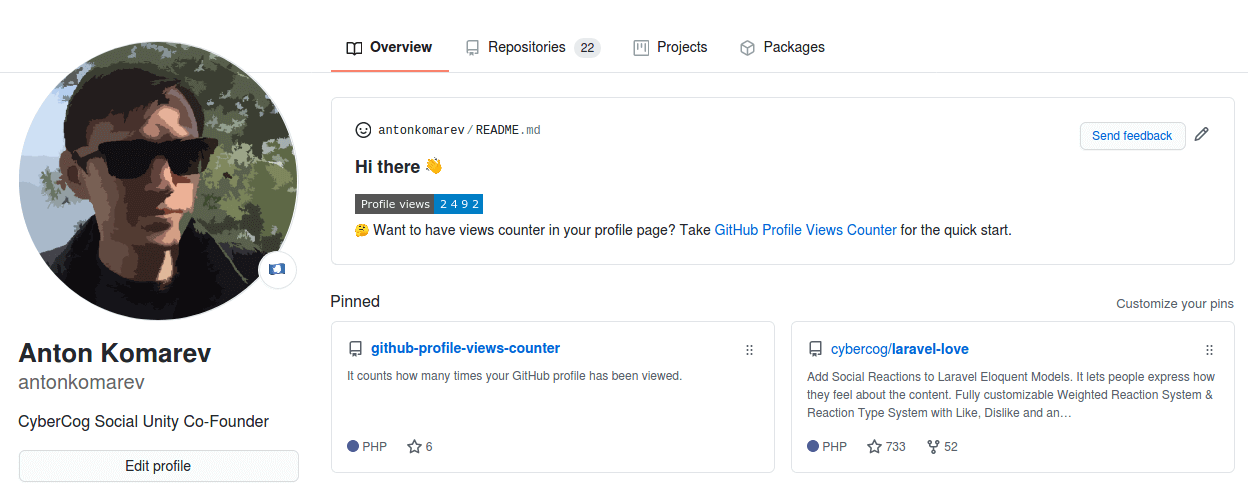
antonkomarev-profile-views-counter

Usage

Cloud solution launched as 100% free experience. Help me cut server costs if you like this service.

If you want to see big numbers in your profile, deploy a standalone solution to draw any views count you want without spamming our server. Everybody knows that any counters could be faked.

A billion fake profile views doesn't make you a very popular person, it makes you a person with a billion number in the counter.

Create GitHub profile repository

GitHub magic will happen as soon as you will create a new repository named equally to your username.

secret-profile-repository

Live demo of my profile repository.

Add counter to GitHub profile

You need to add counter in README.md file in your profile repository via Markdown syntax:

![](https://komarev.com/ghpvc/?username=your-github-username)

[!NOTE]

Don't forget to replace example your-github-username parameter with real value.

Make it personal

Color

You can use any valid HEX color or pick from a predefined set of named colors (blue is the default).

color demo
brightgreen
green
yellow
yellowgreen
orange
red
blue
grey
lightgrey
blueviolet
ff69b4

Named color

![](https://komarev.com/ghpvc/?username=your-github-username&color=green)

Hex color

![](https://komarev.com/ghpvc/?username=your-github-username&color=dc143c)

[!NOTE]

HEX colors should be used without # symbol prefix.

Styles

The following styles are available (flat is the default).

style demo
flat
flat-square
plastic
for-the-badge
pixel this is "invisible" mode for counter. Use it when you want to have counter without of displaying of it
![](https://komarev.com/ghpvc/?username=your-github-username&style=flat-square)

Label

You can overwrite default Profile views text with your own label.

![](https://komarev.com/ghpvc/?username=your-github-username&label=PROFILE+VIEWS)

[!NOTE]

Replace whitespace with + character in multi-word labels.

Base number

You can provide a base number to add to the counter. This is useful if you are migrating from another service.

For example, a user with 1000 views on another service who wants to migrate to GHPVC will use the following url to ensure the 1000 views are accounted for:

![](https://komarev.com/ghpvc/?username=your-github-username&base=1000)

Abbreviation

You can set the abbreviated parameter to true if you would like the counter to be abbreviated.

For example, a counter with 12345 views, will be displayed as 12.3K.

![](https://komarev.com/ghpvc/?username=your-github-username&abbreviated=true)

FAQ

Can I see detailed statistics?

This project provides minimalistic counter only. Use Ÿ HŸPE service if you want to get detailed info about:

  • user profile views
  • user followers history
  • repository stars history
  • repository traffic for longer than 14 days

How to reset counter?

To reset counter you should log in to the Ÿ HŸPE service, and then you will be able to reset counter on the https://yhype.me/ghpvc page.

Why does the counter increase every time the page is reloaded?

This is counter of profile views (page hits), not a counter of unique visitors. There is no way to get the username, browser user agent or IP address of the visitor because GitHub proxies all image URLs through the GitHub Camo service. In other words, we can only increment the counter for each request from the GitHub proxy server, we don't know who initiated it.

Are you making money on it?

No. Only spending it. Become a sponsor if you want it to keep running & receive new features.

Alternatives

  • Ÿ HŸPE enhanced GitHub professional account statistics & analytics

License

  • GitHub Profile Views Counter application is open-sourced software licensed under the MIT license by Anton Komarev.
  • Eye Octicon hero image licensed under MIT license by GitHub, Inc.

🌟 Stargazers over time
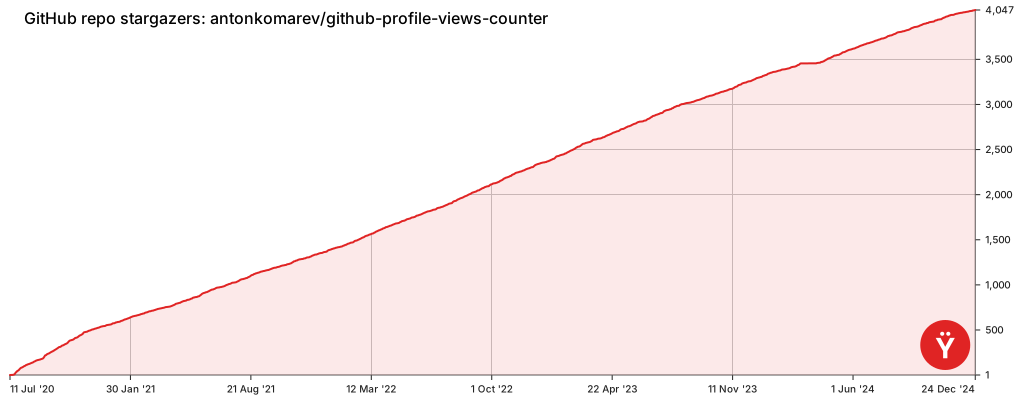
Stargazers over time

Frequently asked questions

Is github-profile-views-counter free to use?

github-profile-views-counter is open source under the MIT licence. There is no licence fee and no seat count — you can self-host it or, where the project offers one, pay a vendor for a managed version instead.

What does github-profile-views-counter do?

It counts how many times your GitHub profile has been viewed. Free cloud micro-service.

What is github-profile-views-counter written in?

github-profile-views-counter is primarily written in PHP. Its source is publicly available at https://github.com/antonkomarev/github-profile-views-counter, and it has 5,024 GitHub stars.



















