git-sync is an MIT-licensed command-line tool written in Go that backs up and syncs git repositories from GitHub, GitLab, Bitbucket, Gitea and Forgejo into a local directory, aimed at developers and teams who want a self-controlled copy of their code.
What it is
git-sync is a CLI tool designed to help you back up your Git repositories. It ensures you have a local copy of your repositories, safeguarding against potential issues such as account bans or data loss. The project lives in the Go ecosystem and is published under the MIT licence by AkashRajpurohit. The repository has 705 stars, 36 forks and 12 open issues. The tool does a bare clone of all your repositories into a specified directory so you can recover your code in case of unforeseen circumstances, while keeping the file size of your backups minimal.
The concrete problem it solves is loss of access to source code when a hosting provider account is banned, when the provider goes down, or when repositories are accidentally deleted. The README cites the example of GitHub co-founder @defunkt having his GitHub account banned, and notes that many developers have reported similar bans, with some unable to recover their accounts at all. git-sync replaces the manual work of cloning and updating each repository by hand, and it replaces reliance on the hosting provider as the only copy of your code. It does this by cloning or updating your repositories locally, and it can be run periodically to keep those backups in sync with the remotes.
Key capabilities
- Backup all repositories: automatically clone or update all your GitHub repositories to a local directory.
- Periodic sync: keep backups in sync with remote repositories by running git-sync periodically, as described in the wiki page Setup Periodic Backups.
- Multi clone: supports bare clones for minimal size and faster syncing, plus shallow, mirror and full clones.
- Concurrency: sync multiple repositories concurrently to reduce the time required for backup.
- Configuration file: manage settings through a YAML configuration file.
- Multi platform: backs up repositories from GitHub, GitLab, Bitbucket, Gitea and Forgejo.
- Notifications: get notified when a sync completes or when errors occur.
Who uses it and how
- Individual developers who host repositories on GitHub, GitLab, Bitbucket, Gitea or Forgejo and want a local bare-clone backup they control.
- Teams worried about account bans or provider outages, running git-sync on a schedule to keep backups current.
- Self-hosters with Gitea or Forgejo instances who also mirror repositories from other major hosting services.
- Users with limited disk space, since bare clones keep backup size minimal compared with full working copies.
- Operators who want notification when a sync completes or fails, so backup failures do not go unnoticed.
Getting started
The README points to a setup guide in the project wiki at https://github.com/AkashRajpurohit/git-sync/wiki, which covers how to set up and get started with git-sync. The facts provided do not include a specific package name, Docker image or compose file.
How it compares
The facts provided do not name any paid products that git-sync replaces, nor do they name any similar backup tools. Within this registry it stands alone in this category.
When to use it — and when not to
A self-hoster must run the CLI, write a YAML configuration file, schedule periodic syncs and manage access to each hosting service; there is no hosted option in the facts. Teams that want a managed backup service with no operational work, or that need a graphical interface rather than a CLI, should not pick it. The README excerpt also offers no install command and defers setup to an external wiki, and the project carries 12 open issues, so expect to read documentation rather than run a single copy-paste command.
project readme (upstream, from github) — read inline
🔄 git-sync
A simple tool to backup and sync your git repositories









Bug report
·
Feature request
·
Read Docs
git-sync is a CLI tool designed to help you back up your Git repositories. This tool ensures you have a local copy of your repositories, safeguarding against potential issues such as account bans or data loss.
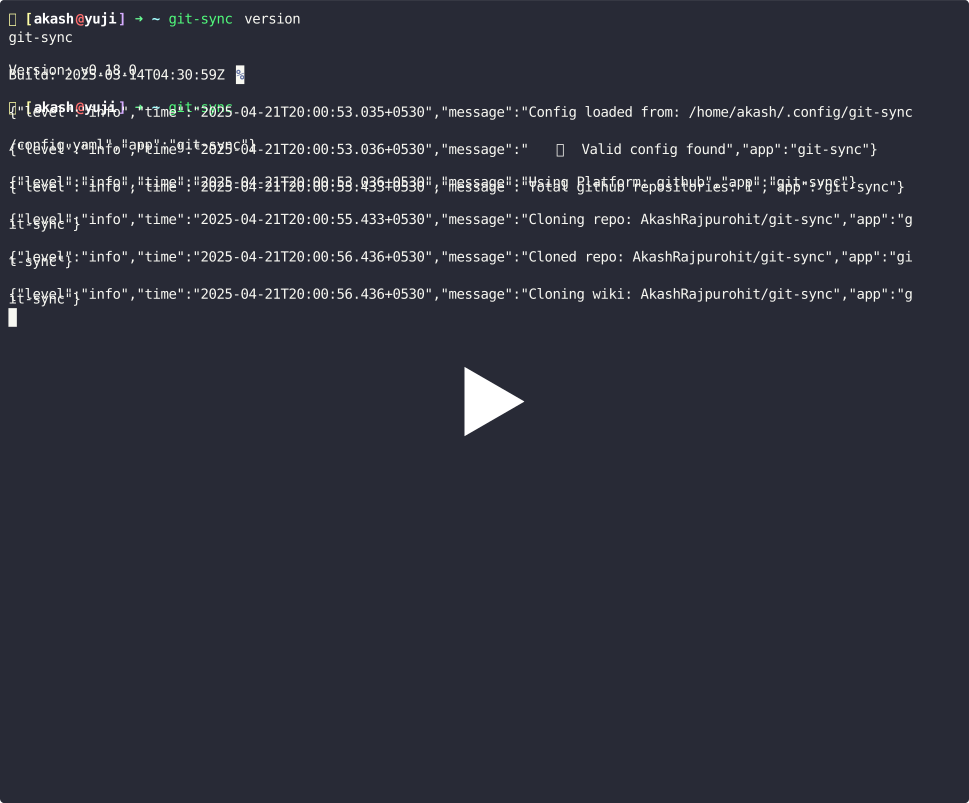
📺 Demo
🤔 Why git-sync?
Remember when @defunkt GitHub account got banned? Well, he is the co-founder of GitHub so he did get his account un-banned pretty quickly but what if you are not that lucky?
Recently I have seen many developers getting their GitHub account banned and losing access to their repositories. Some may be able to recover their account (but there is delay in that) and some may not be able to recover their account at all. What would you do if you lose access to your repositories? What if GitHub goes down? What if you accidentally delete your repositories? The answer is simple, you should have a backup of your repositories.
git-sync provides a straightforward way to back up all your repositories locally, ensuring you have access to your code whenever you need it. It does this by doing a bare clone of all your repositories in a specified directory so that you can recover your code in case of any unforeseen circumstances as well as the file size of your backups is minimal.
✨ Features
- Backup All Repositories: Automatically clone or update all your GitHub repositories to a local directory.
- Periodic Sync: Keep your backups in sync with your remote repositories by running
git-sync periodically.
- Multi Clone: While git-sync was designed to work with bare clones to save space and speed up the syncing process, it also supports shallow, mirror and full clones too.
- Concurrency: Sync multiple repositories concurrently to reduce the time required for backup.
- Configuration File: Easily manage your settings through a YAML configuration file.
- Custom Backup Directory: Specify the directory where you want to store your repositories.
- Multi Platform: Currently this project supports backing up repositories from all major Git hosting services like GitHub, GitLab, Bitbucket, Gitea and Forgejo.
- Notifications: Get notified when your sync is complete, or if there are any errors.
🚀 Getting Started
We have a thorough guide on how to set up and get started with git-sync in our documentation.
🙏🏻 Support
If you found the project helpful, consider giving it a star ⭐️. If you would like to support the project in other ways, you can buy me a coffee or sponsor me on GitHub.
Check out my product CatchIntent, helping you turn social conversations into qualified leads.
🐛 Bugs or Requests
If you encounter any problems feel free to open an issue. If you feel the project is missing a feature, please raise a ticket on GitHub and I'll look into it. Pull requests are also welcome.
🫱🏻🫲🏼 Contributors
👀 Who am I?






