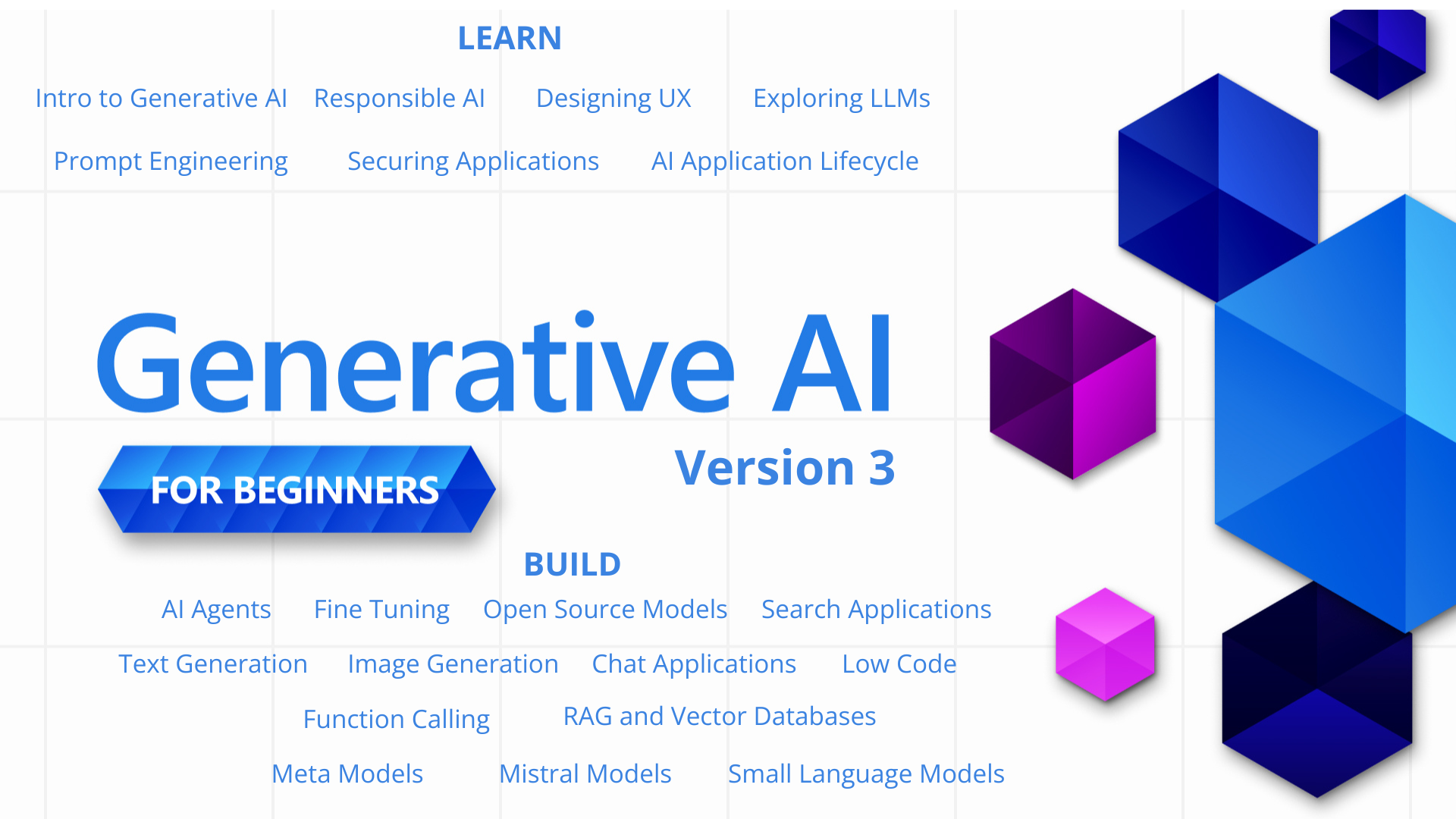
21 Lessons teaching everything you need to know to start building Generative AI applications






🌐 Multi-Language Support
Supported via GitHub Action (Automated & Always Up-to-Date)
Arabic | Bengali | Bulgarian | Burmese (Myanmar) | Chinese (Simplified) | Chinese (Traditional, Hong Kong) | Chinese (Traditional, Macau) | Chinese (Traditional, Taiwan) | Croatian | Czech | Danish | Dutch | Estonian | Finnish | French | German | Greek | Hebrew | Hindi | Hungarian | Indonesian | Italian | Japanese | Kannada | Khmer | Korean | Lithuanian | Malay | Malayalam | Marathi | Nepali | Nigerian Pidgin | Norwegian | Persian (Farsi) | Polish | Portuguese (Brazil) | Portuguese (Portugal) | Punjabi (Gurmukhi) | Romanian | Russian | Serbian (Cyrillic) | Slovak | Slovenian | Spanish | Swahili | Swedish | Tagalog (Filipino) | Tamil | Telugu | Thai | Turkish | Ukrainian | Urdu | Vietnamese
Prefer to Clone Locally?
This repository includes 50+ language translations which significantly increases the download size. To clone without translations, use sparse checkout:
Bash / macOS / Linux:
git clone --filter=blob:none --sparse https://github.com/microsoft/generative-ai-for-beginners.git
cd generative-ai-for-beginners
git sparse-checkout set --no-cone '/*' '!translations' '!translated_images'
CMD (Windows):
git clone --filter=blob:none --sparse https://github.com/microsoft/generative-ai-for-beginners.git
cd generative-ai-for-beginners
git sparse-checkout set --no-cone "/*" "!translations" "!translated_images"
This gives you everything you need to complete the course with a much faster download.
Generative AI for Beginners (Version 3) - A Course
Learn the fundamentals of building Generative AI applications with our 21-lesson comprehensive course by Microsoft Cloud Advocates.
🌱 Getting Started
This course has 21 lessons. Each lesson covers its own topic so start wherever you like!
Lessons are labeled either "Learn" lessons explaining a Generative AI concept or "Build" lessons that explain a concept and code examples in both Python and TypeScript when possible.
For .NET Developers checkout Generative AI for Beginners (.NET Edition)!
Each lesson also includes a "Keep Learning" section with additional learning tools.
What You Need
To run the code of this course, you can use either:
Azure OpenAI Service - Lessons: "aoai-assignment"
Microsoft Foundry Models - Lessons: "githubmodels" (GitHub Models is retiring at the end of July 2026 - use Microsoft Foundry Models instead)
OpenAI API - Lessons: "oai-assignment"
Foundry Local - Run models fully offline on your own device, no cloud subscription required
Basic knowledge of Python or TypeScript is helpful - *For absolute beginners check out these Python and TypeScript courses
A GitHub account to fork this entire repo to your own GitHub account
We have created a Course Setup lesson to help you with setting up your development environment.
Don't forget to star (🌟) this repo to find it easier later.
🧠 Ready to Deploy?
If you are looking for more advanced code samples, check out our collection of Generative AI Code Samples in both Python and TypeScript.
🗣️ Meet Other Learners, Get Support
Join our official Microsoft Foundry Discord server to meet and network with other learners taking this course and get support.
Ask questions or share product feedback in our Microsoft Foundry Developer Forum on Github.
🚀 Building a Startup?
Visit Microsoft for Startups to find out how to get started building with Azure credits today.
🙏 Want to help?
Do you have suggestions or found spelling or code errors? Raise an issue or Create a pull request
📂 Each lesson includes:
- A short video introduction to the topic
- A written lesson located in the README
- Python and TypeScript code samples supporting Azure OpenAI and OpenAI API
- Links to extra resources to continue your learning
🗃️ Lessons
| # | Lesson Link | Description | Video | Extra Learning |
|---|---|---|---|---|
| 00 | Course Setup | Learn: How to Setup Your Development Environment | Video Coming Soon | Learn More |
| 01 | Introduction to Generative AI and LLMs | Learn: Understanding what Generative AI is and how Large Language Models (LLMs) work. | Video | Learn More |
| 02 | Exploring and comparing different LLMs | Learn: How to select the right model for your use case | Video | Learn More |
| 03 | Using Generative AI Responsibly | Learn: How to build Generative AI Applications responsibly | Video | Learn More |
| 04 | Understanding Prompt Engineering Fundamentals | Learn: Hands-on Prompt Engineering Best Practices | Video | Learn More |
| 05 | Creating Advanced Prompts | Learn: How to apply prompt engineering techniques that improve the outcome of your prompts. | Video | Learn More |
| 06 | Building Text Generation Applications | Build: A text generation app using Azure OpenAI / OpenAI API | Video | Learn More |
| 07 | Building Chat Applications | Build: Techniques for efficiently building and integrating chat applications. | Video | Learn More |
| 08 | Building Search Apps Vector Databases | Build: A search application that uses Embeddings to search for data. | Video | Learn More |
| 09 | Building Image Generation Applications | Build: An image generation application | Video | Learn More |
| 10 | Building Low Code AI Applications | Build: A Generative AI application using Low Code tools | Video | Learn More |
| 11 | Integrating External Applications with Function Calling | Build: What is function calling and its use cases for applications | Video | Learn More |
| 12 | Designing UX for AI Applications | Learn: How to apply UX design principles when developing Generative AI Applications | Video | Learn More |
| 13 | Securing Your Generative AI Applications | Learn: The threats and risks to AI systems and methods to secure these systems. | Video | Learn More |
| 14 | The Generative AI Application Lifecycle | Learn: The tools and metrics to manage the LLM Lifecycle and LLMOps | Video | Learn More |
| 15 | Retrieval Augmented Generation (RAG) and Vector Databases | Build: An application using a RAG Framework to retrieve embeddings from a Vector Databases | Video | Learn More |
| 16 | Open Source Models and Hugging Face | Build: An application using open source models available on Hugging Face | Video | Learn More |
| 17 | AI Agents | Build: An application using an AI Agent Framework | Video | Learn More |
| 18 | Fine-Tuning LLMs | Learn: The what, why and how of fine-tuning LLMs | Video | Learn More |
| 19 | Building with SLMs | Learn: The benefits of building with Small Language Models | Video Coming Soon | Learn More |
| 20 | Building with Mistral Models | Learn: The features and differences of the Mistral Family Models | Video Coming Soon | Learn More |
| 21 | Building with Meta Models | Learn: The features and differences of the Meta Family Models | Video Coming Soon | Learn More |
🌟 Special thanks
Special thanks to John Aziz for creating all of the GitHub Actions and workflows
Bernhard Merkle for making key contributions to each lesson to improve the learner and code experience.
🎒 Other Courses
Our team produces other courses! Check out:
LangChain



Azure / Edge / MCP / Agents




Generative AI Series

-9333EA?style=for-the-badge&labelColor=E5E7EB&color=9333EA)
-C084FC?style=for-the-badge&labelColor=E5E7EB&color=C084FC)
-E879F9?style=for-the-badge&labelColor=E5E7EB&color=E879F9)
Core Learning







Copilot Series



Getting Help
If you get stuck or have any questions about building AI apps. Join fellow learners and experienced developers in discussions about MCP. It's a supportive community where questions are welcome and knowledge is shared freely.
If you have product feedback or errors while building visit:
