
Gameplan
Open Source Discussions Platform for Remote Teams



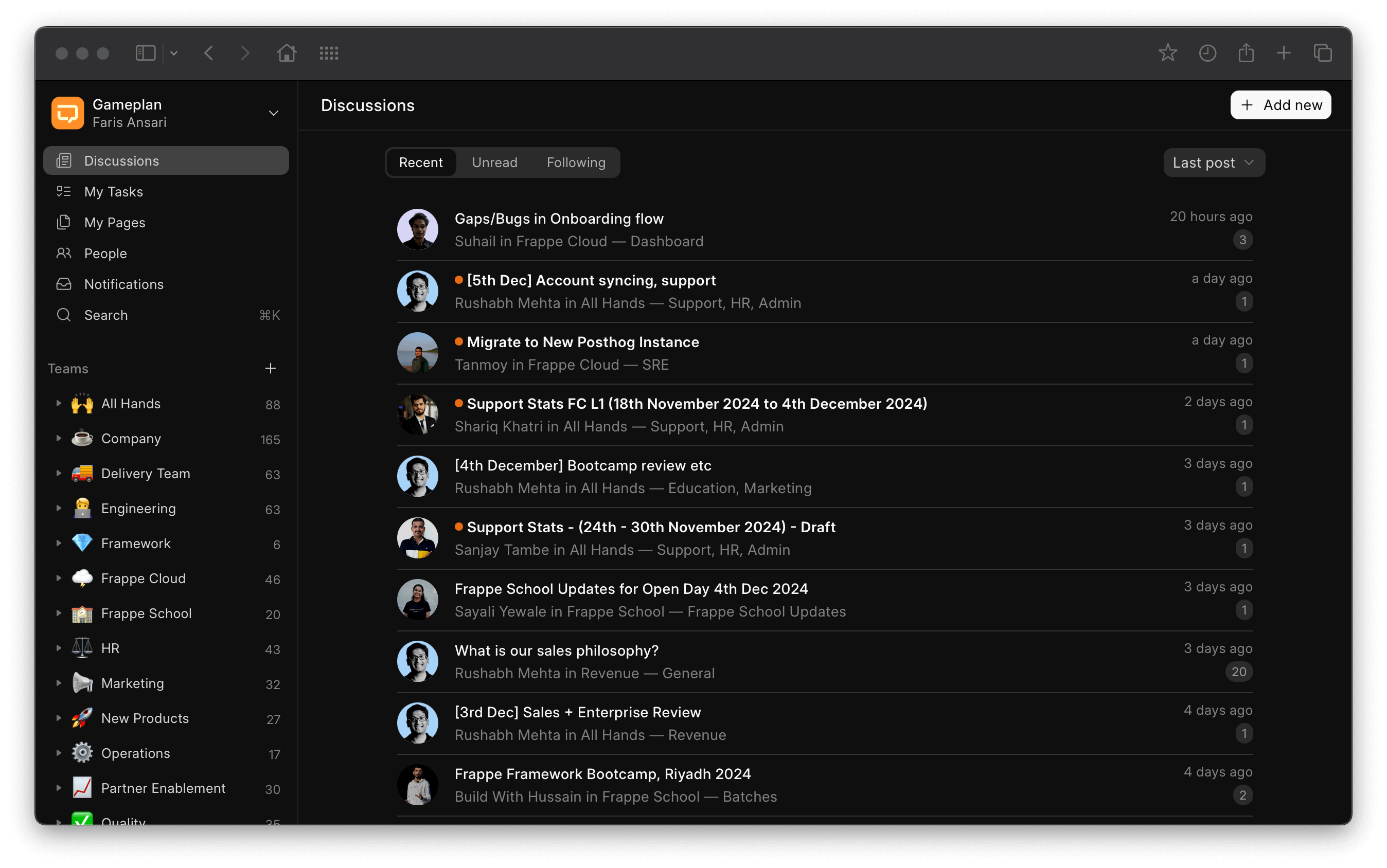
Gameplan
Gameplan is an async-first discussions tool for remote teams. It encourages thoughtful communication and deep-thinking.
Motivation
We've been remote first since day one, but as our team grew, chat tools like Telegram fell short. Missing out on crucial conversations became a major issue. We needed a better way to keep everyone connected and in sync. That's how Gameplan was born - to solve the problems of modern remote work!
Key Features
Thread-first discussions: Gameplan lets you start a discussion and have people comment on it at their own pace, encouraging thoughtful conversation and deep thinking. No more feeling obligated to be online all the time.
Spaces for organization: Spaces help you categorize conversations by project, team, client, or topic – whatever makes sense for your team's workflow. This keeps discussions tidy and easy to find.
Customizable profiles: Get a better picture of who's on your team with profiles that let everyone showcase their personality: cover images, short bios, and profile pictures.
Pages for note-taking: Use pages as digital notes to jot down meeting minutes, proposals, ideas – whatever sparks creativity! They can be private by default or shared with just your team or specific spaces.
Under the Hood
- Frappe Framework: A full-stack batteries-included web framework.
- Frappe UI: A Vue UI library for a modern user interface built on our design system.
- Redisearch: A powerful search and indexing engine built on top of Redis.
Production setup
Managed Hosting
You can try Frappe Cloud, a simple, user-friendly and sophisticated open-source platform to host Frappe applications.
It takes care of installation, setup, upgrades, monitoring, maintenance and support of your Frappe deployments. It is a fully featured developer platform with an ability to manage and control multiple Frappe deployments.

</a>
Supported versions
Gameplan supports Frappe v16 and newer only. Use the following branch pairings:
| Gameplan | Frappe | Recommended for |
|---|---|---|
develop |
version-16 |
Stable Frappe v16 installations |
develop |
develop |
Testing upcoming Frappe releases |
Gameplan does not have a separate version-16 branch. Its develop branch is the supported branch for
both pairings. Frappe v15 and older releases are not supported.
Development setup
Docker
You need Docker, docker-compose and git setup on your machine. Refer Docker documentation. After that, run the following commands:
git clone https://github.com/frappe/gameplan
cd gameplan/docker
docker-compose up
Wait for sometime until the setup script creates a site. After that you can
access http://localhost:8000 in your browser and Gameplan's login screen
should show up.
Use the following credentials to log in:
- Username:
alex@example.com - Password:
123
Local Development (without Docker)
Prerequisites
- The dependencies required by Frappe v16, including Python 3.14, Node.js 24, and Yarn 1.22. See the current Frappe installation guide.
- Bench CLI
- The local frappe-ui copy is included in
./frappe-ui/for development
Step 1: Set up the Backend
Create a Frappe v16 bench and install Gameplan's develop branch:
bench init --frappe-branch version-16 frappe-bench
cd frappe-bench
bench new-site gameplan.test
bench get-app --branch develop https://github.com/frappe/gameplan
bench --site gameplan.test install-app gameplan
bench --site gameplan.test add-to-hosts
bench build --apps gameplan
Start the development processes in one terminal:
bench start
In another terminal, create an authenticated browser session when needed:
bench --site gameplan.test browse --user Administrator
To test against the next Frappe release instead, initialize the bench with
--frappe-branch develop. Keep Gameplan on develop in both cases.
Move an existing Gameplan installation from main to develop
Back up the site first, then switch only Gameplan to its supported branch. If the bench is still on an
older Frappe release, switch Frappe to version-16 as well:
cd frappe-bench
bench --site gameplan.test backup
bench switch-to-branch develop gameplan
# Run the next command only when moving the bench to stable Frappe v16.
# Keep Frappe on develop when testing the upcoming release.
bench switch-to-branch version-16 frappe
bench setup requirements
bench --site gameplan.test migrate
bench build --apps gameplan
bench restart
Replace gameplan.test with the real site name. Review custom apps before switching a shared bench,
because every installed app must support Frappe v16. There is no Gameplan version-16 branch to switch
to.
Step 2: Set up the Frontend
Open a new terminal session and navigate to the gameplan app:
cd frappe-bench/apps/gameplanInitialize the pinned frappe-ui submodule:
git submodule update --init --recursiveInstall frontend dependencies:
yarn install --frozen-lockfileStart the Vite development server with the published frappe-ui package:
yarn devOptional: For frappe-ui contributors, install the submodule dependencies and use the local checkout:
(cd frappe-ui && yarn install --frozen-lockfile)
yarn dev:frappe-ui
Access the application at
http://gameplan.test:8080/g
How local frappe-ui development works
yarn dev uses the published frappe-ui version pinned in frontend/package.json. The
yarn dev:frappe-ui command replaces that installed package with a symlink to the pinned ./frappe-ui/
submodule for library development. Running yarn dev again restores the published package.
Contributing to frappe-ui:
- The
frappe-uidirectory is a Git submodule pointing to the frappe/frappe-ui repository - If you make changes to frappe-ui, you must submit them as a separate Pull Request to the frappe-ui repository
- Update the submodule only through a reviewed Gameplan change; do not use
git submodule update --remote - Test your frappe-ui changes locally with Gameplan before submitting a PR
Frontend Development Environment
- Vite Dev Server: Runs on port 8080 by default
- Frappe Proxy: Automatically proxies API requests to the backend via
frappeProxyplugin - Type Generation: TypeScript types are auto-generated from backend doctypes
- Access URL:
http://gameplan.test:8080/g
Backend and Frontend Workflow
- Backend runs on
http://gameplan.test:8000viabench start - Frontend dev server runs on
http://gameplan.test:8080and proxies API calls to the backend - The Vite dev server uses HMR (Hot Module Replacement) for instant code updates
- Both must be running simultaneously for local development
Links

</a>