Fresh
A modern, full-featured terminal text editor, with zero configuration. Familiar keybindings, mouse support, and IDE-level features — no learning curve required.
Official Website · Documentation · Discord · Contributing
Quick Install: curl -fsSL https://raw.githubusercontent.com/sinelaw/fresh/refs/heads/master/scripts/install.sh | sh
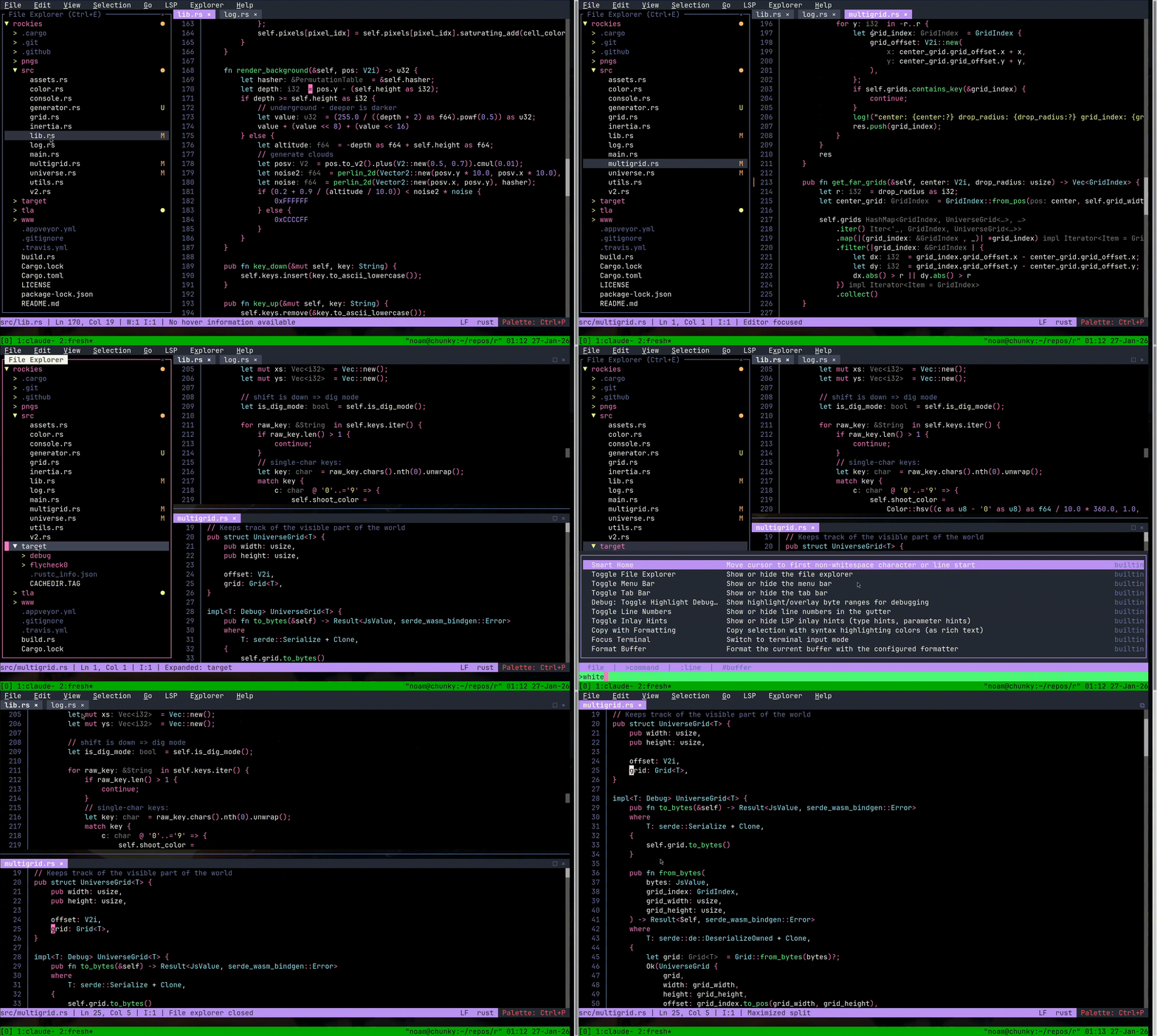
Fresh brings the intuitive UX of VS Code and Sublime Text to the terminal. Standard keybindings, full mouse support, menus, and a command palette — everything works the way you'd expect, right out of the box. No modes, no memorizing shortcuts.
Built for real-world performance: Fresh handles multi-gigabyte files with negligible memory overhead and delivers consistently low-latency input, regardless of file size.
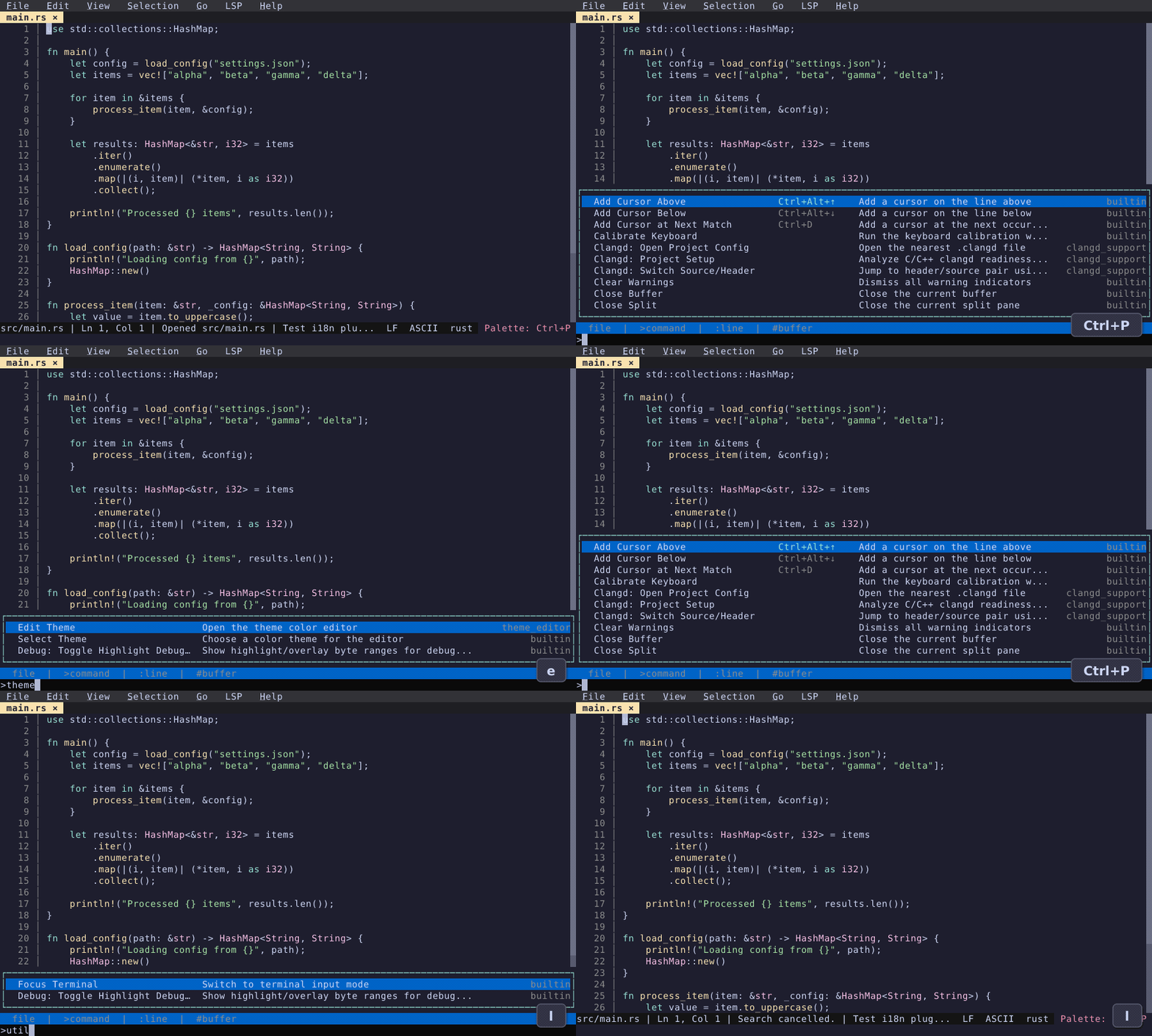
Command Palette & Fuzzy Finder
One shortcut to find files, run commands, switch buffers, and jump to any line.
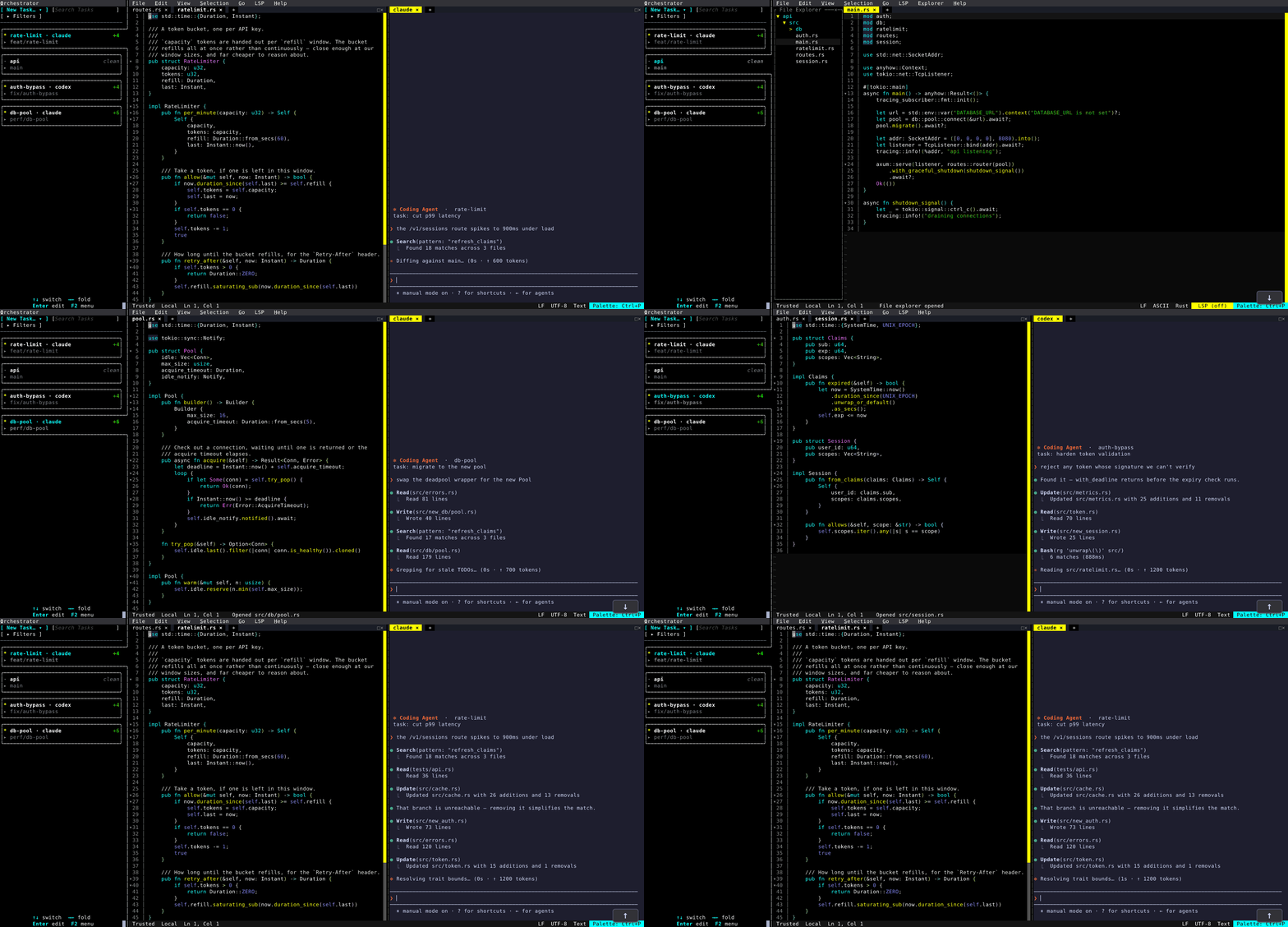
Multitask with the Orchestrator
Start each task in its own worktree, hop between them with an arrow key, and leave the rest running.
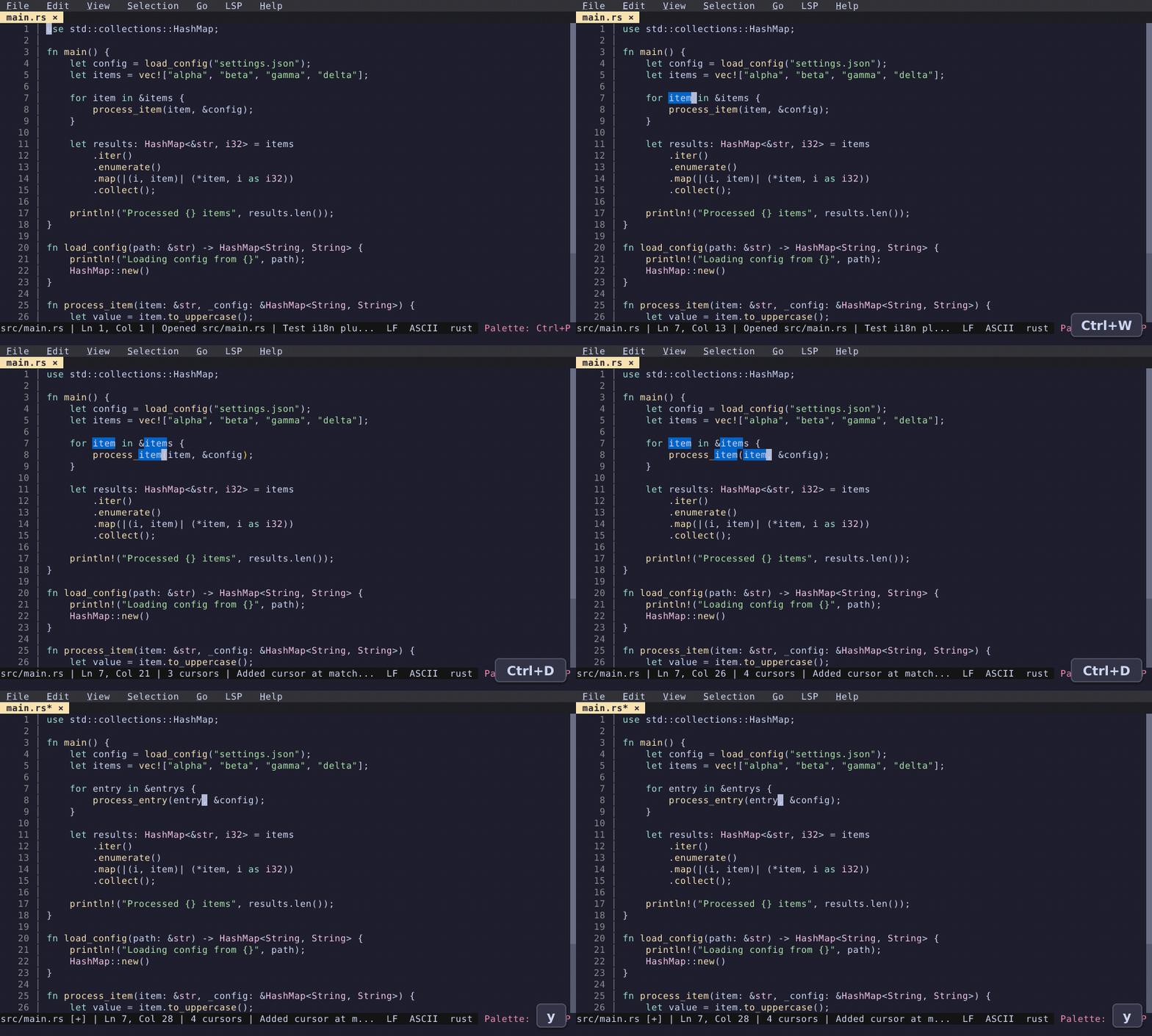
Multi-Cursor Editing
Select and edit multiple occurrences simultaneously — the same workflow you know from graphical editors.
Themes & Customization
Browse and apply color themes instantly. Full settings UI and interactive keybinding editor included.
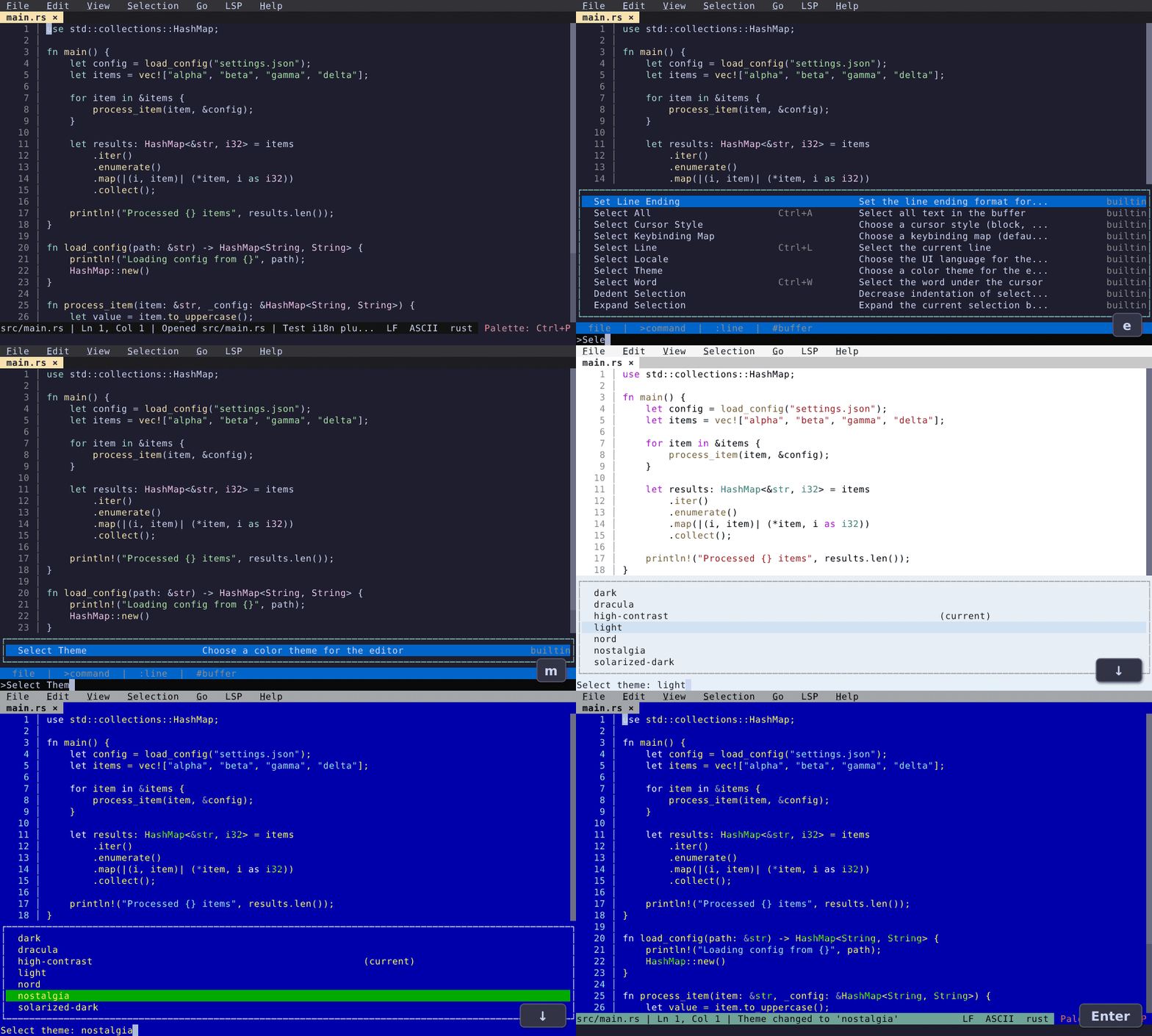
See more feature demos: Editing (search & replace, block selection, sort lines, ...) · Productivity (file explorer, split view, integrated terminal, ...) · Themes
Feature Overview
| Category | Features |
|---|---|
| File Management | open/save/new/close, file explorer, tabs, auto-revert, git file finder |
| Editing | undo/redo, multi-cursor, block selection, smart indent, comments, clipboard |
| Search & Replace | incremental search, find in selection, query replace, git grep |
| Navigation | go to line/bracket, word movement, position history, bookmarks, error navigation |
| Views & Layout | split panes, line numbers, line wrap, backgrounds, markdown preview |
| Language Server (LSP) | go to definition, references, hover, code actions, rename, diagnostics, autocompletion |
| Productivity | command palette, menu bar, keyboard macros, git log, diagnostics panel |
| Multitasking (Orchestrator) | one workspace per git worktree, terminals and long-running commands per workspace, coding agents (claude, codex, opencode, aider) with resumable sessions, dock switcher, remote/SSH workspaces |
| Extensibility | TypeScript plugins (sandboxed QuickJS), color highlighter, TODO highlighter, merge conflicts, path complete, keymaps |
| Internationalization | Multiple language support (see locales/), plugin translation system |
Installation
Quick install:
curl -fsSL https://raw.githubusercontent.com/sinelaw/fresh/refs/heads/master/scripts/install.sh | sh
On Linux this installs the universal build: one statically linked binary
that runs on every distro, unpacked under ~/.local, owned by you. It needs no
root, and it updates itself — fresh --cmd update, or the update prompt in the
editor. On macOS it uses Homebrew.
Prefer your distro's package manager? Ask for it explicitly:
curl -fsSL .../install.sh | sh -s -- --method=deb # also: rpm, aur, nix, cargo, npm, brew, appimage
Packages are fully supported — they are opt-in rather than the default because
installing one needs root and hands updates to that package manager. fresh
records how it was installed either way, and updates through that same
mechanism. --method=auto restores the old autodetecting behaviour, and
install.sh --help lists everything.
Or, pick your preferred method:
| Platform | Method |
|---|---|
| Linux (any distro) | universal build — self-updating, no root |
| macOS | brew |
| Bazzite/Bluefin/Aurora Linux | brew |
| Windows | winget |
| Arch Linux | AUR |
| Debian/Ubuntu | .deb |
| Fedora/RHEL | .rpm, Terra |
| OpenSUSE | .rpm |
| FreeBSD | ports / pkg |
| Gentoo | GURU |
| Linux (sandboxed / portable) | AppImage, Flatpak |
| All platforms | Pre-built binaries |
| npm | npm / npx |
| Rust users (Fast) | cargo-binstall |
| Rust users | crates.io |
| Nix | Nix flakes |
| Developers | From source |
Universal build (Linux)
curl -fsSL https://raw.githubusercontent.com/sinelaw/fresh/refs/heads/master/scripts/install.sh | sh
A single static (musl) binary for x86_64 and aarch64 with every feature
compiled in, including plugins. It unpacks to ~/.local/share/fresh-editor and
symlinks ~/.local/bin/fresh; set FRESH_INSTALL_DIR / FRESH_BIN_DIR to put
them elsewhere. Ensure ~/.local/bin is in your PATH.
Because nothing else owns these files, this is the one Linux install that can
replace itself: fresh --cmd update downloads the next release, verifies it
against both its published checksum and GitHub's release attestation, and swaps
the binary in place.
The archive also carries the same desktop entry and icon theme the .deb and
.rpm install, and the installer copies them into $XDG_DATA_HOME
(~/.local/share by default) so Fresh shows up in your application menu. Pass
--no-desktop-integration, or set FRESH_NO_DESKTOP=1, to skip that — usually
what you want on a server or in a container. Every file written outside the
install directory is listed in
~/.local/share/fresh-editor/installed-files.txt, so re-running the installer
cleans up after the previous run and uninstalling is rm over that list plus
the install directory and the symlink.
Downloading the archive by hand from the releases
page works the same way — it ships
the same install receipt, so a hand-unpacked copy self-updates too. Only the
binary is swapped on update, so the desktop entry and icons are refreshed by
re-running the installer, not by fresh --cmd update.
Brew
On macOS and some linux distros (Bazzite/Bluefin/Aurora):
Note: On macOS, see macOS Terminal Tips for recommended terminal configuration.
brew install fresh-editor
Windows (winget)
winget install fresh-editor
Alternatively, Windows users can use npm.
Arch Linux (AUR)
Binary package (recommended, faster install):
git clone https://aur.archlinux.org/fresh-editor-bin.git
cd fresh-editor-bin
makepkg --syncdeps --install
Build from source:
git clone https://aur.archlinux.org/fresh-editor.git
cd fresh-editor
makepkg --syncdeps --install
Using an AUR helper (such as yay or paru):
# Binary package (recommended, faster install)
yay -S fresh-editor-bin

# Or build from source
yay -S fresh-editor
Debian/Ubuntu (.deb)
Download and install the latest release:
curl -sL $(curl -s https://api.github.com/repos/sinelaw/fresh/releases/latest | grep "browser_download_url.*_$(dpkg --print-architecture)\.deb" | cut -d '"' -f 4) -o fresh-editor.deb && sudo dpkg -i fresh-editor.deb
Or download the .deb file manually from the releases page.
Fedora/RHEL (.rpm)
Download and install the latest release:
curl -sL $(curl -s https://api.github.com/repos/sinelaw/fresh/releases/latest | grep "browser_download_url.*\.$(uname -m)\.rpm" | cut -d '"' -f 4) -o fresh-editor.rpm && sudo rpm -U fresh-editor.rpm
Or download the .rpm file manually from the releases page.
OpenSUSE (.rpm)
There is no openSUSE repository for fresh yet, so install the .rpm from the
release directly:
curl -sL $(curl -s https://api.github.com/repos/sinelaw/fresh/releases/latest | grep "browser_download_url.*\.$(uname -m)\.rpm" | cut -d '"' -f 4) -o fresh-editor.rpm && sudo zypper --no-gpg-checks install ./fresh-editor.rpm
Or download the .rpm file manually from the releases page.
Gentoo (GURU)
Enable the repository as read in Project:GURU/Information for End Users then emerge the package:
emerge --ask app-editors/fresh
AppImage
On most systems the universal build is the better choice: same "runs anywhere" property, no FUSE dependency, and no mount overhead on each launch.
install.shno longer selects AppImage automatically — pass--method=appimageif you specifically want it.
Download the .AppImage file from the releases page and run:
chmod +x fresh-editor-VERSION-x86_64.AppImage
./fresh-editor-VERSION-x86_64.AppImage
For faster startup (recommended): Extract the AppImage instead of running it directly. This avoids the FUSE mount overhead on each launch (~10x faster):
./fresh-editor-VERSION-x86_64.AppImage --appimage-extract
mkdir -p ~/.local/share/fresh-editor ~/.local/bin
mv squashfs-root/* ~/.local/share/fresh-editor/
ln -sf ~/.local/share/fresh-editor/usr/bin/fresh ~/.local/bin/fresh
Ensure ~/.local/bin is in your PATH. Available for x86_64 and aarch64 architectures.
Flatpak
Download the .flatpak bundle from the releases page and install:
flatpak install --user fresh-editor-VERSION-x86_64.flatpak
flatpak run io.github.sinelaw.fresh
See flatpak/README.md for building from source.
Pre-built binaries
Download the latest release for your platform from the releases page.
On Linux, prefer the -unknown-linux-musl archives: they are statically linked,
so they run on any distro regardless of its glibc version, and they are gzipped
so a stock tar can unpack them without xz-utils. Every archive carries an
install receipt, so an unpacked copy knows how to update itself.
Using mise
mise use github:sinelaw/fresh
npm
npm install -g @fresh-editor/fresh-editor
Or try it without installing:
npx @fresh-editor/fresh-editor
Using cargo-binstall
To install the binary directly without compiling (much faster than crates.io):
First, install cargo-binstall if you haven't already
cargo install cargo-binstall
Then install fresh
cargo binstall fresh-editor
Nix flakes
Run without installing:
nix run github:sinelaw/fresh
Or install to your profile:
nix profile add github:sinelaw/fresh
From crates.io
cargo install --locked fresh-editor
From source
git clone https://github.com/sinelaw/fresh.git
cd fresh
cargo build --release
./target/release/fresh [file]
Documentation
- User Guide
- macOS Tips - Terminal configuration, keyboard shortcuts, and troubleshooting for Mac users
- Plugin Development
Contributing
See CONTRIBUTING.md for guidelines.
Privacy
Fresh checks for new versions daily to notify you of available upgrades. Alongside this, it sends basic anonymous telemetry (version, OS/architecture, terminal type) to help understand usage patterns. No personal data or file contents are collected.
To disable both upgrade checks and telemetry, use --no-upgrade-check or set check_for_updates: false in your config.
License
Copyright (c) Noam Lewis
This program is free software: you can redistribute it and/or modify it under the terms of the GNU General Public License as published by the Free Software Foundation, either version 3 of the License, or (at your option) any later version (GPL-3.0-or-later).
This program is distributed in the hope that it will be useful, but WITHOUT ANY WARRANTY; without even the implied warranty of MERCHANTABILITY or FITNESS FOR A PARTICULAR PURPOSE. See the GNU General Public License for more details.
SPDX-License-Identifier: GPL-3.0-or-later