
Frappe CRM
Simplify Sales, Amplify Relationships

Live Demo - Website - Documentation
Frappe CRM
Frappe CRM is a simple, affordable, open-source CRM tool designed for modern sales teams with unlimited users. Frappe CRM is crafted for providing a great user experience, packed with features for core CRM activities helping you build strong customer relationships while keeping things clean and organised.
Motivation
The motivation behind building Frappe CRM stems from the need for a simple, customizable, and open-source solution tailored to modern business needs. Many existing CRMs are either too complex, overly generic, or locked behind steep pricing models that hinder accessibility and flexibility. Frappe CRM was designed to bridge this gap, offering a tool that empowers businesses to manage their customer relationships seamlessly while being easy to adapt to specific workflows. Built on the Frappe framework, it prioritizes usability, extensibility, and affordability, making it an ideal choice for growing teams and organizations looking for a CRM that aligns with their unique processes.
Key Features
- User-Friendly and Flexible: A simple, intuitive interface that’s easy to navigate and highly customizable, enabling teams to adapt it to their specific processes effortlessly.
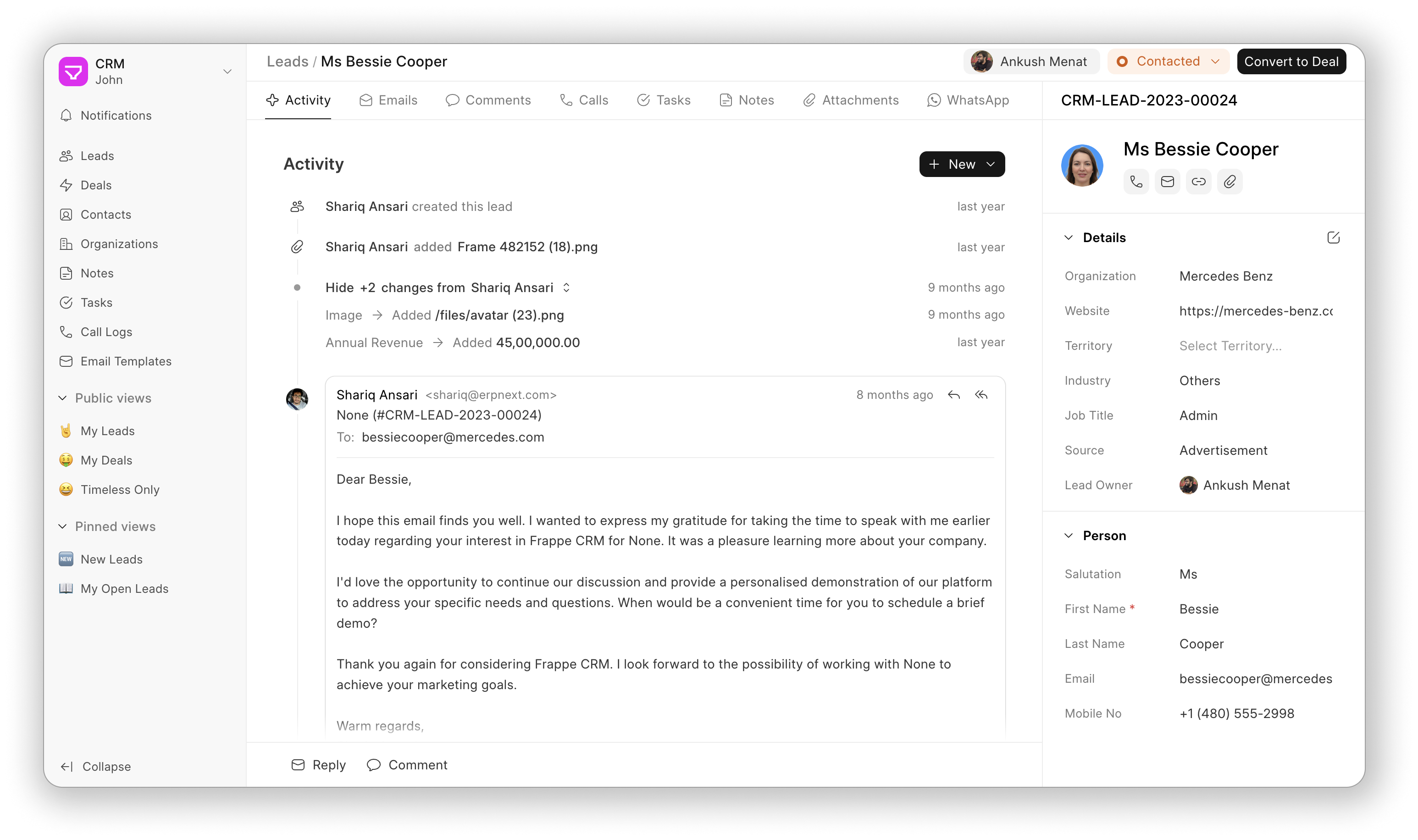
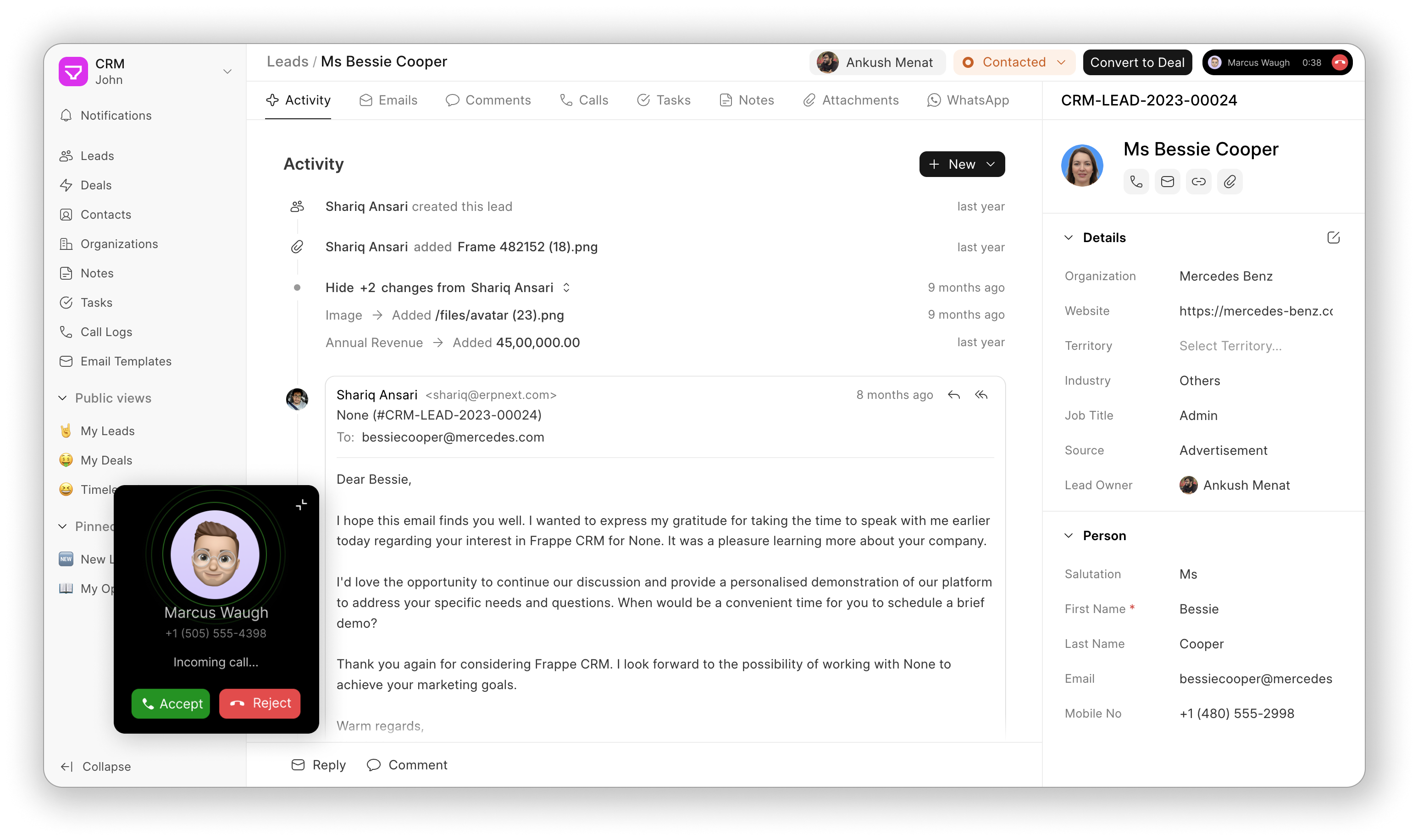
- All-in-One Lead/Deal Page: Consolidate all essential actions and details—like activities, comments, notes, tasks, and more—into a single page for a seamless workflow experience.
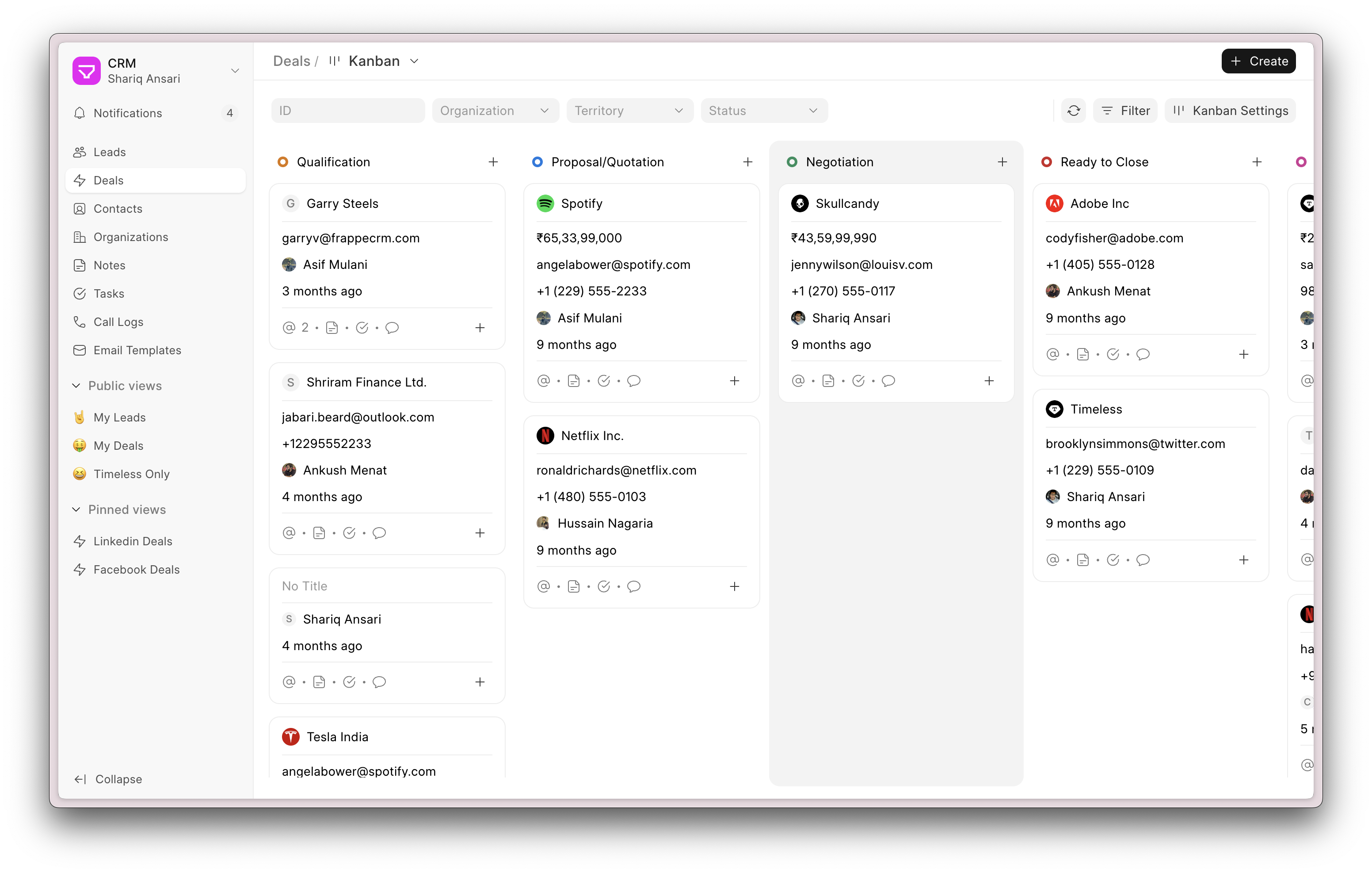
- Kanban View: Manage leads and deals visually with a drag-and-drop Kanban board, offering clarity and efficiency in tracking progress across stages.
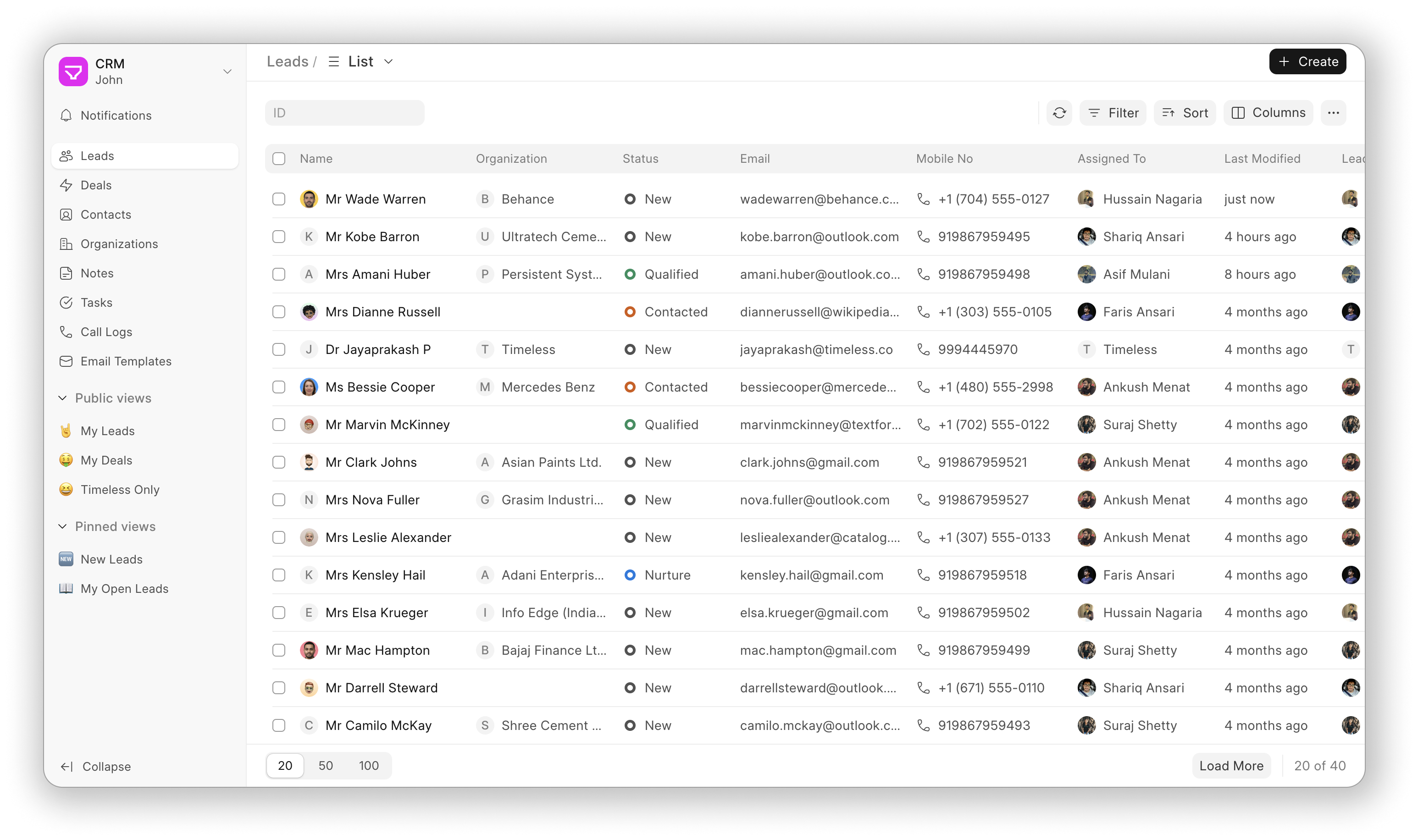
- Custom Views: Design personalized views to organize and display leads and deals using custom filters, sorting, and columns, ensuring quick access to the most relevant information.
Screenshots
</details>
Integrations
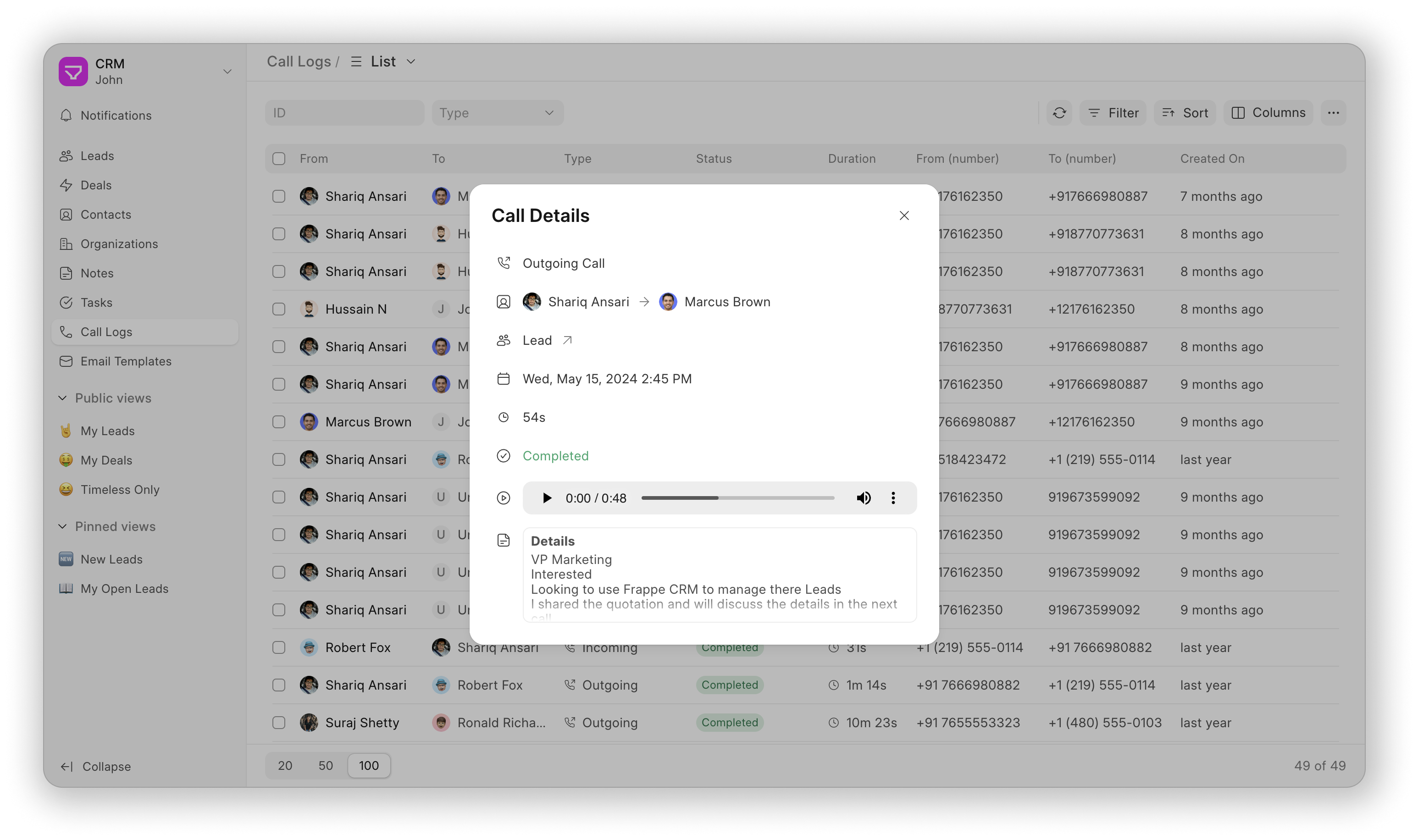
- Twilio: Integrate Twilio to make and receive calls from the CRM. You can also record calls. It is a built-in integration.
- Exotel: Integrate Exotel to make and receive calls via agents mobile phone from the CRM. You can also record calls. It is a built-in integration.
- WhatsApp: Integrate WhatsApp to send and receive messages from the CRM. Frappe WhatsApp is used for this integration.
- ERPNext: Integrate with ERPNext to extend the CRM capabilities to include invoicing, accounting, and more.
Under the Hood
- Frappe Framework: A full-stack web application framework.
- Frappe UI: A Vue-based UI library, to provide a modern user interface.
Compatibility
This app is compatible with the following versions of Frappe and ERPNext:
| CRM branch | Stability | Frappe branch | ERPNext branch |
|---|---|---|---|
| main - v1.x | stable | v15.x & v16.x | v15.x & v16.x |
| develop - future/v2.x | unstable | develop - future/v17 | develop - future/v17 |
Getting Started (Production)
Managed Hosting
Get started with your personal or business site with a few clicks on Frappe Cloud - our official hosting service.

</a>
Self Hosting
Follow these steps to set up Frappe CRM in production:
Step 1: Download the easy install script
wget https://frappe.io/easy-install.py
Step 2: Run the deployment command
python3 ./easy-install.py deploy \
    --project=crm_prod_setup \
    --email=email.example.com \
    --image=ghcr.io/frappe/crm \
    --version=stable \
    --app=crm \
    --sitename subdomain.domain.tld
Replace the following parameters with your values:
email.example.com: Your email addresssubdomain.domain.tld: Your domain name where CRM will be hosted
The script will set up a production-ready instance of Frappe CRM with all the necessary configurations in about 5 minutes.
Getting Started (Development)
Local Setup
- Setup Bench.
- In the frappe-bench directory, run
bench startand keep it running. - Open a new terminal session and cd into
frappe-benchdirectory and run following commands:$ bench get-app crm $ bench new-site sitename.localhost --install-app crm $ bench browse sitename.localhost --user Administrator - Access the crm page at
sitename.localhost:8000/crmin your web browser.
For Frontend Development
- Open a new terminal session and cd into
frappe-bench/apps/crm, and run the following commands:yarn install yarn dev - Now, you can access the site on vite dev server at
http://sitename.localhost:8080
Note: You'll find all the code related to Frappe CRM's frontend inside frappe-bench/apps/crm/frontend
Docker
You need Docker, docker-compose and git setup on your machine. Refer Docker documentation. After that, follow below steps:
Step 1: Setup folder and download the required files
mkdir frappe-crm
cd frappe-crm

# Download the docker-compose file
wget -O docker-compose.yml https://raw.githubusercontent.com/frappe/crm/develop/docker/docker-compose.yml

# Download the setup script
wget -O init.sh https://raw.githubusercontent.com/frappe/crm/develop/docker/init.sh
Step 2: Run the container and daemonize it
docker compose up -d
Step 3: The site http://crm.localhost:8000/crm should now be available. The default credentials are:
- Username: Administrator
- Password: admin
Learn and connect

</a>