FluentCMS is an open-source, MIT-licensed content management system built on ASP.NET Core and Blazor, intended for .NET developers and content teams that want a self-hosted CMS which can also act as a headless content backend.
What it is
FluentCMS is a content management system written in C# and built on ASP.NET Core and Blazor, distributed under the MIT licence. It lives in the ASP.NET Core and Blazor ecosystem, and the repository topics place it squarely among Blazor application, Blazor server, Blazor client-side and CMS framework projects. It is positioned to work both as a traditional content-based CMS, where writers manage content through a dashboard, and as a headless CMS, where content is exposed through an API-first design to decoupled front ends.
The concrete problem it addresses is the absence of a ready-made content back office inside a .NET application. Rather than building content types, page layouts, media handling, user and role management, multi-site administration and application settings from scratch for each project, a .NET team can run FluentCMS as the content layer and either use its Blazor-based interface directly or consume it headlessly. It covers the ground conventionally occupied by a general-purpose CMS in a stack, while staying inside the ASP.NET Core toolchain and the .NET SDK a C# team already uses.
Key capabilities
- A custom, independent Blazor-based component library styled with the Flowbite design system, documented in
/src/Frontend/FluentCMS.Web.UI.Components/.
- Headless, API-first operation for decoupled applications alongside the built-in content dashboard.
- Database selection through the
Database key in appsettings.json, with LiteDB and MongoDB currently supported and SQLite, SQLServer, MySQL and PostgreSQL listed as coming soon; connection strings are supplied under ConnectionStrings as DefaultConnection.
- Content type definition with custom fields, plus creation, editing and management of content and pages with custom layouts.
- Multiple site support, with several sites managed from a single dashboard, and multi-language content management.
- Media management covering upload, organisation and handling of media files.
- Role-based access control with granular permissions, user management, role management and application settings configuration.
- Extensibility through custom plugins and themes, with a dedicated plugin management area, plus built-in SEO tools.
Who uses it and how
- ASP.NET Core teams that need content administration inside an existing .NET application and prefer to stay in the same runtime rather than adopt a separate technology stack.
- Content writers and editors working through the dashboard, supported by role-based access control that separates permissions between users and roles.
- Organisations running several sites or several languages, which can be administered from one dashboard instead of separate installations.
- Headless deployments, where front ends are decoupled from the CMS and consume its API-first output.
- Small deployments that avoid a database server entirely by using LiteDB, configured with a single file connection string such as
Filename=./fluentcms.db.
Getting started
Clone the repository, navigate to FluentCMS/src/FluentCMS/, set the database type and connection string in appsettings.json, then run dotnet run and open http://localhost:5000. The prerequisite is the .NET SDK 9.0 or later; no Docker image or compose file is documented.
How it compares
The facts provided do not name any similar tool or any paid product that FluentCMS replaces, so no head-to-head comparison on licence, hosting or cost model is possible here. It stands alone in this registry.
When to use it — and when not to
A self-hoster must operate the .NET SDK 9.0 or later runtime and a database, choosing either a LiteDB file or a MongoDB instance, since neither Docker nor a documented hosted option is available in the repository. Teams that require SQLite, SQL Server, MySQL or PostgreSQL today should wait, because all four are listed as coming soon, leaving only LiteDB and MongoDB as working choices. The documentation is still being expanded, so expect to work from the source, the component library README and CONTRIBUTING.md rather than a complete manual.
project readme (upstream, from github) — read inline

</a>
FluentCMS: ASP.NET Core Blazor-Based Content Management System (CMS)





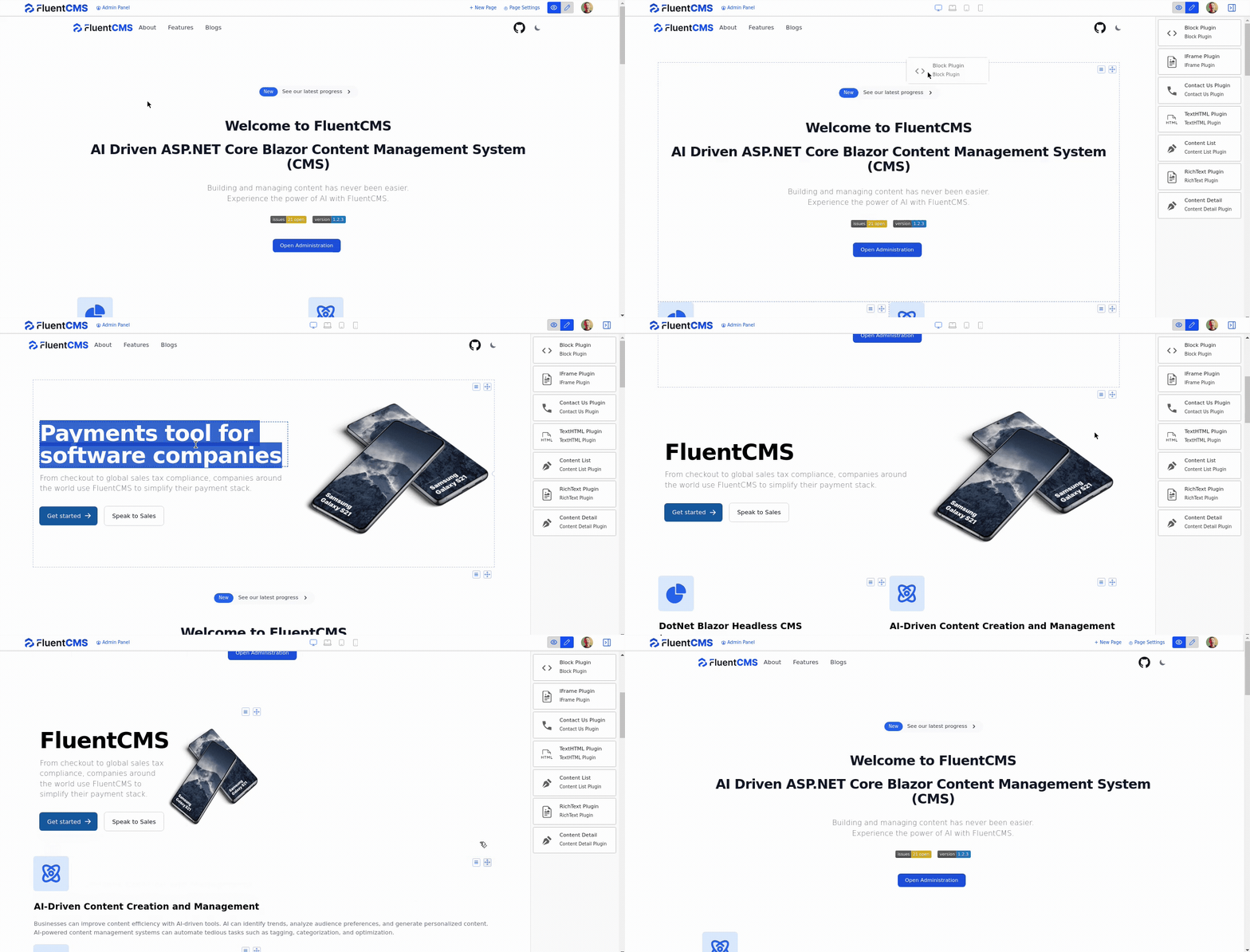
Table of contents
Introduction
FluentCMS is a modern Content Management System (CMS) built on the powerful ASP.NET Core and the innovative Blazor technology. FluentCMS assists content writers in crafting content more efficiently. Designed to be fast, flexible, and user-friendly, it not only serves as a traditional content-based CMS but also excels as a headless CMS, making it perfect for a diverse range of digital applications.
FluentCMS is an open-source project, and we welcome contributions from the community. If you're interested in helping us improve FluentCMS, please read our CONTRIBUTING.md guide.
Connect with us



Features
- Blazing Fast: Built on top of Blazor components for client-side operations.
- Extensible: Easily extend with custom plugins and themes.
- SEO Friendly: Built-in SEO tools to optimize content for search engines.
- Responsive: Mobile-friendly out of the box.
- Modern UI: Sleek and intuitive dashboard for content management.
- Headless Capabilities: API-first design for decoupled applications.
- Multi-Language Support: Easily manage content in multiple languages.
- Role-Based Access Control: Granular control over user permissions.
- Media Management: Upload, organize, and manage media files.
- Content Type Definition: Define custom content types with various fields.
- Content Management: Create, edit, and manage content with ease.
- User Management: Manage users and roles with ease.
- Role Management: Create and manage roles with custom permissions.
- Application Settings: Configure application settings with ease.
- Multiple Site Support: Manage multiple sites from a single dashboard.
- Page Management: Create and manage pages with custom layouts.
- Plugin Management: Extend functionality with custom plugins.
Supported Databases
- LiteDB
- MongoDB
- MySQL (coming soon)
- SQL Server (coming soon)
- SQLite (coming soon)
- PostgreSQL (coming soon)
Getting Started
Prerequisites
Installation
Clone the repository:
git clone https://github.com/fluentcms/FluentCMS.git
Navigate to the project directory:
cd FluentCMS/src/FluentCMS/
Configure the Database
FluentCMS supports multiple databases. Configure the desired database by following these steps:
Available options are: LiteDb, MongoDB, SQLite, SQLServer, MySQL, PostgreSQL
Provide Connection Strings in appsettings.json:
Set your connection string under "ConnectionStrings" in appsettings.json for the desired database:
"ConnectionStrings": {
   "DefaultConnection": "Filename=./fluentcms.db"
}
Run the application:
dotnet run
Visit http://localhost:5000 in your browser.
Component Library
This project includes a custom, independent Blazor-based component library styled with flowbite's Design System. You can learn more in Component Library's README file.
Documentation
For more information on how to use FluentCMS, please refer to our documentation. We are actively working on expanding our documentation to provide more detailed information.
Contributing
We welcome contributions! If you're interested in improving FluentCMS, please read our CONTRIBUTING.md guide.
License
This project is licensed under the MIT License - see the LICENSE file for details.