Flagsmith is an open-source feature flag and remote configuration platform, written in Python and released under the BSD-3-Clause licence, for engineering teams that need to toggle, segment and roll out features across web, mobile and server-side applications without deploying new code.
What it is
Flagsmith is a feature flagging platform with remote config, experimentation and both self-hosted and hosted deployment options. It is written in Python and distributed primarily through Docker, and it exposes its functionality through SDKs for more than fifteen languages and frameworks, including TypeScript, .NET, Java, React and Next.js. The core of the platform is open source under BSD-3-Clause, with a small number of repositories under the MIT licence, and the project positions itself as the open source feature flag tool its maintainers needed but could not find on GitHub.
The problem it solves is the coupling between releasing code and changing behaviour. Once a section of application code is wrapped in a flag, individual features can be toggled on or off for particular environments, users or user segments from the Flagsmith interface, so a team can make changes remotely instead of writing and deploying a new build. That same mechanism covers beta rollouts to testers, segment-targeted releases, and A/B and multivariate tests. It lives in the CI/CD ecosystem, evidenced by the cd, ci, continuous-integration and docker topics, and it complements rather than replaces the delivery pipeline: the flag decides who sees a feature, the pipeline decides when the code exists.
Key capabilities
- Feature flags: wrap a section of code with a flag and toggle that feature on or off per environment, user or user segment.
- Remote configuration: change flag state and configuration from the Flagsmith interface without deploying new code.
- A/B and multivariate testing: use segments to run experiments on new features and compare outcomes.
- Segments: release features to beta testers, collect feedback and iterate on the same flag.
- Organisation management: organise work with orgs, projects and roles for team members.
- SDKs and frameworks: fifteen or more languages and frameworks, including TypeScript, .NET, Java, React and Next.js.
- Integrations: connect the platform to other tools in an existing engineering workflow.
- Docker deployment: a published
flagsmith/flagsmith image and a docker-compose.yml that bootstraps an admin user, organisation and project on first start.
Who uses it and how
- Product and platform teams that ship web, mobile and server-side applications and want one flagging control plane across all three.
- Teams running beta programmes, using segments to expose features to testers, gather feedback and then widen the release.
- Teams running A/B or multivariate tests who need segment-based targeting rather than a separate experimentation stack.
- Larger organisations that need role separation, managed through orgs, projects and roles for team members.
- Security-sensitive and regulated teams that require on-premise or private cloud hosting so flag data and configuration stay inside their own infrastructure.
Getting started
Self-hosting takes two commands: curl -o docker-compose.yml https://raw.githubusercontent.com/Flagsmith/flagsmith/main/docker-compose.yml followed by docker-compose -f docker-compose.yml up, after which a superuser, organisation and project are created and a password-set link appears in the Compose logs. A hosted SaaS version is also available at https://www.flagsmith.com.
How it compares
The supplied facts name no comparable tools and no list of paid products that Flagsmith replaces, so the honest statement is that it stands alone in this registry. What the facts do describe is the split inside the project itself: the core feature flag and remote config platform is open source under BSD-3-Clause and stays open, while enterprise-level governance and management features require a valid Flagsmith Enterprise licence, with a version comparison published in the documentation.
When to use it — and when not to
Use Flagsmith where the team wants flag and remote config control under its own roof, and is willing to run the Docker-based deployment itself, including the bootstrap of the admin user, organisation and project that the compose file performs. Do not pick it expecting every capability to be open source, because governance and management features sit behind the Enterprise licence, and do not pick it if nobody will own the self-hosted deployment or the alternative overrides the case for it: the hosted SaaS option exists precisely for teams that would rather not. A self-hoster should also weigh project maturity against activity, since the repository carries 711 open issues, which is a large backlog for a codebase of this size.
project readme (upstream, from github) — read inline







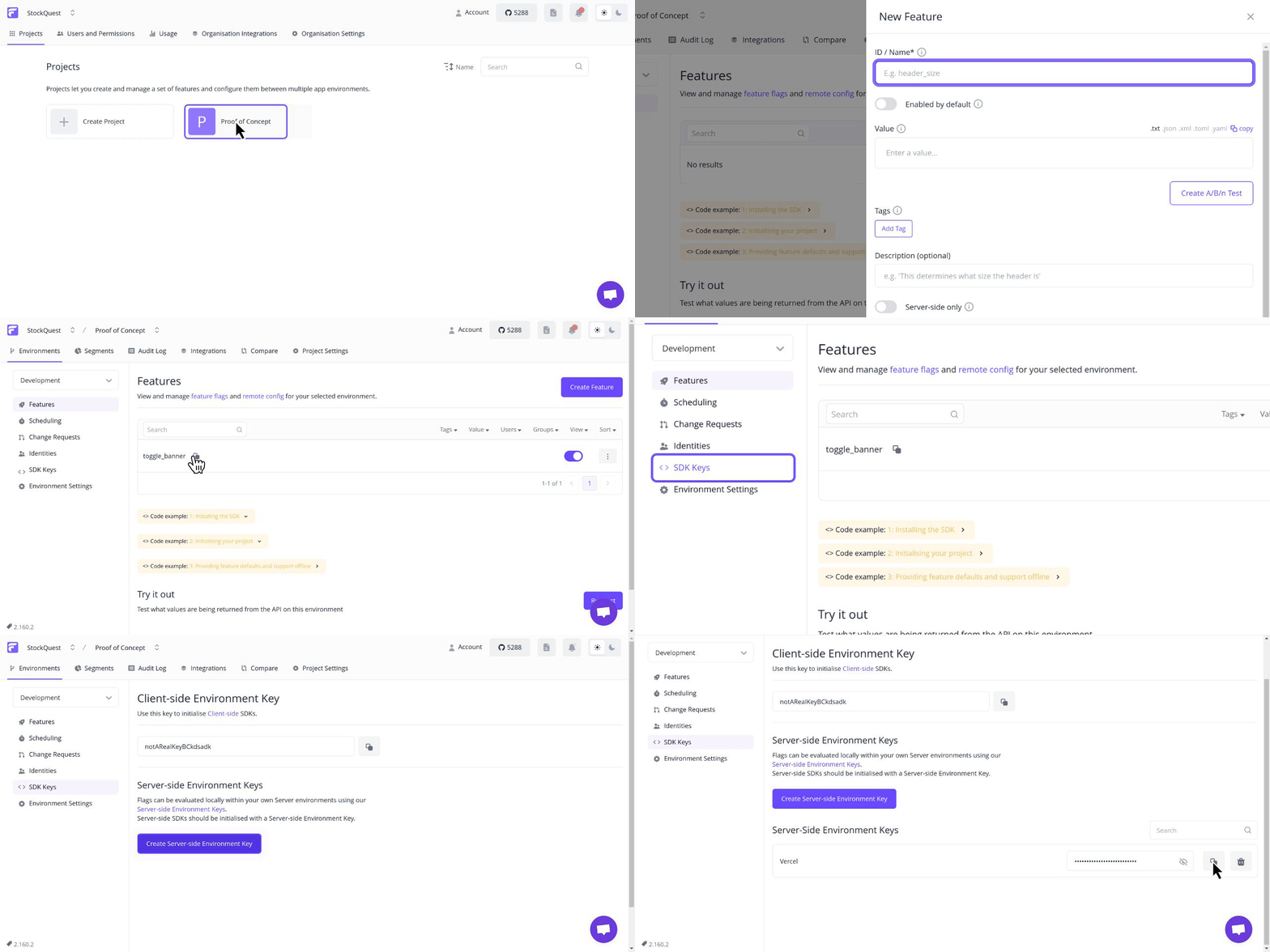
Try our interactive demo
Flagsmith is an Open-Source Feature Flagging Tool to Ship Faster & Control Releases
Change the way your team releases software. Roll out, segment, and optimise—with granular control. Stay secure with on-premise and private cloud hosting.
- Feature flags: Release features behind the safety of a feature flag
- Make changes remotely: Easily toggle individual features on and off, and make changes without deploying new code
- A/B testing: Use segments to run A/B and multivariate tests on new features
- Segments: Release features to beta testers, collect feedback, and iterate
- Organisation management: Stay organised with orgs, projects, and roles for team members
- SDKs & frameworks: Choose from 15+ popular languages like Typescript, .NET, Java, and more. Integrate with any framework, including React, Next.js, and more
- Integrations: Use your favourite tools with Flagsmith
Flagsmith makes it easy to create and manage feature flags across web, mobile, and server side applications. Just wrap
a section of code with a flag, and then use Flagsmith to toggle that feature on or off for different environments, users
or user segments.
Get up and running in less than a minute:
curl -o docker-compose.yml https://raw.githubusercontent.com/Flagsmith/flagsmith/main/docker-compose.yml
docker-compose -f docker-compose.yml up
The application will bootstrap an admin user, organisation, and project for you. You'll find a link to set your password
in your Compose logs:
Superuser "admin@example.com" created successfully.
Please go to the following page and choose a password: http://localhost:8000/password-reset/confirm/.../...
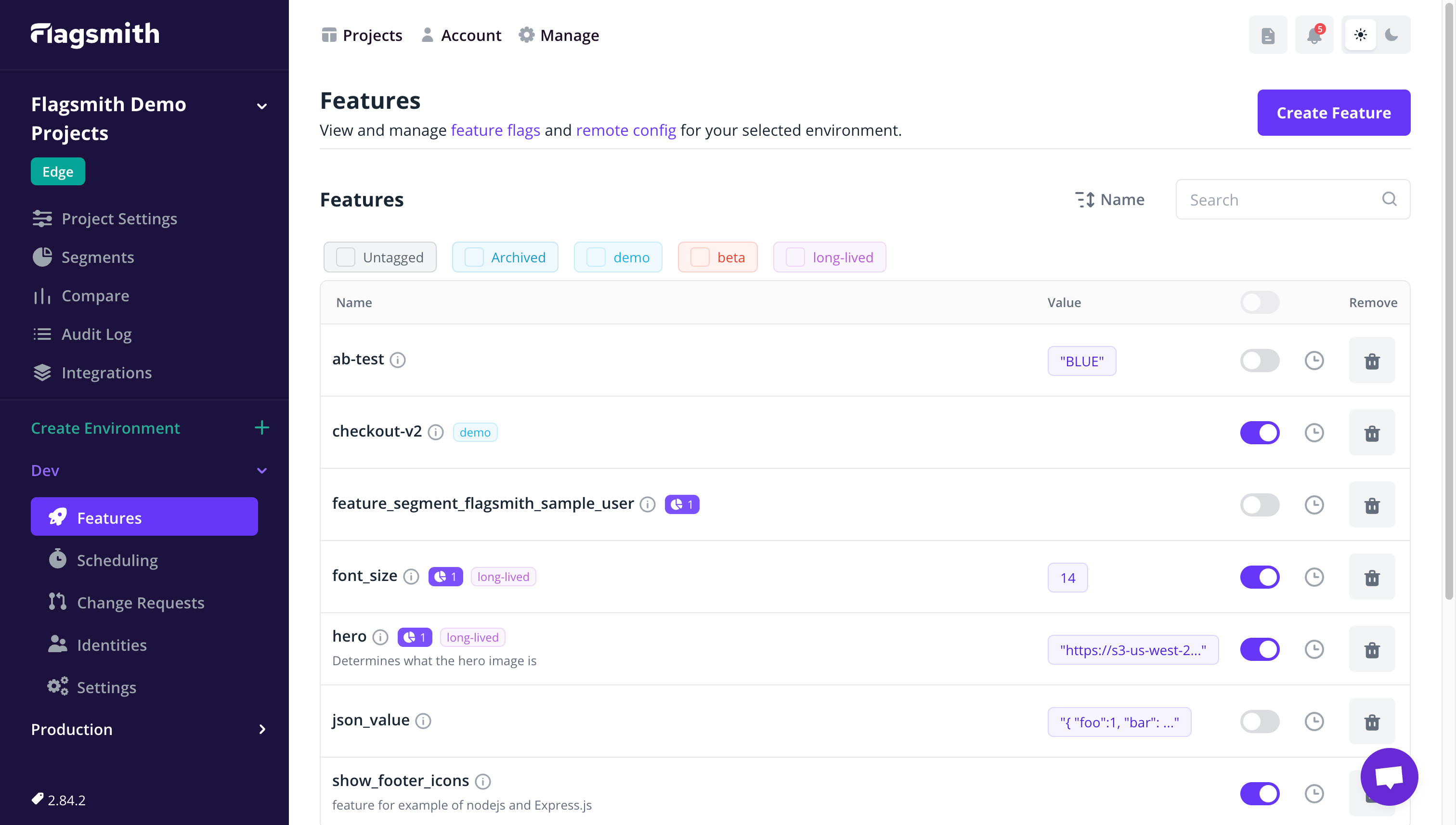
Flagsmith Open Source
We love contributions from the community and are always looking to improve! Here are our contribution guidelines.
Flagsmith hosted SaaS
You can try our hosted version for free at https://flagsmith.com
Community Resources
Open Source Philosophy
The majority of our platform is open source under the BSD-3-Clause license. A small number of repositories are under the MIT license.
We built Flagsmith as the open source feature flag tool we needed but couldn't find on GitHub. Our core functionality stays open, always. Read our open letter to developers.
Open Source vs Paid
With our core functionality being open, you can use our open-source feature flag and remote config management platform no matter what. Enterprise-level governance and management features are available with a valid Flagsmith Enterprise license.
To learn more, contact us or see our version comparison.
Contributors
Thank you to the open source community for your contributions and for building this with us!
Made with contrib.rocks.