





Firefly III
A free and open source personal finance manager
Explore the documentation
View the demo
·
Report a bug
·
Request a feature
·
Ask questions
 Billionaires and fascists are breaking democracies and international alliances. Their profits are costing us our safety. (Digital) sovereignty is more important than ever. Firefly III is free open source software and originates from, and lives in the European Union (🇳🇱). Support your local software developer for a free and open society.
- About Firefly III
- Features
- Who's it for?
- The Firefly III eco-system
- Getting Started
- Contributing
- Support the development of Firefly III
- License
- Do you need help, or do you want to get in touch?
- Acknowledgements
About Firefly III
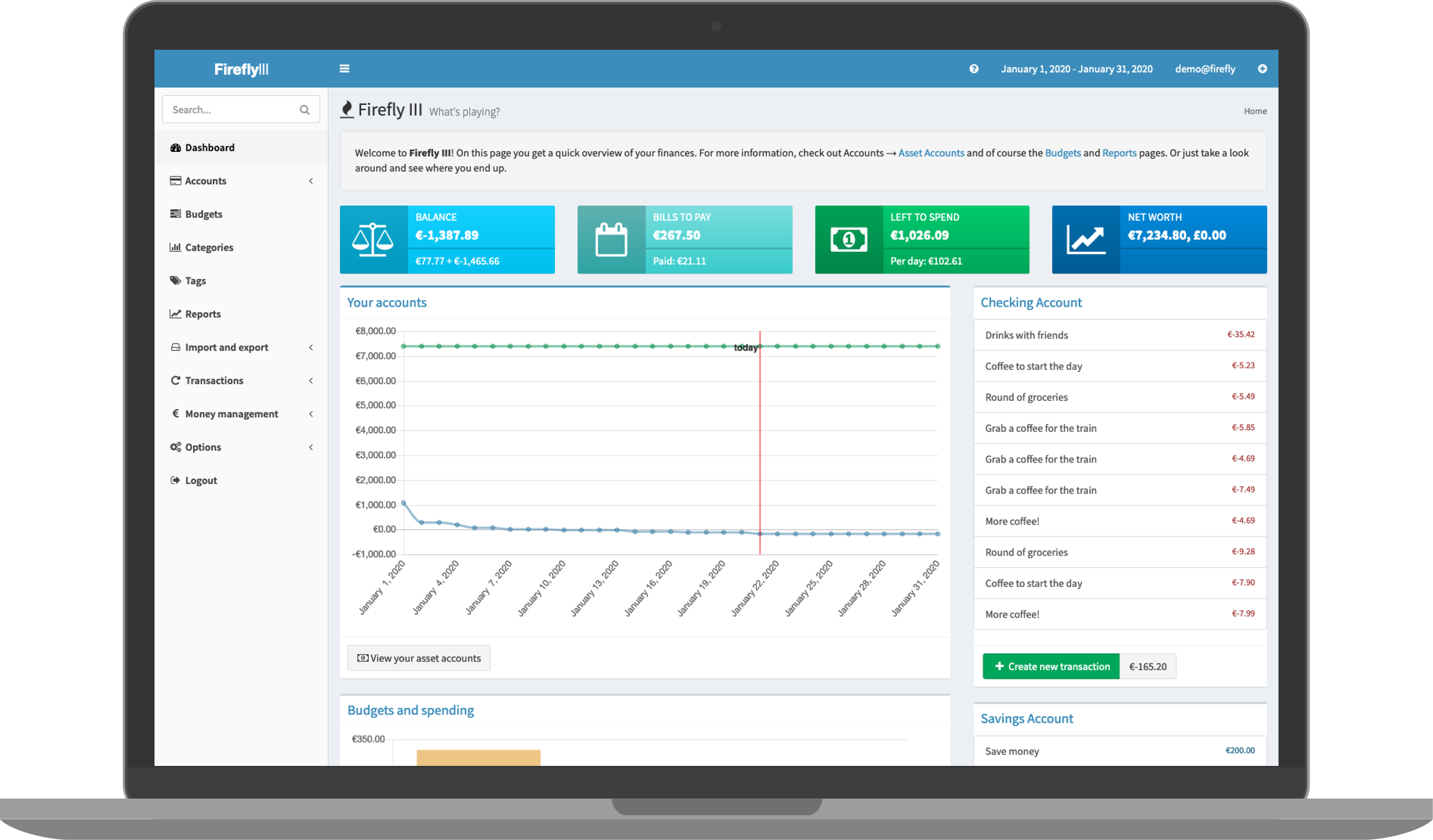
"Firefly III" is a (self-hosted) manager for your personal finances. It can help you keep track of your expenses and income, so you can spend less and save more. Firefly III supports the use of budgets, categories and tags. Using a bunch of external tools, you can import data. It also has many neat financial reports available.
Firefly III should give you insight into and control over your finances. Money should be useful, not scary. You should be able to see where it is going, to feel your expenses and to... wow, I'm going overboard with this aren't I?
But you get the idea: this is your money. These are your expenses. Stop them from controlling you. I built this tool because I started to dislike money. Having money, not having money, paying bills with money, you get the idea. But no more. I want to feel "safe", whatever my balance is. And I hope this tool can help you. I know it helps me.
Purpose
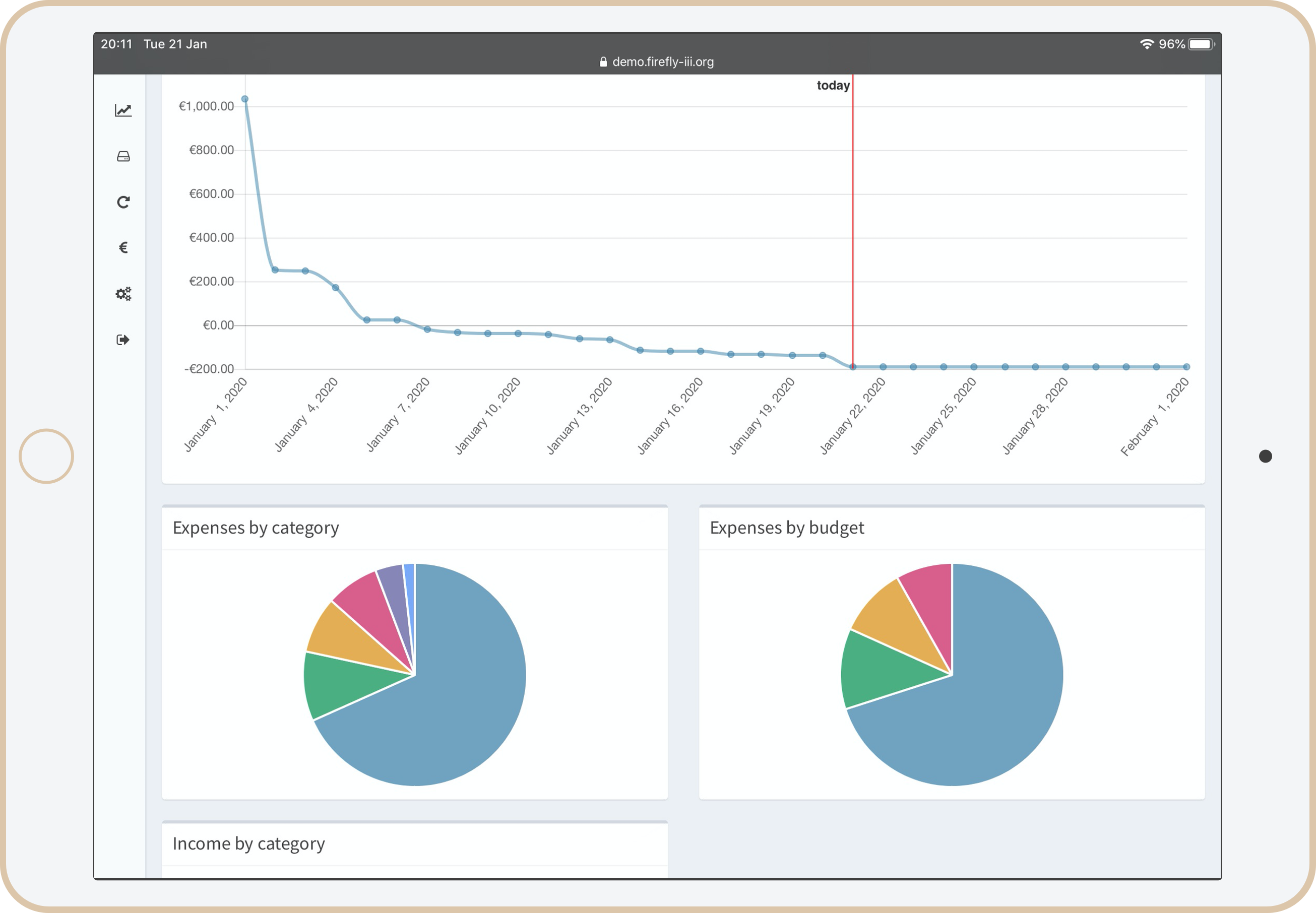
Personal financial management is pretty difficult, and everybody has their own approach to it. Some people make budgets, other people limit their cashflow by throwing away their credit cards, others try to increase their current cashflow. There are tons of ways to save and earn money. Firefly III works on the principle that if you know where your money is going, you can stop it from going there.
By keeping track of your expenses and your income you can budget accordingly and save money. Stop living from paycheck to paycheck but give yourself the financial wiggle room you need.
You can read more about the purpose of Firefly III in the documentation.
Features
Firefly III is pretty feature packed. Some important stuff first:
- It is completely self-hosted and isolated, and will never contact external servers until you explicitly tell it to.
- It features a REST JSON API that covers almost every part of Firefly III.
The most exciting features are:
- Create recurring transactions to manage your money.
- Rule based transaction handling with the ability to create your own rules.
Then the things that make you go "yeah OK, makes sense".
- A double-entry bookkeeping system.
- Save towards a goal using piggy banks.
- View income and expense reports.
And the things you would hope for but not expect:
- 2 factor authentication for extra security 🔒.
- Supports any currency you want.
- There is a Docker image.
And to organise everything:
- Clear views that should show you how you're doing.
- Easy navigation through your records.
- Lots of charts because we all love them.
Many more features are listed in the documentation.
Who's it for?
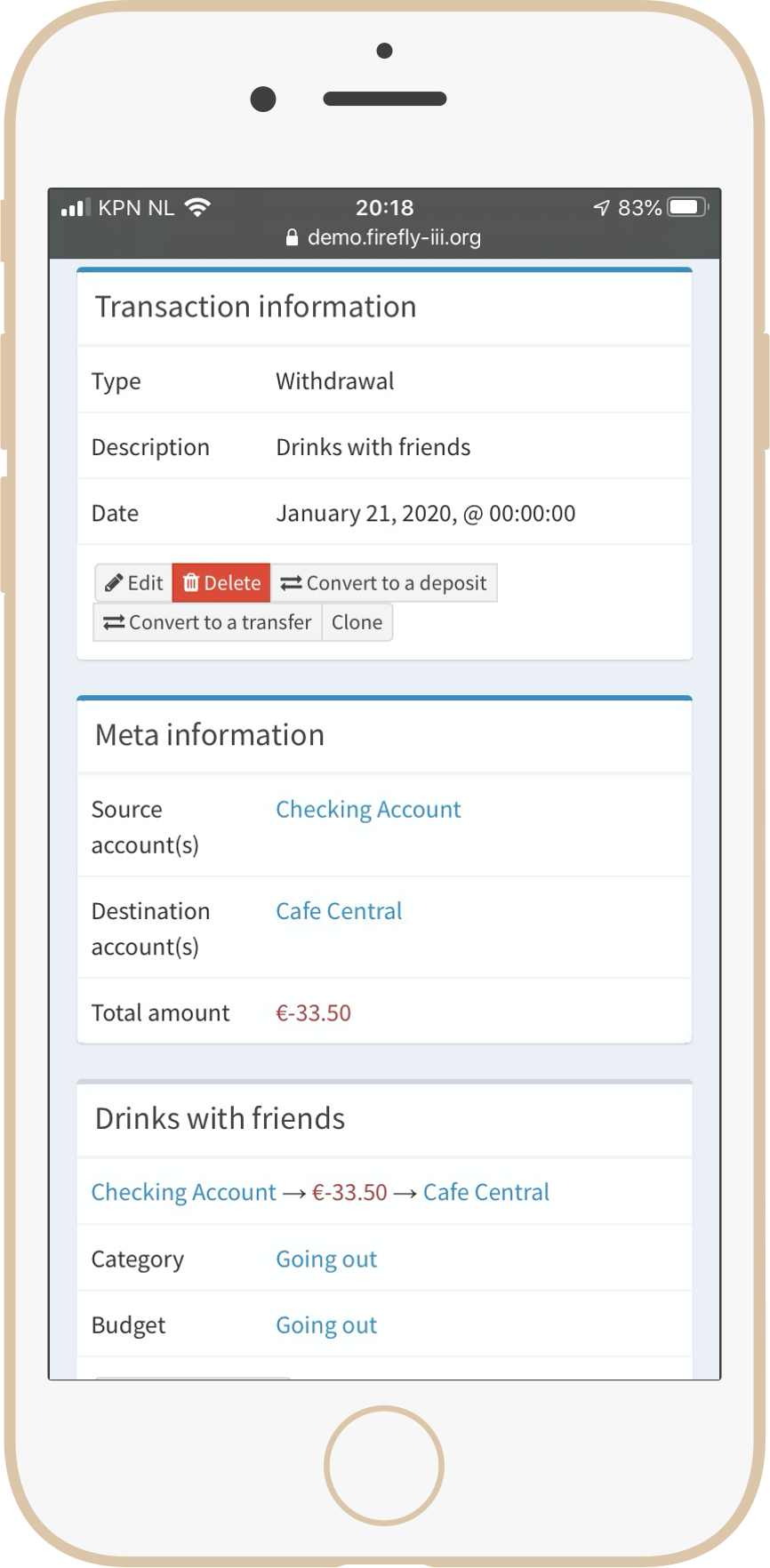
This application is for people who want to track their finances, keep an eye on their money without having to upload their financial records to the cloud. You're a bit tech-savvy, you like open source software and you don't mind tinkering with (self-hosted) servers.
The Firefly III eco-system
Several users have built pretty awesome stuff around the Firefly III API. Check out these tools in the documentation.
Getting Started
There are many ways to run Firefly III
- There is a demo site with an example financial administration already present.
- You can install it on your server.
- You can run it using Docker.
- You can deploy via Kubernetes.
- You can install it using Softaculous.
- You can install it using AMPPS.
- You can install it on Cloudron.
- You can install it on Lando.
- You can install it on Yunohost.
Contributing
You can contact me at james@firefly-iii.org, you may open an issue in the main repository or contact me through gitter and Mastodon.
Of course, there are some contributing guidelines and a code of conduct, which I invite you to check out.
I can always use your help squashing bugs, thinking about new features or translating Firefly III into other languages.
Sonarcloud scans the code of Firefly III. If you want to help improve Firefly III, check out the latest reports and take your pick!
There is also a security policy.
Support the development of Firefly III
Firefly III is a side gig. With your sponsorship or support, I can spend more time on Firefly III. So, if you like Firefly III, and if it helps you save lots of money, why not send me a dime for every dollar saved! 🥳
OK, that was a joke. But for real, when you feel Firefly III made your life better, please consider contributing as a sponsor. Please check out my Patreon and GitHub Sponsors page for more information. You can also buy me a ☕️ coffee at ko-fi.com or send something my way using Liberapay. Thank you for your consideration.
Sponsorships
Firefly III is sponsored by TestMu AI. Their support allows me to test Firefly III more easily and introduce even fewer bugs with every release.
Browser testing via TestMu AI:
License
This work is licensed under the GNU Affero General Public License v3.
Do you need help, or do you want to get in touch?
Do you want to contact me? You can email me at james@firefly-iii.org or get in touch through one of the following support channels:
- GitHub Discussions for questions and support
- Gitter.im for a good chat and a quick answer
- GitHub Issues for bugs and issues
- Mastodon for news and updates
Acknowledgements
Over time, many people have contributed to Firefly III. I'm grateful for their support and code contributions.
The Firefly III logo is made by the excellent Cherie Woo.