FavBox is an MIT-licensed, local-first experimental browser extension built with Vue 3 that enhances and simplifies bookmark management for individual Chrome users who want tagging, search, and cleanup without cloud storage or third-party services.
What it is
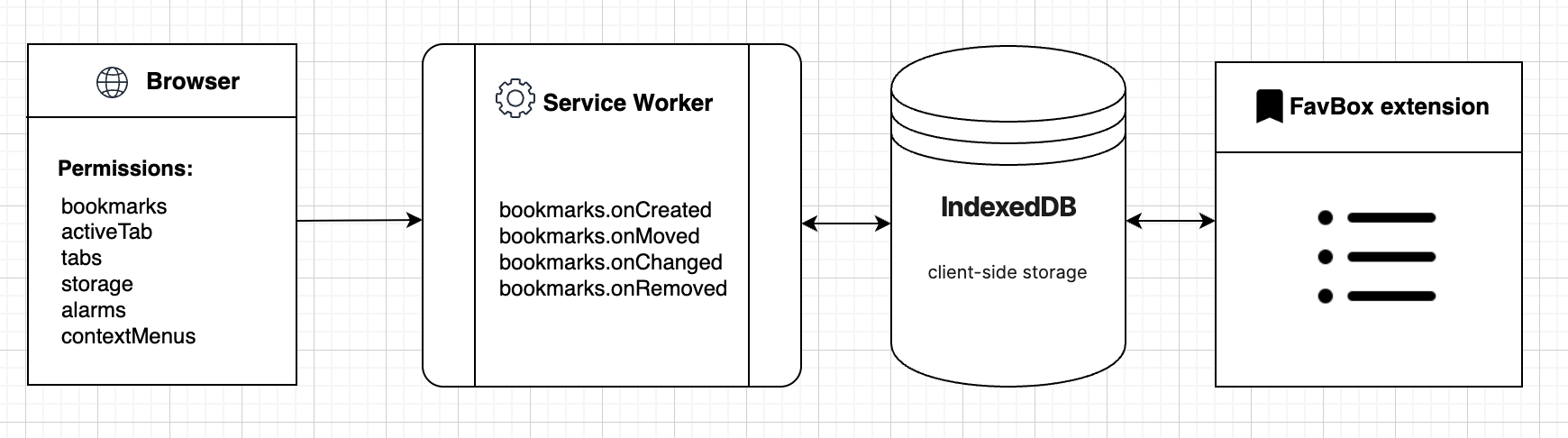
FavBox lives in the Chrome extension ecosystem. It is a Vue 3 application packaged as a browser extension with a popup, content scripts, and a service worker under src/ext, supported by an HTML metadata parser in src/parser, utility services for HTTP, the bookmarks API, tags, and hashing in src/services, and IndexedDB storage in src/storage/idb. On installation it scans all bookmarks in the browser profile, then makes requests to the saved pages and extracts their title, description, image, and meta tags to improve search. It also tracks every browser event related to bookmarks and keeps its own data synchronised with them. All data is stored locally in IndexedDB.
The concrete problem it solves is that the browser's built-in bookmark manager offers folders and little else. FavBox adds tags, advanced search, sorting, and filtering by tags, domains, folders, and keywords, multiple display modes, local notes, light and dark themes, hotkeys for quick search, and detection of broken and duplicate bookmarks. It explicitly does not try to replace the native bookmarking features: bookmarks remain usable through both the extension and the browser's own interface, and because the extension reads tags through the standard browser profile, no account, sync server, or third-party database is needed to organise a collection. The replacement is therefore not the native manager itself but the cloud bookmark services that would otherwise be required for tagging and cross-device organisation.
Key capabilities
- Scans all browser bookmarks and requests the saved pages to extract title, description, image, and meta tags, handled by the parser in
src/parser.
- Tag support with a cross-device sync trick: tags are appended to the bookmark title, for example
Google Chrome — Wikipedia 🏷 #wiki #browser, so they travel through the standard Chrome profile sync without any cloud service.
- Advanced search, sorting, and filtering by tags, domains, folders, and keywords, plus multiple display modes and light and dark themes.
- Detection of broken and duplicate bookmarks, with local notes support for individual entries.
- Keyboard hotkeys for quick search access and a "Save to FavBox" entry added to the right-click context menu.
- Local-first storage in IndexedDB under
src/storage/idb, with no third-party data sharing, no ads, and no tracking.
- Scoped permissions:
bookmarks, activeTab, tabs, storage, alarms, and contextMenus, plus page fetching for metadata such as title, description, and favicon.
Who uses it and how
- Individual Chrome users with large bookmark collections who want tagging and search without creating an account or handing their browsing history to a cloud bookmark service.
- Users who already rely on standard Chrome profile sync across devices, since tags ride along inside bookmark titles and need no extra infrastructure.
- Contributors and tinkerers working on a Vue 3 pet project: the repository exposes
dev, build, test:unit, and test:integration commands, with 769 stars, 38 forks, and 15 open issues.
- Privacy-conscious users who accept the permission set in exchange for fully local storage, including the page requests needed to build metadata previews.
- Firefox users only experimentally: a polyfill exists for browser compatibility, the
dev:firefox command is marked work in progress, and the README states the extension still needs testing there.
Getting started
Install from the Chrome Web Store listing, or build it yourself with pnpm run build, which outputs to dist, then enable developer mode at chrome://extensions/ and use "Load unpacked" on that directory.
How it compares
No list of paid products this project replaces is provided, and the facts name no comparable bookmark tools, so FavBox stands alone in this registry. It is also designed to sit alongside the browser's native bookmark manager rather than displace it.
When to use it — and when not to
Nothing server-side must be operated: there is no database, object storage, or SMTP service to run, because everything lives in IndexedDB inside the browser, so the operational burden is limited to installing the extension and granting its permissions. The honest trade-offs are that the project labels itself experimental, a pet project, and a side project, Firefox support is unfinished and untested, and the TODO list still names SQLite Wasm storage and improved transaction reliability as outstanding work. Anyone who needs guaranteed cross-browser behaviour, a shared or centrally managed bookmark library, or production-grade support should not pick it up yet; it suits single users on Chrome who can tolerate a project that changes.
project readme (upstream, from github) — read inline
FavBox


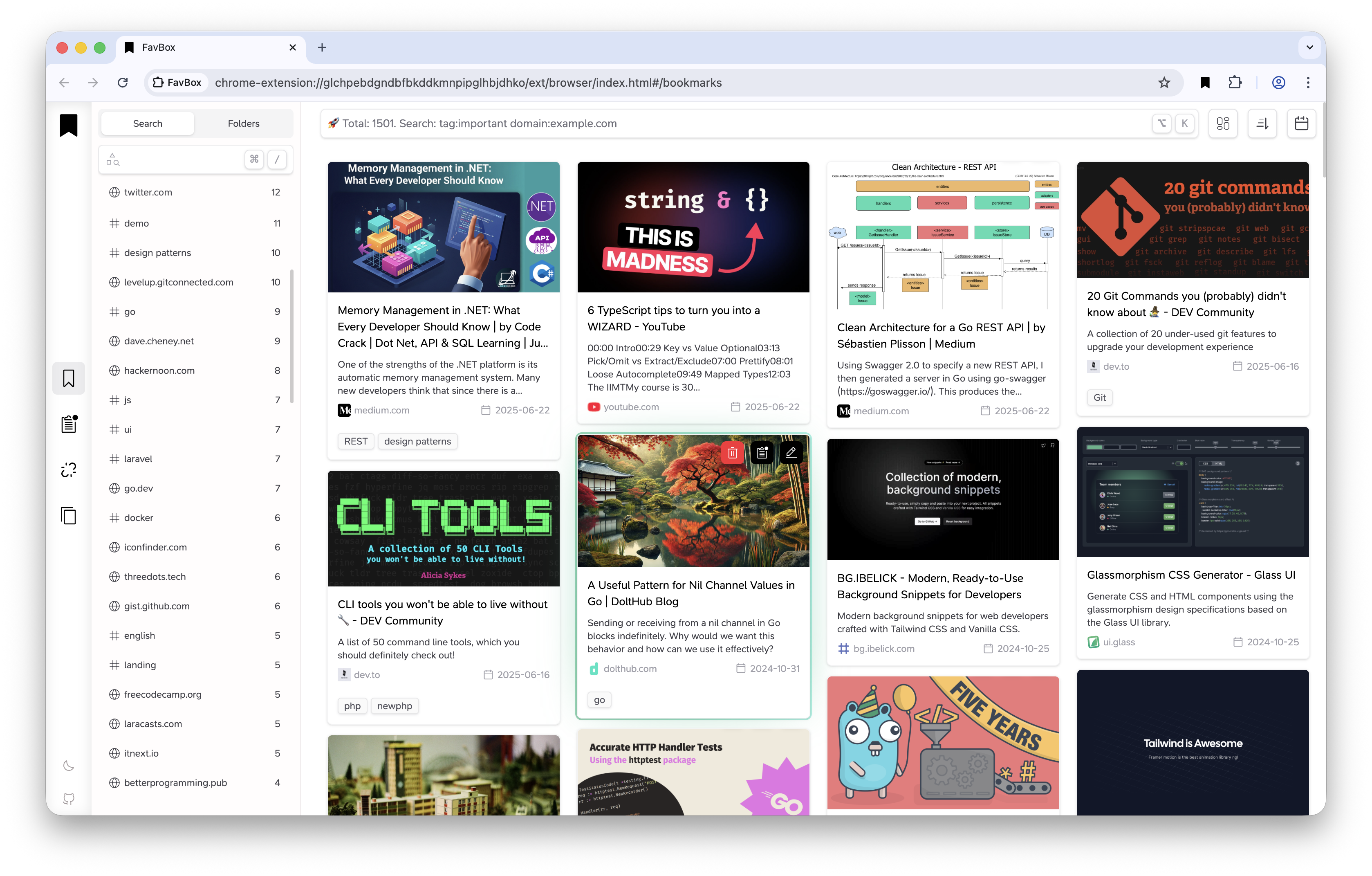
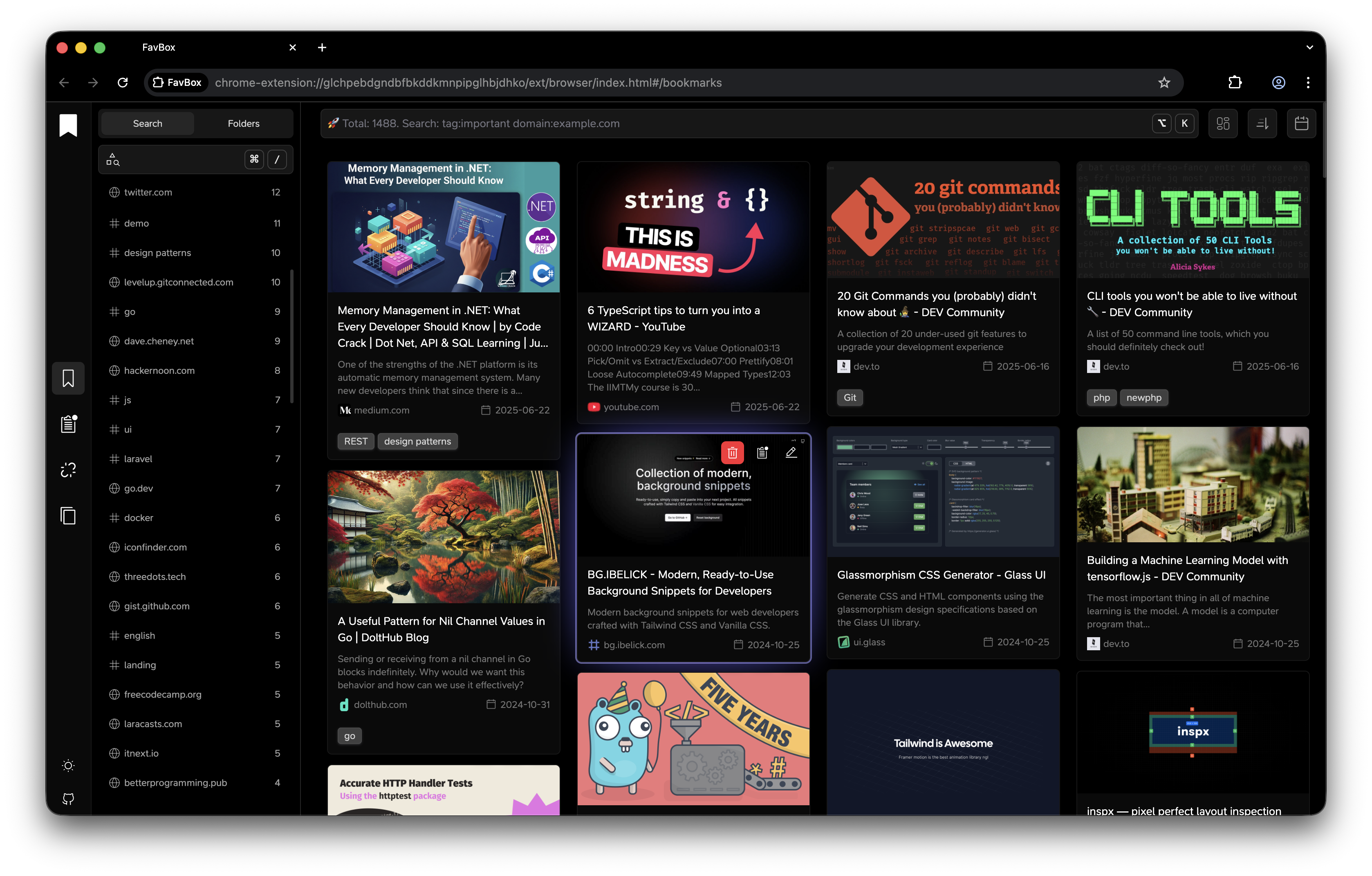

FavBox is a local-first experimental browser extension that enhances and simplifies bookmark management without cloud storage or third-party services. It extends your browser's native bookmarking features.
Key features:
🔄 Syncs with your browser profile
🔒 No third‑party data sharing. No ads. No tracking.
🎨 Minimalist, clean UI
🏷️ Tag support for easy organization
🔍 Advanced search, sorting, and filtering by tags, domains, folders, and keywords
🌁 Multiple display modes
🌗 Light and dark themes
🗑️ Detects broken and duplicate bookmarks
⌨️ Hotkeys for quick search access
🗒️ Local notes support
❤️ Free and open source
Concept
Implementation
FavBox scans all bookmarks in the browser, then makes requests to the saved pages and extracts data from them such as title, description, image, and meta tags to improve the search. All the data is stored in local storage IndexedDB. The extension also tracks all browser events related to bookmarks and synchronizes the data. It only extends the standard functionality and does not attempt to replace it. You can work with bookmarks both through the extension and the native browser’s built-in bookmark features.
FavBox is a fully local application. To keep tags synced across devices, it uses a trick. Since bookmarks are synchronized between devices, to keep tags synchronized, the app adds them to the page title.
For example, if you have a bookmark titled Google Chrome — Wikipedia, to save tags across devices, extension appends them to the title like this:
Google Chrome — Wikipedia 🏷 #wiki #browser
This way, your tags become available on other devices without using any cloud services — only through the standard Google Chrome profile sync.
├── public                 # Static assets (icons, etc.)
│   └── icons
├── src                    # Source code
│   ├── assets             # Global styles
│   ├── components         # Shared UI components
│   │   └── app
│   ├── composables        # Vue composables
│   ├── constants          # Application constants
│   ├── ext                # Browser extension
│   │   ├── browser        # FavBox main app
│   │   │   ├── components
│   │   │   ├── layouts
│   │   │   └── views
│   │   ├── content        # Content scripts
│   │   ├── popup          # Extension popup
│   │   └── sw             # Service worker
│   ├── parser             # HTML metadata parser
│   ├── services           # Utility services (HTTP client, bookmarks API, tags, hash)
│   └── storage            # IndexedDB storage
│       └── idb
└── tests
    ├── integration
    └── unit
Permissions
Building
pnpm run build to build into dist- Enable dev mode in
chrome://extensions/ and Load unpacked extension
Commands
dev Start development server dev:firefox Firefox development build (WIP)build Production build test:unit Run unit tests test:integration Run integration tests
TODO
- Use SQLite Wasm for storage (ideal for future experiments)
- Improve transaction implementation (ensure reliability & better performance)
- The extension already uses a polyfill to maintain compatibility with other browsers. It would be good to test this in Firefox. (WIP)

