Fathom Lite is the original open-source, self-hosted edition of Fathom Analytics — a simple, privacy-focused website analytics tool written in Go with a Preact dashboard, released under the MIT licence for people who want to run their own analytics server rather than buy a hosted service.
What it is
Fathom Lite is a previous and open-source version of Fathom Analytics, the paid, hosted Google Analytics alternative. It was the very first version of that software and has been downloaded millions of times. The application is built with Golang and Preact, carries the MIT licence, and lives in the Data & Analytics / Web & Product Analytics category. The repository shows 8,020 stars, 382 forks, and just 5 open issues, and it is tagged with topics including analytics, website-analytics, metrics, privacy, and google-analytics.
The concrete problem it solves is replacing Google Analytics with self-hosted website metrics that keep visitor data on infrastructure you control. Instead of paying a hosted provider, an operator runs the Go binary or a Docker container, registers a user account, and serves an analytics dashboard on port 8080. The project is explicitly no longer adding features: it is maintained long-term for bug fixes only, so the Lite edition stands as a stable, frozen implementation of the original Fathom idea.
Key capabilities
- Single Go binary that serves the analytics dashboard:
./fathom server starts the webserver, reachable at http://localhost:8080.
- User registration from the command line:
./fathom user add --email= --password=.
- Build pipeline driven by
make build, which compiles the project into an executable and requires Go and NPM installed.
- Docker packaging with
docker build -t fathom . to build an image and docker run -d -p 8080:8080 fathom to run the container, plus a pre-built Docker image.
- Custom configuration values documented in
docs/Configuration.md.
- Production installation instructions maintained in
docs/Installation instructions.md.
- Privacy-focused website analytics with a self-hosted dashboard, distributed under the MIT licence.
Who uses it and how
- Teams that want website metrics without sending visitor data to a third party deploy it on their own server and run the Go binary directly.
- Developers spin up a local development instance by cloning the repository into
$GOPATH/src/github.com/usefathom/fathom, running make build, adding a user, and visiting port 8080.
- Operators who prefer containers deploy the pre-built or self-built Docker image and expose port 8080.
- A typical installation serves a single site, since the Lite requirements describe one install rather than many sites per account.
- Installations are community-supported and used as-is, without an email support SLA.
Getting started
Follow docs/Installation instructions.md for a production install, or run the pre-built Docker image with docker run -d -p 8080:8080 fathom after building it with docker build -t fathom .. For a development instance, run make build, then ./fathom user add --email= --password=, then ./fathom server.
How it compares
The paid products this project relates to are Fathom Analytics (hosted) and, by extension, the Google Analytics alternative it replaces. Fathom Lite is free and MIT-licensed but entirely self-hosted: you run the servers and updates, and scaling and backups are your responsibility, while the hosted product is fully managed and priced per monthly pageview. The hosted service is cookie-free and therefore needs no analytics banner, whereas Fathom Lite uses cookies, and the hosted product adds API access, custom events, ecommerce tracking, UTM campaigns, EU isolation, custom domains, GA import, email reports, CSV export, and up to 50 sites per account — none of which the Lite edition provides.
When to use it — and when not to
Choose Fathom Lite if you want a small, MIT-licensed, self-hosted analytics server and are willing to run the Go or Docker deployment yourself, including updates, scaling, and backups. Avoid it if you need cookie-free tracking, API access, custom events, ecommerce reporting, multiple sites per install, a modern dashboard, or vendor support, because all of those are hosted-only features. Note also that active feature development has stopped: the maintainers fix bugs but add nothing new, and the older Lite UI is frozen as-is.
project readme (upstream, from github) — read inline
Fathom Lite - simple website analytics


Fathom Lite is a previous and open-source version of Fathom Analytics (a paid, hosted Google Analytics alternative). It was the very first version of our software, and has been downloaded millions of times!
While we are no longer adding features to this Lite version, we will be continuing to maintain it long-term and fix any bugs that come up.

Fathom Lite vs Fathom (hosted)
Today’s Fathom Analytics is a hosted product with simple pricing based on monthly pageviews. The same core capabilities are included on every plan: for example API access, up to 50 sites, custom events and ecommerce tracking, unlimited email reports and CSV exports, and forever data retention—with privacy-law compliance and no cookie banner required for analytics.
If you’d rather not run servers or maintenance yourself, try a 30-day free trial (that link applies a $10 credit on your first invoice). Browse all features or the live demo.
Installation
Production
You can install Fathom on your server by following our simple instructions.
Development
For getting a development version of Fathom up & running, go through the following steps.
- Ensure you have Go and NPM installed
- Download the code:
git clone https://github.com/usefathom/fathom.git $GOPATH/src/github.com/usefathom/fathom
- Compile the project into an executable:
make build
- (Optional) Set custom configuration values
- (Required) Register a user account:
./fathom user add --email= --password=
- Start the webserver:
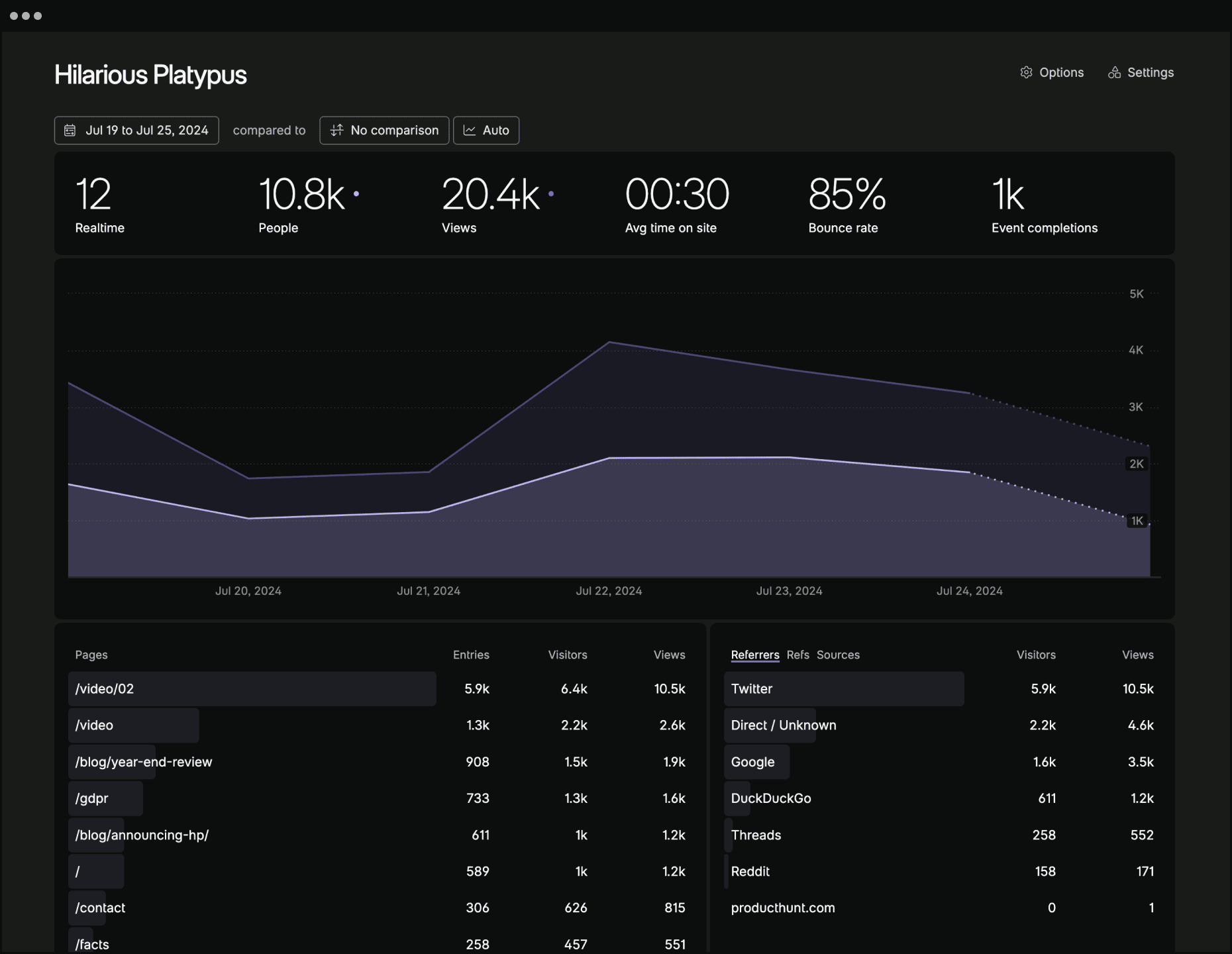
./fathom server and then visit http://localhost:8080 to access your analytics dashboard
Docker
Building
Ensure you have Docker installed and run docker build -t fathom ..
Run the container with docker run -d -p 8080:8080 fathom.
Running
To run our pre-built Docker image, run docker run -d -p 8080:8080 usefathom/fathom:latest
Tracking snippet
To start tracking, create a site in your Fathom dashboard and copy the tracking snippet to the website(s) you want to track.
Content Security Policy
If you use a Content Security Policy (CSP) to specify security policies for your website, Fathom requires the following CSP directives (replace yourfathom.com with the URL to your Fathom instance):
script-src: yourfathom.com;
img-src: yourfathom.com;
Copyright and license
MIT licensed. Fathom and Fathom logo are trademarks of Fathom Analytics.