


faraday is a free, open source collaboration & communication project written in Python and released under GPL-3.0. It has 6,745 GitHub stars, 1,072 forks and 15 open issues, and was last pushed 13 days ago. On this registry it ranks #15 of 41 tracked projects in Collaboration & Communication, with 5 head-to-head comparisons available.

What is faraday?

Faraday is an open-source vulnerability management platform that aggregates and normalizes security scanner output into a single multiuser workspace, built for security analysts, AppSec teams, and DevOps engineers who need to track findings through to remediation.

What it is

Faraday is a Python application, released under GPL-3.0, that collects the output of community security scanners and turns it into organized, explorable vulnerability data. The README frames security around two difficult tasks: designing smart ways of getting new information, and keeping track of findings to improve remediation efforts. Faraday targets the second task, letting teams focus on discovery while the platform handles aggregation, normalization, and tracking. It lives in the application security and DevSecOps ecosystem, and it works with the tools teams already run rather than asking them to abandon them.

The concrete problem Faraday solves is the manual, disconnected handling of scanner results. Instead of reading each scanner's report in isolation and tracking findings by hand, teams load results into Faraday, which normalizes them and exposes them through visualizations meant for both managers and analysts. The README describes the goal as taking advantage of the available community tools "in a truly multiuser way." Faraday replaces the ad hoc, single-user consolidation of vulnerability findings with a shared platform where scanning output becomes structured, comparable data.

Key capabilities

  • Aggregates and normalizes data loaded from community scanners, with Burp Suite, Nessus, and Nmap named in the topic list and Bandit, OWASP ZAP, and SonarQube referenced in the CI/CD integration guides.
  • Provides a multiuser workspace where findings are explored through different visualizations useful to managers and analysts alike, shown in the manage and dashboard documentation images.
  • Ships faraday-cli, a command line client installed with pip3 install faraday-cli, that provides access to console tools, supports scan automation, CI/CD integration, and retrieval of metrics from a workspace.
  • Supports several deployment paths: a docker-compose.yaml, the Docker image faradaysec/faraday:latest, the PyPI package faradaysec, Debian and RPM binary packages, and a source install.
  • Uses faraday-manage initdb to initialize the database and faraday-server to start the server, which is reachable on port 5985 with a default faraday username.
  • Carries topic tags for continuous scanning, CVE tracking, AppSec, DevSecOps, and orchestration, reflecting its role in ongoing security workflows.

Who uses it and how

  • Multiuser security teams, where managers and analysts share a single workspace rather than separate scanner reports.
  • CI/CD pipelines, with documented integrations for GitHub, Jenkins, TravisCI, and GitLab, and pipelines covering Bandit, OWASP ZAP, and SonarQube.
  • Command-line users who drive scans, automation, and workspace metrics through faraday-cli instead of the web interface.
  • DevOps and DevSecOps groups that need findings from Nmap, Nessus, Burp Suite, and similar tools consolidated in one place.

Getting started

The README recommends the docker-compose path as the easiest: download docker-compose.yaml from the repository and run docker-compose up. Alternatives include the faradaysec/faraday:latest Docker image, pip3 install faradaysec followed by faraday-manage initdb and faraday-server, or the Debian and RPM binary packages.

How it compares

The provided facts name no competing product that Faraday replaces; the tools named, such as Nmap, Nessus, Burp Suite, OWASP ZAP, Bandit, and SonarQube, are scanners whose output Faraday consumes rather than rivals. On that basis, Faraday stands alone in this registry, positioned above the scanning tools it aggregates rather than alongside them.

When to use it — and when not to

A self-hoster must run a PostgreSQL database for the Docker deployment path and operate the Faraday server on port 5985, so some infrastructure work is involved. Teams that want a fully managed or hosted service should look elsewhere, since the facts describe only self-hosted install methods. The platform is a strong fit for organizations already running multiple scanners that need shared, normalized findings; it is a poorer fit for a single analyst who wants a hosted tool with no database to operate.

project readme (upstream, from github) — read inline

logo

Open Source Vulnerability Manager

Security has two difficult tasks: designing smart ways of getting new information, and keeping track of findings to improve remediation efforts. With Faraday, you may focus on discovering vulnerabilities while we help you with the rest. Just use it in your terminal and get your work organized on the run. Faraday was made to let you take advantage of the available tools in the community in a truly multiuser way.

Faraday aggregates and normalizes the data you load, allowing exploring it into different visualizations that are useful to managers and analysts alike.
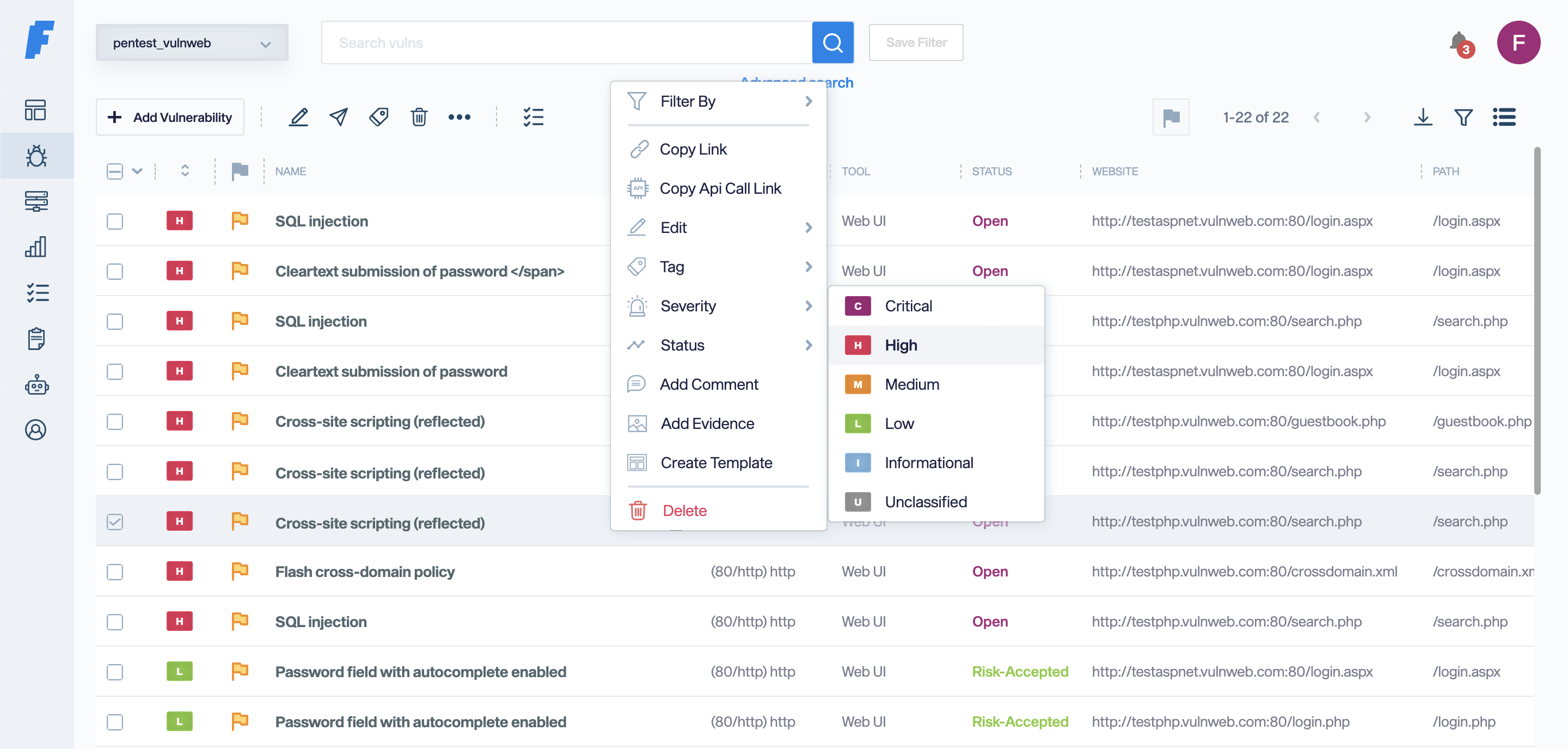
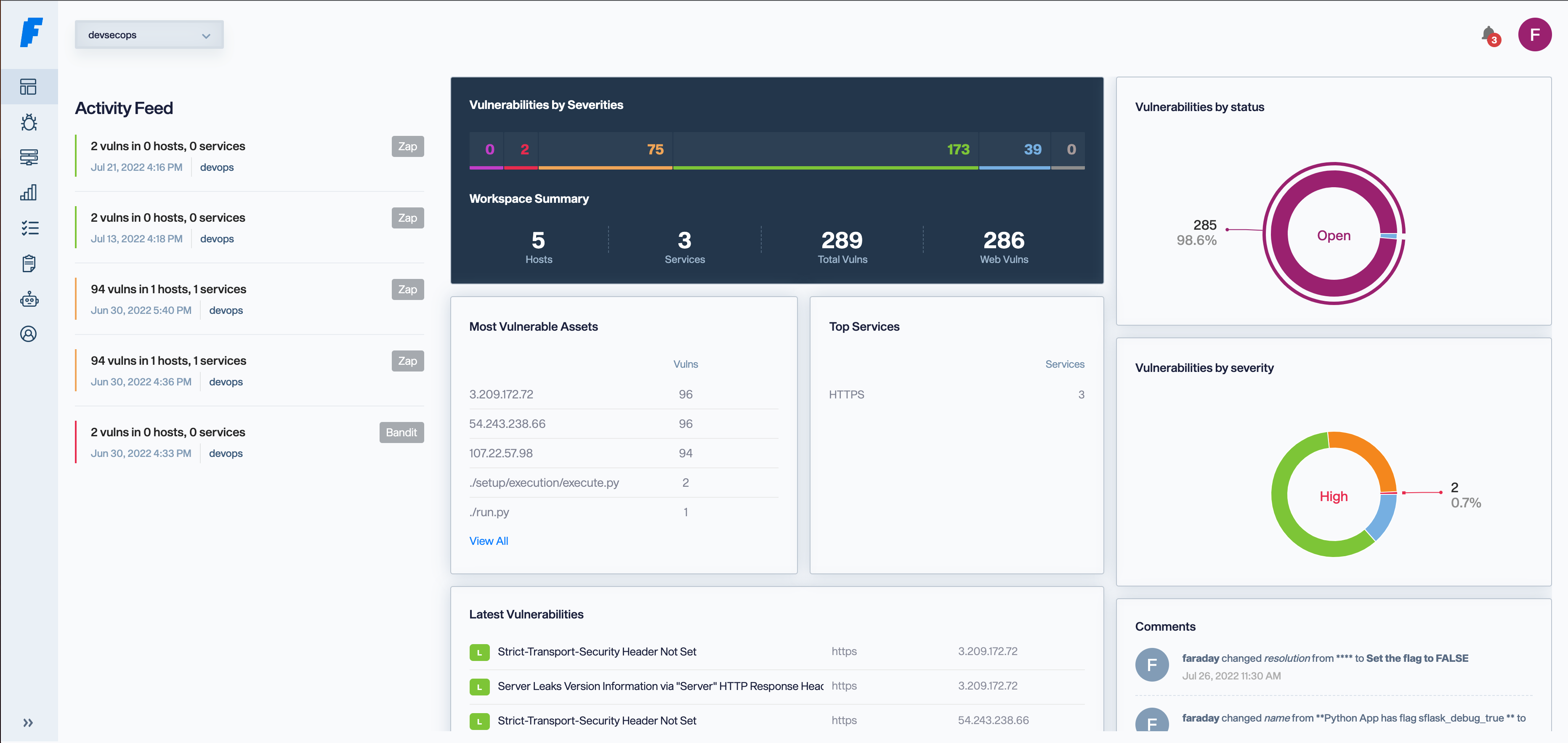
manage dashboard

To read about the latest features check out the release notes!

Install


Docker-compose

The easiest way to get faraday up and running is using our docker-compose

$ wget https://raw.githubusercontent.com/infobyte/faraday/master/docker-compose.yaml
$ docker-compose up

If you want to customize, you can find an example config over here Link

Docker

You need to have a Postgres running first.

 $ docker run \
     -v $HOME/.faraday:/home/faraday/.faraday \
     -p 5985:5985 \
     -e PGSQL_USER='postgres_user' \
     -e PGSQL_HOST='postgres_ip' \
     -e PGSQL_PASSWD='postgres_password' \
     -e PGSQL_DBNAME='postgres_db_name' \
     faradaysec/faraday:latest

PyPi

$ pip3 install faradaysec
$ faraday-manage initdb
$ faraday-server

Binary Packages (Debian/RPM)

You can find the installers on our releases page

$ sudo apt install faraday-server_amd64.deb
# Add your user to the faraday group
$ faraday-manage initdb
$ sudo systemctl start faraday-server

Add your user to the faraday group and then run

Source

If you want to run directly from this repo, this is the recommended way:

$ pip3 install virtualenv
$ virtualenv faraday_venv
$ source faraday_venv/bin/activate
$ git clone [email protected]:infobyte/faraday.git
$ pip3 install .
$ faraday-manage initdb
$ faraday-server

Check out our documentation for detailed information on how to install Faraday in all of our supported platforms

For more information about the installation, check out our Installation Wiki.

In your browser now you can go to http://localhost:5985 and login with "faraday" as username, and the password given by the installation process

Getting Started


Learn about Faraday holistic approach and rethink vulnerability management.

Integrating faraday in your CI/CD

Setup Bandit and OWASP ZAP in your pipeline

Setup Bandit, OWASP ZAP and SonarQube in your pipeline

Faraday Cli


Faraday-cli is our command line client, providing easy access to the console tools, work in faraday directly from the terminal!

This is a great way to automate scans, integrate it to CI/CD pipeline or just get metrics from a workspace

$ pip3 install faraday-cli

Check our faraday-cli repo

Check out the documentation here.
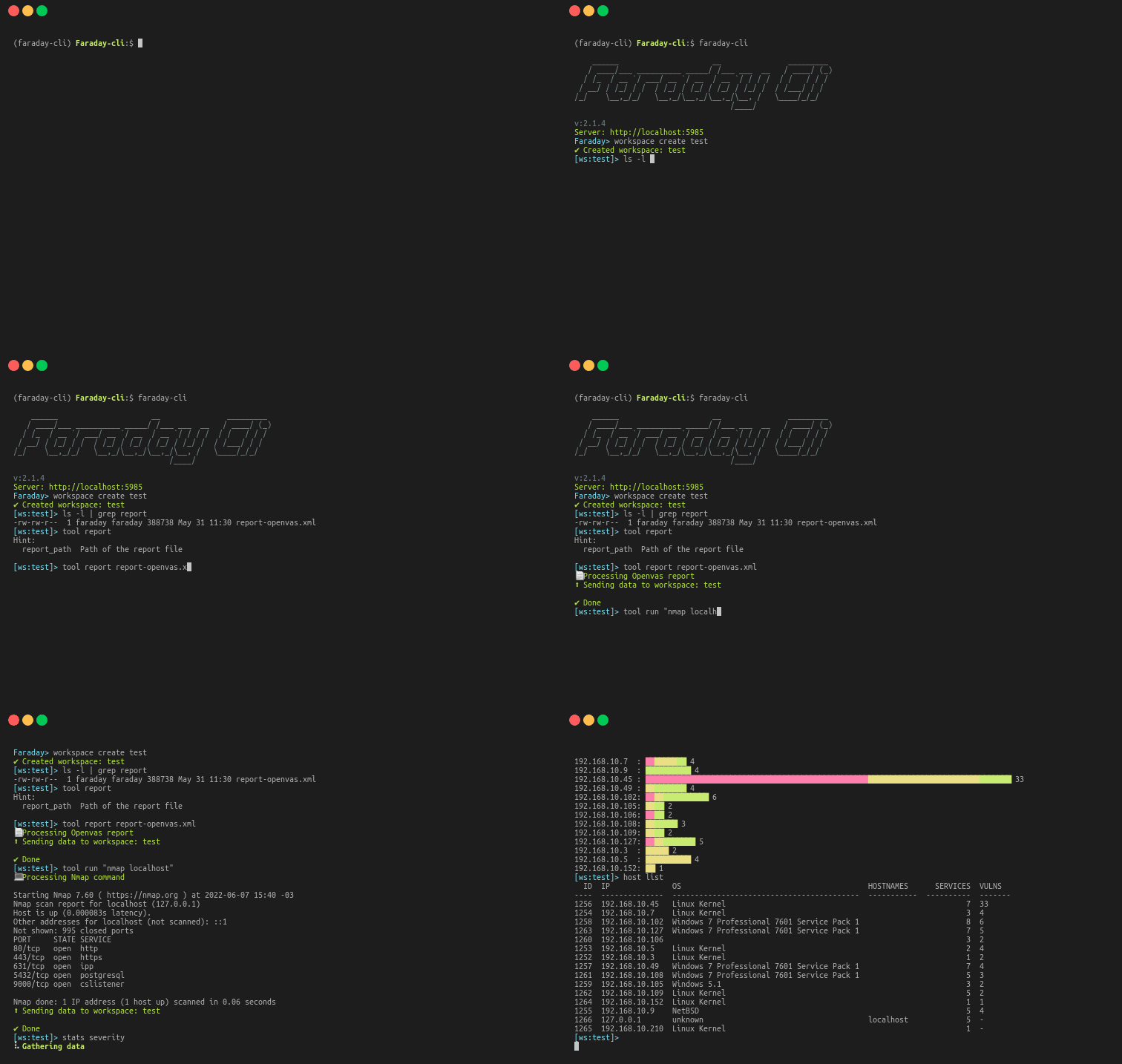
Example

Faraday Agents


Faraday Agents Dispatcher is a tool that gives Faraday the ability to run scanners or tools remotely from the platform and get the results.

Plugins


Connect you favorite tools through our plugins. Right now there are more than 80+ supported tools, among which you will find:
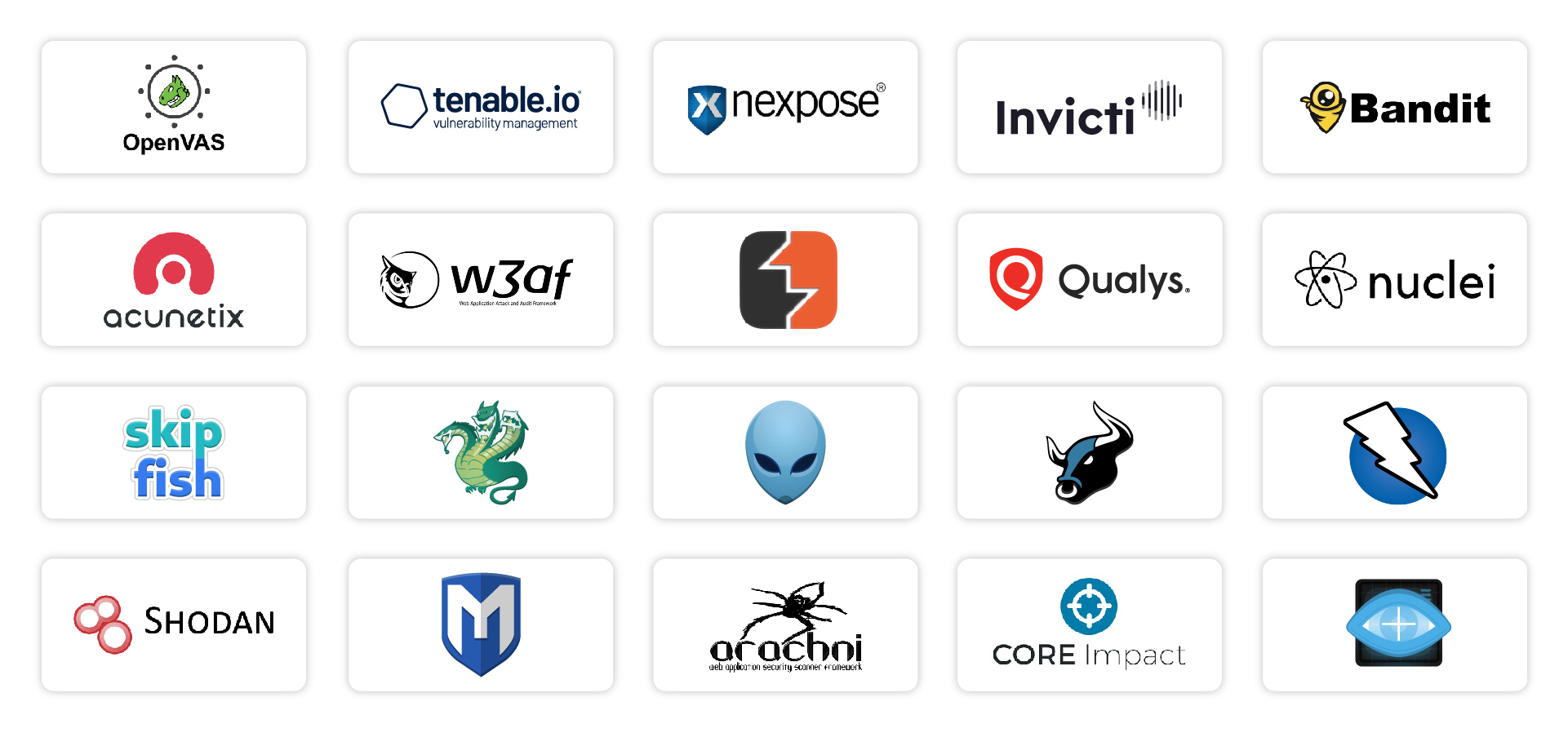
Missing your favorite one? Create a Pull Request!

There are two Plugin types:

Console plugins which interpret the output of the tools you execute.

$ faraday-cli tool run \"nmap www.exampledomain.com\"
💻 Processing Nmap command
Starting Nmap 7.80 ( https://nmap.org ) at 2021-02-22 14:13 -03
Nmap scan report for www.exampledomain.com (10.196.205.130)
Host is up (0.17s latency).
rDNS record for 10.196.205.130: 10.196.205.130.bc.example.com
Not shown: 996 filtered ports
PORT     STATE  SERVICE
80/tcp   open   http
443/tcp  open   https
2222/tcp open   EtherNetIP-1
3306/tcp closed mysql
Nmap done: 1 IP address (1 host up) scanned in 11.12 seconds
⬆ Sending data to workspace: test
✔ Done

Report plugins which allows you to import previously generated artifacts like XMLs, JSONs.

faraday-cli tool report burp.xml

Creating custom plugins is super easy, Read more about Plugins.

API


You can access directly to our API, check out the documentation here.

Links

Frequently asked questions

Is faraday free to use?

faraday is open source under the GPL-3.0 licence. There is no licence fee and no seat count — you can self-host it or, where the project offers one, pay a vendor for a managed version instead.

What does faraday do?

Open Source Vulnerability Management Platform

What is faraday written in?

faraday is primarily written in Python. Its source is publicly available at https://github.com/infobyte/faraday, and it has 6,745 GitHub stars.