Excalidraw Collaboration
Self-hosted Excalidraw with live collaboration, scene storage, and a small set of Docker Compose deployment examples.
Try it online
- The Railway demo is live
and has been verified with
alswl/excalidraw-room-go:v0.1.0.
If the demo is unavailable, deploy your own instance from the Railway template:

Snapshot
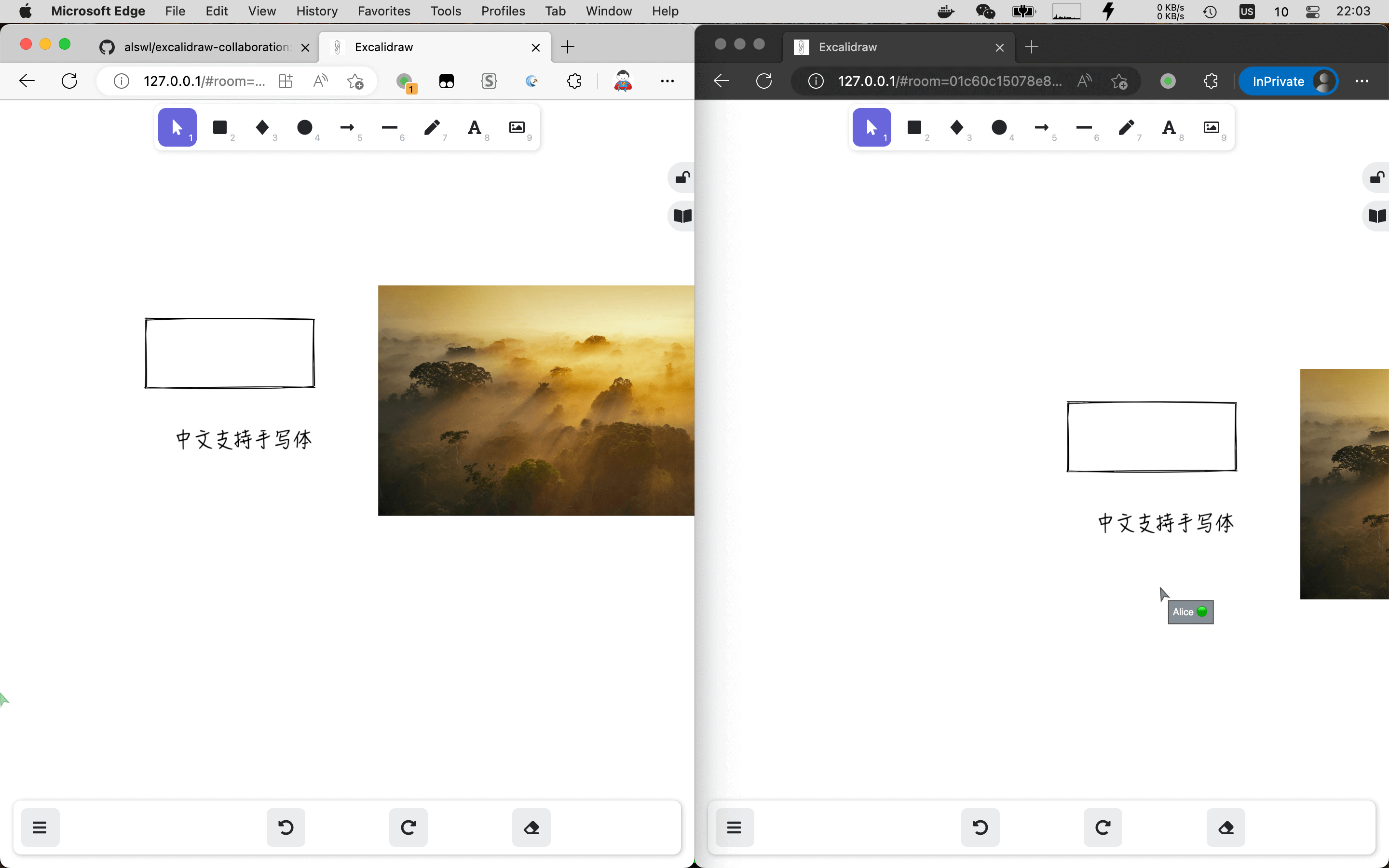
What is included
- An Excalidraw frontend configured through runtime environment variables.
- HTTP storage for scenes and files.
- A Socket.IO room service for real-time collaboration, powered by excalidraw-room-go.
- A local Compose example and an HTTPS/Nginx production example.
flowchart LR
  Browser[Browser] --> Frontend[Excalidraw frontend]
  Browser -->|scenes and files| Storage[Storage backend]
  Browser <-->|Socket.IO| Room[Go room server]
  Nginx[Nginx + TLS] --> Frontend
  Nginx --> Storage
  Nginx --> Room
The exact service wiring is defined in basic/docker-compose.yaml and advanced-nginx/compose.yml.
Quick start
Prerequisite: Docker Compose.
git clone https://github.com/alswl/excalidraw-collaboration.git
cd excalidraw-collaboration
docker-compose -f basic/docker-compose.yaml up -d
Open , select Live Collaboration, then share the room link with another browser session.
| Service | Local address |
|---|---|
| Excalidraw | |
| Storage backend | |
| Room server |
To stop the stack:
docker-compose -f basic/docker-compose.yaml down
Deploy
Local development
Use basic/docker-compose.yaml. It exposes the frontend, storage backend, and room service on separate local ports.
One-domain HTTPS deployment
Use advanced-nginx/compose.yml together with
draw.example.com.conf. Copy
.env-example to .env, set the host names and
database credentials, then configure the supplied Nginx virtual host.
The Nginx configuration forwards / to the frontend, /storage/ to storage,
and /socket.io/ to the room service with WebSocket upgrade headers. HTTPS is
required for browser crypto APIs used by collaboration.
Public endpoints
For a public deployment, configure these frontend variables with your public URLs:
VITE_APP_HTTP_STORAGE_BACKEND_URLVITE_APP_WS_SERVER_URL
The values used by each example are visible in its Compose file. Keep the
room image pinned to a released version; the current examples use
alswl/excalidraw-room-go:v0.1.0.
Traefik
A configurable Traefik-based Docker Compose example is available in Someone0nEarth/excalidraw-self-hosted.
Related projects
- excalidraw-room-go — Go implementation of the Excalidraw Socket.IO room server.
- excalidraw-storage-backend — storage backend used by this stack.
- excalidraw — self-hosting-focused Excalidraw fork used for the frontend image.
- excalidraw.alswl.com — static Excalidraw site with Chinese font support.
Community and support
Questions, bug reports, and deployment experiences are welcome in GitHub Issues. For a code change, please open a pull request with a short description and the validation you ran.
FAQ
How do I deploy with separate public endpoints?
If frontend traffic, WebSocket traffic, and storage traffic are exposed through
separate load balancers, configure TLS for the WebSocket and storage endpoints.
Set VITE_APP_HTTP_STORAGE_BACKEND_URL to the storage endpoint and
VITE_APP_WS_SERVER_URL to the WebSocket endpoint.
For an AWS-oriented deployment discussion, see issue #22.
Why does collaboration fail with generateKey errors?
TypeError: Cannot read properties of undefined (reading 'generateKey')
Excalidraw uses browser cryptography APIs for collaboration. Open the site over
HTTPS, or use http://localhost for local development.
Upgrade guide
v0.15.0 → v0.16.1
Replace REACT_APP_ environment variables with VITE_APP_ variables.
Roadmap
- Self-hosting
- Live collaboration
- Docker Compose support
- Dynamic frontend environment configuration
- Docker Hub images
- HTTPS demo and documentation
- Railway one-click deployment
- S3 storage support
- SSO support
- Helm support