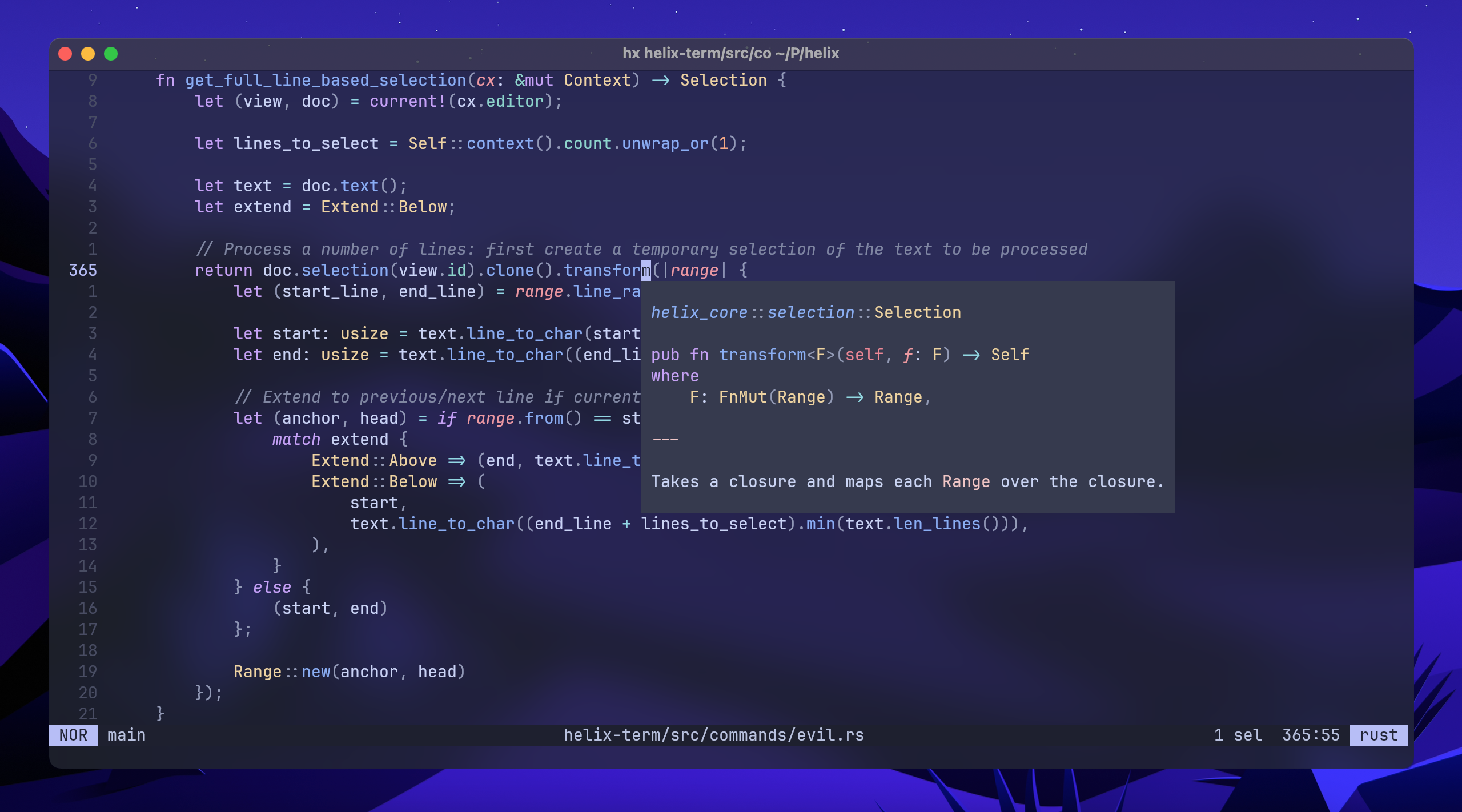
evil-helix is a free, open source ides & code editors project written in Rust and released under MPL-2.0. It has 1,383 GitHub stars, 40 forks and 77 open issues, and was last pushed 2 months ago. On this registry it ranks #47 of 49 tracked projects in IDEs & Code Editors, with 5 head-to-head comparisons available.

What is evil-helix?

evil-helix is a soft fork of the Helix editor, written in Rust, that adds Vim keybindings and configurable built-in features for developers who want a more Vim-like experience within the Helix ecosystem.

What it is

evil-helix is a soft fork of Helix, the terminal-based code editor, and is written in Rust under the MPL-2.0 licence. It lives in the Helix ecosystem and remains compatible with upstream by regularly rebasing its changes onto the upstream master branch. The project describes itself as bringing Helix "to the evil side" by introducing Vim keybindings and more, while implementing added functionality as configurable parts of the editor rather than as plugins.

The concrete problem it solves is the gap between Helix's core editing model and the Vim keybindings many developers expect. It adds Vim commands such as "a", "c", "d", "y", and "x"; the "i" modifier; motions including "w", "W", "e", "E", "b", "B", "0", and "$"; and visual line mode through "V". It also renames Helix's "SEL" mode to "VIS", disables smart tab by default, and adds basic Vim modeline support. For users who would otherwise choose Vim or Neovim solely for those bindings, or who do not want to wait for upstream Helix's future Scheme-based plugin system, evil-helix replaces the upstream Helix build with a Vim-oriented alternative that keeps the soft-fork relationship.

Key capabilities

  • evil-helix provides Vim keybindings for the commands "a", "c", "d", "y", and "x", plus the "i" modifier and the motions "w", "W", "e", "E", "b", "B", "0", and "$".
  • It supports visual line mode via "V" and renames Helix's "SEL" mode to "VIS".
  • It adds basic Vim modeline support.
  • The "editor.evil" option is true by default and can be set to false in TOML under the [editor] table to deactivate evil-helix behavior without using a different build.
  • It offers opt-in colored or rainbow indentation guides, and it colors the statusline file type when "color_modes" is enabled.
  • It adjusts defaults such as disabling smart tab by default and uses a minimalistic window separator.
  • Its soft-fork architecture regularly rebases on upstream Helix master and isolates features to avoid conflicts.

Who uses it and how

  • Developers installing a release archive on Linux extract it in /opt and symlink /opt/helix/hx into /usr/local/bin.
  • Users on systems where a package is available can follow the README's preferred method and install through the system package manager.
  • Helix users who want Vim commands, motions, and visual line mode can adopt it without switching to Vim or Neovim.
  • Developers who prefer configuration in Rust, TOML, or Lua can use it without having Scheme or Lisp forced onto them.
  • Users who want functionality implemented directly in the editor as configurable features can avoid plugins that add performance costs and compatibility risks.

Getting started

Download a package from the releases page and extract it in /opt, then symlink the hx binary into /usr/local/bin; if a package is available for the system's package manager, the README recommends that method instead.

How it compares

Within this registry, evil-helix sits alongside Helix, Vim, and Neovim in its topic list, but it is a soft fork of Helix rather than a separate editor lineage. Compared with upstream Helix, it implements Vim keybindings and other features directly in the editor as configurable options, while upstream limits its scope to core functionality and defers further work to a future Scheme-based plugin system.

When to use it — and when not to

Choose evil-helix if you want Helix's core editor with Vim keybindings and built-in configurable features, particularly if you prefer Rust, TOML, or Lua over Scheme or Lisp. When no package is available, expect to install manually by extracting into /opt and symlinking into /usr/local/bin, and note that releases are tagged on-demand rather than on a fixed cadence. It is not the right choice if you want to stay strictly with upstream Helix's feature scope or its planned Scheme-based plugin system; setting editor.evil to false disables the Vim behavior, but the fork's added defaults and features still distinguish it from upstream.

project readme (upstream, from github) — read inline

evil-helix

A soft fork of Helix which introduces Vim keybindings and more.

Build status

Screenshot


Installation

Download a package and extract it in /opt. Additionally, it's recommended to symlink it in /usr/local/bin:

cd /opt
sudo curl -Lo helix.tar.gz https://github.com/usagi-flow/evil-helix/releases/download/release-<VERSION>/evil-helix-<ARCH>-<OS>.tar.gz
sudo tar -xf helix.tar.gz
cd /usr/local/bin
sudo ln -sv /opt/helix/hx .

Package manager

If a package is available for your system's package manager, it's the recommended way to install evil-helix.

Packaging status

Current state

These are the current differences compared to the upstream project:

  • Vim keybindings (feel free to file an issue if you're missing certain bindings):
    • Commands: a, c, d, y, x
    • Modifiers: i
    • Motions: w, W, e, E, b, B, 0, $
    • Visual line mode: V
  • Adjusted defaults (511060a):
    • The Helix "SEL" mode is called "VIS"
    • Smart tab is disabled by default
  • Basic Vim modeline support (#3)
  • Support for colored/rainbow indentation guides, opt-in: see PR (#76)
  • If color_modes is enabled, color the file type in the statusline as well (5503542)
  • Minimalistic window separator (dd990ca)

Moreover, evil-helix introduces the editor.evil option, which is true by default. It can be set to false to completely deactivate evil-helix behavior without having to use a different build:

[editor]
evil = true # Default; set this to `false` to disable evil-helix behavior

Project philosophy

Configurable features instead of plugins

This fork seeks to implement functionality as part of the editor, and make it configurable. The added functionality includes a Vim look-and-feel, but also other features.

In contrast, the upstream project, Helix, mostly limits its scope to its current core functionality, and defers further functionality to the future Scheme-based plugin system.

Compared to plugins, implementing features as part of the editor greatly improves performance, and avoids the risk of plugin compatibility issues.

Sensible defaults

In addition, sensible defaults are crucial: The editor must offer a wide range of tools for your job, but it must do what you expect an editor to do.

Avoid Scheme/Lisp

Scheme/Lisp should not be forced onto the user. It's error-prone and harder to read by humans, compared to Rust/TOML/Lua/...

If upstream Helix moves to a Scheme-based configuration, this project will seek to keep a user-friendly alternative.

Soft fork

This project is a "soft fork", i.e. it remains compatible with the upstream and regularly rebases its changes on top of the upstream master branch. New features should be carefully isolated from the upstream codebase in order to avoid conflicts.

Whether this project remains in this state will depend on how much this project's philosophy and the upstream project diverge, although a hard fork should be considered as a last resort.

Small and regular version releases

Considering the kind and frequency of changes to this repository, it makes sense to release small changes often, rather than holding features back in large releases. Releases are currently tagged on-demand.

Project goals

  • Move the project into an organization and prepare a website
  • Introduce blackbox tests (cf. #68)
  • Introduce more Vim keybindings
  • Implement more common/crucial features as part of the editor:
  • Maintain compatibility with upstream
    • Contribute features to upstream where possible
    • Ensure (through CI) that rebasing is always possible

Development

Keep in mind the main branch may be rebased onto the upstream master branch.

Frequently asked questions

Is evil-helix free to use?

evil-helix is open source under the MPL-2.0 licence. There is no licence fee and no seat count — you can self-host it or, where the project offers one, pay a vendor for a managed version instead.

What does evil-helix do?

Bringing the Helix editor to the evil side

What is evil-helix written in?

evil-helix is primarily written in Rust. Its source is publicly available at https://github.com/usagi-flow/evil-helix, and it has 1,383 GitHub stars.