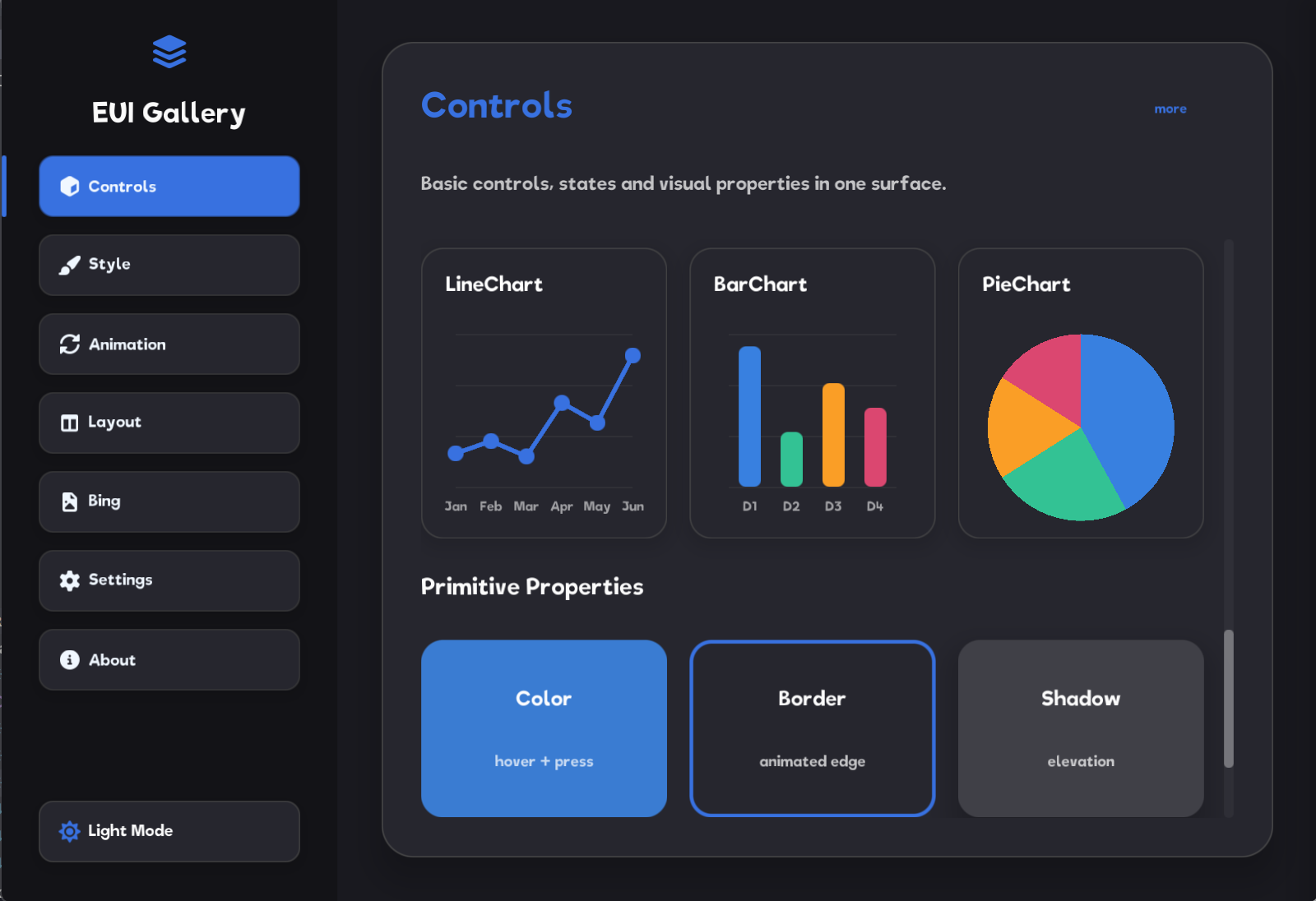
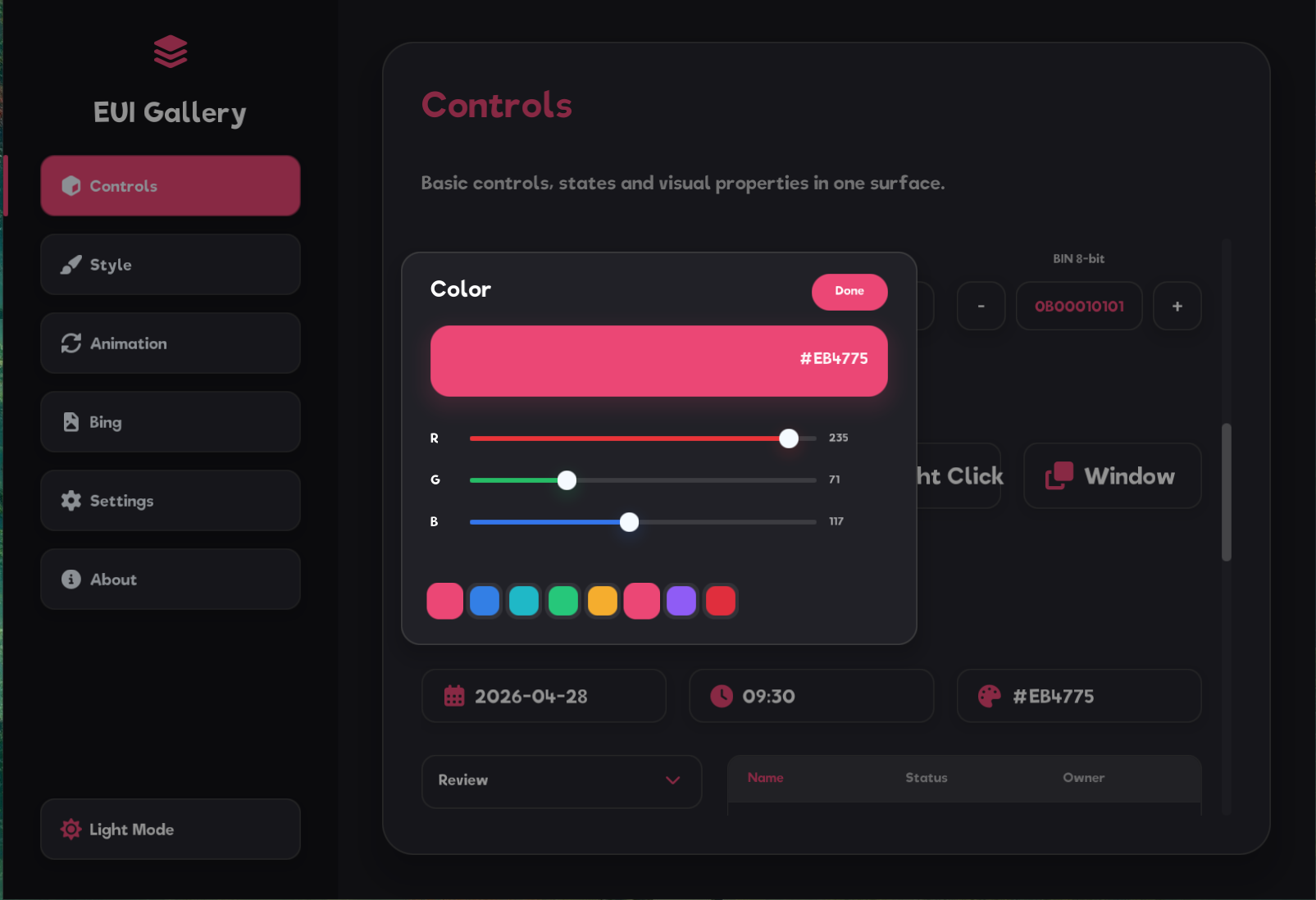
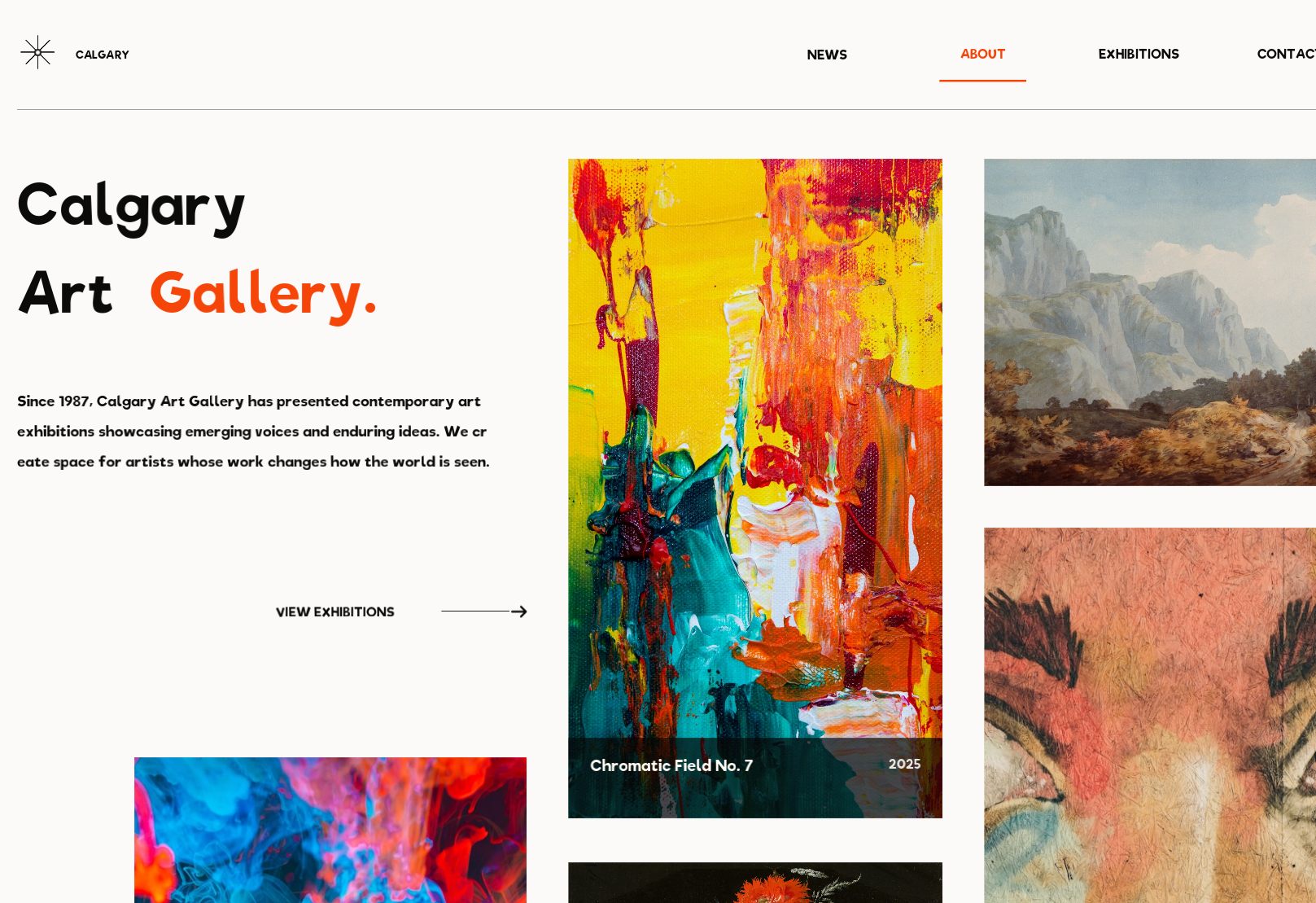
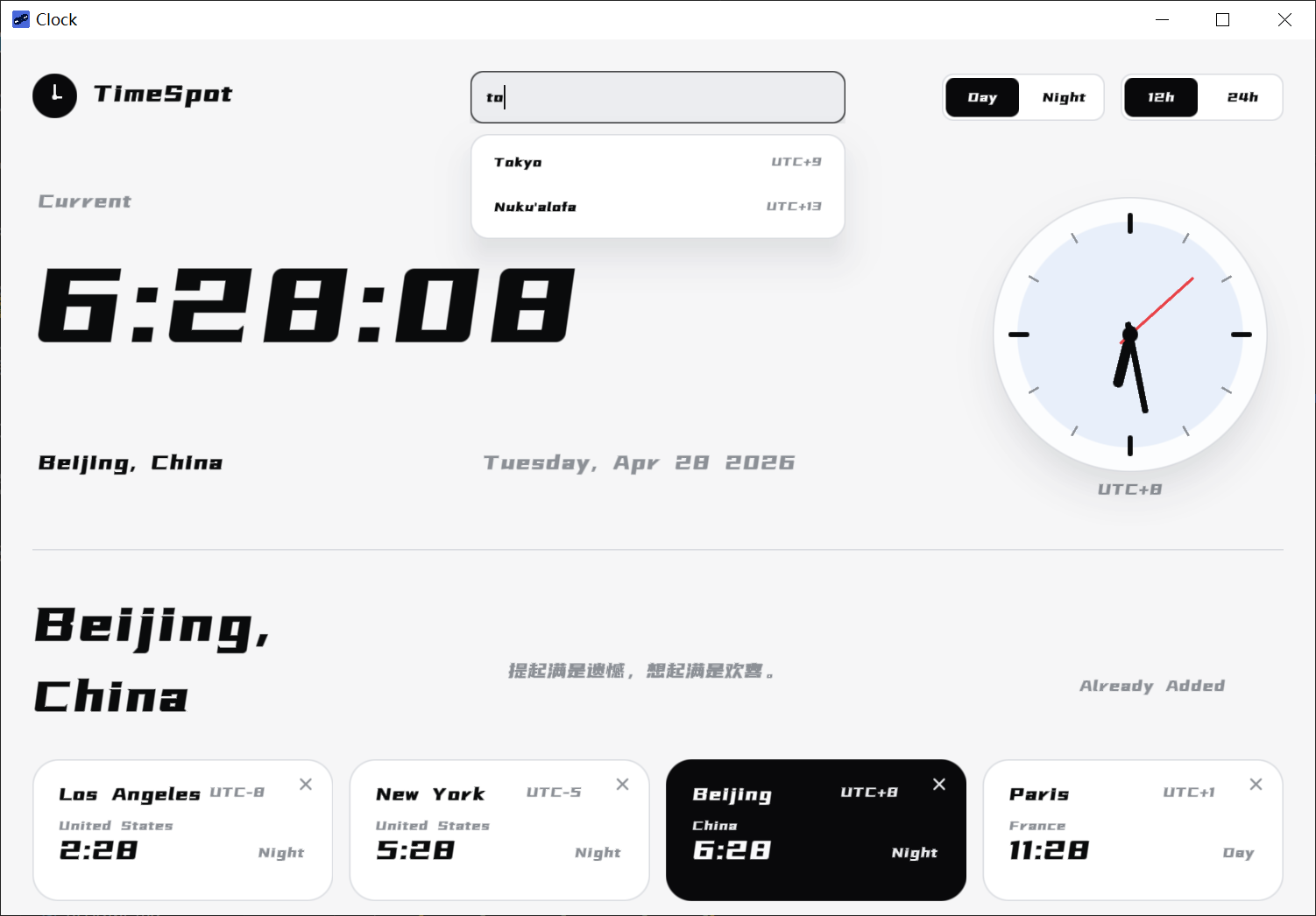
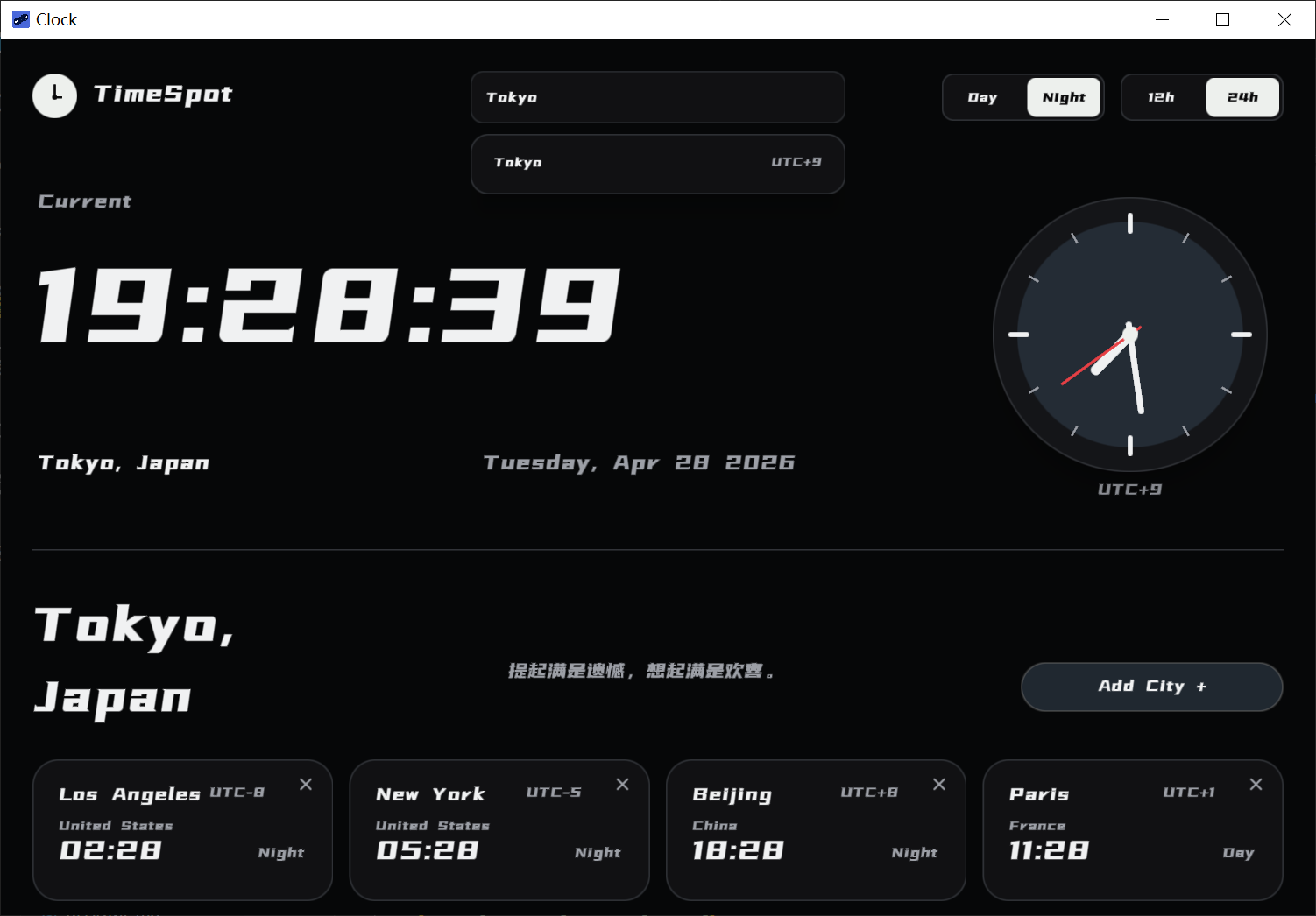
EUI-NEO is a free, open source design & prototyping project written in C++ and released under Apache-2.0. It has 2,081 GitHub stars, 188 forks and 10 open issues, and was last pushed 24 hours ago. On this registry it ranks #78 of 118 tracked projects in Design & Prototyping, with 5 head-to-head comparisons available.

What is EUI-NEO?

EUI-NEO is a cross-platform, high-performance, low-overhead C++17 GUI framework for desktop applications, pairing GLFW or SDL2 window backends with OpenGL or Vulkan render backends and a declarative DSL for describing interfaces.

What it is

EUI-NEO is an Apache-2.0 licensed C++ UI framework that lives in the C++ and CMake desktop ecosystem. It requires CMake 3.14+ and a C++17 compiler, with the README listing MSVC 19.29+ from Visual Studio 2019 16.11 onward, GCC/MinGW-w64 12+, or Clang 14+ as supported compilers. The public surface is deliberately narrow: applications include eui_neo.h and the eui/* facade headers, while the DSL, runtime, primitives, text, image, network, and platform code sit under core/ and are not referenced directly by an application. Interfaces are composed declaratively in compose(eui::Ui& ui, const eui::Screen& screen) using chained builders, with DslAppConfig supplying the window title, page identifier, and window size.

The concrete problem it solves is the plumbing between an application and a windowing and rendering stack. Rather than wiring an entry point, a renderer, platform executable settings, and runtime asset deployment by hand, a project calls eui_neo_configure_app(my_app), which adds the selected GLFW/SDL2 entry point, links eui::neo, applies platform executable settings, and deploys the runtime assets. Feature code that is not needed by every product is kept out of the base target and lives in optional modules under modules/.

Key capabilities

  • Declarative UI composition through DslAppConfig chains such as .title("My App"), .pageId("my_app"), and .windowSize(960, 640), and builder calls such as ui.column("root").size(...).padding(32.0f) and ui.text("title").fontSize(28.0f).build().
  • Interchangeable window and render backends: GLFW or SDL2 for windows, OpenGL or Vulkan for rendering, selected through the target setup described in docs/guides/integration.md.
  • One-call CMake target configuration via eui_neo_configure_app(my_app), which handles the entry point, linking, platform settings, and asset deployment.
  • Documented subsystem guides covering the DSL, state model, layout, events, animation, and async behaviour under docs/guides/.
  • A retained layer cache, described in docs/architecture/retained-layers.md, alongside documentation for the render backend architecture and pipeline.
  • Optional feature modules under modules/, including keyboard and serial modules documented in the Modules Guide.
  • Runtime assets for fonts, PNG, SVG, and icons under assets/, with reusable components built on top of the DSL core in components/.

Who uses it and how

  • Desktop application teams targeting Windows, Linux, and macOS: the README gives a Visual Studio generator run step of .\build\Release\my_app.exe and ./build/my_app for Linux or macOS.
  • Projects already built with CMake that vendor the framework under 3rd/EUI-NEO and pull it in with add_subdirectory.
  • Consumers of the release SDK, who use find_package(EuiNeo CONFIG REQUIRED) and then apply the same eui_neo_configure_app() target setup.
  • Hardware-adjacent applications, supported by the opt-in keyboard and serial modules and reflected in the project's embedded topic.
  • Larger products organized as multi-page applications under apps/, each in its own folder, with examples/ reserved for short, single-screen API demonstrations.

Getting started

Clone the repository into 3rd/EUI-NEO, then call add_subdirectory(3rd/EUI-NEO) and eui_neo_configure_app(my_app) in a CMake 3.14+ project; the release SDK offers the equivalent path through find_package(EuiNeo CONFIG REQUIRED), and an AtomGit mirror is documented as a fallback if the GitHub clone fails.

How it compares

The facts supplied here name no paid products that EUI-NEO replaces and no comparable GUI framework, so it stands alone in this registry rather than being positioned against another tool. It sits on top of GLFW or SDL2 and OpenGL or Vulkan as its windowing and rendering layer rather than competing with them, and its distinguishing choice is a declarative DSL exposed as a C++17 library under Apache-2.0.

When to use it — and when not

Adopting EUI-NEO means operating a full C++17 toolchain and CMake build, supplying OpenGL development files for the default renderer, and installing by vendoring source under 3rd/EUI-NEO or consuming a CMake package, since no package-manager or hosted option is described. Documentation is split between user-facing guides in docs/ and historical reviews, plans, validation records, and benchmark data in internal/, and the README opens with the maintainer's personal availability note rather than a support or community section, so teams expecting a managed runtime or formal commercial support should look elsewhere.

project readme (upstream, from github) — read inline

EUI-NEO

Open to work: I am looking for opportunities in embedded systems, Linux application development, or Qt development. Referrals and opportunities are welcome!

Release License C++17 CMake 3.14+ OpenGL / Vulkan GLFW / SDL2 GitHub stars

简体中文 · Website

EUI-NEO is a cross-platform, high-performance, low-overhead C++17 UI framework with GLFW/SDL2 window backends and OpenGL/Vulkan render backends.

Preview
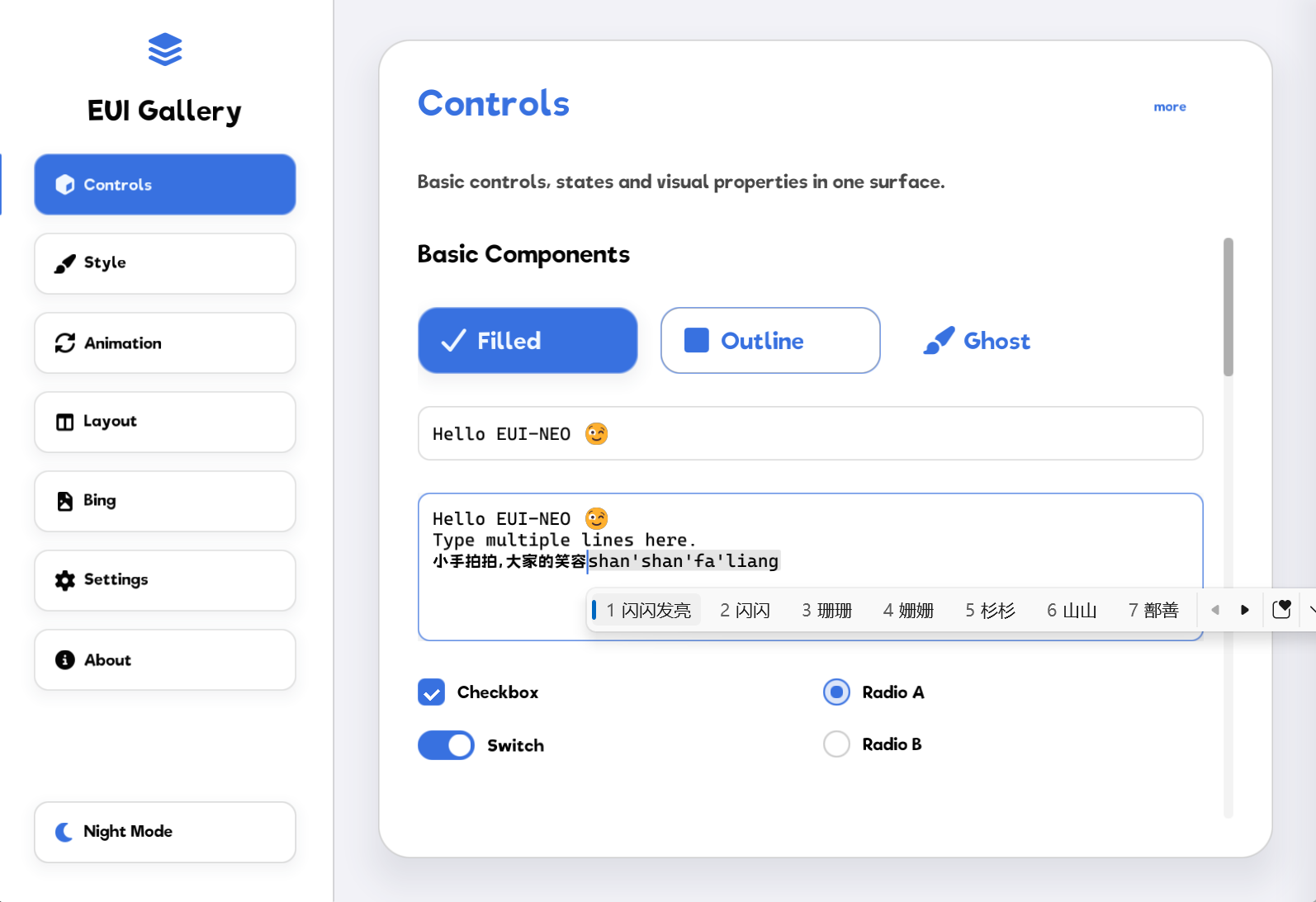
preview 1 preview 2
preview 3 preview 4
example 1 example 2

Quick Start

Requirements:

  • CMake 3.14+
  • A C++17 compiler: MSVC 19.29+ (Visual Studio 2019 16.11+), GCC/MinGW-w64 12+, or Clang 14+
  • OpenGL development files for the default renderer

Add EUI-NEO under 3rd/EUI-NEO, then create:

If the GitHub clone fails, use the AtomGit mirror as a fallback:

git clone https://atomgit.com/sudoevolve/EUI-NEO.git 3rd/EUI-NEO
cmake_minimum_required(VERSION 3.14)
project(MyProject LANGUAGES C CXX)

set(CMAKE_CXX_STANDARD 17)
set(CMAKE_CXX_STANDARD_REQUIRED ON)

add_subdirectory(3rd/EUI-NEO)

add_executable(my_app main.cpp)
eui_neo_configure_app(my_app)

main.cpp:

#include "eui_neo.h"

namespace app {

const DslAppConfig& dslAppConfig() {
    static const DslAppConfig config = DslAppConfig{}
        .title("My App")
        .pageId("my_app")
        .windowSize(960, 640);
    return config;
}

void compose(eui::Ui& ui, const eui::Screen& screen) {
    ui.column("root")
        .size(screen.width, screen.height)
        .padding(32.0f)
        .content([&] {
            ui.text("title")
                .text("Hello EUI-NEO")
                .fontSize(28.0f)
                .build();
        })
        .build();
}

} // namespace app

Build:

cmake -S . -B build -DCMAKE_BUILD_TYPE=Release
cmake --build build --config Release --parallel

On Windows with the Visual Studio generator, run:

.\build\Release\my_app.exe

On Linux or macOS, run:

./build/my_app

eui_neo_configure_app() adds the selected GLFW/SDL2 entry point, links eui::neo, applies platform executable settings, and deploys the runtime assets. The application does not reference files under core/.

The release SDK supports the same target setup:

find_package(EuiNeo CONFIG REQUIRED)
add_executable(my_app main.cpp)
eui_neo_configure_app(my_app)

See the Integration Guide for installation, FetchContent, and SDL2/Vulkan selection. See Development And Release for building this repository and dependency requirements.

Optional Modules

Optional feature modules live under modules/ and are documented in the Modules Guide.

Project Layout

assets/       Runtime assets: fonts, PNG, SVG, and icons
components/   Reusable UI components built on top of the DSL
core/         DSL, Runtime, primitives, text, image, network, and platform code
docs/         User guides, architecture, and development documentation
internal/     Plans, reviews, validation records, and benchmark data
examples/     Short, single-screen API demonstrations
modules/      Optional feature modules such as keyboard and serial
apps/         Longer or multi-page applications; each app lives in its own folder
include/      Public include path: eui_neo.h and eui/* facade headers
tests/        Probe sources, fixture apps, and local benchmark notes
3rd/          Vendored third-party build sources and single-file dependencies

Docs

Start with the Documentation Index. It separates application guides, architecture, and development workflows. Historical reviews, plans, and benchmark data live under internal/.

License

EUI-NEO's original source code is licensed under the Apache License 2.0. Third-party code under 3rd/, optional build-time dependencies fetched by CMake, and bundled fonts or icon fonts under assets/ follow their respective upstream licenses and copyright notices.

Contributors

Thank you to everyone who has contributed code, improved the documentation, reported issues, or shared feedback with EUI-NEO.

EUI-NEO contributors

Frequently asked questions

Is EUI-NEO free to use?

EUI-NEO is open source under the Apache-2.0 licence. There is no licence fee and no seat count — you can self-host it or, where the project offers one, pay a vendor for a managed version instead.

What does EUI-NEO do?

EUI-NEO is a cross-platform, high-performance, low-overhead C++17 GPUI framework

What is EUI-NEO written in?

EUI-NEO is primarily written in C++. Its source is publicly available at https://github.com/sudoevolve/EUI-NEO, and it has 2,081 GitHub stars.