EasyTransfer is a free, anonymous, end-to-end encrypted file transfer tool for anyone who wants to move files between two devices across any network simply by visiting a web page and typing a four-digit device code.
What it is
EasyTransfer is a browser-based, end-to-end encrypted file transfer application built with WebRTC and Vue.js, written in TypeScript and released under the GPL-3.0 licence. It runs as a website, and the hosted instance is available at https://file.ch3nyang.top. There is no account system: no registration, no login, and no personal information are required to use it, and files move directly between sender and receiver rather than being stored on a central server.
The concrete problem it solves is moving files between devices that sit behind different networks — a laptop on a home LAN and a phone on mobile data, for example — without installing software or setting up accounts. Two devices join the same session by entering one device's four-digit device code into the other's input box, after which files can be dragged into the file area or selected by clicking it, with multiple files accepted at once. Where direct peer-to-peer connection requires NAT traversal, the file may be uploaded to the project's free TURN server, which the project notes you can avoid by deploying your own trusted TURN server.
Key capabilities
- Connect two devices across LAN and WAN by entering a four-digit device code, with no registration, login, or personal details required.
- Transfer files peer-to-peer over WebRTC so they travel directly from sender to receiver without passing through the server, with encryption applied by default.
- Send multiple files at once by dragging them into the file area, and send text messages and photos alongside other file types.
- Configure a custom STUN server and TURN server from the settings panel, along with a configurable maximum number of connections.
- Self-host every module of the stack, since the project states that all modules can be customized and deployed by yourself.
- Reach devices on restricted networks using STUN/TURN NAT traversal, falling back to the project's free TURN server when intranet penetration is needed.
Who uses it and how
- Individuals transferring files between their own devices on different networks, such as a desktop on a home LAN and a laptop elsewhere, using nothing but a browser.
- Users who need to share files without creating an account, since the tool requires no registration and collects no personal information.
- Self-hosters who deploy the full stack themselves, including their own STUN/TURN server, following the deployment methods documented in the Project Wiki.
- Teams and contributors working in TypeScript who want to extend the codebase, with a Contribution Guide and a CHANGELOG maintained in the repository.
Getting started
Visit https://file.ch3nyang.top on both devices, enter the four-digit device code of one device into the other, and press connect; for self-hosting, follow the deployment methods in the Project Wiki at https://github.com/DevXDojo/EasyTransfer/wiki/Navigator.
How it compares
No comparable tools or paid products are named in the available facts, so in this registry EasyTransfer stands alone as the reference point for this category rather than sitting alongside a labelled peer set.
When to use it — and when not to
For reliable speed and stability across restrictive networks you should plan to operate your own STUN/TURN server, since the built-in free TURN server may carry your file when intranet penetration is required, and self-hosts must also handle the web application's own deployment. It is a poor fit if you need a hosted, account-based service with server-side file storage and sharing history, since files are meant to travel directly between peers and nothing is registered. The README defers concrete deployment instructions to the Project Wiki rather than stating them inline, so a self-hoster should expect to consult the wiki before setup.
project readme (upstream, from github) — read inline

简体中文 | English
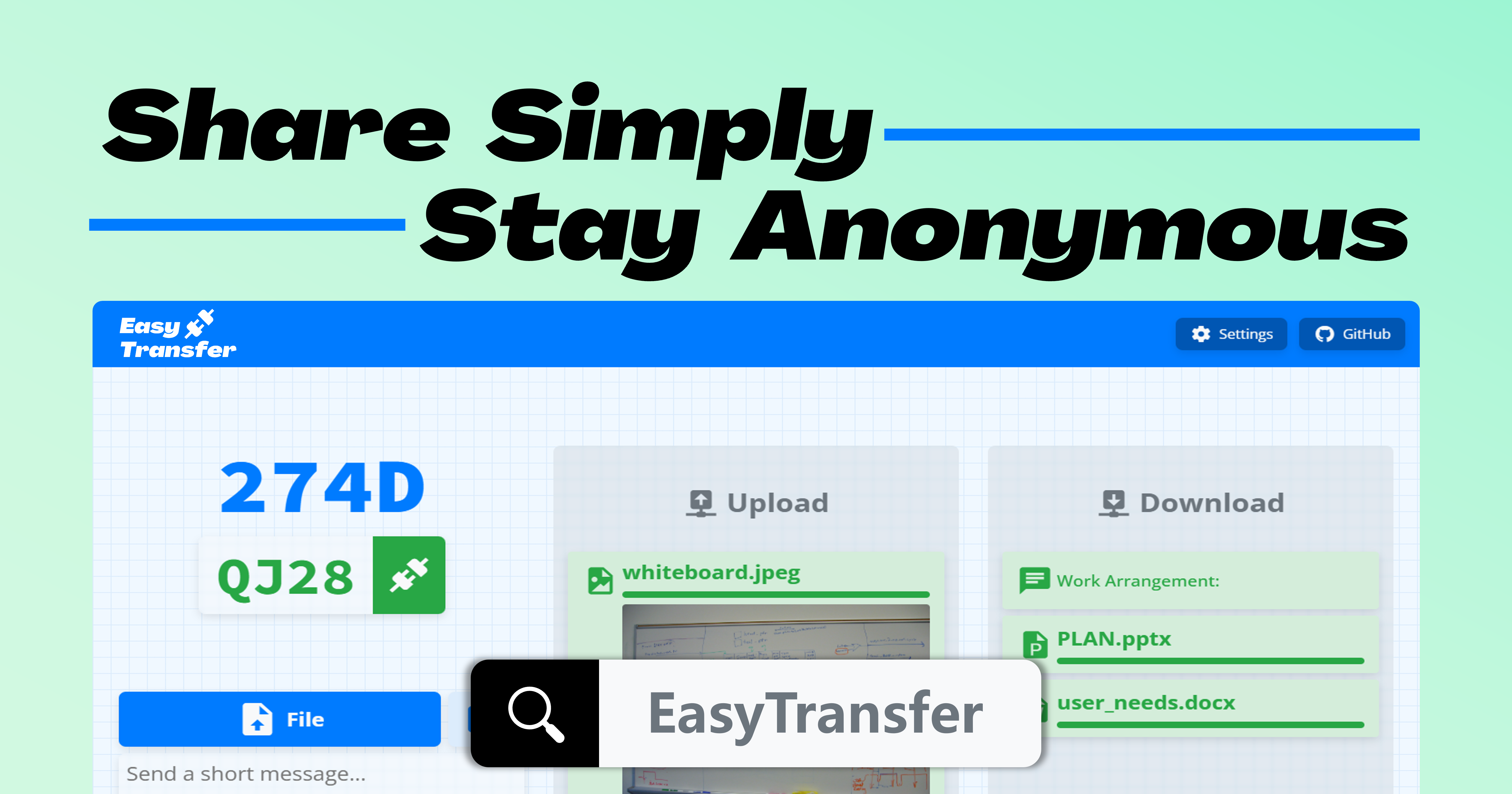

EasyTransfer is a free, anonymous, encrypted, and easy-to-use E2EE file transfer tool. You only need to visit a simple web page to connect to any device in any network using a device code.
It is built using webRTC and Vue.js.
How to use
- Visit EasyTransfer on the two devices where you need to transfer files.
- Enter the four-digit device code of any device into the device code input box of the other device and click the connect button.
- After waiting for the connection to succeed, you can drag and drop the file to the file area on the web page, or click the file area to select the file. Supports sending multiple files at once.
- In the settings, you can customize the STUN server and TURN server, or specify the maximum number of connections.
[!NOTE]
It is recommended that you deploy a STUN/TURN server yourself to obtain faster speed and higher stability.
Features
What makes EasyTransfer different? It's these features:
- 🫣 Anonymous: No need to register an account, log in, or provide any personal information
- 🔒 Encrypted: Default encryption ensures the security of file transfer
- 🔄 End-to-end: Files are transferred directly from the sender to the receiver without going through the server[^1]
- 🌐 Cross-network: Supports file transfer between LAN and WAN
- 🛠️ Easy to use: Connect devices using a four-digit device code, without any extra operations
- 📎 Multimedia messages: Supports sending text and various file types, and also supports sending photos
- ⚙️ Custom settings: All modules can be customized and deployed by yourself
Self-deployment
For specific deployment methods, please refer to the Project Wiki.
Contributing
If you want to contribute code to this project, please refer to the Contribution Guide.
Changelog
Please refer to the CHANGELOG.
[^1]: If the communicating peers need to penetrate the intranet, the file may be uploaded to the free TURN server provided by this project. You can avoid this by deploying a trusted TURN server yourself.

Made with ❤️ by the EasyTransfer Team