
EAC design world
让创作,自成世界。
DeepSeek Harness 的本地视频制作与设计工作室




下载发布包 · 快速开始 · 功能一览 · 设计与架构 · 问题反馈
把模板、素材、剪辑和设计工程连在一起,让 AI 与你共同完成一件可预览、可修订、可导出的作品。
EAC design world 为 DeepSeek Harness 提供原生创作模式、模板选择和右侧作品画布,同时拥有可独立运行的本地工作台。视频录制、配音、配乐、字幕、编码与检查产生真实文件;网站、幻灯片、SVG 和文档保留源文件及版本历史。
当前版本为 v0.6.1 开发预览版。本版修正时间线拖拽的素材入点累积、越界与拖拽后滚动等缺陷,并沿用 0.6.0 的参数化调色、变速运镜、网络素材与人工续剪工程导出,详见 发布说明。保留 150 个 Shotcraft 镜头、设计库、签名更新与回滚、草稿恢复和隔离预览。独立 MCP 入口支持 macOS 与 Windows,自动发现 Chrome / Edge;旁白支持 macOS say、Windows SAPI 和本地 GPT-SoVITS 曼波中文音色,桌面录制支持 Windows gdigrab 与 macOS avfoundation。模板数量代表可检索内容,不代表每个模板均可离线直接渲染。
以下两条宣传片均为 deepseek harness + EAC design world + deepseek v4.1 flash(非 1017)一轮出的结果
AI 全程自己录制素材和制作音乐
EAC design world · RUSH 60s
https://github.com/user-attachments/assets/3f6641e0-e803-48cf-b61a-2baa57f2c088
Our Free Model · 65s
https://github.com/user-attachments/assets/ca081273-1061-4656-a1b7-41d50af0aec7
顶部“音频模板”提供默认音色和曼波中文,可试听、设为默认,并将曼波模型下载到本机。本地曼波中文配音的安装、默认音色和验收方式见 配音接入说明。
目录
功能一览
| 你想完成的工作 | 插件提供的能力 |
|---|---|
| 从对话开始创作 | 正常、剪辑、Design 三种模式;模板区独立铺开,选择状态不覆盖正文;重复点击或标签上的 × 可取消 |
| 找到合适的视觉风格 | 152 套设计体系与 517 个 OpenDesign 模板条目,另有原有 17 个视频选项;按类型搜索、分类和分页 |
| 浏览与挑选动效镜头 | Shotcraft 本地快照含 150 个镜头、10 类动效、59 个精选;可见视频预览、选片单、名单复制与下载、导入项目素材 |
| 录下真实产品 | Edge / Chrome 网页操作录制;Windows gdigrab 或 macOS avfoundation 桌面录制;原素材不被改写 |
| 编排实际镜头 | 多轨时间线;拖动片段移动、拖两端裁剪,也可直接输入开始时间、素材入点、时长、音量和轨道;带修订号保存 |
| 找网络风景素材与配乐 | stock_search/stock-download:Pexels、Pixabay(免费 API Key)、维基共享 Commons(免 Key)风景视频与 Jamendo CC 配乐;作者与许可随素材持久化 |
| 参数化调色与迭代 | 曲线(主/RGB)、HSL 二级、色相曲线、分区轮、静态局部蒙版与相机输入 LUT;全局色彩调整可导出 .cube,空间蒙版在原生渲染生效、续剪时需重建;grade-preview 对比帧、scopes 示波器与 color_workflow 调色版本/曝光匹配建议辅助 AI 迭代 |
| 卡点变速与运镜 | beats 节拍分析驱动音乐卡点剪辑;clip.speed 变速、clip.motion 数字运镜(推拉摇移)、片尾淡出/锐化/暗角;大时间线自动分块多 Pass 渲染防内存溢出 |
| 交付人工续剪 | 导出面板选择剪映草稿、Premiere/达芬奇 FCP7 XML、SRT 与 LUT;下载交接文件并保留人工修改的已有草稿;交换格式的效果保留以交接说明为准 |
| 处理语音与字幕 | 本地语音转录、去停顿初稿、SRT、时间线字幕与 ASS 烧录;转录需自行准备本地模型 |
| 完成声音与编码 | Windows SAPI 或 macOS say 旁白、本地确定性器乐、源音轨混音、H.264 输出与技术检查 |
| 制作图形动效 | renderAt(t) / __seek(t)、CSS 动画和 GSAP 时间线的确定性驱动与抽帧审查;可选接入 Motion Web 交互案例和 Onetake 函数库 |
| 创建网站和演示稿 | HTML、SVG、Markdown 编辑、隔离预览、不可变修订与源文件下载 |
| 检查与导出作品 | Harness 原生右侧作品画布、HTML 幻灯片分页、PDF / PNG / PPTX 整页图像导出 |
| 维护插件 | 顶部导航中的独立维护中心:运行/安装版本、签名更新、本地更新、备份回滚、宿主热重载、公告与已读记录 |
剪辑、调色和渲染由插件自身执行,不需要安装达芬奇或 Premiere。当前覆盖范围与尚未实现的能力见专业能力说明,不宣称包含这两款软件的所有功能。
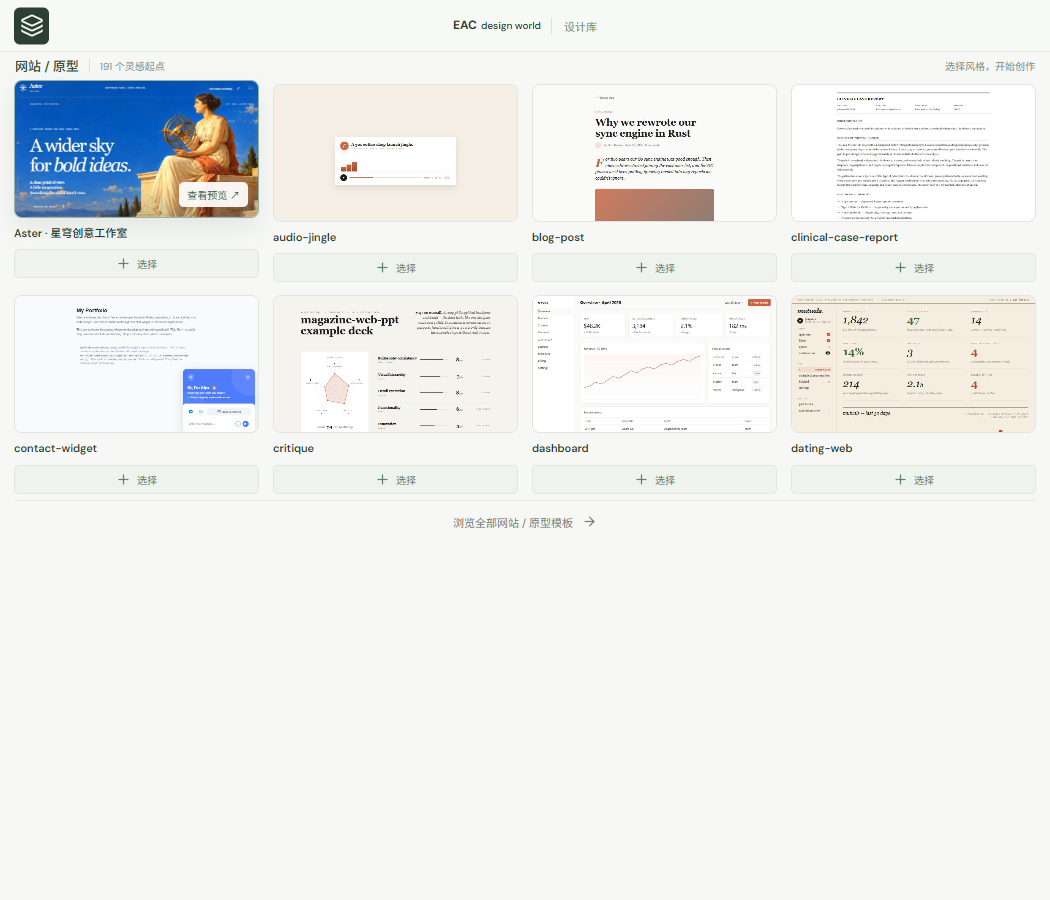
按创作类型推荐模板,保留真实封面与可移除的选择标签。
设计内容库
从 OpenDesign 导入并建立本地索引的 865 项内容:
| 内容 | 数量 |
|---|---|
| 设计体系 | 152 |
| 模板条目 | 517 |
| 创作技能 | 169 |
| 基础组件 | 13 |
| 场景 | 14 |
517 个模板条目包含 188 个示例、115 个设计模板、63 个视频模板、45 个图片模板、58 个视频提示词和 48 个图片提示词。部分来自同一视觉主题的不同上游目录,保留独立条目与来源。205 项需要外部生成服务;模板中的素材占位符或 HyperFrames 子合成依赖会单独标示。
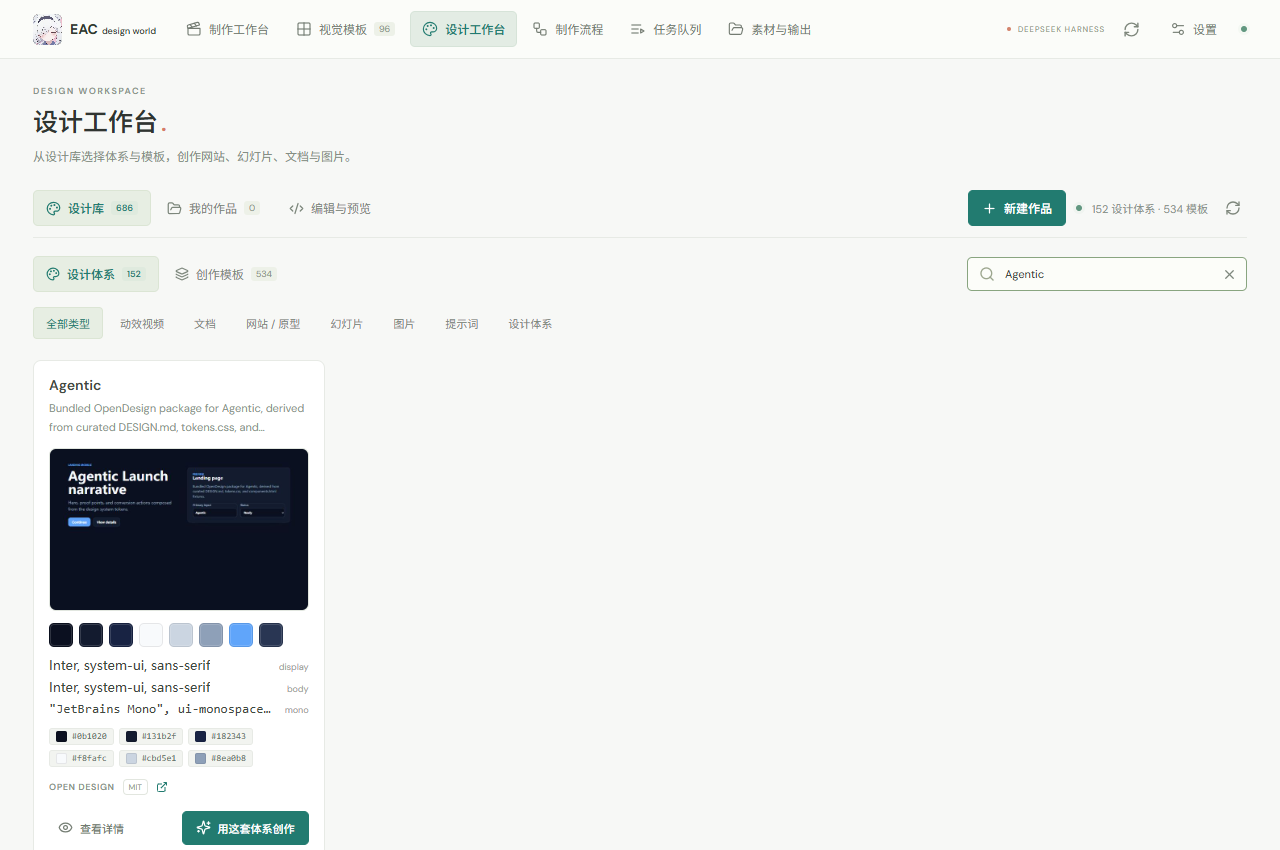
Shotcraft 镜头库
视觉模板页提供 Shotcraft 来源入口、分类与用途搜索、精选筛选和持久化选片单。预览只加载正在浏览的镜头,同时最多播放 3 个;离屏、切换到后台或打开详情时暂停。详情支持真实视频播放,以及可驱动 HTML 模板的播放、暂停、重播和时间进度。
在独立工作台创建项目后,可从选片单将 Shotcraft 镜头导入项目素材,继续使用时间线剪辑和视频导出。Harness 中仍通过模板选择附加当前创作参考,输入正文不受影响。
Shotcraft 的 124 张配方、React/TSX 实现及共享素材可以通过 library_read 和 template_read 读取。原始 TSX 需要在 Remotion 项目中注册或定制成 HTML 时间线,当前不直接交给 HTML 渲染器运行。导入、来源和复现步骤见 Shotcraft 接入说明。
可选动效来源:Motion Web / Onetake
支持从已取得的本地仓库导入 motion-web 的 7 个交互案例及制作指南,以及 onetake 的 OM 动效函数库与制作指南。模板统一进入搜索、源码读取和隔离预览;Onetake 示例可逐帧导出,Motion Web 实时页面可录制为视频。
npm run motion:import -- --motion-web "D:\Sources\motion-web" --onetake "D:\Sources\onetake" --noncommercial
npm run motion:verify
两者保留各自非商业许可,不进入公共 Git 或 Release 包;商业使用需相应授权。已取得授权的用途用 --licensed 记录。详见 接入、使用与验证说明。
下载与安装
从 Releases 下载同一版本的文件:
| 文件 | 用途 |
|---|---|
eac-design-world-v0.6.1-plugin.zip |
插件源码、预构建 Web UI、Shotcraft 镜头视频与源码、设计体系、封面、安装脚本及许可说明;不包含 Node 依赖 |
eac-design-world-v0.6.1-media.zip |
可选大媒体包:MG 原始预览视频、字体、渲染素材及宣传片素材 |
eac-design-world-v0.6.1-update.zip |
维护中心使用的签名本地更新包,解压后选择其中 manifest.json |
SHA256SUMS.txt |
发布产物的 SHA-256 校验值 |
| GitHub 自动生成的 Source code | 与仓库提交对应的源码快照,不含预构建 dist 和可选大媒体 |
两个 ZIP 使用相同的 eac-design-world/ 根目录。先解压插件包,再将媒体包合并解压到同一位置。保留原目录结构,不要把所有文件平铺到一个目录。
媒体包不含 FFmpeg、Node、Python、Whisper 模型或
node_modules,也不再分发 Alibaba PuHuiTi 3 / Alimama ShuHeiTi 字体文件(需从官方来源自行获取)。未安装媒体包时,一些经典动效渲染素材不可用,设计库及设计编辑仍可使用。工作台预览优先展示当前项目成片,没有成片时展示所选模板。
环境要求
- Node.js 22 或更新版本,附带 npm。
- 视频剪辑与导出需要 FFmpeg / FFprobe 7 或更新版本,并位于
PATH。 - 浏览器录制、HTML 逐帧渲染和文档导出自动查找已安装的 Chrome / Edge;可通过
EAC_BROWSER指定兼容 Chromium 可执行文件。 - Harness 插件模式要求宿主提供 conversation、settings 和 right-sidebar 槽位;也可独立打开本地工作台。
- 桌面录制支持 Windows(gdigrab)与 macOS(avfoundation,需屏幕录制权限);旁白支持 Windows SAPI、macOS 系统 say 与本地 GPT-SoVITS 曼波中文音色;Linux 桌面录制尚未实现。
- 可选转录:Python、
faster-whisper及已下载到本地的兼容模型目录。默认使用用户数据目录中的models/faster-whisper-tiny,也可通过EAC_WHISPER_MODEL_PATH指定模型,EAC_PYTHON指定解释器;运行时不会替你下载模型。PyAV19 起移除了metadata_errors参数,scripts/transcribe.py已同时兼容新旧签名;若自行安装依赖遇到解码报错,可用pip install "av --ignore-scripts安装,首次启动仍会还原包内资源。
自定义宿主 profile:
node scripts/install-harness.mjs --profile "D:\YourHarnessProfile" --dry-run
node scripts/install-harness.mjs --profile "D:\YourHarnessProfile"
卸载可使用安装器返回的备份路径:
node scripts/install-harness.mjs --uninstall "<安装器返回的备份目录>"
方式二:独立工作台
npm ci --omit=dev
npm start
打开 。如果 Harness 已经启动插件服务,可直接使用它,不要再启动第二份监听同一端口的服务。端口可通过 EAC_PORT 更改,但 Harness 客户端入口默认连接 4173。
通过 pnpm 安装的包也可从消费项目直接启动:
node node_modules/eac-design-world/src/server.mjs
入口会归一化符号链接/目录联接的真实路径;启动成功会输出 EAC design world: http://127.0.0.1:。作为模块导入 startServer() 时不会自动监听端口。
方式三:从源码构建
git clone https://github.com/Ebony-Vinyl/EAC-design-world.git
cd EAC-design-world
npm ci
npm run build
npm start
源码不保存大媒体文件。需要完整经典视频模板素材时,将同一版本媒体包中的目录合并到源码根目录。
常用操作
- 选择剪辑模式或 Design 模式,再选择模板;选择显示为输入框内的缩略图标签,正文保留给你的创作说明。
- 切换网站、动效、幻灯片、文档、图片类型,模板推荐随之变化;重复点选中卡片或点标签 × 取消。
- 在工作台创建项目、导入素材、编辑时间线或设计文件,再保存新版本。
- 点击画布按钮,在 Harness 右侧预览设计作品与实际视频输出;工作台的固定宣传片预览与项目交付文件分开。
- 完成任务后检查真实输出、音量与抽帧。机器质检不能替代构图、文字、品牌和叙事审查。
Codex 本地 MCP
安装依赖并执行 npm run build 后,通过 src/mcp-local.mjs 接入 Codex。它自动启动或复用本地工作台,MCP 断开后服务继续运行,项目默认保存在用户数据目录。macOS 与 Windows 自动查找 Chrome / Edge,支持 Windows 非 C 盘和按用户安装;配音分别使用系统 say 与 SAPI。详见 安装、配置与生命周期。
AI 与 MCP
Harness 原生工具与标准 MCP 服务共用本地后端。工具包括状态查询、模板搜索与读取、素材导入、时间线修订、制作任务、设计项目和成品保存。
主要工具:library_list、library_read、project_create、timeline_update、job_submit、job_status、design_project_create、design_artifact_save。Harness 内工具名添加 eac_ 前缀。
先启动本地服务,再配置支持 MCP 的客户端:
{
  "mcpServers": {
    "eac-design-world": {
      "command": "node",
      "args": ["D:/Apps/eac-design-world/src/mcp.mjs"],
      "env": { "EAC_URL": "http://127.0.0.1:4173" }
    }
  }
}
把示例路径换成你的安装目录。长任务返回 job ID,可轮询结果、查看错误和真实文件;模板或模式选择本身不代表已生成作品。
设计与架构
Harness 对话 / 设置 / 原生右侧画布
                 │
        plugin/client.js + host.mjs
                 │
        本地 HTTP 服务 / MCP
                 │
       项目存储 · 修订 · 任务队列
            ┌────┴────┐
      FFmpeg / Playwright   设计成品存储
      录制、剪辑、混音     HTML / SVG / MD
      编码、字幕、抽帧     预览、历史、导出
当前边界
- 未嵌入 OpenDesign 全部 Electron 基础设施、HyperFrames 子合成引擎、插件市场或远程生成供应商。
- HTML 幻灯片可预览和导出;PPTX 导出是整页图像,不提供逐元素 PowerPoint 编辑。原 HTML 保留可编辑内容。
- 任意已有二进制 PPTX 的解析编辑、系统音频录制和语义艺术评分尚未实现。
- SAPI 声线取决于系统安装;本地器乐不是商业作曲模型。转录结果与初剪建议需要复核。
- 一些原始 MG 模板依赖 Blender 预渲染帧或未分发字体;可用性由实际依赖决定。
开发与验证
npm ci
npm run build
npm test
node scripts/verify-picker-layout.mjs
node scripts/verify-open-design.mjs
完整媒体测试需要 FFmpeg、Edge、Windows SAPI 及本地转录依赖;缺少依赖时请看具体错误或跳过说明,不把纯构建成功当成视频流程已通过。交互验收使用隔离数据目录与独立端口,不覆盖用户项目。
项目目录:
plugin/       Harness 客户端与宿主入口
src/          项目、任务队列、媒体引擎、设计存储与 MCP
ui/           React 工作台、模板选择、编辑器与画布
public/       插件头像、真实模板封面、可选宣传片
vendor/       第三方模板源码、设计体系与许可
scripts/      安装、构建发布包、诊断与交互验证
tests/        单元、媒体与集成测试
许可证与致谢
项目自有代码采用 AGPL-3.0-or-later。第三方代码、模板、字体和媒体保留各自条款,不因放入本仓库而变更许可证。头像 Logo 和宣传片由项目维护者提供,不单独授予其图像内容的再许可。
感谢 DeepSeek Harness、EAC-Desktop、OpenDesign、15 Motion Design Styles 及其内容贡献者,以及 FFmpeg、Playwright、GSAP、React 和相关开源依赖。
CC-BY 条目的作者与来源记录在本地 catalog 中。可选 PolyForm Noncommercial 库不纳入发布包;两项没有明确再分发许可的社交帖子来源内容不纳入公开分发。详情见 Third Party Notices。
EAC design world · 让创作,自成世界