document is a free, open source ai interaction & interfaces project written in TypeScript and released under AGPL-3.0. It has 1,985 GitHub stars, 223 forks and 5 open issues, and was last pushed 5 hours ago. On this registry it ranks #107 of 150 tracked projects in AI Interaction & Interfaces, with 5 head-to-head comparisons available.

What is document?

Document is an open-source, local-first browser editor for Word, Excel, PowerPoint and PDF files, with an experimental AI assistant, built for anyone who needs to open, edit and convert office documents without installing Microsoft Office or creating an account.

What it is

Document is a TypeScript document workspace that runs in the browser and handles four office formats: docx word-processing files, xlsx and csv spreadsheets, pptx presentations, and PDFs. Core document processing runs locally on the device, so opening, editing and converting a file does not require an upload. It is licensed under AGPL-3.0 and sits in this registry's AI & Machine Learning / AI Interaction & Interfaces category. It can be used at the hosted site edit.chaxus.com, installed as a PWA, self-hosted as a static site, or embedded in another application through an iframe API.

The problem it solves is the pair of dependencies that normally accompany office document work: a local Microsoft Office installation and an account-based, upload-first cloud service. Document removes both for the formats it supports, keeping processing client-side and no-server while still allowing export. Files can be written back to a chosen location where the browser supports this, or downloaded as an export, and recent work can be reopened from the same browser. Recovery copies stay in that browser for seven days after the last edit or open, can be deleted from the Saved documents page, and are explicitly not a backup.

Key capabilities

  • Edit docx documents, xlsx and csv spreadsheets and pptx presentations in the browser, and annotate, fill and export PDFs.
  • Also open doc, odt, rtf and txt documents, xls and ods spreadsheets, and ppt and odp presentations, and export supported documents to PDF.
  • Use an optional AI assistant (Experimental Beta, off by default) that drafts and refines text, works with spreadsheet data, creates slides or answers questions about the current PDF page, with changes reviewed before applying and Undo available.
  • Choose an on-device model or connect a separate AI service, and dictate prompts in browsers that support speech input.
  • Drive document actions from browser agents through WebMCP, letting compatible agents open, convert and export files and read text from word-processing documents.
  • Install as a PWA whose cached editor resources work offline, or embed the editor in another app through its iframe API.

Who uses it and how

  • Individuals editing office files on a machine with no Office installation and no account.
  • Users on unreliable networks who install the PWA and rely on cached editor resources, since uncached resources and remote files still need a network.
  • Teams that self-host the static site or run the container so document handling stays on their own infrastructure.
  • Application developers embedding the editor through the iframe API, including host apps that handle embedded exports themselves.
  • Users of WebMCP-compatible browsers who let an AI agent open, convert and export files.

Getting started

The quickest route is the hosted editor at edit.chaxus.com, which offers new-document links for docx, xlsx and pptx. To run a private copy, use the published container image with docker run -d --name document -p 8080:80 ghcr.io/ranuts/document:latest, or self-host the static site following docs/reference.md.

How it compares

The registry facts name OnlyOffice as a related topic tag, which places Document among browser-based office editors targeting the same docx, xlsx and pptx formats. No list of paid products that this project replaces appears in the facts, so no licence, self-hosting or cost contrast is drawn here.

When to use it — and when not to

A self-hoster must run the container or static site, and must accept that offline use depends on cached editor assets, that in-browser recovery copies expire after seven days and are not a backup, and that embedded exports are handled by the host application. The AI assistant is an Experimental Beta that is off by default and can produce wrong answers or edits, so anyone needing guaranteed output should verify results or leave it disabled. Anyone who must edit legacy formats such as doc, xls and ppt rather than only open them should look elsewhere, since those are listed as open-only.

project readme (upstream, from github) — read inline

Online Document Editor


CI Status License Version Live site

English | 简体中文 | 日本語 | 한국어 | Deutsch | Español | Português | فارسی

An open source document workspace for you and your AI agents.

Open, edit, convert and save Word, Excel and PowerPoint files, and annotate PDFs in your browser. Core document processing runs locally, with no account or Office installation required.

Use optional AI assistance (Experimental Beta), let browser agents call document tools through WebMCP, or install it as a PWA. Cached editor resources work offline; you can also self-host or embed the editor in your app.

Try it online: edit.chaxus.com


✨ Features

  • Edit locally. Open, edit and convert documents on your device, without a required document upload.
  • Save your way. Write back to your chosen file where supported, or download an export. Reopen recent work from this browser.
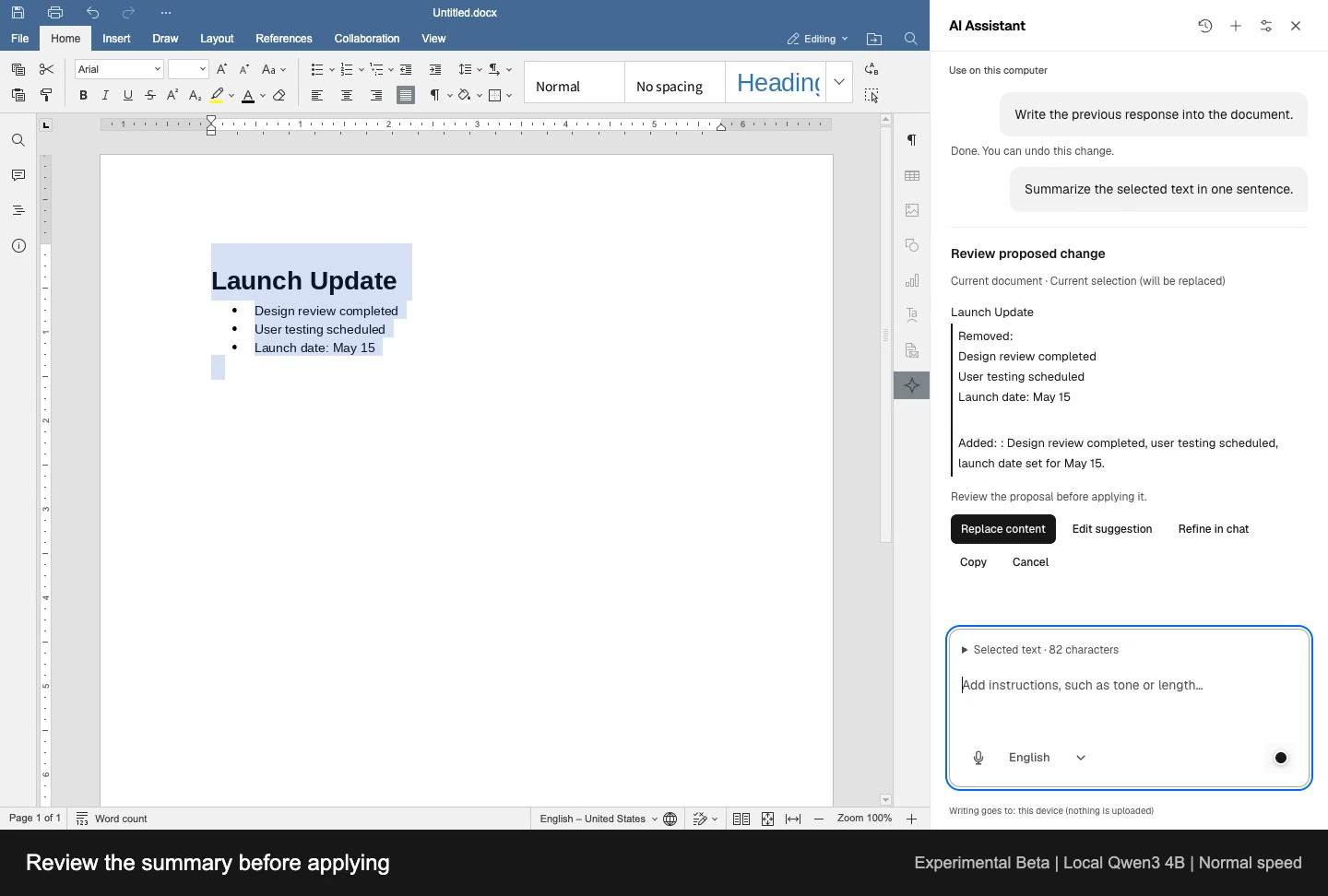
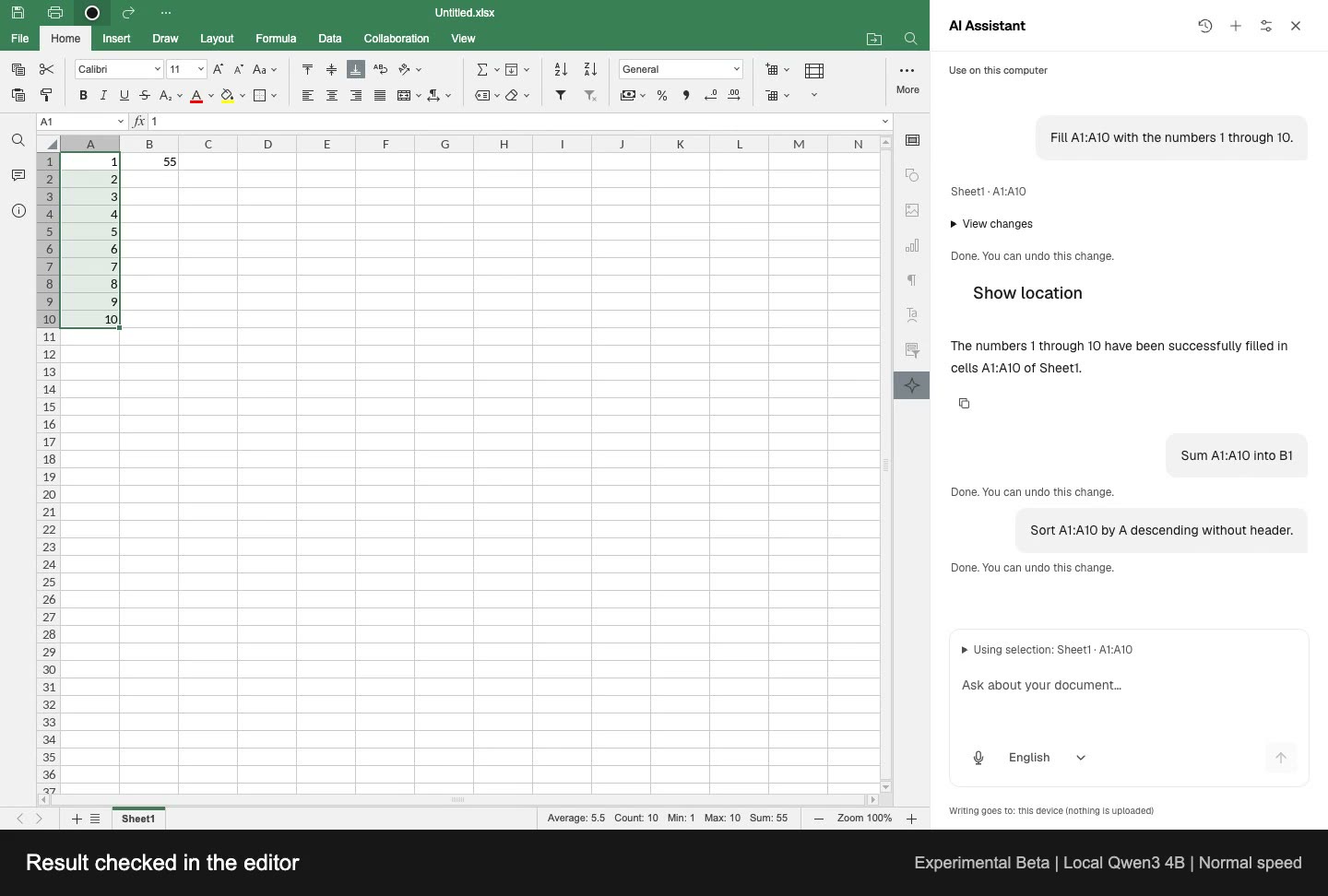
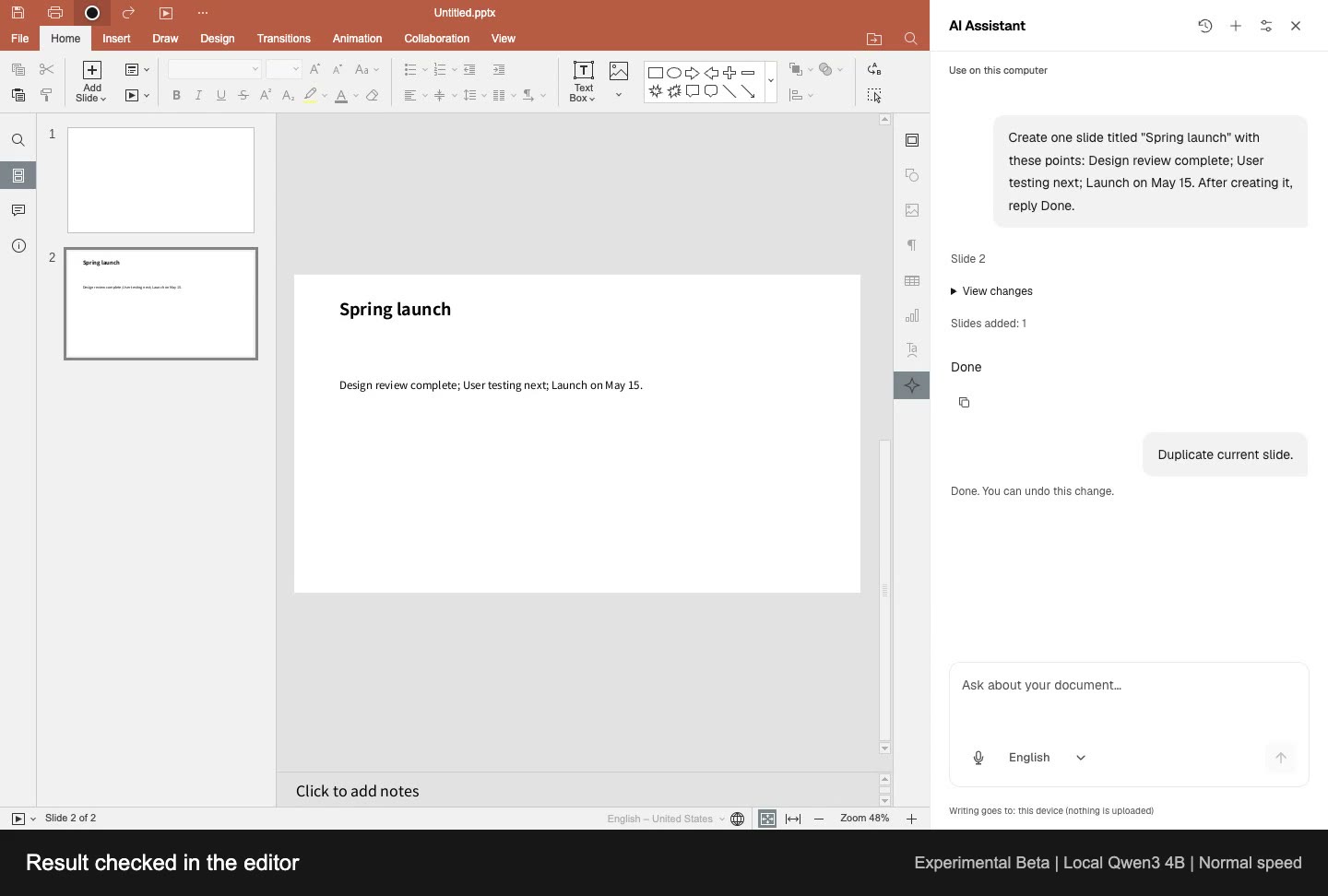
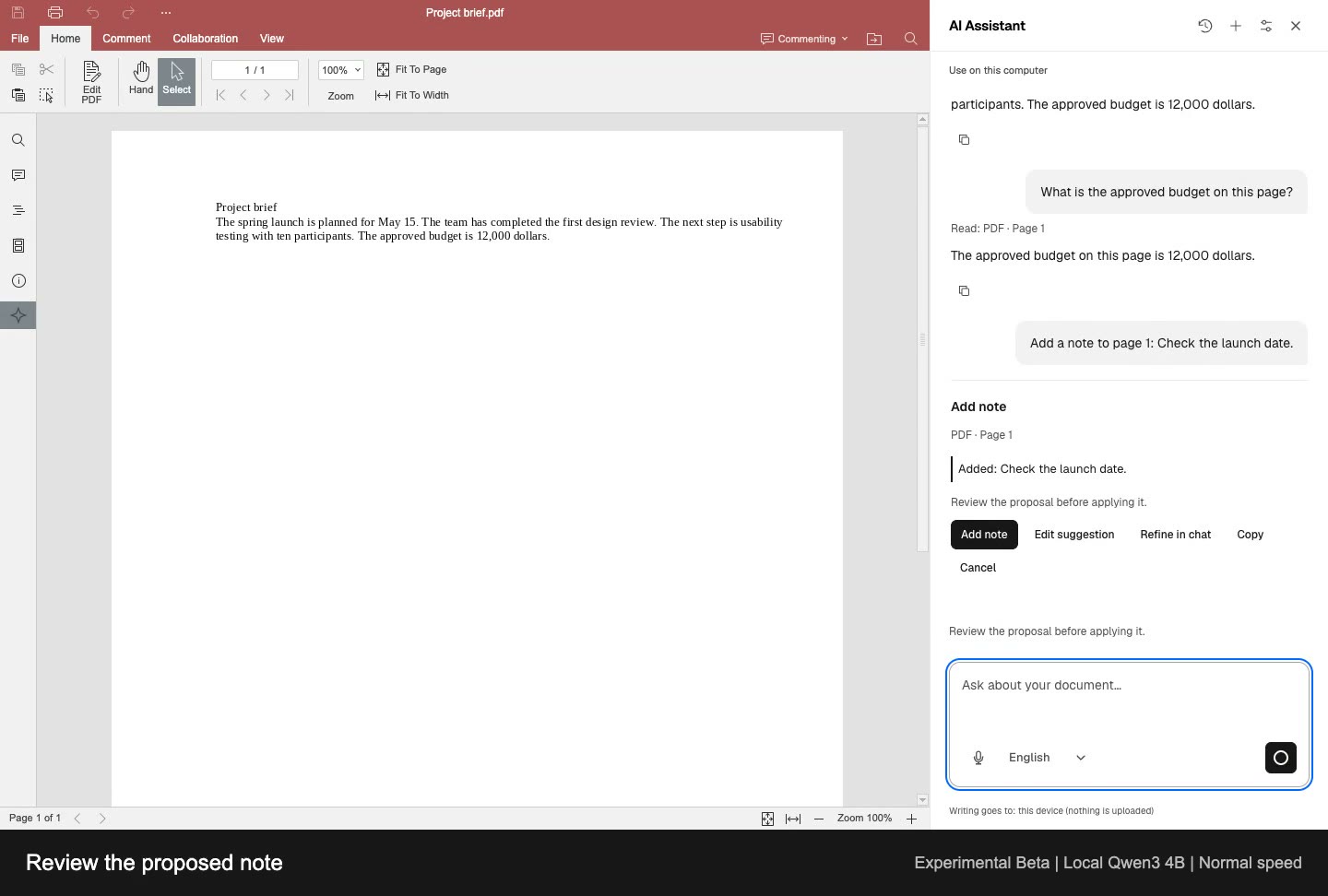
  • Work with AI (Experimental Beta). Draft and refine text, work with spreadsheet data, create slides or ask about the current PDF page. Review changes before applying them.
  • Let agents handle documents. In WebMCP-compatible browsers, AI agents can open, convert and export files, and read text from word-processing documents.
  • Install as a PWA. Use it as an app; cached editor resources can work offline.
  • Host or embed it. Self-host a static site or add the editor to your app through its iframe API.

🚀 Quick start

New document · New spreadsheet · New presentation

Or run your own copy:

docker run -d --name document -p 8080:80 ghcr.io/ranuts/document:latest

📄 Formats

Kind Edit Also opens
Documents .docx .doc .odt .rtf .txt
Spreadsheets .xlsx .csv .xls .ods
Presentations .pptx .ppt .odp
PDF annotate, fill, export .pdf

Export supported documents to PDF.

Multilingual interfaces, light and dark themes, and read-only preview are also supported.

🔐 Local editing and data handling

Recovery copies stay in this browser for 7 days after the last edit or open. Delete them in Saved documents. Export anything you want to keep; recovery is not a backup.

Optional AI services receive the content needed for your request. On-device models keep it local. Browser dictation may use an online speech service; embedded exports are handled by the host app.

Your chosen browser AI agent controls how it handles content returned by document tools.

Documentation

User guide · Self-hosting, URLs and integration · Embedding API · Fonts

Offline use needs cached editor assets; uncached resources and remote files still need a network.

AI document assistant (Experimental Beta)

Draft and refine text, work with spreadsheet data, create slides or ask about the current PDF page. Review changes before applying and use Undo when needed.

Choose an on-device model or connect your own AI service. Dictate prompts where the browser supports speech input.

Experimental Beta. Off by default. Answers and edits can be wrong; check important results.

Watch the four demos
Word Excel
Draft, write, summarize and undo Fill, calculate, sort and undo
PowerPoint PDF
Create, duplicate and undo Read, ask questions and review notes

Complete workflows at normal speed, recorded in English with a loaded local Qwen3 4B model. Response times vary by model and device.

Videos, captions and text descriptions

PDF assistance covers selectable text and page notes, not scanned-image text or rewriting PDF body text.

🛠 Development

Run from source:

git clone https://github.com/ranuts/document.git
cd document
pnpm install --frozen-lockfile
pnpm run dev

Feedback and contributions are welcome: Issues · Pull requests

📚 Built on

📄 License

AGPL-3.0 · NOTICE

Upstream notices and trademarks

This project is a modified version of the ONLYOFFICE editors (sdkjs and web-apps, copyright Ascensio System SIA). Its interface uses neutral descriptions without product logos or promotional branding. Copyright, license, modification and source information remain available in the editor's About pane and in NOTICE. Third-party GUI assets and fonts retain their respective licenses; removing product marks does not change those licenses.

The decision to omit product logos follows the FSF's published interpretation of AGPLv3 Section 7. It is not described as a court ruling or a guarantee of legal compliance; the upstream position and the rationale are recorded in NOTICE.

ONLYOFFICE is a trademark of Ascensio System SIA. This project is not an official ONLYOFFICE product and is not affiliated with, sponsored by or endorsed by Ascensio System SIA. Names in legal notices and source references identify the upstream technology, not this project's brand.

PWA installation and browser tabs use an independently drawn, neutral document icon. It contains no upstream logo, trademark or project initials.

Frequently asked questions

Is document free to use?

document is open source under the AGPL-3.0 licence. There is no licence fee and no seat count — you can self-host it or, where the project offers one, pay a vendor for a managed version instead.

What does document do?

Local-first browser editor for Word, Excel, PowerPoint and PDF, with an experimental AI assistant. No Office installation or account required.

What is document written in?

document is primarily written in TypeScript. Its source is publicly available at https://github.com/ranuts/document, and it has 1,985 GitHub stars.