Doca is an MIT-licensed, self-hosted document management and knowledge base system, written in TypeScript, that puts rich-text documents, Markdown, spreadsheets, presentations, an infinite canvas and a personal AI assistant into a single workspace for individuals and small teams.
What it is
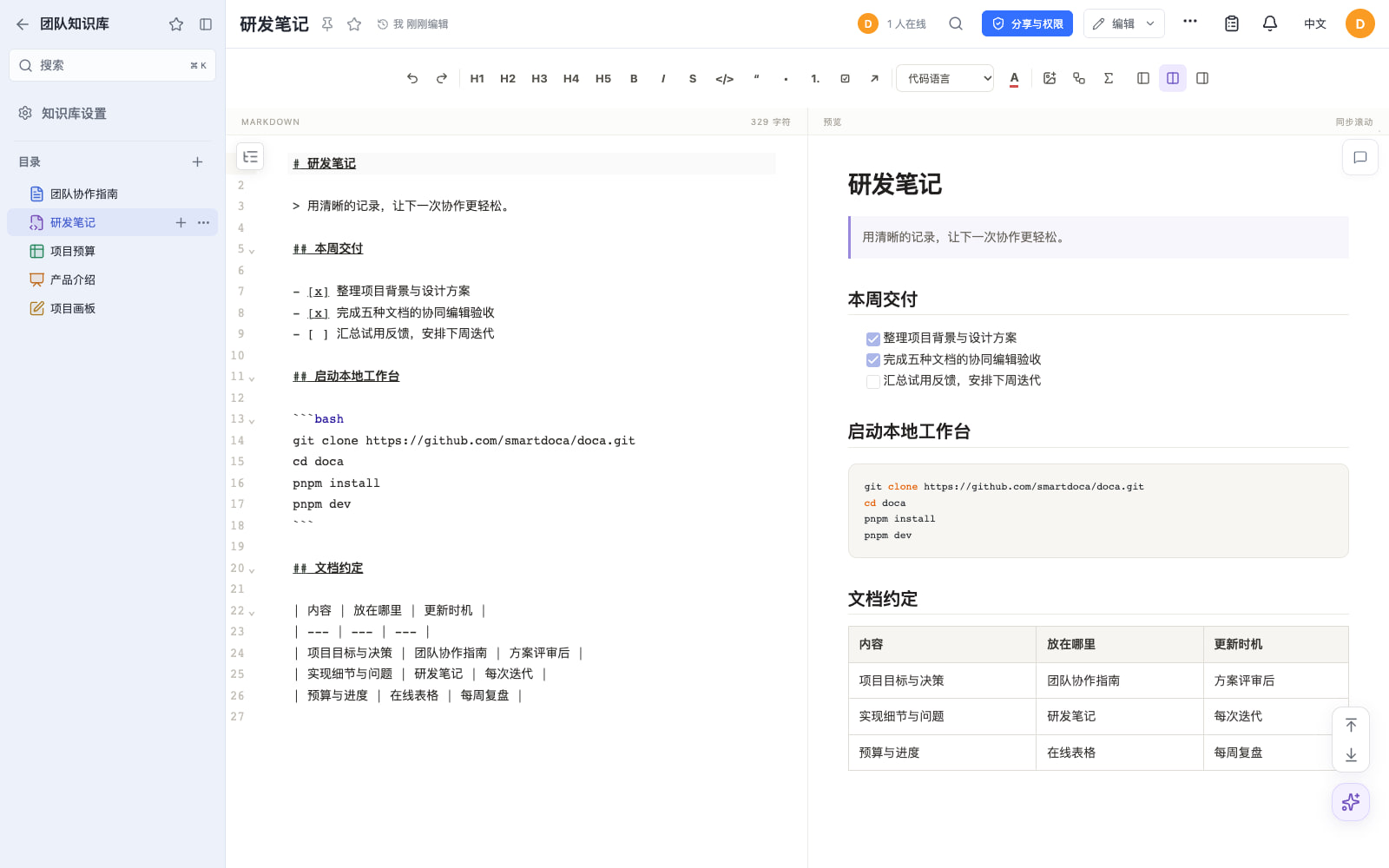
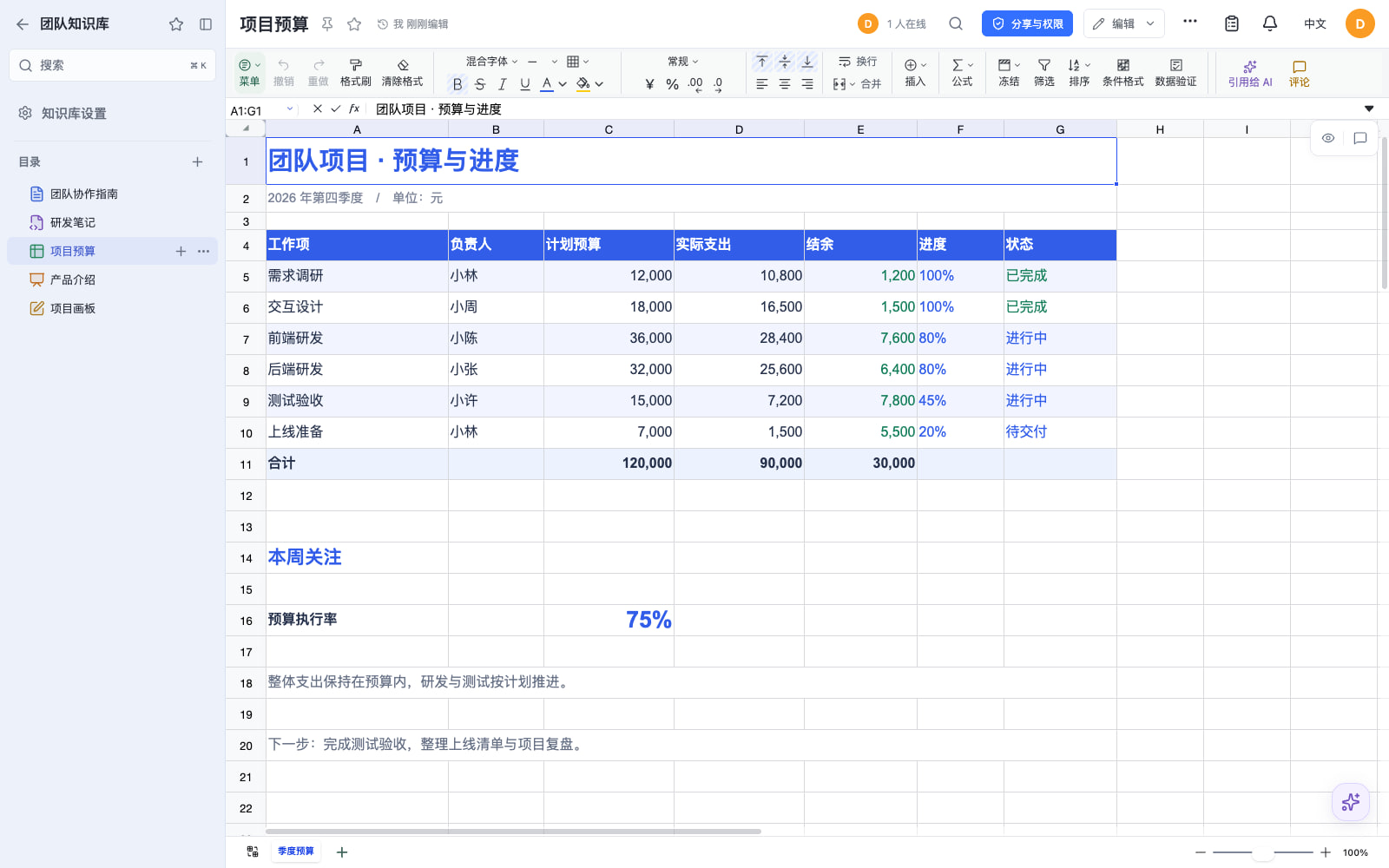
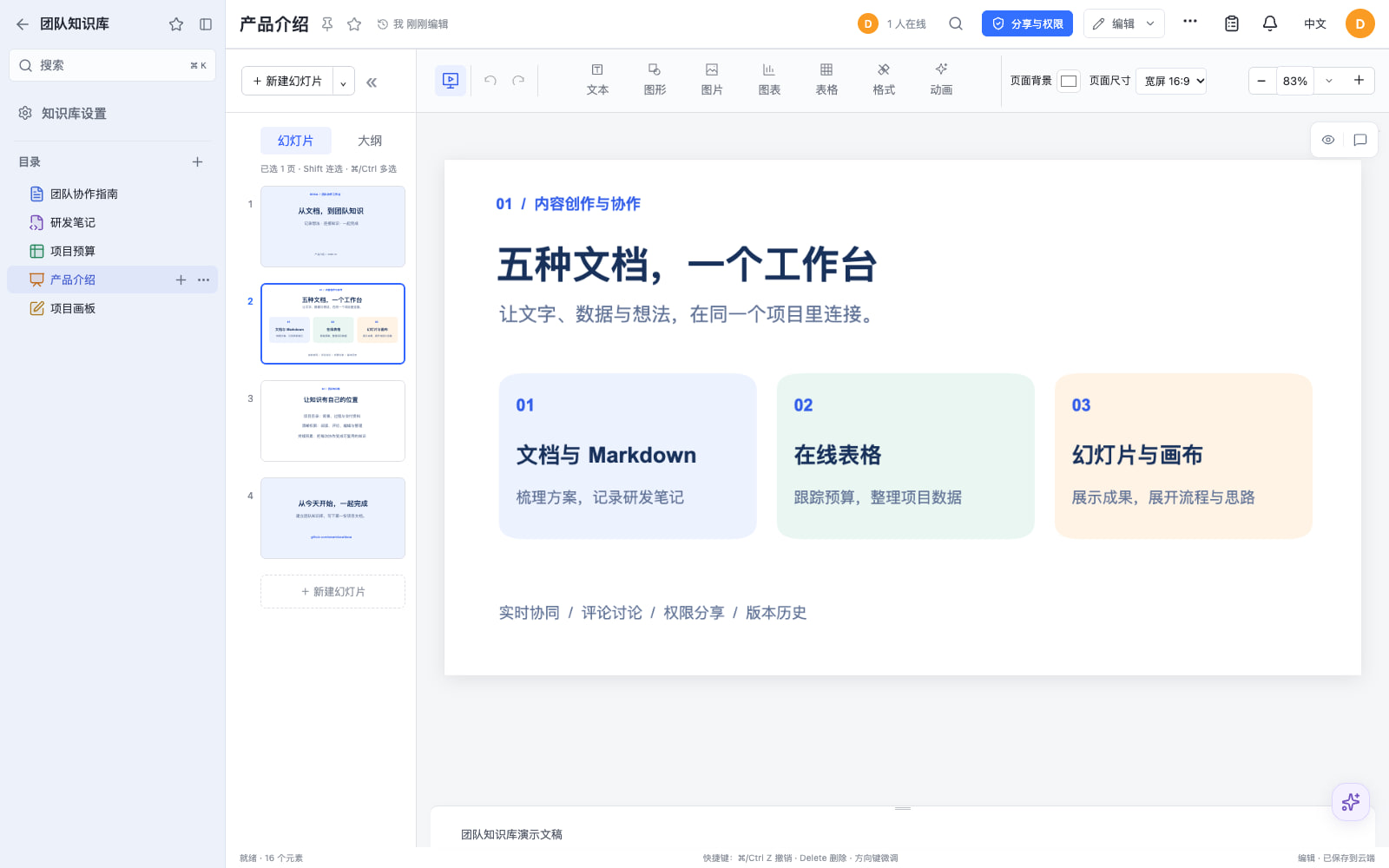
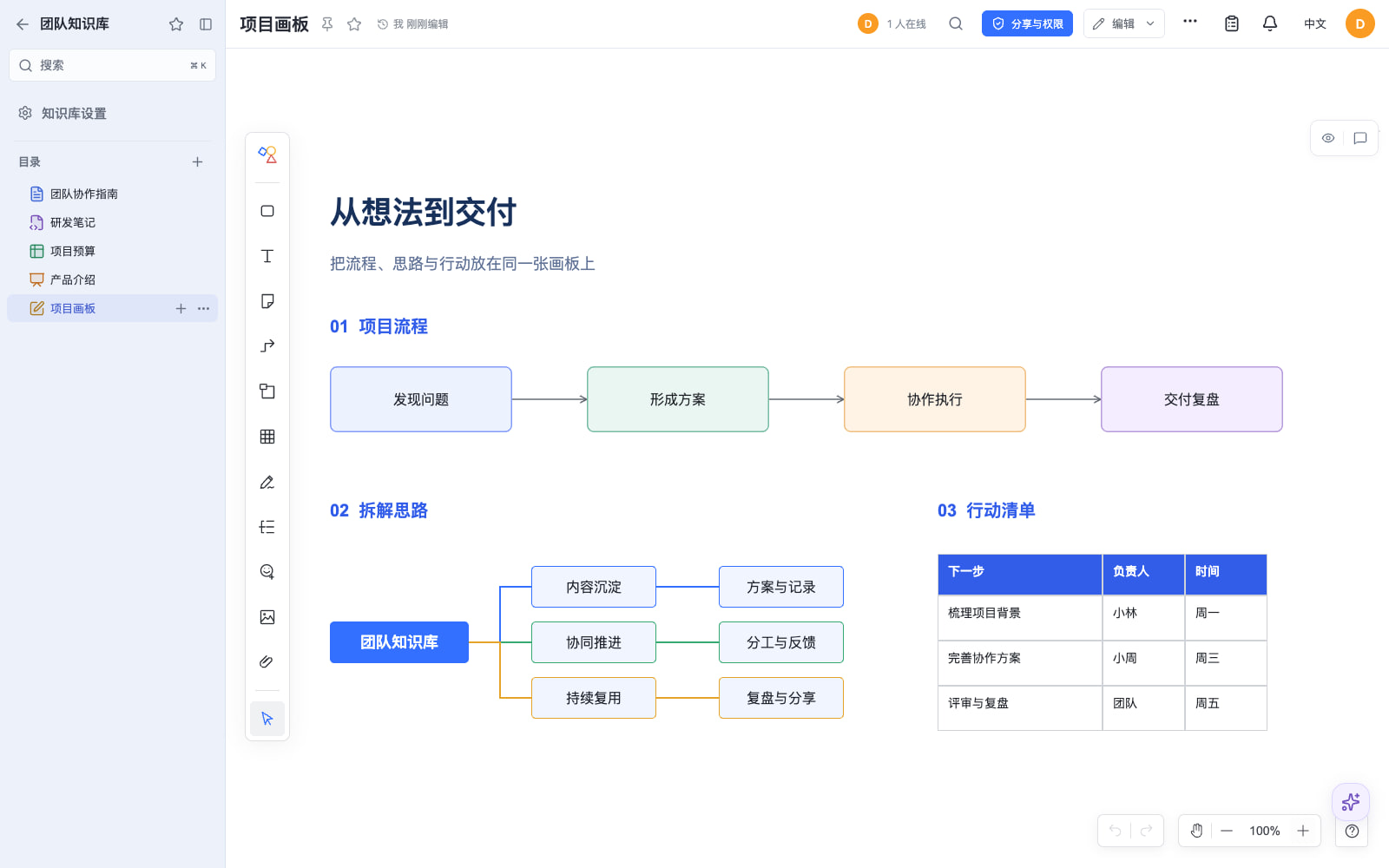
Doca lives in the TypeScript and React ecosystem and ships as a Docker-deployable web application that a team runs on its own server. Its premise is that five document formats belong in one workbench: rich-text documents, Markdown, online spreadsheets, presentations and an infinite canvas, each with real-time collaboration, comments and document history. Around them sits knowledge management — a knowledge base organised by document catalogue, and collaborative knowledge books (知识册) that support orchestration, source traceability and human review.
The problem it addresses is fragmentation. Project plans, meeting notes, budgets and process descriptions otherwise end up in separate single-format editors, each with its own sharing model, while the reasoning behind a conclusion is lost. Doca places those formats, together with personal files, shared folders, permissions, share links, search, notifications and a trash, behind one account system, and adds a personal AI assistant that works over the documents and files a user is permitted to access. A deployment carries one account system only, and templates, asset providers and optional plugins are installed separately from the default image.
Key capabilities
- Five editors in one workbench — rich-text documents, Markdown, spreadsheets, presentations and infinite canvas — with real-time collaboration, comments and document history.
- A knowledge base with a document catalogue, plus collaborative knowledge books (知识册) with orchestration, source traceability and human review.
- A personal AI assistant that reads PDF and Office attachments, generates and edits images and analyses web material, using a model and service the operator configures.
- A Chrome / Edge browser extension that captures a whole page or selection while preserving body text, source and images, saving into a personal document, a knowledge base folder, or appending to a specified document.
- A Streamable HTTP MCP service that lets MCP-capable clients such as Codex discover authorised tools and SKILL manuals; personal services act as the user, company services name a target user per operation, and tokens can be reset, disabled or revoked.
- Local or S3-compatible file storage alongside share links, search, notifications and a trash.
- Docker deployment on single-node SQLite, or multiple replicas sharing PostgreSQL, Redis and file storage, extended through the public
@smartdoca/plugin-sdk.
Who uses it and how
- Individuals and small teams keeping a private workbench for project proposals, meeting notes, budget tracking and process documentation, inviting collaborators to edit in real time and discuss details in comments.
- Teams turning conclusions into durable knowledge, assembling sources, orchestration and human review into knowledge books rather than leaving them in scattered files.
- Self-hosters who want their own AI: deploy on their own server, connect their own model and service, then extend the workbench with business plugins from the plugin store.
- Organisations standardising accounts, using password, OIDC, Google, GitHub, WeChat QR or QQ login with Chinese or English interfaces, depending on what they configure.
- Integrators wiring Doca into external AI clients: individuals enable MCP in personal settings and paste the generated configuration, while administrators manage company MCP services used by system integrations.
Getting started
The documented path is Docker: download the single-file doca-compose-v0.2.33.yaml release asset into a fixed deployment directory, fill in DOCA_ORIGIN and a DOCA_CREDENTIAL_MASTER_KEY generated with openssl rand -hex 32, then run docker compose pull and docker compose up -d. Administrator creation follows with docker compose exec doca bash docker/admin.sh bootstrap, and a one-click RepoCloud deployment option is also listed.
How it compares
The facts provided name no comparable products, so Doca stands alone in this registry's document management and e-signature category rather than being contrasted with named alternatives. Its distinguishing shape, on the evidence given, is the combination of five document formats in one self-hosted workbench, an MCP service for external AI clients, and a plugin SDK, all under the MIT licence.
When to use it — and when not to
Doca suits people willing to operate it: the Compose file binds 127.0.0.1:39120, so an HTTP(S) reverse proxy is required before a browser can reach it; the master key, project name, database, attachments and the doca_data volume carry the installation across upgrades; and the AI assistant works only after a model and service are configured. Anyone wanting a fully managed service, or expecting email, calendar, membership or content-moderation features out of the box, should look elsewhere, since the default image does not install those plugins and the browser extension is loaded as an unpacked download rather than from an extension store. It is also an early-stage project at version 0.2.x with 504 stars and 4 forks, so teams needing a long operating record should weigh that.
project readme (upstream, from github) — read inline

Doca
把知识留在触手可及的地方。
面向个人和小团队的开源文档管理与知识库系统,支持多人协同编辑。
文档、表格、幻灯片、画布与个人 AI 助手,在一个可以私有化部署的工作台里。


官网 → ·
在线体验 ·
详细文档 ·
插件商城 ·
部署自己的 Doca
简体中文 · English
Doca 把在线文档、Markdown、在线表格、幻灯片、无限画布、知识管理和团队协作放在一起。记录个人想法,沉淀团队知识,也可以连接自己的 AI 模型辅助工作。
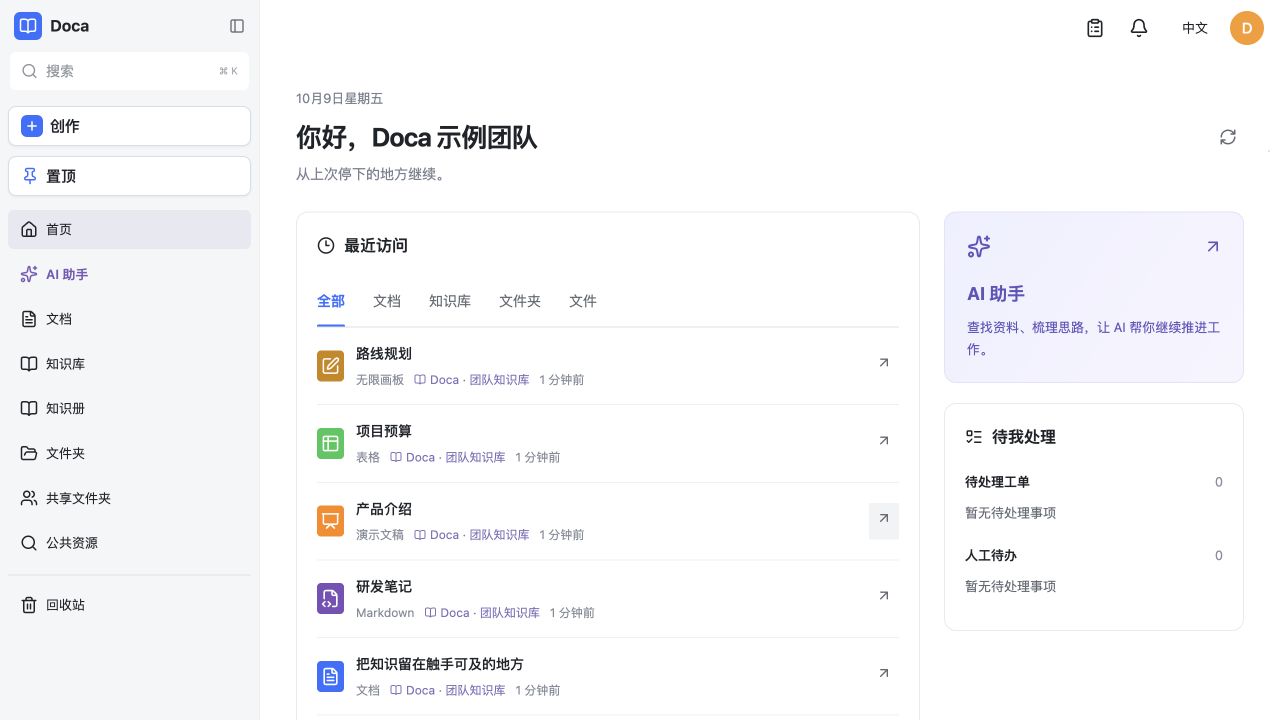
从上次停下的地方继续。文档、团队知识与 AI 助手,都在同一个工作台。
[!NOTE]
在线演示用于体验,数据会不定期清理,请不要存放重要数据。
从一个想法,开始一起创作
看看 Doca 能做什么
在文档里,把团队连接起来
用富文本写方案与会议纪要。知识库目录、格式工具、权限和文档历史就在手边。
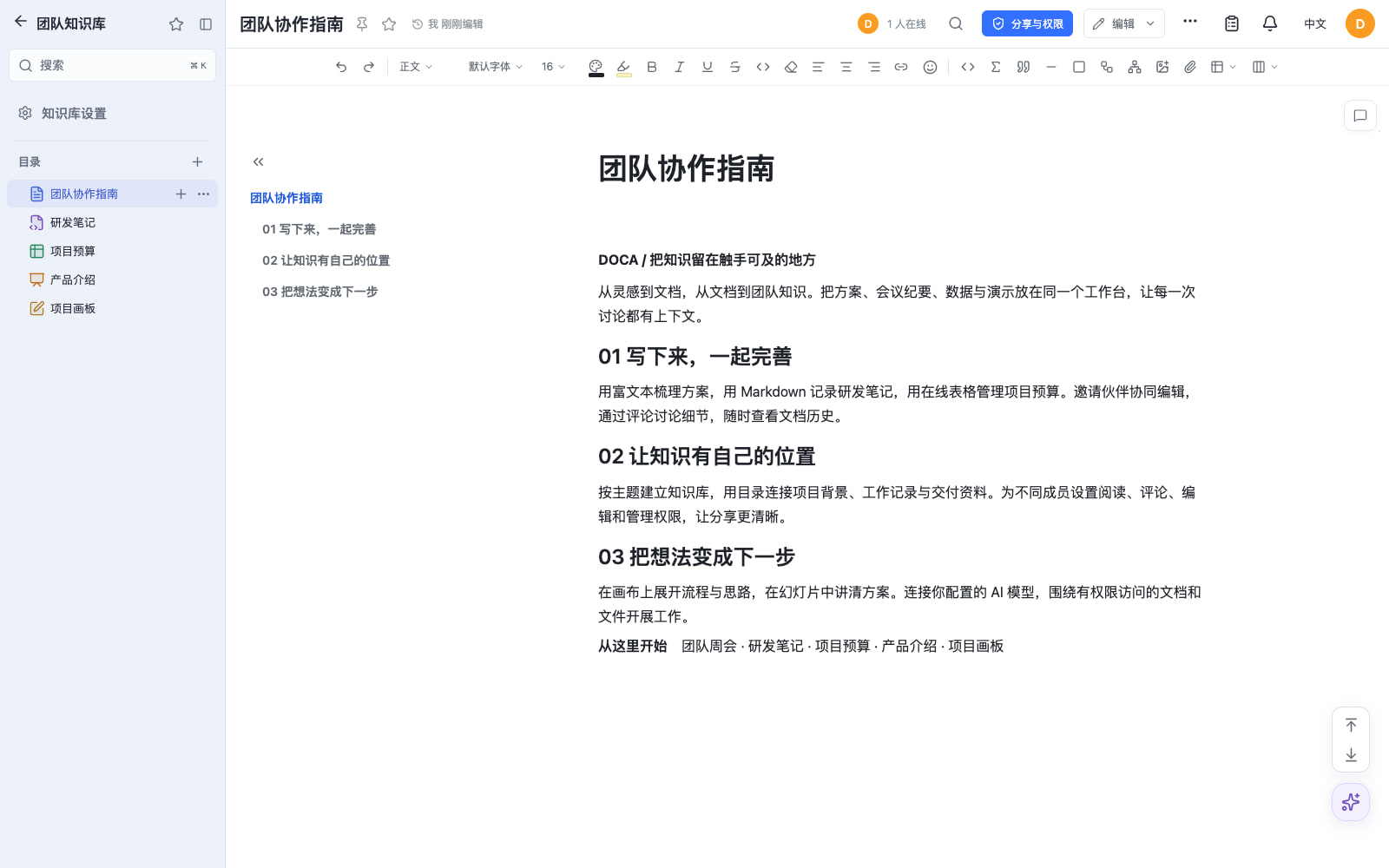
五种文档格式,一个工作台
五种编辑器截图更新于 2026-10-17,基于 Doca 0.1.31 的真实界面,使用隔离本地部署中的示例内容。
主要功能
一次部署只有一套账号系统。默认镜像不安装随手记、邮箱、日历、会员或内容审核插件。模板和素材需要单独安装提供者,详见功能与边界。
把网页资料带回自己的知识库
在个人设置的「浏览器助手」中配置收录方案,下载本站配置的扩展,在 Chrome / Edge 中加载已解压的文件。插件跟随 Doca 网站登录,可把整页或选区保存到个人文档、知识库目录,或追加到指定文档。当前通过下载包安装,未提供浏览器扩展商店安装。
网页右侧工具条可以收录、打开 Doca 助手和进入设置。侧栏支持总结与整理当前网页,使用站点配置的模型、计量和审批;会话可回到 Doca 继续。来源网页会进入关联资源,浏览器会话以网页名称开头,方便查找。详见浏览器助手安装与使用。
让外部 AI 使用 Doca 的工具与 SKILL
Doca 提供 Streamable HTTP MCP 服务,让支持 MCP 的客户端发现已授权的工具、读取 SKILL 手册、操作文档与文件。个人服务以本人身份执行;公司服务供系统集成使用,每次操作显式指定目标用户。服务授权和资源权限同时生效,token 可以独立重置、关闭或撤销。
在个人设置中启用 MCP 并创建服务,复制界面生成的接入配置;管理员可在后台管理公司 MCP 服务。token 只在创建或重置时显示,保存在客户端环境变量中即可。详见MCP 服务与接入。
常用地址
Docker 快速开始
需要 Docker Engine、Docker Compose,以及通过反向代理访问的 HTTP(S) 地址。全新 SQLite/本地存储安装只需一个 YAML,无需 Git、源码、seccomp JSON 或外部初始化脚本。已有部署更换版本前,先阅读发行要求,保留原项目名、持久卷、数据库、附件和主密钥。
# 1. 在固定部署目录下载单文件配置
mkdir doca && cd doca
curl -fL https://github.com/workhold/doca/releases/download/v0.2.33/doca-compose-v0.2.33.yaml -o compose.yaml

# 2. 用 openssl rand -hex 32 生成主密钥
# 编辑 compose.yaml,填写 DOCA_ORIGIN 和 DOCA_CREDENTIAL_MASTER_KEY
chmod 600 compose.yaml

# 3. 拉取、启动并等待 healthy
docker compose pull
docker compose up -d
docker compose ps

# 4. 初始化管理员,按终端提示输入账号与密码
docker compose exec doca bash docker/admin.sh bootstrap
密码至少 12 位,没有默认账号。Compose 绑定 127.0.0.1:39120,浏览器访问前需要配置 HTTP(S) 反向代理。SQLite、文件、插件和 AI 数据库保存在 doca_data 卷。
完整快速开始包含 .env、反向代理、健康检查、管理员恢复和数据保留说明。
业务服务器无法访问 GitHub 时,按无需访问 GitHub 的部署转交部署文件即可,不需要 Git 或源码。交付方执行 node scripts/pack-deployment.mjs 生成部署包;指南也提供可复制的 Compose、.env 和初始化步骤。镜像仓库也不通时,可通过 docker save / docker load 离线交付同版本镜像。
一键部署

源码开发
需要 Node.js 22.12 或更新版本,以及 pnpm 11.25.0:
pnpm install --frozen-lockfile
cp .env.example .env
# 把存储 root 改为本机可写的绝对路径;首次安装替换公开示例主密钥。
pnpm dev
打开 http://127.0.0.1:39130,通过 bash scripts/bootstrap-admin-local.sh 初始化管理员。pnpm check 执行 TypeScript 检查、测试和 Web 构建。详见开发环境。
文档
预览文档时,执行 pnpm docs:dev 并打开 http://127.0.0.1:39140/#/zh-cn/。pnpm docs:check 校验双语覆盖和本地链接。GitHub Pages 设置见文档维护。
联系作者
许可证
MIT。单独发布的富文本、表格、Markdown、画布和幻灯片编辑器采用同一许可证。