Note: We have restructured the readme. If you are looking for Devtron's CI/CD capabilities, please click here

AI-Native Kubernetes Management Platform
Kubernetes is powerful but complex. Devtron unifies app and infrastructure management with an AI teammate to simplify operations and accelerate delivery.
Explore Documentation
·
Try Devtron SaaS
Website
·
Blogs
·
Join Discord channel
.
YouTube






Devtron's extensible Kubernetes Dashboard provides clear visibility into your Kubernetes clusters and streamlines Helm app management through a single, intuitive interface.
With built-in RBAC, it ensures secure access while offering integrated insights into workloads deployed via GitOps tools like ArgoCD and FluxCD across multiple clusters. Devtron creates a centralized DevOps hub, accelerating operations by up to 20x :rocket:
Check out the below video to experience the full power of the Kubernetes Dashboard.
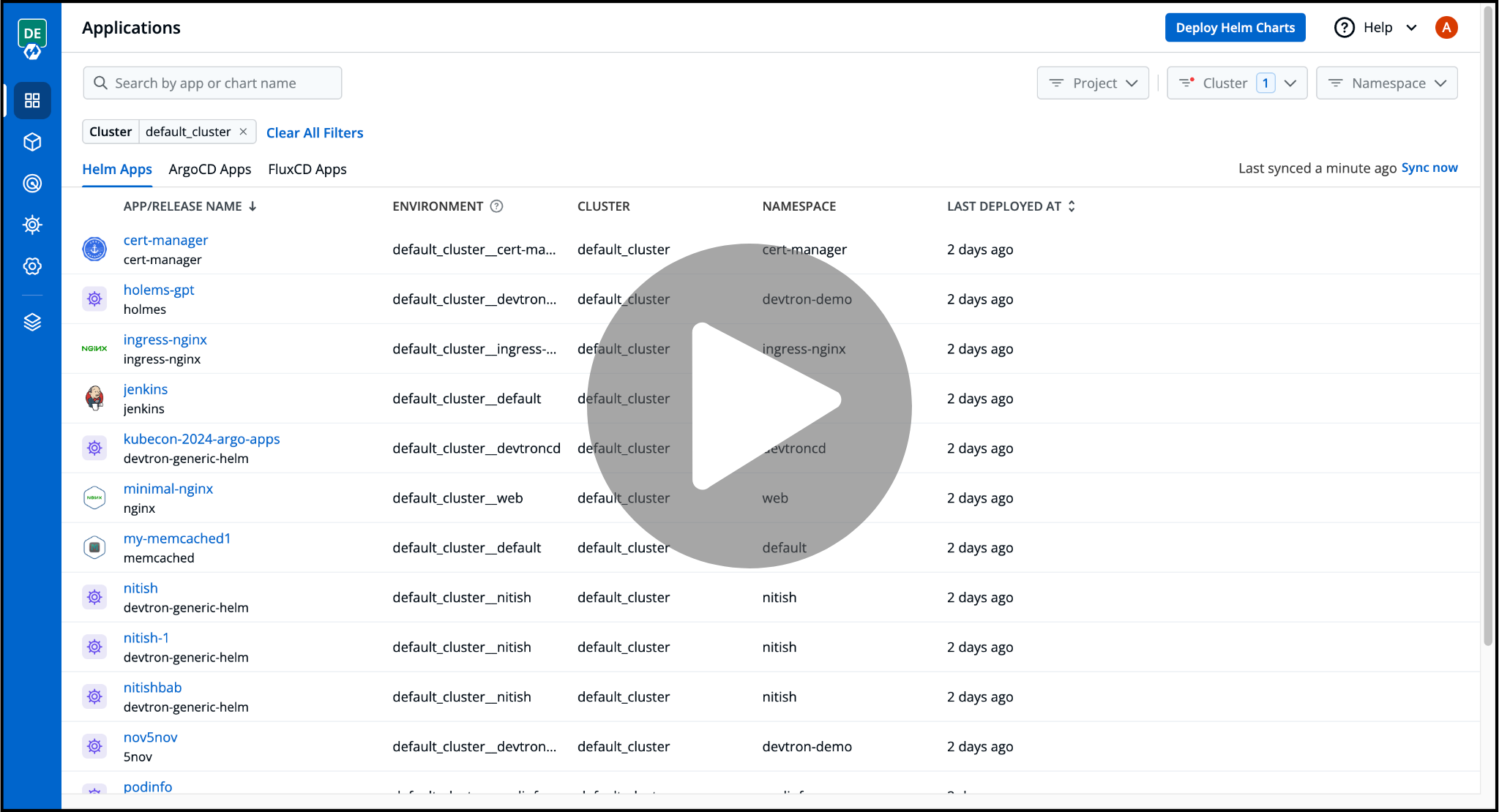
Out of the box, Devtron's Kubernetes Dashboard includes:
- Helm Application Management to streamline deploying, configuration, and management of Helm apps
- Resource Browser to visualize and manage different cluster resources like Nodes, Pods, ConfigMaps, Custom Resource Definations (CRDs), etc
- Single Sign On (SSO) to simplify onboarding and authenticating team members.
- Fine Grained RBAC to control the level of access users have to different Dashboard and Cluster resources.
Devtron helps you deploy, observe, manage & debug existing Helm apps in all your clusters.
Devtron Dashboard
Devtron's Kubernetes Dashboard offers a variety of different features, giving you flexibility to manage your clusters as you desire.
Features 🤩
- Simplified configuration and management for Helm applications with easy rollback
- Compare and reconcile configuration drifts across environments
- Manage Helm deployments to multiple Kubernetes environments
- A single pane of glass for Helm, ArgoCD, and FluxCD applications across multiple clusters
- Centralized Dashboard to view and manage K8s resources across multiple clusters
- Comprehensive SSO and RBAC to ensure secure dashboard access for team collaboration
To get a more comprehensive understanding of Devtron's Kubernetes Dashboard, please visit the documentation
Installation
Before you begin, you must create a Kubernetes cluster (preferably K8s 1.16 or higher) and install Helm.
Install Devtron's Kubernetes Dashboard
Run the following command to install the latest version of Devtron's Kubernetes Dashboard:
helm repo add devtron https://helm.devtron.ai

helm install devtron devtron/devtron-operator \
--create-namespace --namespace devtroncd
Access Devtron
URL: Use the following command to get the dashboard URL:
kubectl get svc -n devtroncd devtron-service -o jsonpath='{.status.loadBalancer.ingress}'
Credentials:
UserName: admin
Password: Run the following command to get the admin password for Devtron version v0.6.0 and higher
kubectl -n devtroncd get secret devtron-secret -o jsonpath='{.data.ADMIN_PASSWORD}' | base64 -d
For Devtron version less than v0.6.0, run the following command to get the admin password:
kubectl -n devtroncd get secret devtron-secret -o jsonpath='{.data.ACD_PASSWORD}' | base64 -d
Please refer to the document for more information on how to access the Devtron Dashboard.
Devtron Platform
The Devtron Platform provides a complete solution for all DevOps requirements, helping to create a single centralized DevOps Platform for managing all applications across Kubernetes clusters.
With Devtron Platform, you can accelerate your application delivery lifecycle by leveraging advanced features like canary deployments, A/B testing, and automated rollbacks. Devtron Platform helps you achieve faster time-to-market and improved application reliability by simplifying Kubernetes operations and streamlining development workflows.
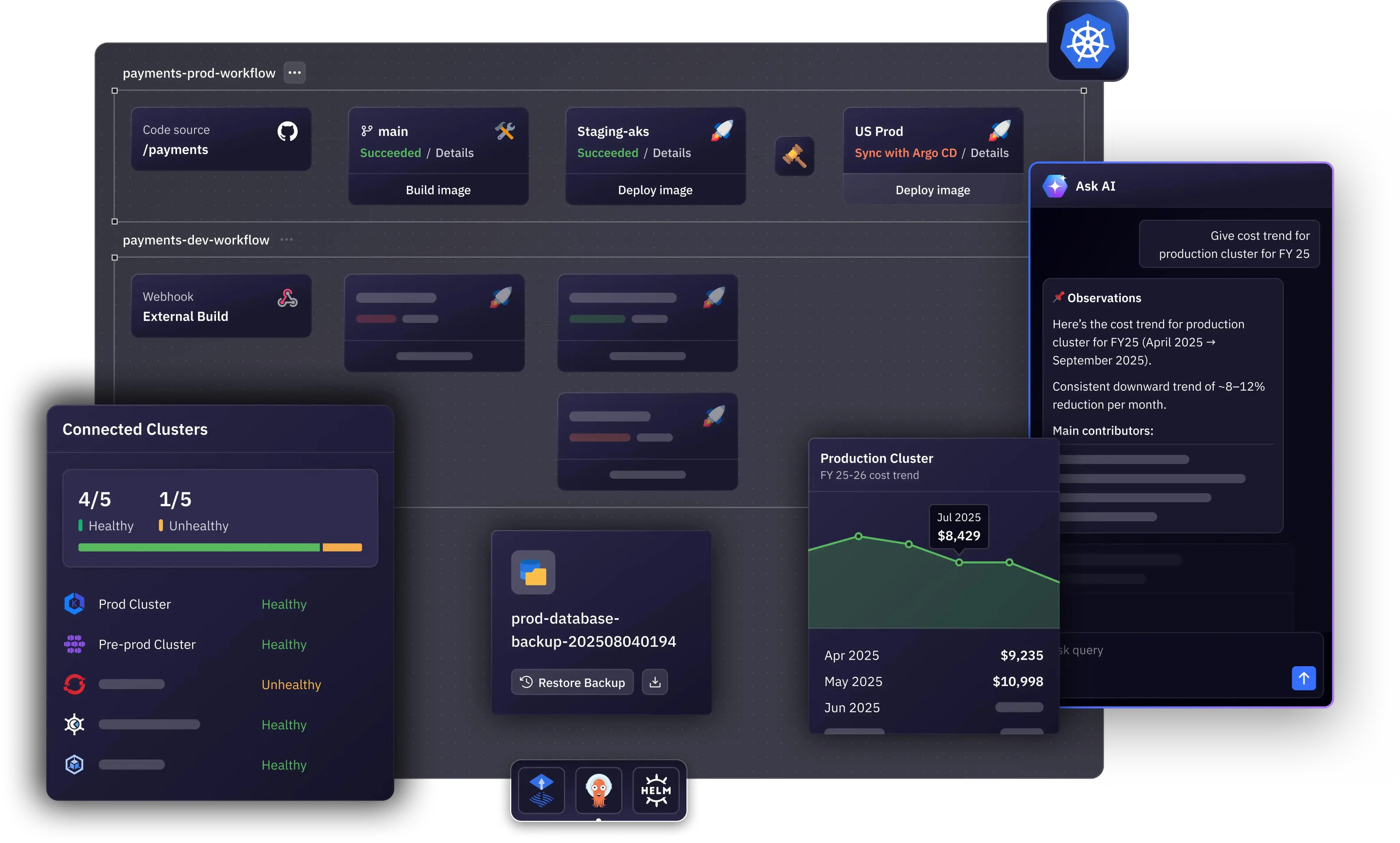
Devtron deeply integrates with products across the lifecycle of microservices,i.e., CI, CD, security, cost, debugging, and observability via an intuitive web interface and helps you deploy, observe, manage & debug applications across all your Kubernetes clusters.
Devtron Integrations
By harnessing the potential of diverse integrations, Devtron Dashboard can evolve into a robust platform, automating Kubernetes application workflows, from CI/CD pipelines to ongoing maintenance
Devtron comes with the following integrations:
- Build and Deploy (CI/CD) integration enables software development teams to automate the build and deployment process, allowing them to focus on meeting the business requirements, maintaining code quality, and ensuring security
- GitOps (Argo CD) integration uses ArgoCD to implement GitOps for continuous delivery with GitOps patterns
- Vulnerability Scanning (Clair) integration enables you to scan the vulnerabilities of the images during the time of image build only.
- Vulnerability Scanning (Trivy) integration enables you to scan the vulnerabilities of the images during the time of image build only.
- Notifications integration, lets you receive alerts for build and deployment pipelines on trigger, success, and failure events to your email or a Slack channel via SES and SMTP.
- Monitoring (Grafana) integration uses Grafana to gather application metrics like CPU, Memory utilization, Status 4xx/ 5xx/ 2xx, Throughput, and Latency.
Features 🤩
- End-to-End CI/CD pipeline enabling a No Code software delivery workflow for Kubernetes through Helm or GitOps with ArgoCD
- Deploy applications to multiple Kubernetes clusters on multiple cloud/on-prem from one Devtron setup
- Robust DevSecOps implementation with battle tested tools like Trivy and Clair
- A Single dashboard to cater to all debugging requirements for applications
- Deployment metrics to measure the success of the agile process. It captures MTTR, change failure rate, deployment frequency, and deployment size.
To get a more comprehensive understanding of Devtron Platform's features, please visit the documentation
Install Devtron Platform
Run the following command to install the latest version of the Devtron Platform:
helm install devtron devtron/devtron-operator --namespace devtroncd \
--set installer.modules={cicd} --set argo-cd.enabled=true \
--set security.enabled=true  --set notifier.enabled=true  \
--set security.trivy.enabled=true --set monitoring.grafana.enabled=true
Core Tools and Technologies
Here are the components that Devtron uses internally as part of its own architecture:
| Logo | Tool | Purpose | GitHub Repository | License |
|---|---|---|---|---|
 |
Kubernetes | Core orchestration platform managing deployments, scaling, and container lifecycle automation. | kubernetes/kubernetes | Apache License 2.0 |
 |
Golang | Backend language powering high-performance, scalable Devtron core services. | golang/go | BSD 3-Clause License |
 |
Helm | Manages Kubernetes application packaging, versioning, and consistent deployment workflows. | helm/helm | Apache License 2.0 |
 |
Trivy | Ensures security by scanning vulnerabilities, misconfigurations, secrets, and SBOMs. | aquasecurity/trivy | Apache License 2.0 |
 |
NATS | Enables reliable, high-speed messaging between Devtron microservices and workflows. | nats-io/nats-server | Apache License 2.0 |
 |
Dex | Provides secure SSO integration with enterprise identity providers. | dexidp/dex | Apache License 2.0 |
 |
Casbin | Enforces fine-grained RBAC policies for secure user authorization. | casbin/casbin | Apache License 2.0 |
Optional Components
Here are some of the optional components that Devtron supports:
| Logo | Tool | Purpose | GitHub Repository | License |
|---|---|---|---|---|
 |
Argo CD / Argo Workflows | Enables GitOps-based deployments and workflow automation within Devtron | argoproj/argo-cd | Apache License 2.0 |
 |
Clair | Scans container images for known security vulnerabilities | quay/clair | Apache License 2.0 |
 |
KEDA | Enables event-driven autoscaling for Kubernetes applications | kedacore/keda | Apache License 2.0 |
 |
Kubernetes External Secrets | Syncs external secrets securely into Kubernetes clusters | external-secrets/external-secrets | Apache License 2.0 |
 |
Prometheus | Collects metrics for monitoring, alerting, and performance insights | prometheus/prometheus | Apache License 2.0 |
:question: FAQs & Troubleshooting
- For troubleshooting Devtron please refer to this docs page
:busts_in_silhouette: Community
Get updates on Devtron's development and chat with project maintainers, contributors, and community members
- Follow @DevtronL on Twitter
- Raise feature requests, suggest enhancements, and report bugs in our GitHub Issues
- Articles, Howtos, Tutorials - Devtron Blogs
- Devtron is trusted by communities all across the globe. The list of organizations using Devtron can be found here.
Join us at Discord channel
:handshake: Contribute
Check out our contributing guidelines. Included, are directions for opening issues, coding standards, and notes on our development processes. We deeply appreciate your contribution.
Please look at our community contributions and feel free to create a video or blog around Devtron and add your valuable contribution to the list.
Contributors:
We are deeply grateful to all our amazing contributors!
:bug: Vulnerability Reporting
We at Devtron, take security and our users' trust very seriously. If you believe you have found a security issue, please report it to security@devtron.ai.
:bookmark: License
Devtron is licensed under Apache License, Version 2.0