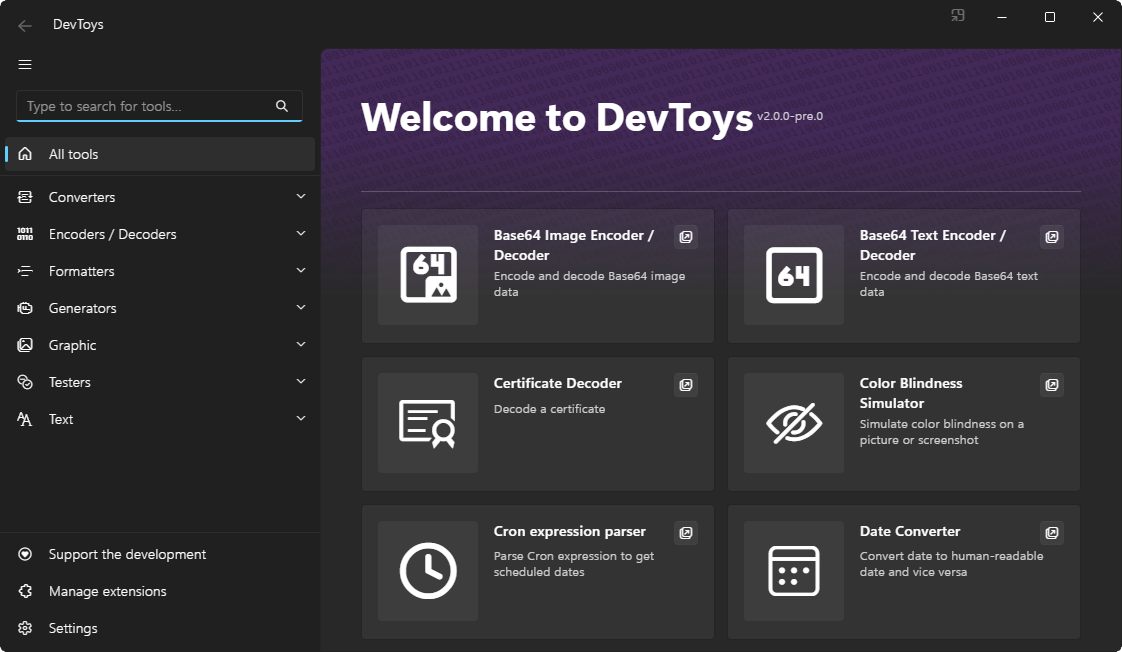
DevToys is an open-source, MIT-licensed, cross-platform desktop application written in C# that bundles dozens of small, single-purpose developer utilities — converters, encoders and decoders, formatters, generators, graphics tools, testers and text utilities — into one app, aimed at developers who need quick data conversions and inspections without pasting their data into random websites.
What it is
DevToys is a desktop application for developers, described in its own README as "a Swiss Army knife for developers." It is built in C# and, according to the repository topics, uses Blazor and Fluent Design, targeting Windows, Linux and macOS as a cross-platform desktop application. It is extensible by design: a set of tools ships in the box, further tools arrive as extensions, and the project documents how to develop your own at devtoys.app/doc. The project is hosted at devtoys.app, carries an MIT licence, and has attracted 32,024 stars, 1,757 forks and 340 open issues on GitHub, with the most recent push in February 2026.
The concrete problem it solves is the small, repetitive task that interrupts real work: decoding a string, converting a document, or compressing an image. The README is explicit that this otherwise means using "many untrustworthy websites to simply decode a text or compress an image." DevToys replaces that scattered, browser-based habit with a single local application that ships 30 default tools in version 2.0, and it adds Smart Detection, which selects the best tool for whatever data is currently on the clipboard.
Key capabilities
- Thirty default tools in DevToys 2.0, grouped as Converters, Encoders/Decoders, Formatters, Generators, Graphics Tools, Testers and Text Utilities.
- Converters including JSON YAML, Date and Number bases.
- Encoders and decoders for HTML, URLs, Base64, GZip, JWT and QR Code.
- Formatters for JSON, SQL and XML, plus testers for JSONPath, RegEx and XML.
- Graphics Tools comprising a Color Blindness Simulator and a PNG/JPEG Compressor.
- Text Utilities covering Markdown Preview, Text Comparer, and Analyzer & Utilities.
- Smart Detection for clipboard-driven tool selection, plus an extension mechanism and documented support for developing your own tools.
Who uses it and how
- Individual developers handling daily development tasks, such as decoding a JWT or converting JSON to YAML on their own machine.
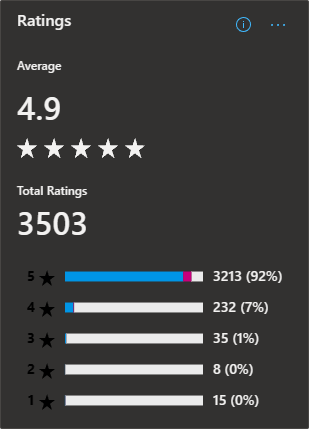
- Windows users who install through the Microsoft Store, the distribution channel the README highlights with a store rating section and screenshot.
- Cross-platform users on Linux and macOS, both listed in the repository topics; the README separately credits an independent developer for DevToysMac.
- Contributors and tool authors, who extend the shipped set through extensions or build their own tools using the documentation, and who contribute code under the CONTRIBUTING guide.
- Anyone who wants clipboard-aware behaviour, where copying data is enough to have DevToys propose the relevant tool.
Getting started
The README points to devtoys.app as the project homepage and references the Microsoft Store as its distribution channel on Windows, including a request to rate the app there. The provided README excerpt does not document a package-manager command, Docker image or compose file, so installation details beyond the homepage and Microsoft Store listing would need to be confirmed on the site.
How it compares
No comparable tools or paid products are named in the facts provided, so DevToys stands alone in this registry; the only alternative it positions itself against is the loose collection of untrustworthy websites the README describes for decoding text or compressing images. On the axes the facts do support, it is a locally installed MIT-licensed application rather than a hosted service or subscription product.
When to use it — and when not to
There is no server-side infrastructure to operate here — no database, object storage or SMTP configuration — because DevToys is a desktop client, so the operational cost is installing and updating it on each developer's machine. It is a poor fit for teams that need a shared, browser-hosted utility service or an automated command-line tool for CI pipelines, neither of which the facts describe. Be aware that the README excerpt is largely a feature list without installation instructions, and the repository carries 340 open issues, so prospective users should check the project site for current release and setup guidance.