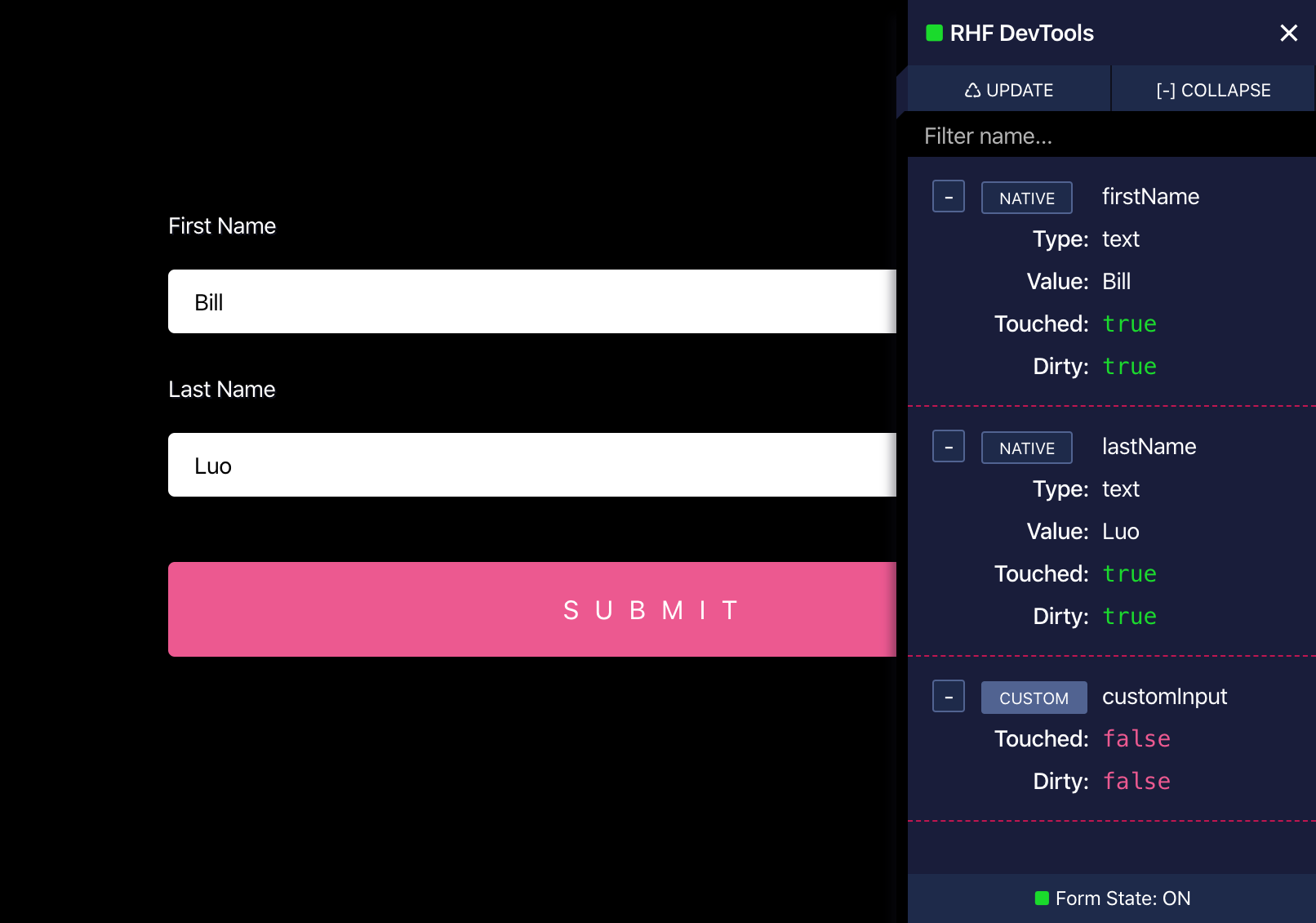
DevTools is a React component, published to npm as @hookform/devtools, that helps developers debug forms built with React Hook Form by giving more insight into a form's detail, and it is aimed at React developers already using React Hook Form in their applications.
What it is
DevTools is a companion package for React Hook Form, the React library for building forms with easy-to-use validation. It ships a single React component, DevTool, which is imported from @hookform/devtools and mounted alongside a form in the same component tree. The project is written in TypeScript, distributed under the MIT licence, and lives in the React Hook Form organisation on GitHub, where it carries the topics devtools, react and react-hook-form.
The concrete problem it solves is visibility. React Hook Form manages form state internally, and when validation, registration or submission behaviour does not match expectations, a developer has little to look at beyond the rendered inputs. DevTools addresses that by attaching to the form's control object — the same object returned by the useForm hook — and exposing the form's detail for inspection while the application runs. It replaces the improvised alternative of scattering console logging through a form component and reading the browser console to reconstruct what the library is doing.
Key capabilities
- Provides a
DevTool React component exported from the @hookform/devtools package, mounted directly inside the form's JSX.
- Connects to a form through the
control object returned by React Hook Form's useForm hook, so no changes to field registration are required.
- Works with forms configured with validation modes such as
mode: 'onChange', as shown in the README's quickstart.
- Is installed as a development dependency via
npm install @hookform/devtools -D, keeping it out of the production dependency set.
- Is written in TypeScript and consumed from a TypeScript/JSX quickstart example, so it fits typed React codebases.
- Is published on npm as
@hookform/devtools, with the project tracking package size through a bundlephobia badge in its README.
- Is documented through a dedicated page on the React Hook Form website at react-hook-form.com/dev-tools.
Who uses it and how
- React developers building forms with React Hook Form who need to inspect form detail during development rather than infer it from rendered output.
- Teams that add the package with the
-D flag so the inspector is available in local development and absent from the shipped bundle.
- Developers debugging validation behaviour, using the
mode: 'onChange' configuration from the quickstart as the working example.
- TypeScript codebases, where the component is imported into a
.tsx module alongside useForm from react-hook-form.
- Projects already inside the React Hook Form ecosystem, since the component depends on that library's
control object rather than standing alone.
Getting started
Install the package as a development dependency with npm install @hookform/devtools -D, then import DevTool from @hookform/devtools and render it inside the form component, passing the control object from useForm as its prop.
How it compares
No paid products or comparable debugging tools are named in the facts for this entry, so it stands alone in this registry. Its only stated relationship is to React Hook Form itself, whose forms it exists to inspect.
When to use it — and when not to
Choose it when a React Hook Form form is behaving in ways the rendered inputs do not explain and a development-only inspector tied to the control object is enough. Do not pick it for forms built on other libraries, since it is designed around React Hook Form's control, and do not ship it as a runtime dependency when the -D install flag is what the README prescribes. The README is deliberately sparse — a goal statement, an install line and one quickstart — and the repository carries 55 open issues, so expect to rely on the linked documentation page rather than the README for depth.
project readme (upstream, from github) — read inline
Performant, flexible and extensible forms with easy to use validation.


Goal
This React Component will help you to debug forms when working React Hook Form, and give you more insight about your form's detail.
Install
$ npm install @hookform/devtools -D
Quickstart
import React from 'react';
import { useForm } from 'react-hook-form';
import { DevTool } from '@hookform/devtools';
import './App.css';

const App = () => {
  const { register, control, handleSubmit } = useForm({
    mode: 'onChange',
  });

  return (
    <>
      <DevTool control={control} placement="top-left" />

      <form onSubmit={handleSubmit((d) => console.log(d))}>
        <h1>React Hook Form DevTools</h1>

        <label>Test</label>
        <input name="test" ref={register} />

        <input type="submit" />
      </form>
    </>
  );
};

export default App;
Backers
Thanks goes to all our backers! [Become a backer].

Organizations
Thanks goes to these wonderful organizations! [Contribute].

Contributors
Thanks goes to these wonderful people! [Become a contributor].
