DevPod is an open-source, client-only tool that builds reproducible developer environments from a devcontainer.json on almost any backend — a local Docker daemon, a Kubernetes cluster, a reachable remote machine, or a virtual machine in the cloud — for developers who want a Codespaces-style workflow without a hosted service.
What it is
DevPod is a client-only tool that creates reproducible developer environments based on the open DevContainer standard maintained at containers.dev, the same specification used by GitHub Codespaces and VS Code DevContainers. Each developer environment runs inside a container and is described by a devcontainer.json file. Through DevPod providers, those environments can be created on any backend: the local computer, a Kubernetes cluster, any reachable remote machine, or a VM in the cloud. DevPod itself installs no server backend and runs only on the developer's own computer, acting as the glue between a local IDE and the machine where development actually happens.
The concrete problem it solves is the coupling of a reproducible development environment to one hosted vendor. Within DevPod every workspace is managed the same way, so a workspace running on localhost Docker and a workspace running on a GPU-equipped cloud machine are handled identically, and switching between them is routine. It replaces the hosted-service model of GitHub Codespaces, JetBrains Spaces, and Google Cloud Workstations with a client application that speaks to infrastructure the user already owns or rents, while keeping the container definition portable.
Key capabilities
- Environment definitions reuse the open DevContainer standard (
devcontainer.json), so existing Codespaces and VS Code DevContainer configurations carry over.
- Provider model targets the local computer, a Kubernetes cluster, any reachable remote machine, or a cloud VM, with custom providers supported for backends that do not exist yet.
- Cross-IDE support covers VS Code and the full JetBrains suite, with other editors connected through plain SSH.
- Ships as a desktop application for macOS (ARM and Intel), Windows, and Linux AppImage, plus a feature-rich CLI for building custom integrations.
- Supports prebuilds, automatic inactivity shutdown, and synchronization of git and Docker credentials.
- An "Open in DevPod" badge link (
devpod.sh/open#) launches a repository directly into a workspace.
Who uses it and how
- Individual developers who run everything on localhost Docker and want the same environment definition later on a cloud machine.
- Teams that already operate a Kubernetes cluster and use it as the shared backend for developer environments.
- Developers who need a beefy cloud machine with many GPUs for a project, while keeping lighter projects on a spare remote computer.
- Organizations moving off per-seat hosted environment billing: DevPod claims to be roughly 5 to 10 times cheaper for comparable feature sets, since it uses bare virtual machines and shuts down unused ones automatically.
- Users who want to change cloud providers without rebuilding their workflow, since a provider can be swapped with a single command.
Getting started
Download DevPod Desktop from the project's GitHub releases — DevPod_macos_aarch64.dmg, DevPod_macos_x64.dmg, DevPod_windows_x64_en-US.msi, or DevPod_linux_amd64.AppImage — or follow the installation guide at devpod.sh/docs/getting-started/install.
How it compares
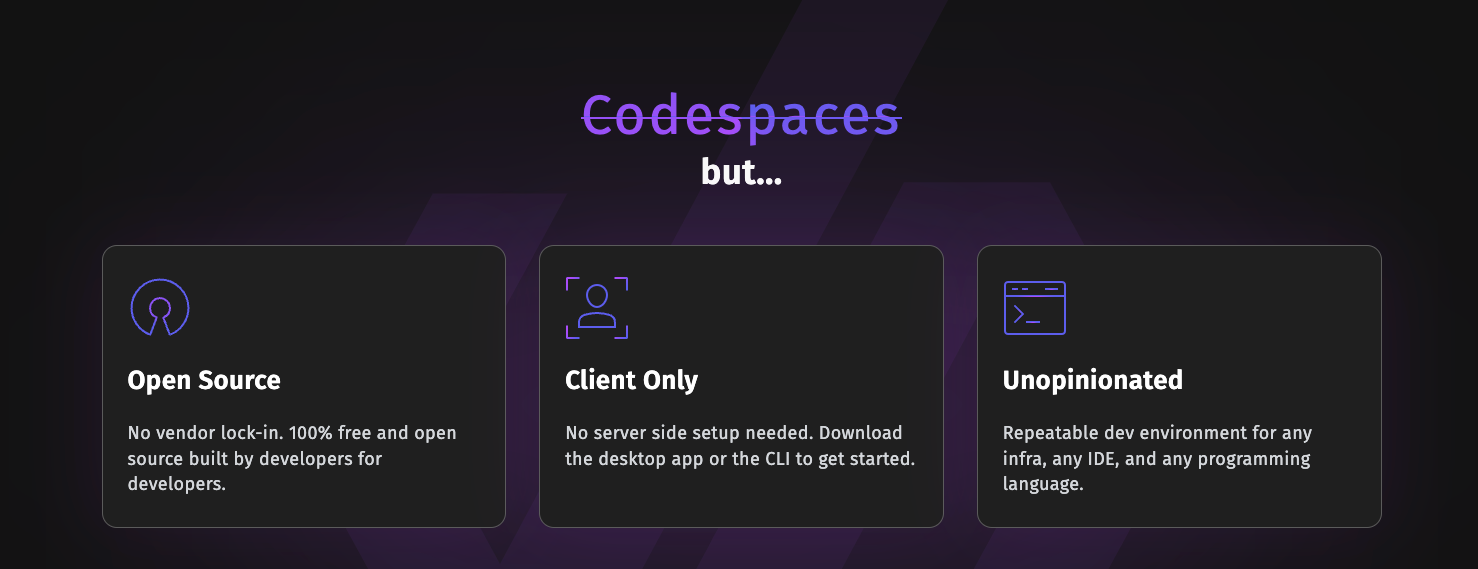
Against GitHub Codespaces, JetBrains Spaces, and Google Cloud Workstations, DevPod is 100% open source under MPL-2.0 and client-only, so there is no hosted control plane to subscribe to and no server backend to install. Because it runs against bare virtual machines in whichever cloud the user chooses, it removes vendor lock-in and shifts the cost model from a managed per-user service to infrastructure the user already pays for. Data and credentials stay on the client and the chosen backend rather than inside a vendor's platform.
When to use it — and when not to
A self-hoster must supply the backend: a local Docker daemon, a Kubernetes cluster, a remote machine, or a cloud VM, along with the git and Docker credentials that DevPod syncs. Teams that require a fully managed service with vendor support, or that do not define their projects with devcontainer.json, should look elsewhere. The repository README is thin and mostly points at external documentation, so budget time for the DevPod docs site before standardizing on it.
project readme (upstream, from github) — read inline



We are hiring! Come build the future of remote development environments with us.
DevPod is a client-only tool to create reproducible developer environments based on a devcontainer.json on any backend. Each developer environment runs in a container and is specified through a devcontainer.json. Through DevPod providers, these environments can be created on any backend, such as the local computer, a Kubernetes cluster, any reachable remote machine, or in a VM in the cloud.
You can think of DevPod as the glue that connects your local IDE to a machine where you want to develop. So depending on the requirements of your project, you can either create a workspace locally on the computer, on a beefy cloud machine with many GPUs, or a spare remote computer. Within DevPod, every workspace is managed the same way, which also makes it easy to switch between workspaces that might be hosted somewhere else.
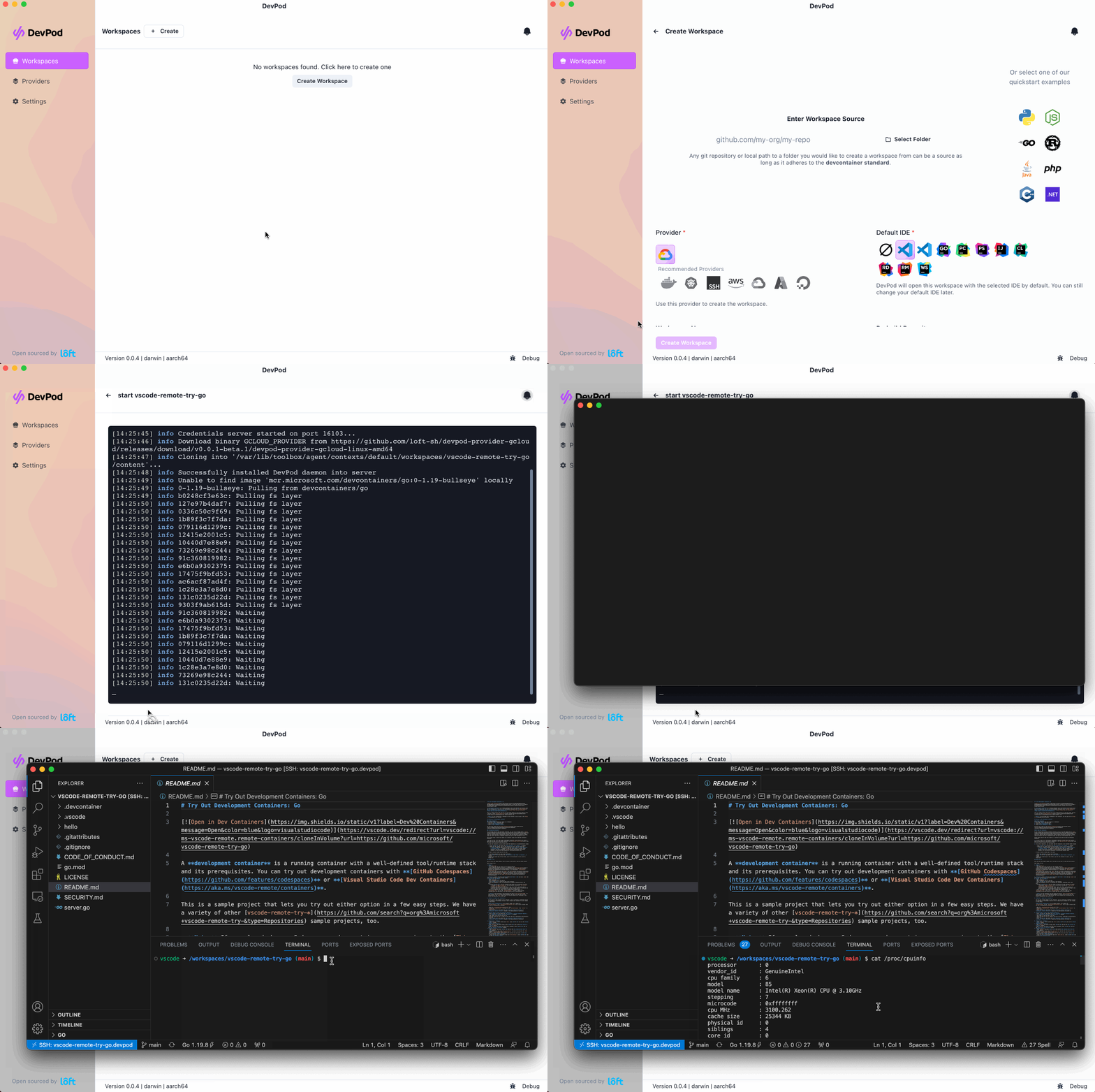
Quickstart
Download DevPod Desktop:
Take a look at the DevPod Docs for more information.
Why DevPod?
DevPod reuses the open DevContainer standard (used by GitHub Codespaces and VSCode DevContainers) to create a consistent developer experience no matter what backend you want to use.
Compared to hosted services such as Github Codespaces, JetBrains Spaces, or Google Cloud Workstations, DevPod has the following advantages:
- Cost savings: DevPod is usually around 5-10 times cheaper than existing services with comparable feature sets because it uses bare virtual machines in any cloud and shuts down unused virtual machines automatically.
- No vendor lock-in: Choose whatever cloud provider suits you best, be it the cheapest one or the most powerful, DevPod supports all cloud providers. If you are tired of using a provider, change it with a single command.
- Local development: You get the same developer experience also locally, so you don't need to rely on a cloud provider at all.
- Cross IDE support: VSCode and the full JetBrains suite is supported, all others can be connected through simple ssh.
- Client-only: No need to install a server backend, DevPod runs only on your computer.
- Open-Source: DevPod is 100% open-source and extensible. A provider doesn't exist? Just create your own.
- Rich feature set: DevPod already supports prebuilds, auto inactivity shutdown, git & docker credentials sync, and many more features to come.
- Desktop App: DevPod comes with an easy-to-use desktop application that abstracts all the complexity away. If you want to build your own integration, DevPod offers a feature-rich CLI as well.