/dev/push
An open-source and self-hostable alternative to Vercel, Render, Netlify and the likes. It allows you to build and deploy any app (Python, Node.js, PHP, ...) with zero-downtime updates, real-time logs, team management, customizable environments and domains, etc.
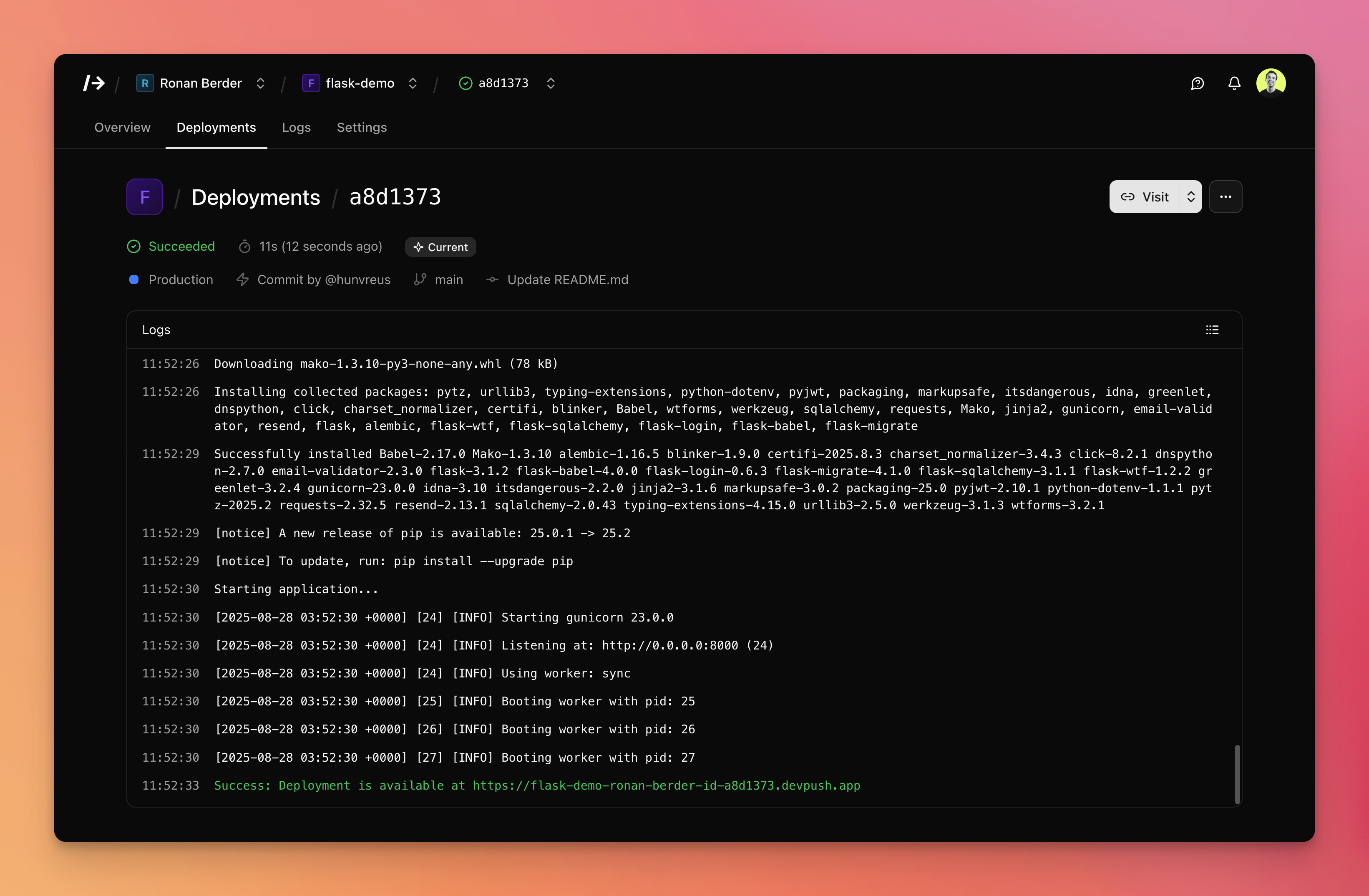
Key features
- Git-based deployments: Push to deploy from GitHub with zero-downtime rollouts and instant rollback.
- Multi-language support: Python, Node.js, PHP... basically anything that can run on Docker.
- Environment management: Multiple environments with branch mapping and encrypted environment variables.
- Real-time monitoring: Live and searchable build and runtime logs.
- Team collaboration: Role-based access control with team invitations and permissions.
- Custom domains: Support for custom domain and automatic Let's Encrypt SSL certificates.
- Self-hosted and open source: Run on your own servers, MIT licensed.
Documentation
See devpu.sh/docs for installation, configuration, and usage. For technical details, see ARCHITECTURE.md.
Prerequisites
- Server: Ubuntu 20.04+ or Debian 11+ with SSH access and sudo privileges. A Hetzner CPX31 works well.
- DNS: We recommend Cloudflare.
- GitHub account: You'll create a GitHub App for login and repository access.
- Email provider: A Resend account or SMTP credentials for login emails and invitations.
Quickstart
⚠️ Supported on Ubuntu/Debian. Other distros may work but aren't officially supported (yet).
- Install on a fresh server:
curl -fsSL https://install.devpu.sh | sudo bash
Create a GitHub App at devpu.sh/docs/guides/create-github-app
Configure by editing
/var/lib/devpush/.envwith:APP_HOSTNAME,DEPLOY_DOMAIN,LE_EMAIL,EMAIL_SENDER_ADDRESS,RESEND_API_KEY(or SMTP settings), and your GitHub App credentials.Set DNS:
Aexample.com→ server IP (app hostname)A*.example.com→ server IP (deployments)
Start the service:
sudo systemctl start devpush.service
For more information, including manual installation or updates, refer to the documentation.
Development
Prerequisites: Docker and Docker Compose v2+. On macOS, Colima works well as an alternative to Docker Desktop.
git clone https://github.com/hunvreus/devpush.git
cd devpush
mkdir -p data
cp .env.dev.example data/.env
# Edit data/.env with your GitHub App credentials
Start the stack:
./scripts/start.sh
The stack auto-detects development mode on macOS and enables hot reloading. Data is stored in ./data/.
Registry catalog
Default runner/preset definitions ship in registry/ and are copied to DATA_DIR/registry/ during install/update.
See registry/README.md for the catalog format and override rules.
Key scripts:
./scripts/start.sh/stop.sh/restart.sh— manage the full stack or selected components (--components)./scripts/compose.sh logs -f app— view logs./scripts/db-generate.sh— create database migration./scripts/clean.sh— remove all Docker resources and data./scripts/update.sh— update by ref (defaults toapponly; use--all/--components/--fullto expand scope)
See ARCHITECTURE.md for codebase structure.
Scripts
| Script | What it does |
|---|---|
scripts/backup.sh |
Create backup of data directory, database, and code metadata (--output , --verbose) |
scripts/clean.sh |
Stop stack and remove all Docker resources and data (--keep-docker, --keep-data, --yes) |
scripts/compose.sh |
Docker compose wrapper with correct files/env (--) |
scripts/db-generate.sh |
Generate Alembic migration (prompts for message) |
scripts/db-migrate.sh |
Apply Alembic migrations (--timeout ) |
scripts/install.sh |
Server setup: Docker, user, clone repo, .env, systemd (--repo , --ref , --yes, --no-telemetry, --verbose) |
scripts/restart.sh |
Restart services (--components , --no-migrate) |
scripts/restore.sh |
Restore from backup archive (--archive , --no-db, --no-data, --no-code, --no-restart, --no-backup, --remove-runners, --timeout , --yes, --verbose) |
scripts/start.sh |
Start stack (--components , --no-migrate, --timeout , --verbose) |
scripts/status.sh |
Show stack status |
scripts/stop.sh |
Stop services (--components , --hard) |
scripts/uninstall.sh |
Uninstall from server (--yes, --skip-backup, --no-telemetry, --verbose) |
scripts/update.sh |
Update by tag (default updates app only; use --all, --full, or --components to expand scope) (--ref , --all, --full, --components , --no-migrate, --no-telemetry, --yes, --verbose) |
Environment variables
| Variable | Description |
|---|---|
SECRET_KEY |
App secret for sessions/CSRF. Auto-generated by install.sh. |
ENCRYPTION_KEY |
Fernet key for encrypting secrets. Auto-generated by install.sh. |
POSTGRES_PASSWORD |
PostgreSQL password. Auto-generated by install.sh. |
SERVICE_UID |
Container user UID. Auto-set to match host user. |
SERVICE_GID |
Container user GID. Auto-set to match host user. |
SERVER_IP |
Public IP of the server. Auto-detected by install.sh. |
CERT_CHALLENGE_PROVIDER |
ACME challenge provider: default (HTTP-01) or cloudflare, route53, gcloud, digitalocean, azure (DNS-01). Default: default. |
GITHUB_APP_ID |
GitHub App ID. |
GITHUB_APP_NAME |
GitHub App name. |
GITHUB_APP_PRIVATE_KEY |
GitHub App private key (PEM format, use \n for newlines). |
GITHUB_APP_WEBHOOK_SECRET |
GitHub webhook secret. |
GITHUB_APP_CLIENT_ID |
GitHub OAuth client ID. |
GITHUB_APP_CLIENT_SECRET |
GitHub OAuth client secret. |
APP_HOSTNAME |
Domain for the app (e.g., example.com). |
DEPLOY_DOMAIN |
Domain for deployments (wildcard root). No default—set explicitly (e.g., deploy.example.com). |
LE_EMAIL |
Email for Let's Encrypt notifications. |
EMAIL_SENDER_ADDRESS |
Email sender for invites/login. |
RESEND_API_KEY |
API key for Resend. Optional if SMTP is configured. |
SMTP_HOST |
SMTP host. When set with username/password, SMTP is used instead of Resend. |
SMTP_PORT |
SMTP port. Default: 587. |
SMTP_USERNAME |
SMTP username. Required when using SMTP. |
SMTP_PASSWORD |
SMTP password. Required when using SMTP. |
GOOGLE_CLIENT_ID |
Google OAuth client ID (optional). |
GOOGLE_CLIENT_SECRET |
Google OAuth client secret (optional). |
APP_NAME |
Display name. Default: /dev/push. |
APP_DESCRIPTION |
App description. |
EMAIL_SENDER_NAME |
Sender display name. Default: /dev/push. |
POSTGRES_DB |
Database name. Default: devpush. |
POSTGRES_USER |
Database user. Default: devpush-app. |
REDIS_URL |
Redis URL. Default: redis://redis:6379. |
DOCKER_HOST |
Docker API. Default: tcp://docker-proxy:2375. |
DATA_DIR |
Data directory. Default: /var/lib/devpush. |
APP_DIR |
Code directory. Default: /opt/devpush. |
DEFAULT_CPUS |
Default CPU limit per deployment. No limit if not provided. |
MAX_CPUS |
Maximum allowed CPU override per project. Used only when DEFAULT_CPUS is set. Required to let user customize CPU. |
DEFAULT_MEMORY_MB |
Default memory limit (MB) per deployment. No limit if not provided. |
MAX_MEMORY_MB |
Maximum allowed memory override per project. Used only when DEFAULT_MEMORY_MB is set. Required to let user customize memory. |
JOB_TIMEOUT_SECONDS |
Job timeout (seconds). Default: 320. |
JOB_MAX_TRIES |
Max retries per background job. Default: 3. |
DEPLOYMENT_TIMEOUT_SECONDS |
Deployment timeout (seconds). Default: 300. |
CONTAINER_DELETE_GRACE_SECONDS |
Wait before deleting containers after stop/failure to let logs ship. Default: 3. |
LOG_STREAM_GRACE_SECONDS |
Grace window for deployment log streaming (when to connect/close SSE around terminal states). Default: 5. |
LOG_LEVEL |
Logging level. Default: WARNING. |
MAGIC_LINK_TTL_SECONDS |
Magic link validity (seconds). Default: 900. |
AUTH_TOKEN_TTL_DAYS |
Auth cookie/JWT lifetime (days). Default: 30. |
AUTH_TOKEN_REFRESH_THRESHOLD_DAYS |
Refresh auth token when expiring within N days. Default: 1. |
AUTH_TOKEN_ISSUER |
JWT issuer for auth_token. Default: devpush-app. |
AUTH_TOKEN_AUDIENCE |
JWT audience for auth_token. Default: devpush-web. |