
dev-proxy is a free, open source api development & testing project written in C# and released under MIT. It has 831 GitHub stars, 89 forks and 36 open issues, and was last pushed 9 hours ago. On this registry it ranks #93 of 103 tracked projects in API Development & Testing, with 5 head-to-head comparisons available.

What is dev-proxy?

What it is

Dev Proxy is an open-source, command-line API simulator maintained under the .NET Foundation and written in C#. It intercepts network requests, which means it works with any type of application and any technology stack rather than being tied to one language or framework. It is free to use and licensed under MIT, with the source living in the developer-tools and API-testing corner of the .NET ecosystem.

The problem it addresses is that the happy path is easy to test and the unhappy path is not. When the APIs an application depends on fail, throttle, or slow down, developers either write throwaway code to provoke those conditions or skip testing them entirely. Dev Proxy removes that choice by simulating API errors, rate limits, and slow responses at the network layer, without any change to the application's own code. Teams can therefore verify behaviour under failure, protect customer data, and stand up mock APIs without writing code they will never ship.

Key capabilities

  • Simulates API errors so an application's response to failure can be observed without code changes.
  • Reproduces API rate limiting so throttling behaviour and user experience can be verified in advance.
  • Simulates slow APIs, allowing developers to build appropriate affordances for latency.
  • Stands up mock APIs without writing any code.
  • Intercepts network requests, so it works with any application type and tech stack.
  • Provides contextual guidance on how APIs are being used, to improve the app.
  • Supports OpenAPI-based mocking and Microsoft 365 and Microsoft Graph scenarios, per the project topics.

Who uses it and how

  • Developers testing how an application behaves when a dependency returns errors.
  • Teams validating throttling and rate-limit handling before those limits are hit in production.
  • Engineers exercising latency handling and loading affordances against a deliberately slow API.
  • Developers who need a mock API quickly, driven from an OpenAPI definition instead of handwritten stubs.
  • Contributors working on chaos-engineering and API-testing workflows, including Hacktoberfest participants.

Getting started

The README directs new users to the getting-started tutorial at https://aka.ms/devproxy/start to install and run Dev Proxy for the first time. The project homepage is https://aka.ms/devproxy.

When to use it — and when not to

Use it when the goal is to test failure, throttling, and latency without modifying application code. The README does not describe any paid product it replaces, and it mentions no database, storage, or mail service that a user must operate, because the tool runs as a local command-line process that intercepts requests. The evident trade-off is that this is a command-line

project readme (upstream, from github) — read inline

Dev Proxy

Test the untestable

Bluesky
YouTube
Documentation

What is Dev Proxy?

Dev Proxy is an API simulator that helps you effortlessly test your app beyond the happy path. Dev Proxy is a command-line tool that works on any platform. Because it intercepts network requests, it works with any type of app and tech stack.

Dev Proxy is open source and free to use.
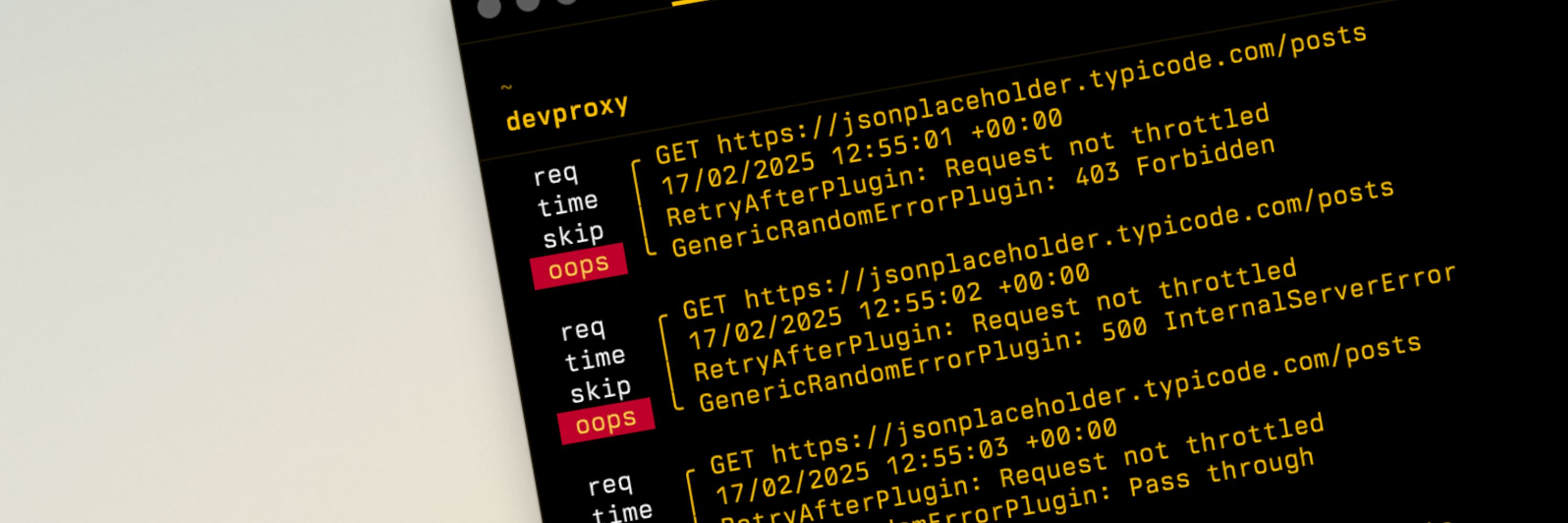
Dev Proxy

You test your app to make sure it works as intended. But what if the APIs you use fail? Will your app lose your customer's data? How do you test for this? Simulating API failures is hard. You end up writing code that you won't be shipping or worse: not testing at all. That's why we built Dev Proxy, to simulate API errors so that you can easily test your app without changing your code.

With Dev Proxy you:

  • See how your app responds to API errors, without changing your app’s code, so that you can build more robust apps and don't lose customers' data.
  • Verify how your app handles API rate limits, so that you can avoid getting throttled and improve the user experience for your customers.
  • See how your app handles slow APIs, so that you can implement the necessary affordances, and make your app more user-friendly.
  • Quickly stand-up mock APIs without writing a line of code, so that you can focus on building your app instead of writing code you won't be shipping.
  • Improve your app with contextual guidance on how you use APIs, to make your app even better.

Get started

To get started with Dev Proxy, follow our tutorial to install and run Dev Proxy for the first time.

Getting started with Dev Proxy

.NET Foundation

This project is supported by the .NET Foundation.

Frequently asked questions

Is dev-proxy free to use?

dev-proxy is open source under the MIT licence. There is no licence fee and no seat count — you can self-host it or, where the project offers one, pay a vendor for a managed version instead.

What does dev-proxy do?

Simulate API failures, throttling, and chaos — all from your command line.

What is dev-proxy written in?

dev-proxy is primarily written in C#. Its source is publicly available at https://github.com/dotnet/dev-proxy, and it has 831 GitHub stars.
