



DBeaver
Free multi-platform database tool for developers, SQL programmers, database administrators and analysts.
- Has a lot of features including schema editor, SQL editor, data editor, AI chat, ER diagrams, data export/import/migration, SQL execution plans, database administration tools, database dashboards, Spatial data viewer, proxy and SSH tunnelling, custom database drivers editor, etc.
- Out of the box supports more than 100 database drivers.
- Supports any database which has JDBC or ODBC driver (basically - almost all existing databases).
- Integrates AI tools for work with data, SQL and database structure
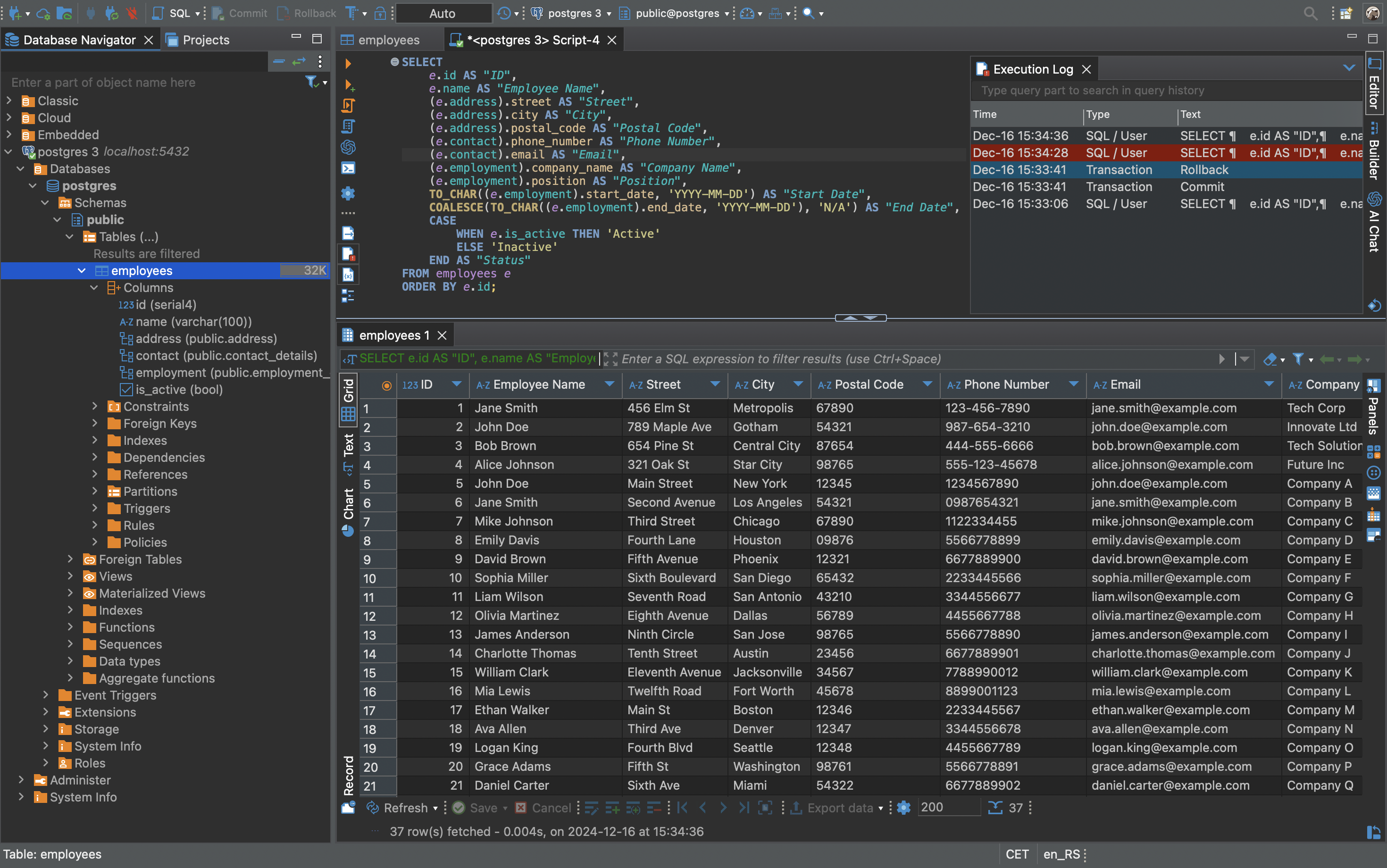

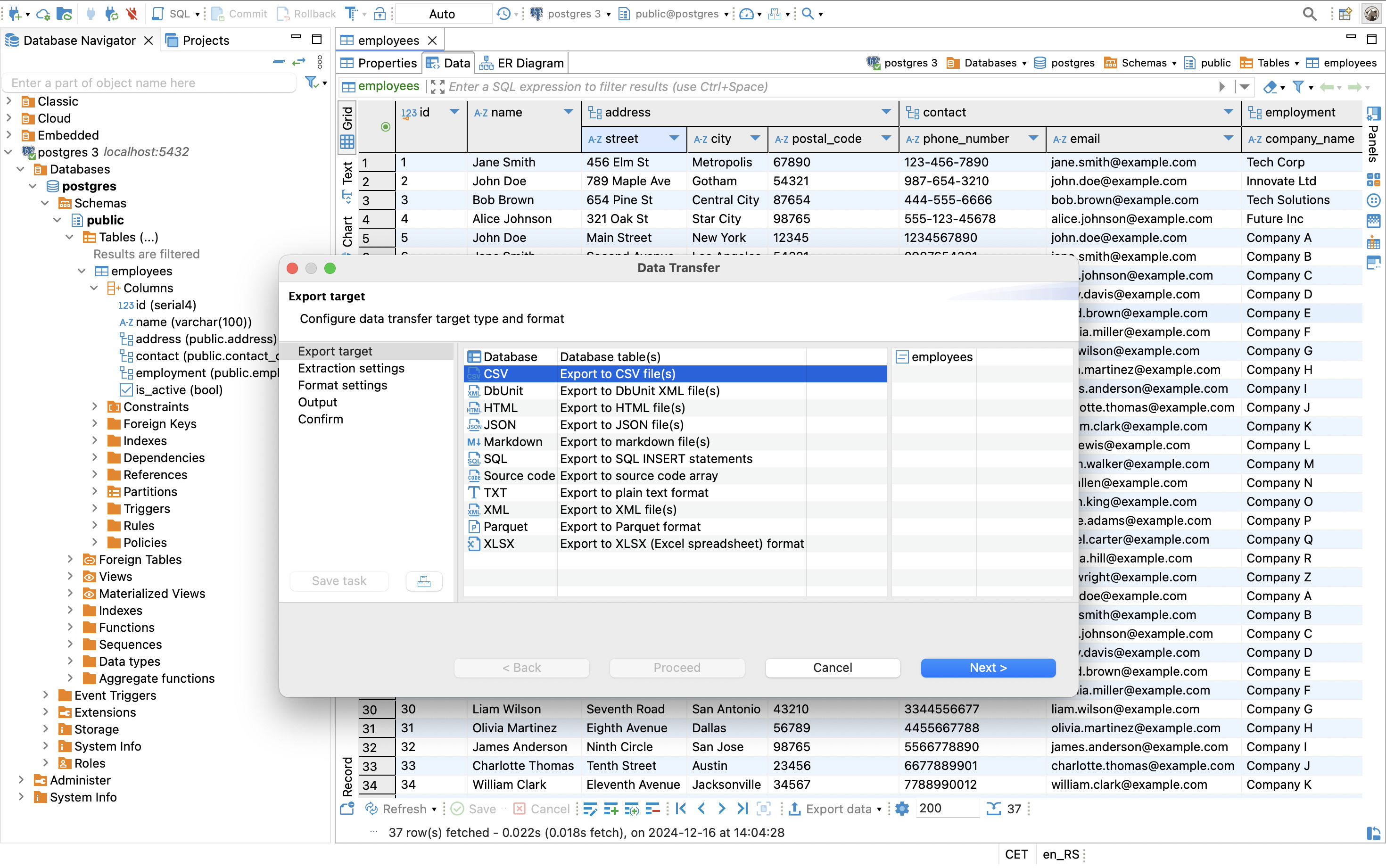
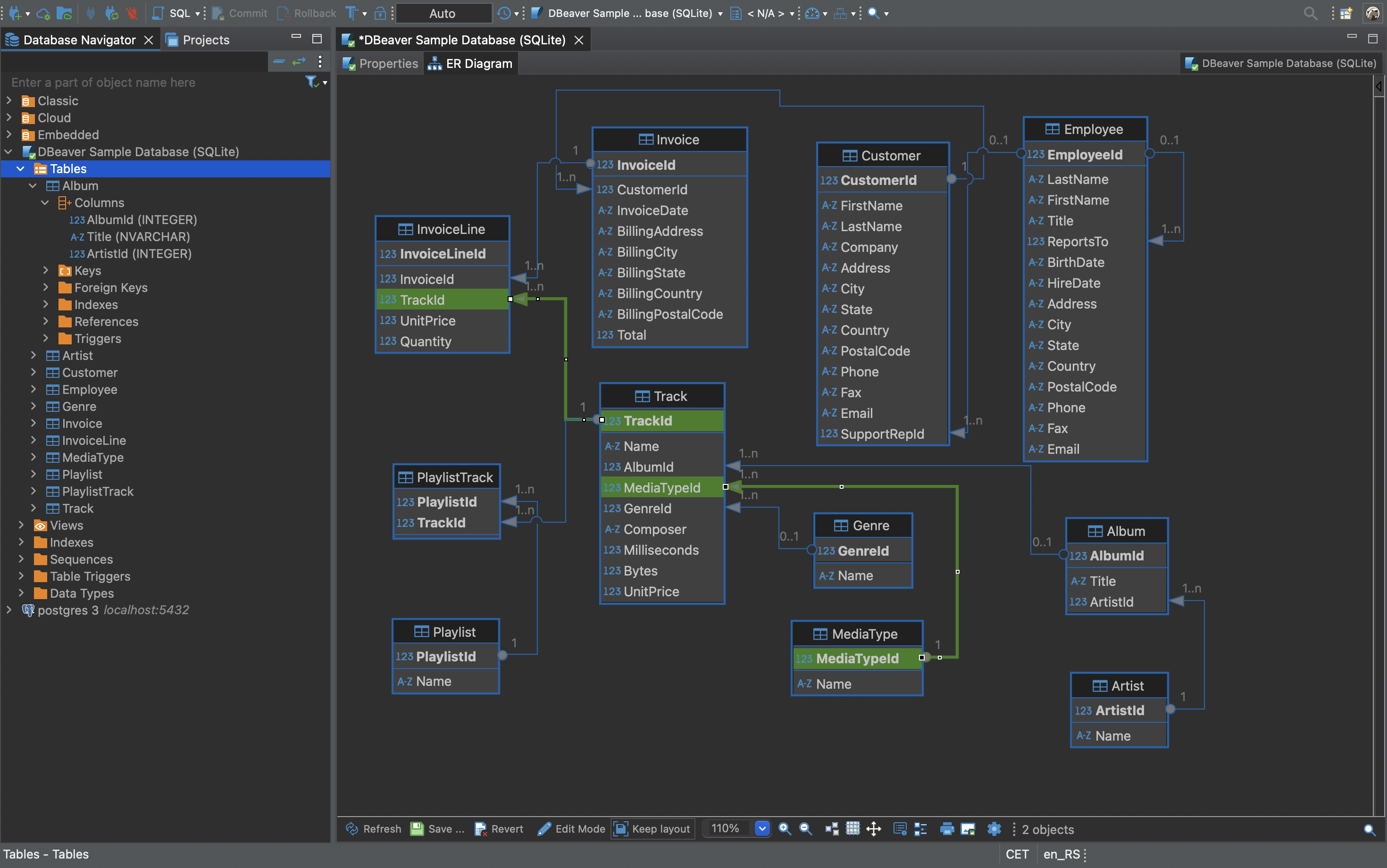
Download
You can download prebuilt binaries from official website or directly from GitHub releases.
You can also download Early Access version. We publish daily.
Running
Just run an installer and then click on app icon. Or unzip an archive and run dbeaver from command line.
Note: DBeaver needs Java to run. OpenJDK 25 is included in all DBeaver distributions.
You can change default JDK version by replacing directory jre in dbeaver installation folder.
Documentation
Architecture
- DBeaver is written mostly on Java. However, it also uses a set of native OS-specific components for desktop UI, high performance database drivers and networking.
- Basic frameworks:
- OSGI platform for plugins and dependency management. Community version consists of 130+ plugins.
- Eclipse RCP platform for rich user interface build.
- JDBC for basic database connectivity API.
- JSQLParser and Antlr4 for SQL grammar and semantic parser.
- For networking and additional functionality we use wide range of open source libraries such as SSHJ, Apache POI, JFreeChart, JTS, Apache JEXL etc.
- We separate model plugins from desktop UI plugins. This allows us to use the same set of "back-end" plugins in both DBeaver and CloudBeaver.
- Dependencies: being an OSGI application we use P2 repositories for third party dependencies. For additional Maven dependencies we use our own DBeaver P2 repo.
Supported databases
Community version
Out of the box DBeaver supports following database drivers: MySQL, MariaDB, Oracle, DB2, PostgreSQL, SQL Server, Sybase, Apache Hive, Drill, Presto, Trino, Phoenix, Exasol, Informix, Teradata, Vertica, Netezza, Firebird, Derby, H2, H2GIS, WMI, Snowflake, Greenplum, Redshift, Athena, SAP HANA, MaxDB, NuoDB, MS Access, SQLite, CSV, DBF, Firebird, TimescaleDB, Yellowbrick, CockroachDB, OrientDB, MonetDB, Google BigQuery, Google Spanner, Apache Hive/Impala/Spark, Apache Ignite, MapD, Azure SQL, CrateDB, Elasticsearch, Ocient, Ingres, OmniSci, Yugabyte, IRIS, Data Virtuality, Denodo, Virtuoso, Machbase, DuckDB, Babelfish, OceanBase, Salesforce, EnterpriseDB, Apache Druid, Apache Kylin, Databricks, OpenSearch, TiDB, TDEngine, Materialize, JDBCX, Dameng, Altibase, StarRocks, CUBRID, GaussDB, DolphinDB, LibSQL, GBase 8s, Databend, Cloudberry, Teiid, Kingbase, GreptimeDB.
PRO versions
Commercial versions extends functionality of many popular drivers and also support non-JDBC datasources such as:
ODBC, MongoDB, Cassandra, Couchbase, CouchDB, Redis, InfluxDB, Firestore, BigTable, DynamoDB, Kafka KSQL, Neo4j, AWS Neptune, AWS Timestream, Azure CosmosDB, Yugabyte, Salesforce, etc.
Also, we support flat files as databases: CSV, XLSX, Json, XML, Parquet.
You can find the list of all databases supported in commercial versions here.
AI integration
- All DBeaver products contain AI Chat view similar to classic LLM chats.
- You can generate/analyse/optimize your SQL queries, work with database structure or even work with databases with a very little knowledge of SQL.
- We use smart chat context which provides LLMs details about database structure, SQL dialect, etc.
- LLM integration uses context-dependent dynamic tools and is very efficient from token consumption point of view.
- AI providers in Community version:
- OpenAI (allows to configure most of existing LLMs with custom endpoint)
- Copilot
- Pro versions provide additional AI tools + native support of Anthropic/Grok/Azure/Bedrock/Gemini/Ollama providers.
Feedback
- For bug reports and feature requests - please create a ticket.
- To promote a ticket to a higher priority - please vote for it with 👍 under the ticket description.
- If you have any questions, ideas, etc - please start a discussion.
- Pull requests are welcome. See our guide for contributors.
- Visit https://dbeaver.com for more information.
- Follow us on X and watch educational video on YouTube
- Thanks for using DBeaver! Star if you like it.
Contribution: help the Beaver!
Hooray, we have reached 50k+ stars on GitHub and continue to grow!
That's really cool, and we are glad that you like DBeaver.
- We are actively looking for new source code contributors. We have added labels “Good first issue” and “Help wanted” to some tickets. If you want to be a part of our development team, just be brave and take a ticket. We are happy to reward our most active contributors every major sprint.
- You can buy one of our commercial versions. They include NoSQL databases support, additional extensions, and official online support. Also, licensed users have priorities in bug fixes and the development of new features.
Thank you!
- DBeaver Team (contributors)
Our other open-source products:
- CloudBeaver - web-based database management tool built on the DBeaver platform.
Runs as server (docker) and provides rich web interface (SPA). - dbvr - CLI database management tool. Useful in CI/CD pipelines and all sort of automations.