Darkwrite is an open-source, cross-platform desktop note-taking application written in TypeScript and built on Electron, made for people who want to write notes without distraction, accounts, or a server holding their data.
What it is
Darkwrite is a local-first desktop notes editor distributed as a downloadable application, with its source code published on GitHub under the AGPL-3.0 licence and its documentation living in the repository's docs folder. The project is built with TypeScript, JavaScript, and CSS on top of Electron, which is what allows one codebase to run as a desktop app on the platforms its topic list names: Linux and macOS. Theming is a first-class part of the design, and the notes themselves are stored on the device rather than in a hosted workspace.
The concrete problem it solves is lock-in and dependency on someone else's infrastructure. The registry files it under Note Taking & Knowledge Management with the topic notion-alternative, which names the specific thing it replaces: a hosted, account-based, server-dependent notes workspace. Darkwrite answers that with a rich editor that runs locally, stores every note on the device, collects no user data, and exports everything out again as HTML files, so a note collection is never trapped in a proprietary format or behind an outage.
Key capabilities
- Rich editor supporting formatting, headings, todo lists, numbered lists, links, images, and tables.
- Included theme selection, plus the ability to create custom themes instead of being limited to a light and a dark option.
- Font control at two levels: change default styles for all notes, or set a font for one specific note, with the interface font configurable separately.
- Cover images for notes.
- Local-only storage with no data collection, so notes stay on the device and the app does not require an AI bot or any server to function.
- Export of all notes as HTML files usable anywhere else, plus a one-click archive backup that can be restored later.
- Full source code availability under the GNU Affero General Public License, version 3 or any later version, with third-party licences listed in
packages/app-desktop/THIRDPARTY.md.
Who uses it and how
- Individual writers who want an editor that gets out of the way and keeps working when an online service is down.
- Privacy-conscious users who will not put notes in a cloud workspace, since Darkwrite collects no data and stores everything locally.
- Linux desktop users, including those who want a packaged Linux app rather than a web client.
- macOS users who want the same local-first behaviour on a second platform.
- Translators and contributors, the README crediting
@wcxu21 for the Simplified Chinese translation, with contribution guidance in CONTRIBUTING.md and development docs in docs/DEVELOPMENT.md.
Getting started
The README directs new users to the GitHub releases page to download Darkwrite, and the project homepage at darkwrite.app is the other public entry point. Building from source is documented in docs/BUILDING.md, with development instructions in docs/DEVELOPMENT.md.
How it compares
The facts name one comparable tool, through the notion-alternative topic: Notion, and by extension the hosted, subscription-shaped notes workspace it represents. The contrast the facts support is on hosting and ownership rather than on features, since Darkwrite runs entirely on the device, requires no server and no account, and is licensed AGPL-3.0 rather than sold as a service. The cost model follows from that: there is no subscription, and the trade is that the user operates the app and its backups themselves.
When to use it — and when not to
Nothing server-side has to be run: there is no database, storage bucket, or SMTP service to operate, because notes live on the device and the only infrastructure in play is the desktop app itself. That same design means anyone who needs real-time collaboration, multi-device sync, or a browser-accessible workspace should look elsewhere, since the README describes local storage and manual export and archive backup rather than a sync service. The scope is also worth noting before committing: the topic list names Linux and macOS only, the repository carries 8 open issues and 14 forks against 314 stars, and the README excerpt is light on installation specifics beyond pointing at the releases page.
project readme (upstream, from github) — read inline




Follow on Twitter -
Download Darkwrite -
Report bugs
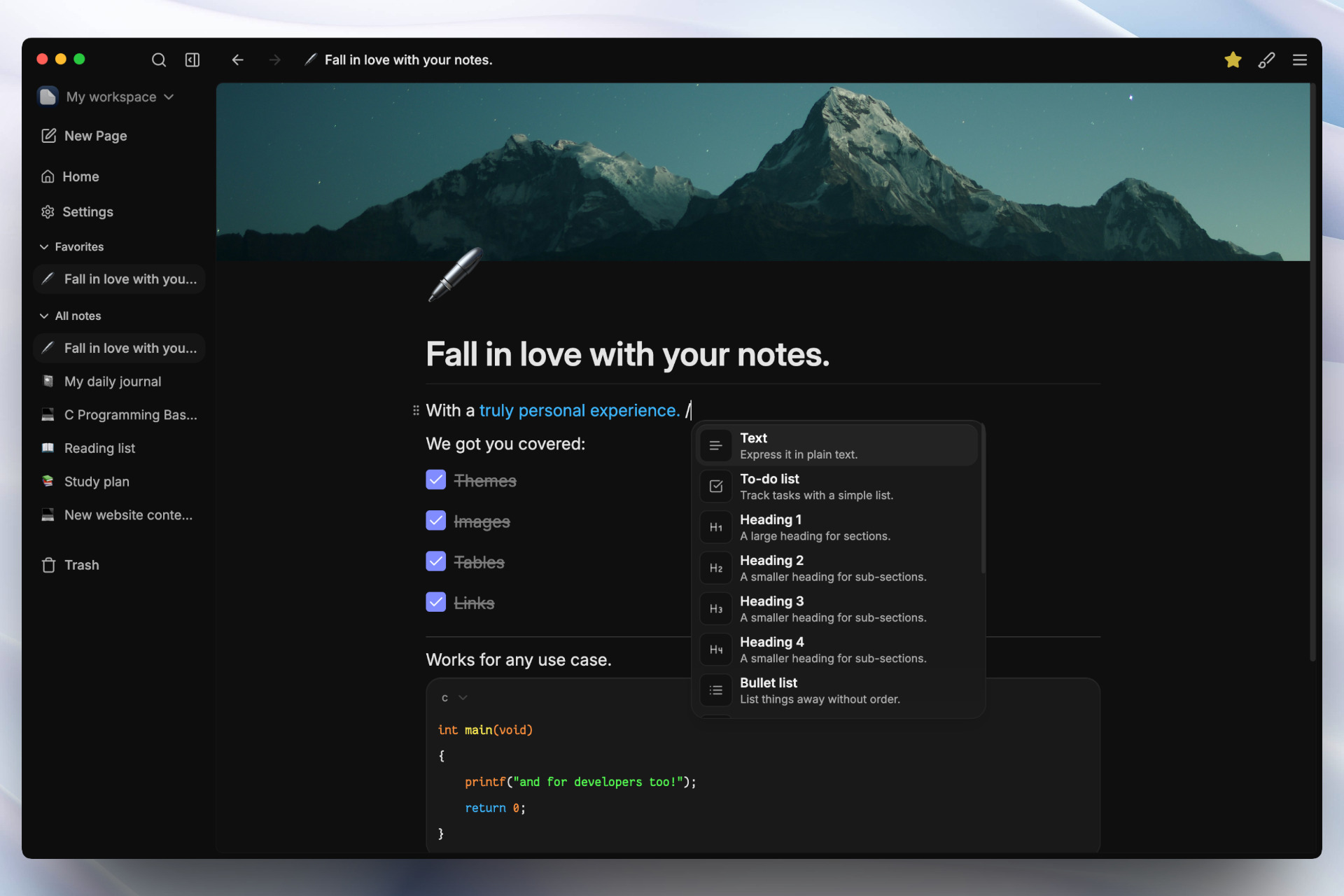
📓Take notes the way you want.
✒️ Darkwrite lets you take notes without getting in your way.
Head over to the releases page to get started.
⭐ Star this repository to know when we release new updates.
🖊️ Just start typing.
🖋️ Unleash the power of a rich editor which supports formatting, headings, todo lists, numbered lists, links, images, tables and much more.
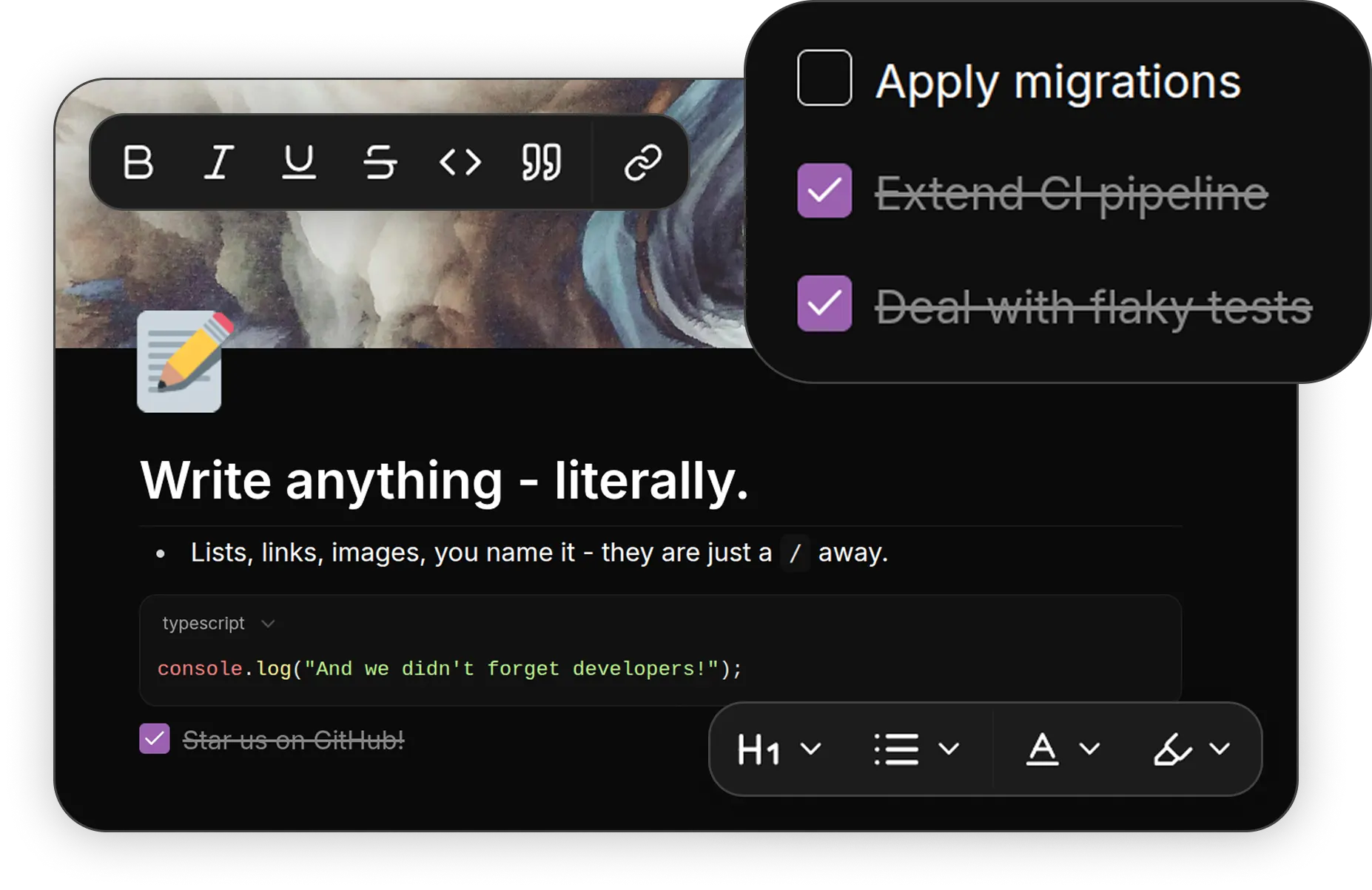
🖌️ Make it yours.
🎨 Choose from the selection of included themes - or create your own. Say goodbye to boring light and dark themes.
✒️ Pick the fonts you like. You can change the default styles for your notes or choose a font you like only for one specific note. You can also change the user interface font and everything else will follow suit.
🖼️ Add cover images to your notes.
🔒 Open and private.
👨💻 Darkwrite's source code is right here. It does not collect any of your data. All your notes are stored locally on your device.
🤖 Darkwrite doesn't need an AI bot to function.
📦 You are never locked in. Export all your notes as HTML files, and you can use them anywhere else. Need to backup your data? No problem. Get an archive with just one click and restore them later if you need it.
🖥️ Work offline.
Everything stays on device. With Darkwrite you never depend on a server. An outage will never leave you without your notes.
Docs
For everything else, see the docs folder
Contributing
See CONTRIBUTING.md to get started❤️
Feel free to raise an issue or discussion if you have any questions.
Translators
- Simplified Chinese contributed by @wcxu21
License
Darkwrite is free and open source, licensed under GNU Affero General Public License, version 3 or any later version at your option.
Licenses for 3rd party packages used to make Darkwrite possible can be found here.