Cypress is a fast, easy and reliable testing framework for anything that runs in a browser, distributed as an MIT-licensed TypeScript project on npm and aimed at front-end developers and QA engineers who need to test web applications.
What it is
Cypress is an open-source browser testing framework written in TypeScript and published from the cypress-io/cypress repository under the MIT licence. The registry entry sits in the Developer Tools / Testing & Quality Assurance category, and the project carries 51,019 stars, 3,639 forks and 1,084 open issues, with the last push recorded on 2026-09-18. Installation targets Mac, Linux and Windows, so the tool runs on a developer workstation as well as a build agent. The homepage at cypress.io points to the documentation, changelog and roadmap, while the repository itself carries the code, the contributing guideline and the licence file.
The concrete problem it addresses is the assembly work that surrounds browser testing in the JavaScript ecosystem. The topic list places Cypress against a fragmented landscape of per-framework harnesses — react-testing-library, vue-testing-library, angular-testing-library and svelte-testing-library — alongside end-to-end-testing, component-testing and testing-framework. Rather than stitching a separate harness per view layer, a team adopts one runner that covers end-to-end and component testing. The README also replaces manual test-status reporting: instead of publishing results by hand, a project embeds a Cypress Cloud badge that renders live test status or test count.
Key capabilities
- Installable as a dev dependency through three package managers:
npm install cypress --save-dev, yarn add cypress --dev, or pnpm add cypress --save-dev.
- End-to-end testing for anything that runs in a browser, listed under the
end-to-end-testing topic.
- Component testing, with the topic list tying it to React, Vue, Angular and Svelte testing libraries.
- Cypress Cloud status and count badges, configured from
https://cloud.cypress.io/badge/simple/... and https://cloud.cypress.io/badge/count/... endpoints.
- A standalone "tested with Cypress" badge for a project README, using the
tested%20with-Cypress-04C38E.svg markup.
- Cloud and replay workflows, represented by the
cypress-cloud and test-replay topics.
- MIT licence, with the terms in the repository
LICENSE file.
Who uses it and how
- Front-end product teams working in React, Vue, Angular or Svelte, who need one test runner across those view layers rather than four framework-specific setups.
- QA and platform engineers wiring browser tests into continuous integration, as the README's CircleCI status badge on the
develop branch indicates.
- Maintainers who want test status visible to contributors and users without writing a status page, using the Cypress Cloud badges.
- Open-source projects that publish a compatibility signal in their README through the "tested with Cypress" badge.
- Contributors to Cypress itself, who follow
CONTRIBUTING.md for repository organization, linting and testing steps.
Getting started
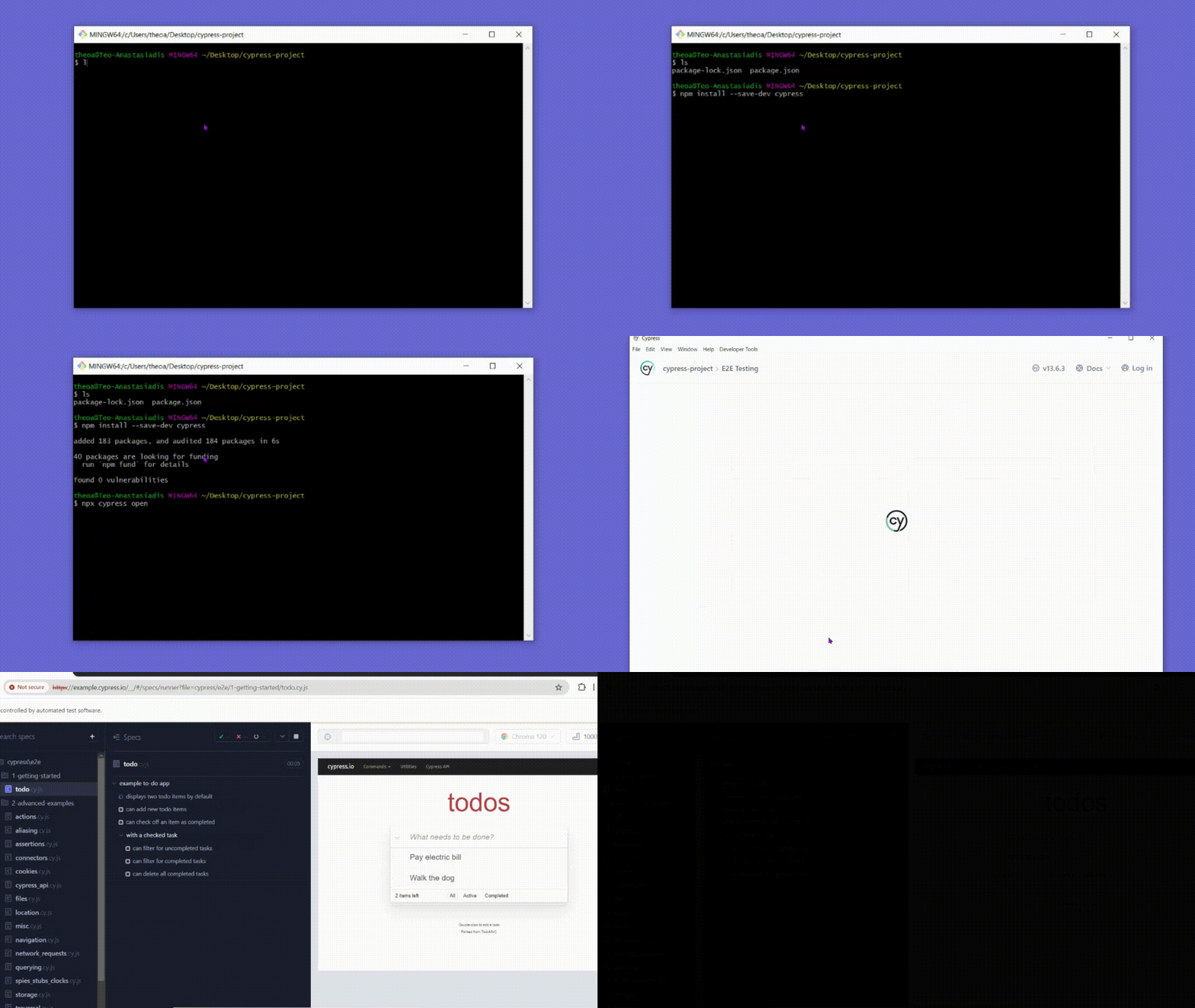
Install Cypress with npm install cypress --save-dev, or the equivalent yarn add cypress --dev or pnpm add cypress --save-dev command, then follow the install guide linked from the README at https://on.cypress.io/install.
How it compares
The facts do not name a set of paid products that Cypress replaces, so the honest framing comes from its neighbours: the React, Vue, Angular and Svelte testing libraries that appear alongside it in the topic list, and the hosted Cypress Cloud service behind the badge endpoints. Cypress is the layer that drives a real browser and organizes the run, while those framework libraries address component-level assertions inside their own ecosystems; a team can reasonably carry both. Cypress Cloud is the part that is not the open-source package, and the badges in the README are what connect a repository to it.
When to use it — and when not to
Cypress runs as a dev dependency on a workstation or CI agent, so the operational burden is the Node toolchain and a browser rather than a server, database or SMTP service; nothing in the facts suggests a self-hosted backend to run. The main caveat is documentation: the repository README is thin, deferring almost everything to the external docs site, so anyone who expects to learn the framework from the repository alone will be disappointed, and the 1,084 open issues indicate a substantial backlog. It is also a poor fit for teams that need no browser involvement at all, or that want a fully self-hosted results dashboard, since the badge and run-history features point at the hosted Cypress Cloud rather than an on-premises server.
project readme (upstream, from github) — read inline

Documentation |
Changelog |
Roadmap
The web has evolved. Finally, testing has too.
Fast, easy and reliable testing for anything that runs in a browser.
Join us, we're hiring.



What is Cypress?

Installing

Install Cypress for Mac, Linux, or Windows, then get started.
npm install cypress --save-dev
or
yarn add cypress --dev
or
pnpm add cypress --save-dev
Contributing

 -
- develop branch
Please see our Contributing Guideline which explains repo organization, linting, testing, and other steps.
License

This project is licensed under the terms of the MIT license.
Badges
Configure a badge for your project's README to show your test status or test count in the Cypress Cloud.

Or let the world know your project is using Cypress with the badge below.

[](https://www.cypress.io/)