
CPA Manager Plus




A self-hosted CPA / CLIProxyAPI management panel and AI gateway observability dashboard for requests, usage, cost, quota, failures, and account health.
Operate providers, credentials, OAuth, plugins, and configuration while keeping persistent request history, cost analytics, and account automation in local storage.
中文 | Live Demo | Documentation | Install
What Can CPAMP Help You Answer?
- Why are requests failing? Inspect failure rates, status codes, affected models/accounts, and redacted evidence in persistent request history.
- Where is the cost going? Break down tokens and estimated cost by model, provider, account, API key, project, channel, and time range.
- Are accounts and quotas healthy? Review credential state, quota windows, reset evidence, and controlled automation for Codex and xAI accounts.
Screenshots
Dashboard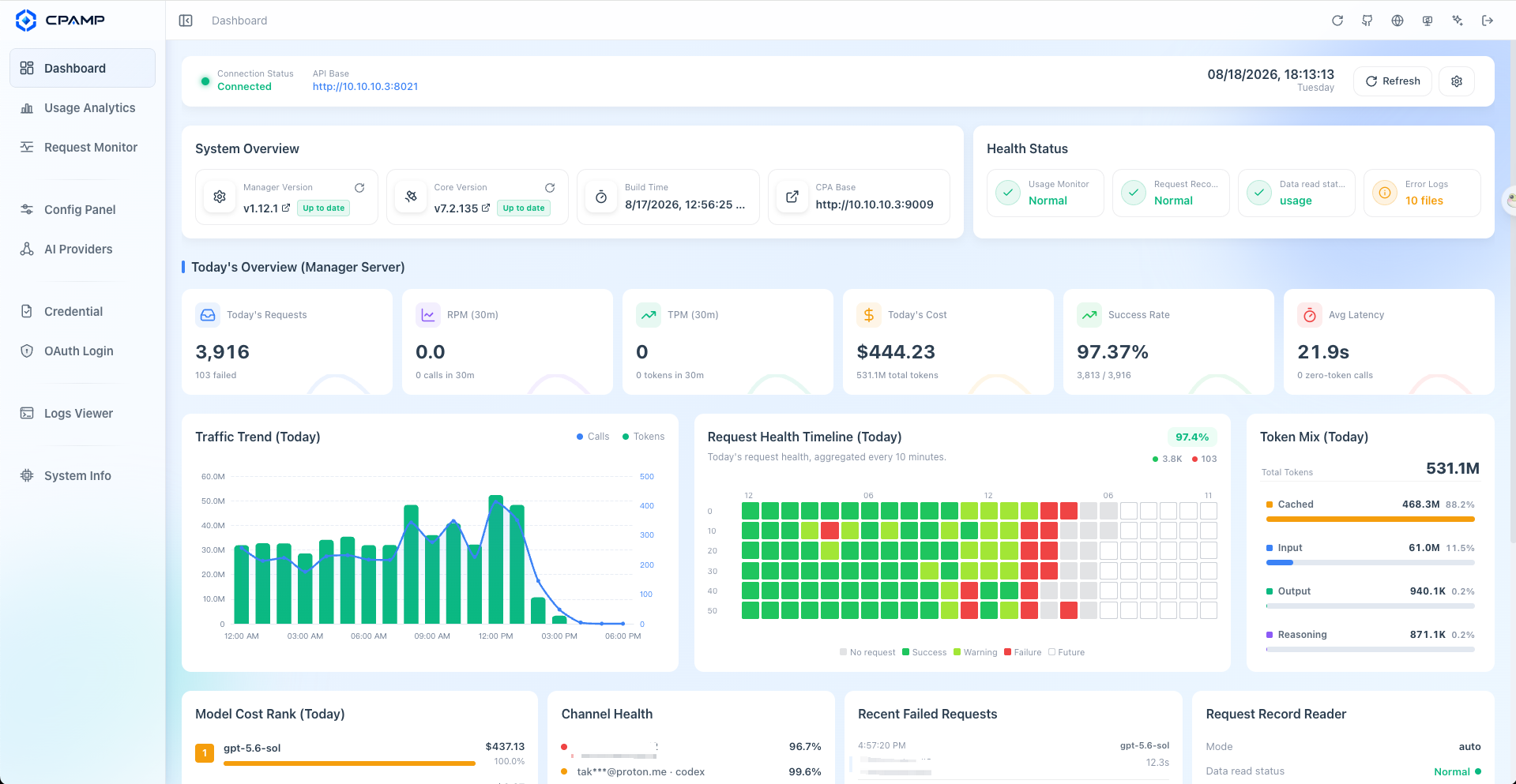
|
Request Monitoring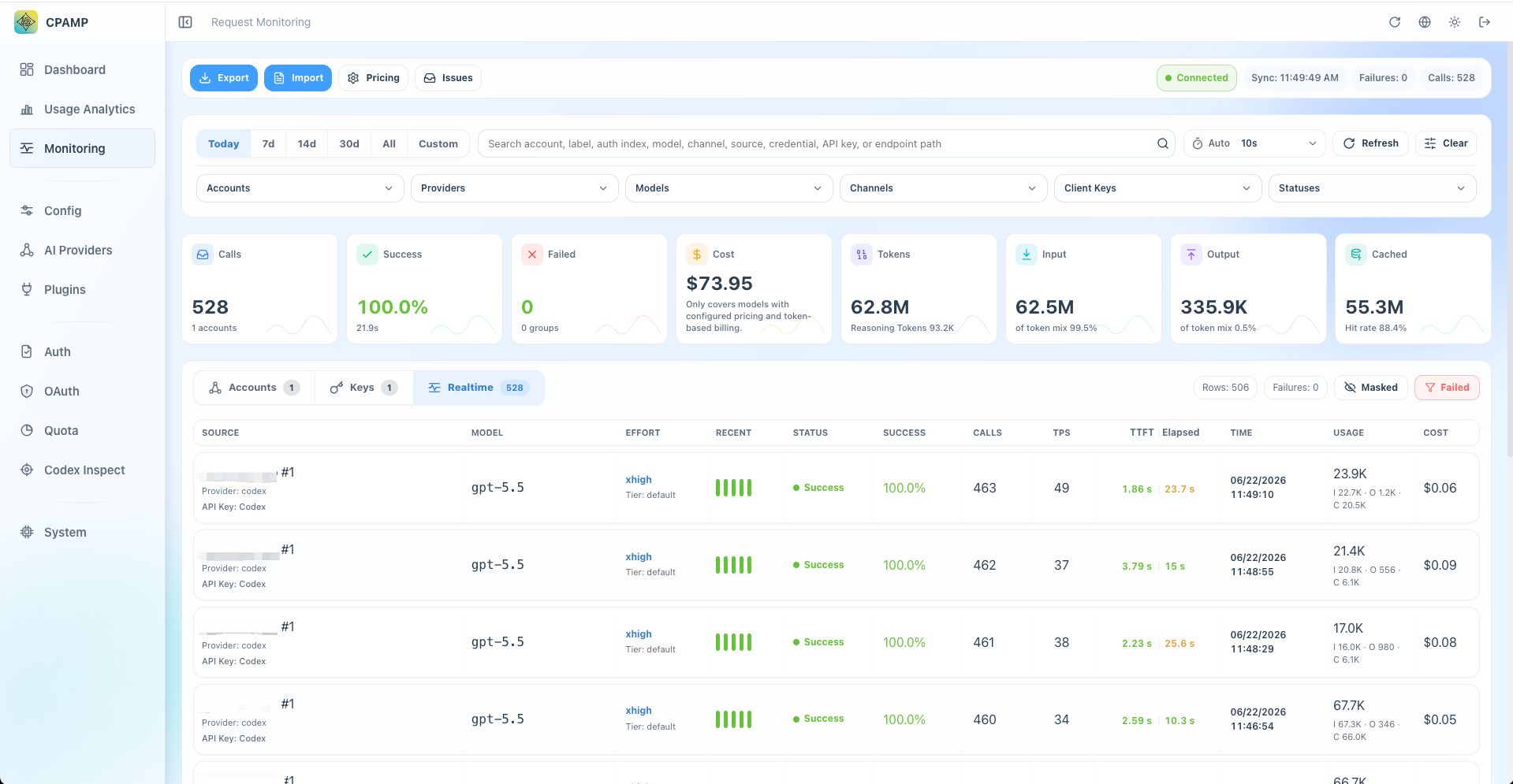
|
Usage Analytics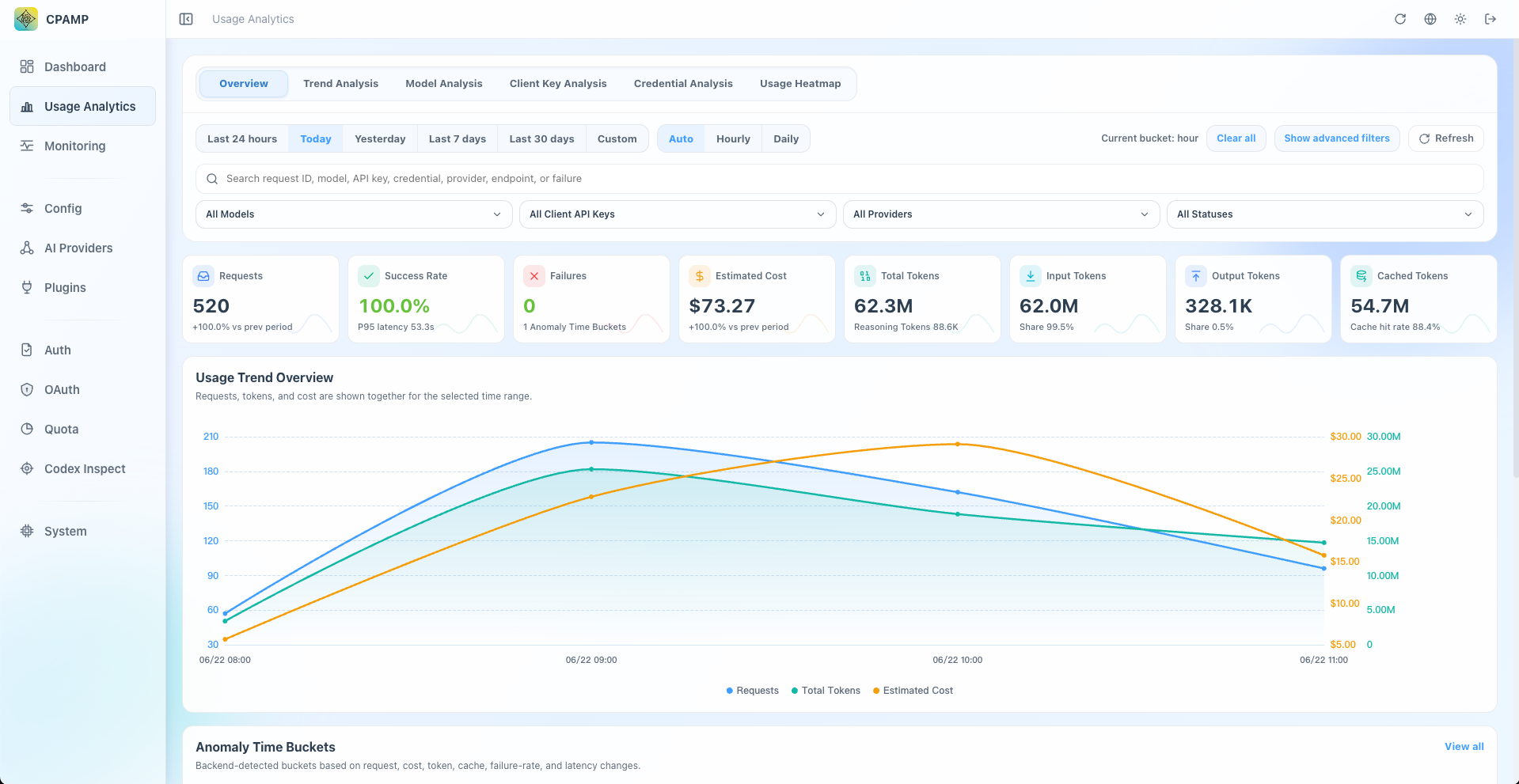
|
Credential Management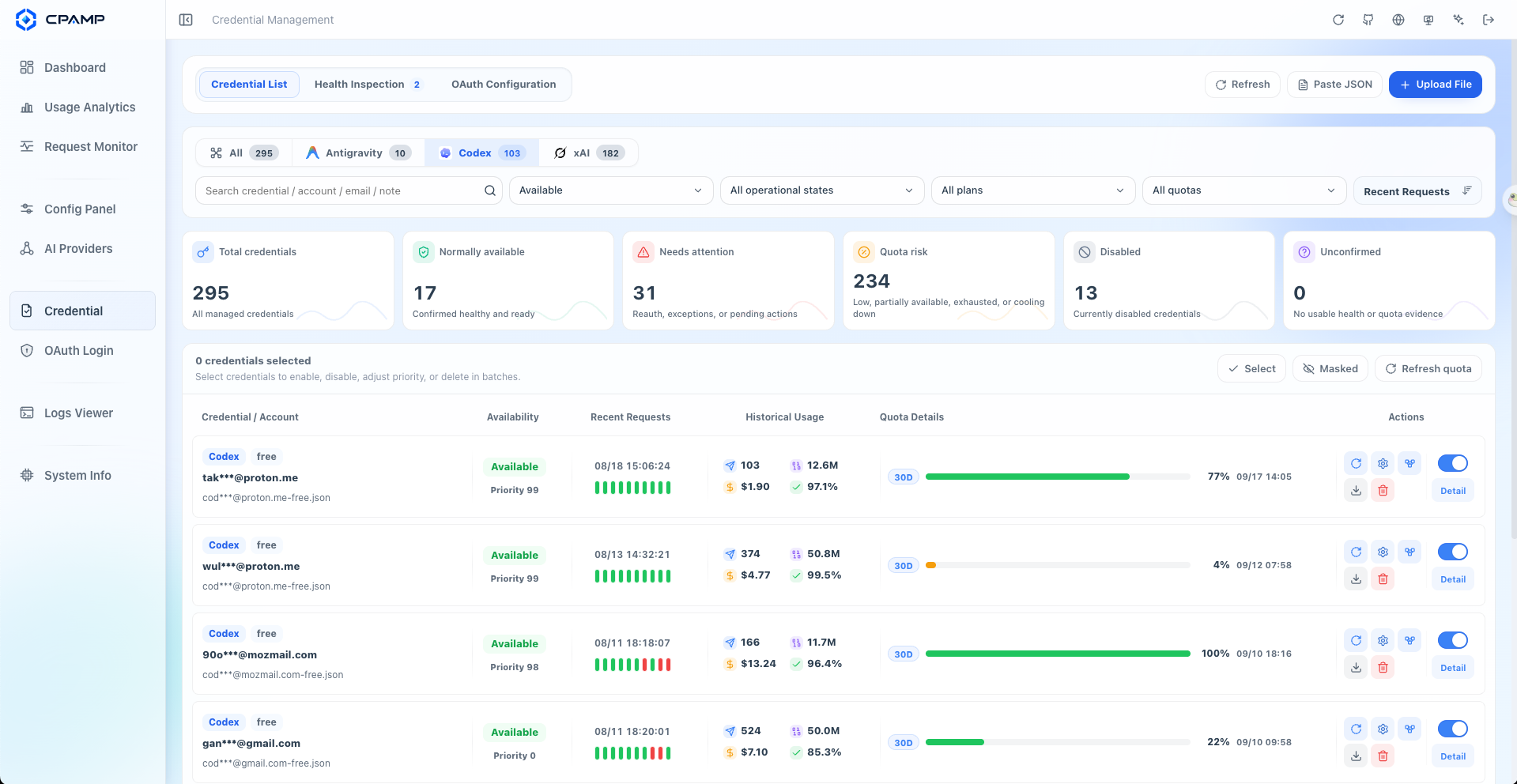
|
Credential Health Inspection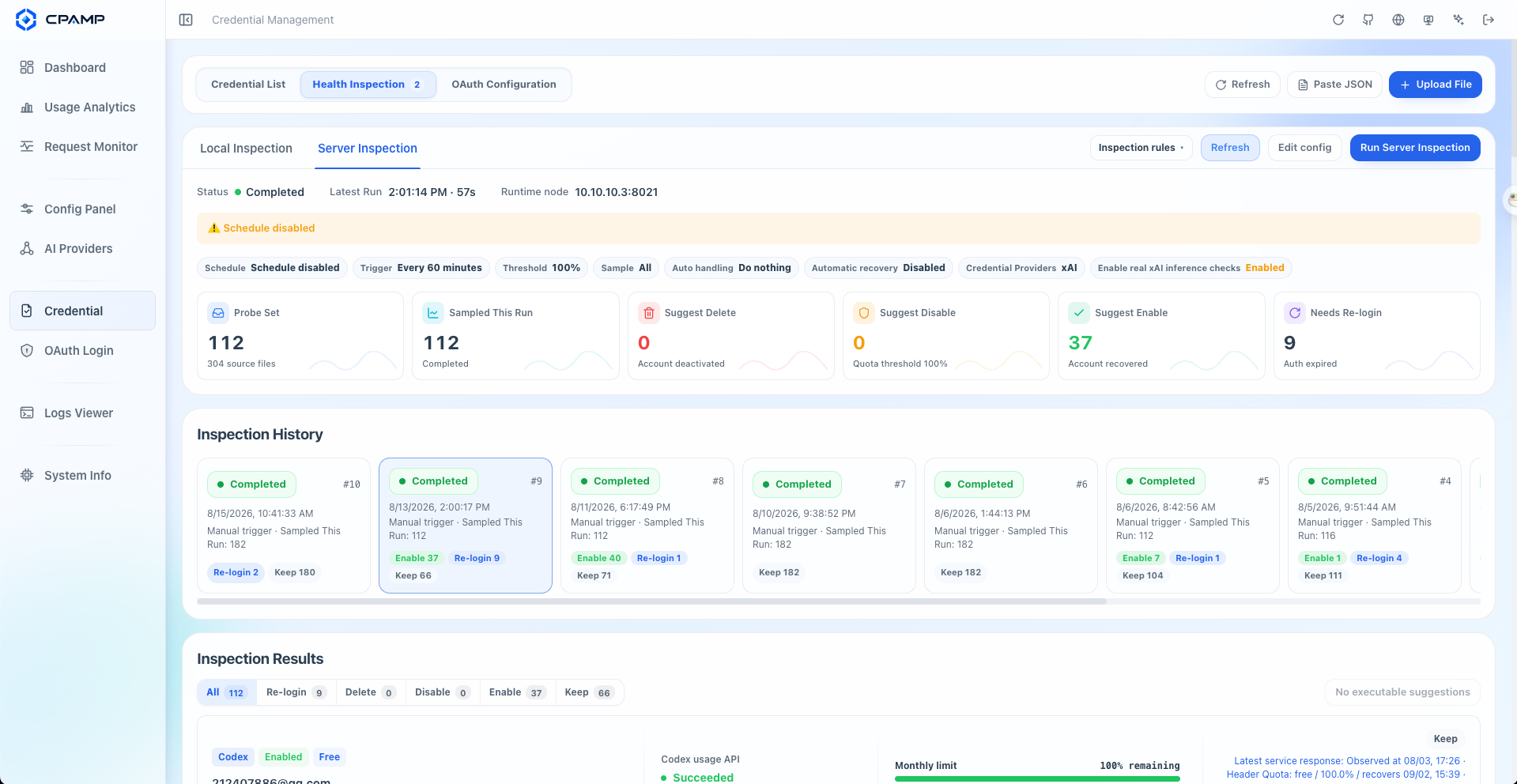
|
Credential Quota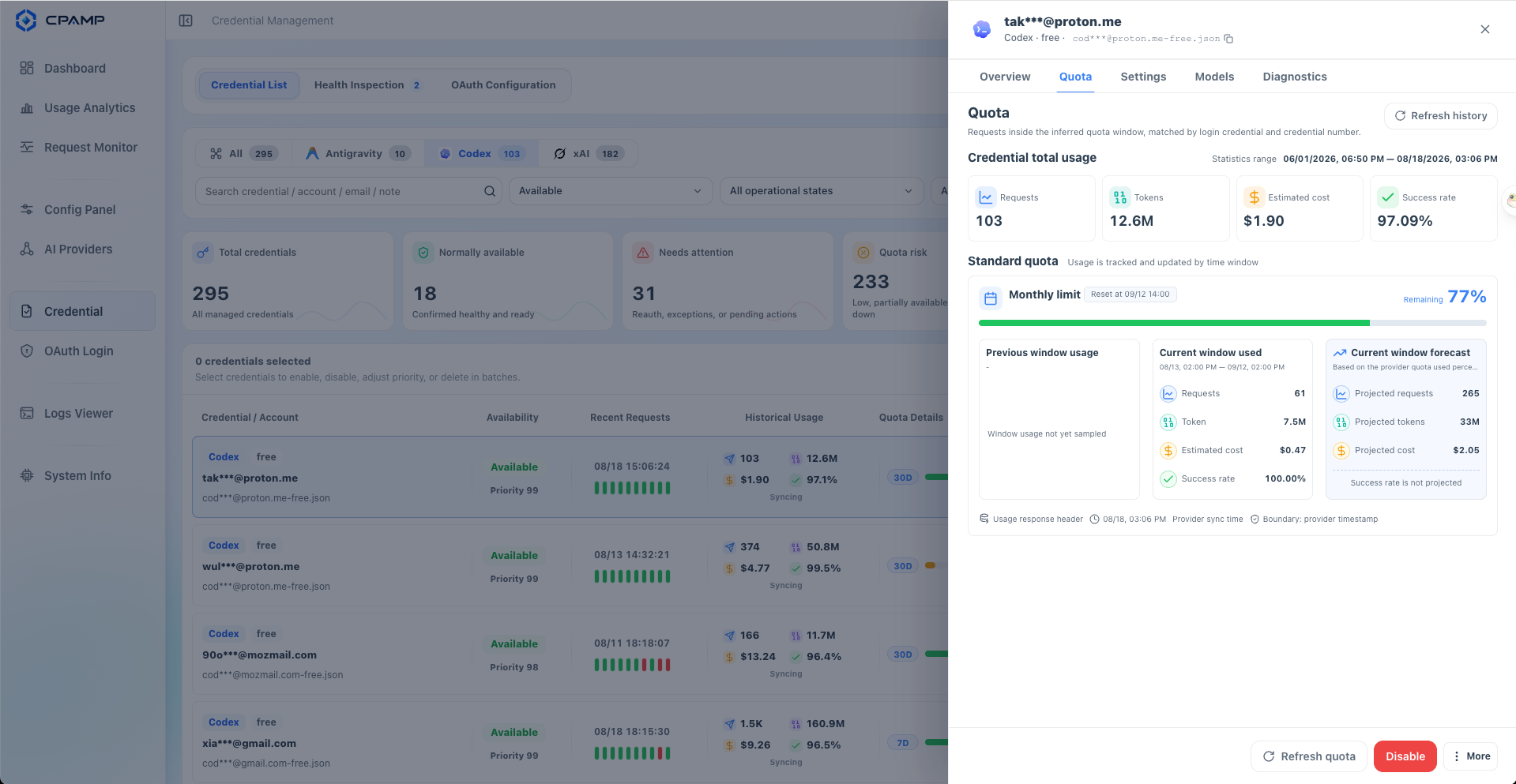
|
Which Panel Should You Choose?
CPA / CLIProxyAPI can serve either the official Management Center or the CPAMP Lightweight Panel directly on :8317. The lightweight panel replaces the official UI without adding another service. Deploy CPAMP Full Mode when you also need persistent observability and long-running operations.
| Option | Best for | Entry |
|---|---|---|
| Official CLI Proxy API Management Center | Keeping the upstream UI maintained by the CPA project | CPA :8317/management.html |
| CPAMP Lightweight Panel | Replacing only the UI without another service or database | CPA :8317/management.html |
| CPAMP Full Mode | Request history, cost analytics, inspection, and automation | Manager Server :18317/management.html |
See Choosing A CPA Panel for the comparison, or install the CPAMP Lightweight Panel directly in CPA.
Core Capabilities
CPA Gateway Management
- Manage CPA provider configurations, including Gemini, Codex, Claude, Vertex, xAI, Devin, and OpenAI-compatible providers.
- Maintain auth files, OAuth logins, API keys, model aliases, priorities, plugins, logs, and system settings.
- Import official Sub2API OpenAI OAuth exports and split multiple accounts into separate CPA Codex auth files.
Request Monitoring And Failure Diagnosis
- Persist requests from the CPA usage queue in local SQLite and search account, client API key, and realtime request views.
- Inspect status, latency, token, cache, trace, and redacted failure evidence without exposing raw failure bodies.
- Export or import request history as JSONL.
- Open the Monitoring Demo.
Cost And Usage Analytics
- Break down calls, tokens, cost, latency, and failures by model, provider, account, credential, API key, project, channel, and time range.
- Track input, output, reasoning, cache, service tier, and long-context pricing semantics.
- Sync model prices from models.dev first, with LiteLLM and OpenRouter fallbacks plus local overrides for aliases or internal models.
- Open the Usage Analytics Demo.
Account Health, Quota, And Automation
- Inspect Codex and xAI accounts locally or on a Manager Server schedule.
- Read quota windows, reset evidence, credential state, workspace state, and provider-specific health signals when available.
- Apply controlled quota cooldowns and route credential failures into an account action queue for review and recovery.
- Open the unified Accounts Demo.
Production Operations
- Run CPAMP Full Mode as one Docker container or a native Linux, macOS, or Windows package for amd64/arm64; the full stack can run alongside CPA.
- Keep request history, Manager configuration, automation state, and model prices in local files with no account registration or telemetry SDK.
- Back up SQLite files together with
data.keyto preserve encrypted CPA Management Keys. - If you harden the runtime with a read-only root filesystem or a non-root user, give SQLite a writable temporary directory and a writable database file; see Read-Only Root Filesystem.
Want to preview the interface first? Open the Live Demo. The demo uses fictional data only. It is not a deployment or runtime mode and cannot connect to, manage, or monitor a real CPA instance.
CPAMP manages and observes traffic through CPA / CLIProxyAPI. It is not a replacement proxy and does not forward model traffic by itself.
Quick Start
Installer
For a guided full-stack or CPAMP-only deployment:
curl -fsSLO https://raw.githubusercontent.com/seakee/CPA-Manager-Plus/main/bin/install-cpamp.sh
bash install-cpamp.sh
Preview without deploying:
CPAMP_DRY_RUN=1 bash install-cpamp.sh
See One-Click Installer for upgrade, repair, and admin-key recovery behavior.
CPA + CPAMP Together
services:
  cli-proxy-api:
    image: eceasy/cli-proxy-api:latest
    restart: unless-stopped
    ports:
      - '8317:8317'
    volumes:
      - cpa-data:/app/data

  cpa-manager-plus:
    image: seakee/cpa-manager-plus:latest
    restart: unless-stopped
    ports:
      - '18317:18317'
    volumes:
      - cpa-manager-plus-data:/data

volumes:
  cpa-data:
  cpa-manager-plus-data:
docker compose up -d
Open http://:18317/management.html, retrieve the CPAMP Admin Key from the Manager Server log, then enter the CPA URL and CPA Management Key during setup.
CPAMP Only
If CPA is already running:
docker run -d \
  --name cpa-manager-plus \
  --restart unless-stopped \
  -p 18317:18317 \
  -v cpa-manager-plus-data:/data \
  seakee/cpa-manager-plus:latest
Recommended CPA version: v7.1.39+. The HTTP usage queue needs v6.10.8+.
Documentation
| Task | Guide |
|---|---|
| Choose the right panel and deployment mode | Choosing A CPA Panel |
| Replace the official UI without deploying another service | CPAMP Lightweight Panel |
| Install and complete first setup | Getting Started |
| Understand supported features and modes | Capability Matrix |
| Understand runtime ports, keys, and request flow | Runtime Model |
| Configure providers, credentials, quota, and plugins | AI Providers, Accounts, Plugin Management |
| Operate Manager Server, backups, upgrades, and migrations | Manager Server Guide |
| Back up data or recover a lost admin key | Backup And Restore, Reset Admin Key |
| Migrate from the legacy CPA-Manager | Migration From CPA-Manager |
| Diagnose empty monitoring or queue problems | Troubleshooting |
Data, Privacy, And Security
- CPAMP does not phone home, include analytics SDKs, or require account registration.
- External calls are limited to the CPA gateway and integrations you explicitly configure or trigger, such as OAuth, provider checks, plugin releases, and model price sync.
- Request history, configuration, model prices, inspection history, and automation state stay in local files.
- CPA Management Keys are encrypted before SQLite persistence; backups require the SQLite files and
data.key. - Normal APIs and JSONL exports expose redacted failure summaries, never raw failure bodies or stored raw JSON.
- CPAMP is intended for traffic and credentials you are authorized to operate.
Development
npm install
npm run dev
npm run type-check
npm run lint
npm run test
npm run build
npm run docs:build
Manager Server:
cd apps/manager-server
go test ./...
go test -race ./...
go vet ./...
go run ./cmd/cpa-manager-plus
Build the Docker stack locally:
docker compose -f docker-compose.manager.yml up --build
Release
npm run buildcreates a single-fileapps/web/dist/index.html.bin/release/package-native.shembeds the panel into native packages.- Create release notes through
release/ -> dev -> main, then push a strictvX.Y.Zor prerelease tag from the verifiedmainpromotion merge. npm run release:validate -- --tag --content-onlychecks the three required release files before a tag is created..github/workflows/release.ymloffers aworkflow_dispatchdry-run frommain; it validates and builds without publishing a GitHub Release, container image, or Telegram message.- Release assets include
management.html, native packages, and Docker images forlinux/amd64andlinux/arm64. - Release publishing is serialized and has no automatic commit-log fallback;
missing or mismatched notes fail closed. See
docs/release.mdfor recovery and required repository protections.
Acknowledgements
- Thanks to CLIProxyAPI and the official CLI Proxy API Management Center for the runtime and WebUI foundation.
- Thanks to the Linux.do community for project promotion and feedback.
License
MIT — Copyright 2026 Seakee.