config-inspector is a visual tool for inspecting and understanding ESLint flat configs, aimed at developers who need to see how their eslint.config.js resolves.
What it is
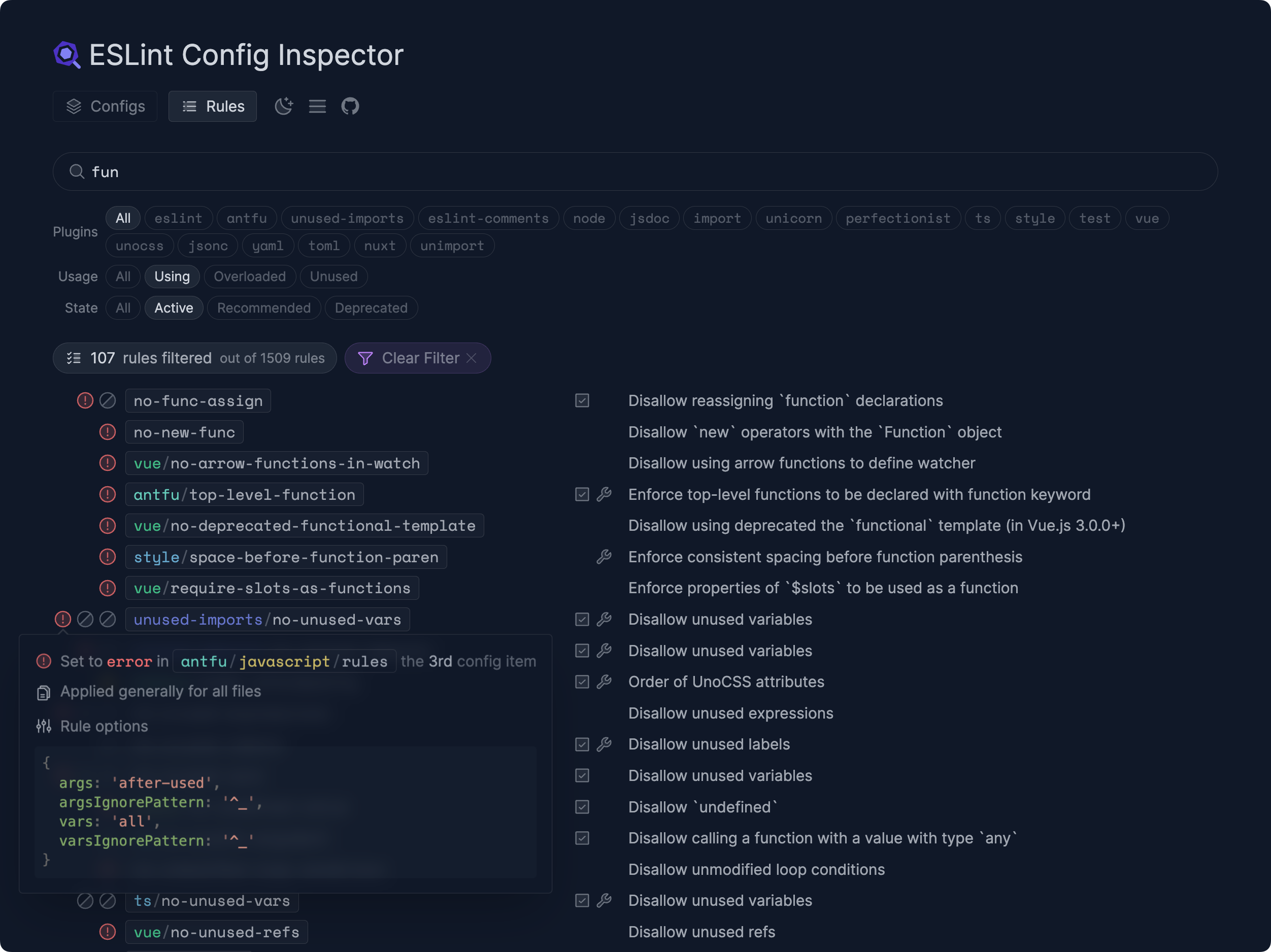
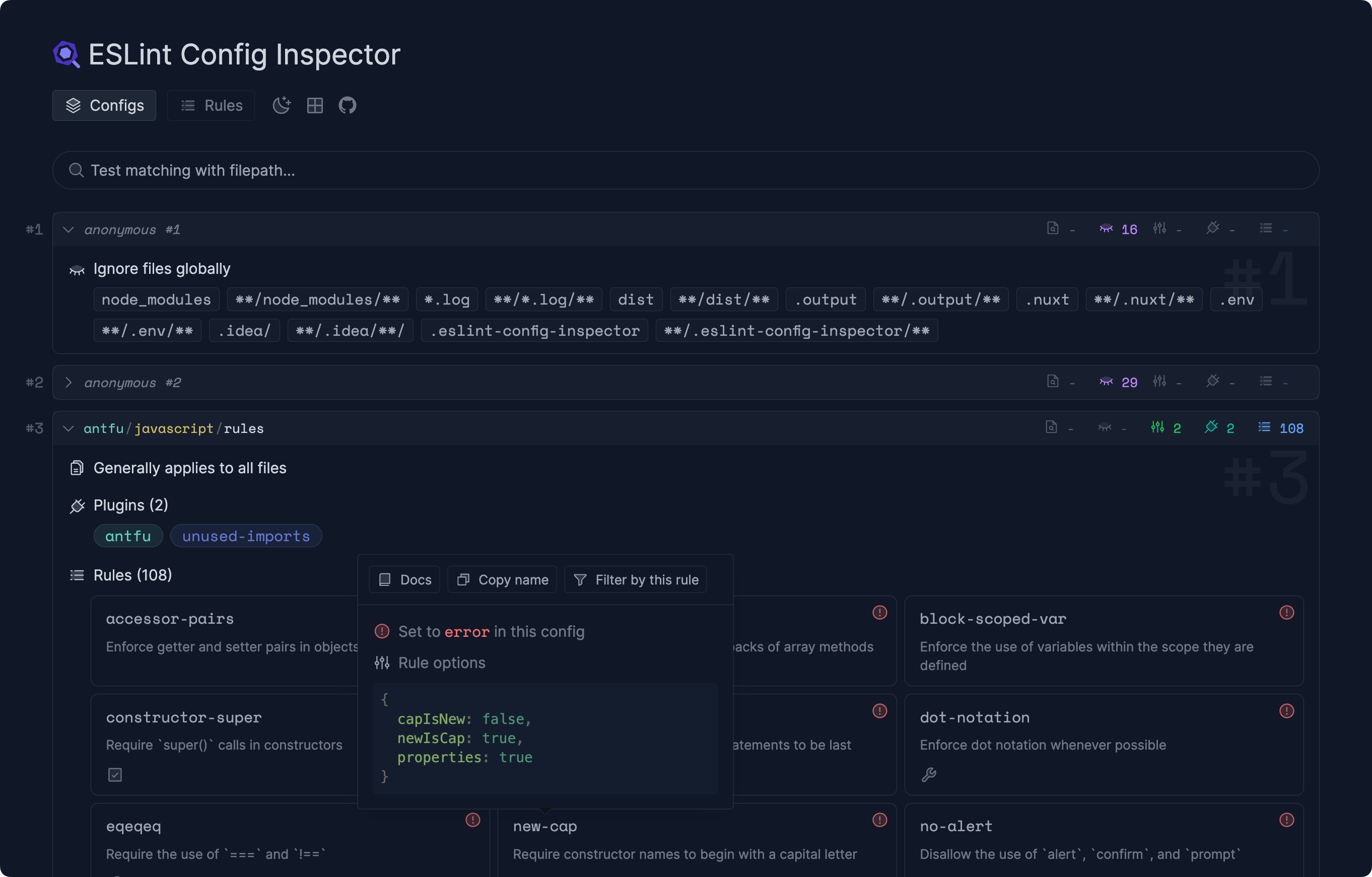
ESLint Config Inspector is a TypeScript developer tool, distributed on npm as @eslint/config-inspector, that renders an ESLint flat config as an interactive web application you can browse and explore. It lives in the JavaScript and ESLint ecosystem and is aligned with the project's own eslint-flat-config topic, running as a local CLI that serves an interface at http://localhost:7777/. The tool can also produce a static single-page application snapshot of a configuration, and an online preview is available through a StackBlitz link in the README.
Flat configuration files are built by composing and extending many separate config objects, so the effective rules, plugins, and settings for a given file are rarely obvious by reading the source. The inspector solves that by loading the config from the project root and displaying the resolved result, letting you see what your configuration actually does rather than reconstructing it mentally. Because changes to the config file are picked up automatically, it works as a live companion while you edit eslint.config.js.
Key capabilities
- Serves an interactive inspector at
http://localhost:7777/ when run from the project root that contains eslint.config.js.
- Reloads automatically when the config file changes, so edits to
eslint.config.js are reflected without restarting the CLI.
- Exposes all command-line flags through
pnpx @eslint/config-inspector --help.
- Builds a static single-page application snapshot with
pnpx @eslint/config-inspector build, writing output to dist/__eslint-config-inspector.
- Offers a browser-based preview via the StackBlitz "Open in StackBlitz" link to the
eslint/config-inspector repository.
- Provides a development workflow with
pnpm cli:dev to build the SPA once and start the inspector, and pnpm dev for iterating on Vue components with hot module replacement.
- Produces a production build through
pnpm build for the inspector and CLI, started with pnpm start.
Who uses it and how
- Frontend and full-stack JavaScript developers running ESLint flat configs who open the inspector alongside their editor to check the resolved configuration while editing
eslint.config.js.
- Teams that want a shareable artefact of their lint setup:
pnpx @eslint/config-inspector build generates a deployable static snapshot suitable for hosting or for comparing configurations.
- Contributors experimenting with the tool itself, who install with
pnpm install (with corepack enable recommended), use pnpm cli:dev or pnpm dev, and verify the production path with pnpm build and pnpm start.
- People evaluating the tool before adopting it, who can try it directly in the browser through the StackBlitz preview without installing anything.
Getting started
From your project root, run pnpx @eslint/config-inspector and open http://localhost:7777/; for a hosted artefact, use pnpx @eslint/config-inspector build to generate the static SPA under dist/__eslint-config-inspector.
How it compares
No list of paid products it replaces is given in the available facts, and no similar tools are named either, so config-inspector stands alone in this registry. It is nonetheless notable that it is an ESLint-ecosystem tool published on npm under the Apache-2.0 licence with its full development stack — pnpm, Nuxt, Vue, UnoCSS, and devframe — documented openly in the README.
When to use it — and when not to
It is a viewing and build tool rather than a linter: it reads and visualises an existing config, so you still need ESLint itself, a eslint.config.js, and a working Node toolchain to get value from it. Choose something else if you want automated linting, rule fixing, or CI enforcement, since none of that is described here. The stated target is the flat config format, so projects still on legacy configuration files are outside what the README documents, and the repo currently carries 12 open issues; contributors should note the project operates under the ESLint Contributor Guidelines.
project readme (upstream, from github) — read inline

ESLint Config Inspector


A visual tool for inspecting and understanding your ESLint flat configs.
Usage
Go to the project root that contains eslint.config.js and run:
pnpx @eslint/config-inspector
Visit http://localhost:7777/ to view and play with your ESLint config. Changes to the config file will be updated automatically.
Run pnpx @eslint/config-inspector --help to see all the CLI options available.
Online Preview
Or play it right in your browser now:

Static Build
It is also possible to build a static web app for your ESLint config:
pnpx @eslint/config-inspector build
This will generate a Single-Page Application (SPA) under dist/__eslint-config-inspector, with the snapshot of the current ESLint config. You can deploy it somewhere, or use it for comparison etc.
Run pnpx @eslint/config-inspector build --help to see all the CLI options available.
Contributing
We operate under the ESLint Contributor Guidelines, so please be sure to read them before contributing. If you're not sure where to dig in, check out the issues.
Development
This project uses the following stack:
- pnpm for package management
- Nuxt & Vue for the app
- devframe for the dev server, RPC transport, and static build
- UnoCSS for styling
- Use ESLint for linting and formatting
To start the development server:
- Install dependencies via
pnpm install (we highly recommend you to enable corepack enable first)
- Run
pnpm cli:dev to build the SPA once and start the inspector at http://localhost:7777
- Run
pnpm dev to iterate on Vue components with HMR (the payload fetch will fail without the inspector running)
To test the production build:
- Run
pnpm build to build the inspector tool and the CLI
- Run
pnpm start to start the production server at http://localhost:7777
License
Apache-2.0 License
Sponsors
The following companies, organizations, and individuals support ESLint's ongoing maintenance and development. Become a Sponsor
to get your logo on our READMEs and website.
Gold Sponsors



Silver Sponsors


Bronze Sponsors





Technology Sponsors
Technology sponsors allow us to use their products and services for free as part of a contribution to the open source ecosystem and our work.


